
This page is not an official page of the app or its developer, but an independent editorial publication created for informational and commentary purposes. Unless expressly stated otherwise, neither the app nor its developer is affiliated with, endorsed by, sponsored by, authorized by, or otherwise officially connected with MWM, Apple, Google Play, the app publisher, or the app's developer, and nothing on this page implies that the app was developed using MWM's services. Any trademarks, logos, screenshots, and other content remain the property of their respective owners.


xZoom Cam - PRO Camera
Unleash your iPhone's hidden optical might. This app turns distant shots into crisp realities.
Downloads
2.5M+User Rating
Total Ratings
3.0KPublisher
Category
Photo & VideoLocales
21Latest Version
1.1.421Size
33.4 MBFirst Released
Dec 11, 2022An analytical overview of key features enhancing professional-grade media capture on iPhone.
xZoom Cam - PRO Camera: Advanced Capabilities for Photography Enthusiasts
Extended Digital Zoom
The app provides significantly extended digital zoom capabilities for both photos and videos, allowing users to capture distant subjects with greater detail than the native iPhone camera.
Manual Shutter Speed Control
This tool provides manual shutter speed control, empowering users to adjust exposure time for creative effects such as motion blur or freezing fast action, which is vital for photography and videography enthusiasts.
Manual Focus Control
It offers manual focus control, allowing users to precisely set the lens position to achieve perfect focus, crucial for creative depth of field, sharp imagery, and videographic pull-focus effects.
Manual ISO Sensitivity Control
The app features manual ISO control, enabling users to adjust the camera sensor's sensitivity to light, vital for managing image noise and achieving optimal exposure in diverse lighting conditions.
Professional Image File Formats
This tool supports professional image formats such as JPEG, HEIC, TIFF, Raw, and Apple's ProRAW, offering unparalleled flexibility for detailed post-production and editing workflows.
Manual White Balance Adjustment
It includes manual white balance adjustment, allowing users to accurately fine-tune color temperature for consistent and natural-looking colors under diverse lighting scenarios, ensuring professional color fidelity.
Advanced Video Codec Support
The app offers support for advanced video codecs like ProRes, HEVC, and MPEG, which are essential for professional video production workflows demanding high-quality and efficient compression.
Pro Active Color Space Management
This tool supports Pro Active color space management, ensuring accurate color reproduction and consistency across different displays and post-production environments, critical for color-critical work.
Precise Video Frame Rate Control
It allows users to precisely control video frame rates, providing creative flexibility for achieving cinematic effects, smooth slow-motion, or dynamic time-lapse sequences essential for content creation.
4K Video Recording & Versatile Photo Resolutions
The app supports 4K video recording, alongside various other photo and video resolutions like FullHD and HD, ensuring high-quality output suitable for a wide range of professional and creative projects.
Frequently Asked Questions
Everything you need to know about xZoom Cam - PRO Camera
What is xZoom Cam - PRO Camera?
xZoom Cam - PRO Camera is an application that provides extended digital zoom performance for photos and videos. It enhances camera capabilities for capturing distant subjects.
What free features does xZoom Cam - PRO Camera offer?
xZoom Cam offers extended digital zoom for photos and videos, supports 4K, FullHD, HD, various image/video formats, advanced stabilization, Pro Active color management, video frame rate control, Dolby Vision, and a flashlight.
How does PRO mode in xZoom Cam - PRO Camera enhance camera control?
PRO mode in xZoom Cam provides manual control over Lens Focus (F), Shutter Speed (SS), ISO sensitivity, and White Balance (AWB) for physical cameras. This allows precise adjustments for photos and videos.
What is the maximum zoom factor available in xZoom Cam?
The maximum zoom factor available in xZoom Cam - PRO Camera is 189x. The actual maximum digital zoom value can vary depending on the video format selected.
Does xZoom Cam - PRO Camera offer a free trial for its PRO mode?
Yes, xZoom Cam offers a 3-day free trial period with the Weekly subscription plan. Users can activate and use it free until the trial period ends.
How do users cancel an xZoom Cam - PRO Camera PRO mode subscription?
Users cancel an xZoom Cam subscription by navigating to iPhone Settings, then to their Apple ID, and finally to Subscription Management. It is cancellable anytime before the free trial ends.
What iPhone models and iOS versions does xZoom Cam support?
xZoom Cam - PRO Camera supports iPhone 7 and newer models. It requires iOS 15 or a newer version to operate.
Does xZoom Cam - PRO Camera support Dolby Vision?
Yes, xZoom Cam - PRO Camera supports Dolby Vision. This feature is listed among the free features provided by the application.
What types of image and video formats does xZoom Cam - PRO Camera support?
xZoom Cam supports JPEG, HEIC, TIFF, Raw, ProRAW for photos, and ProRes, HEVC, MPEG, HEIC for video. It also supports 4K, FullHD, and HD video resolutions.
What types of subscription plans are available for xZoom Cam PRO mode?
xZoom Cam - PRO Camera offers Weekly, Monthly, and Annual subscription plans for its PRO mode. A "Lifetime" Pro purchase option is also available.
How does digital zoom function in xZoom Cam?
xZoom Cam's digital zoom crops an image to an area with the original aspect ratio, then scales it up to the original dimensions. Increased zoom factors result in reduced quality.
The following screenshots and description are sourced directly from the app's official store listing and are the property of the app developer.
App Store
Screenshots
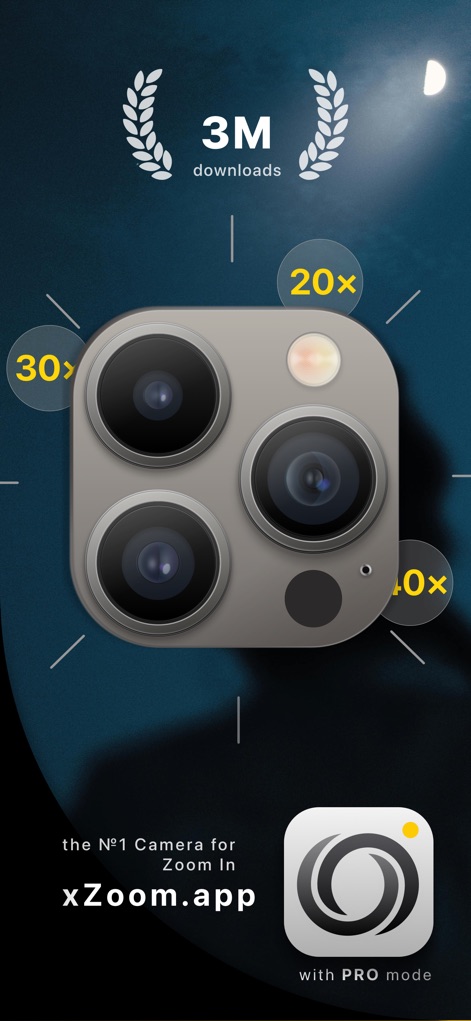
This graphic prominently displays the app's "3M downloads" achievement and emphasizes its core "Zoom In" functionality, illustrating the tool's wide adoption and primary strength.
Zoom Power Unveiled
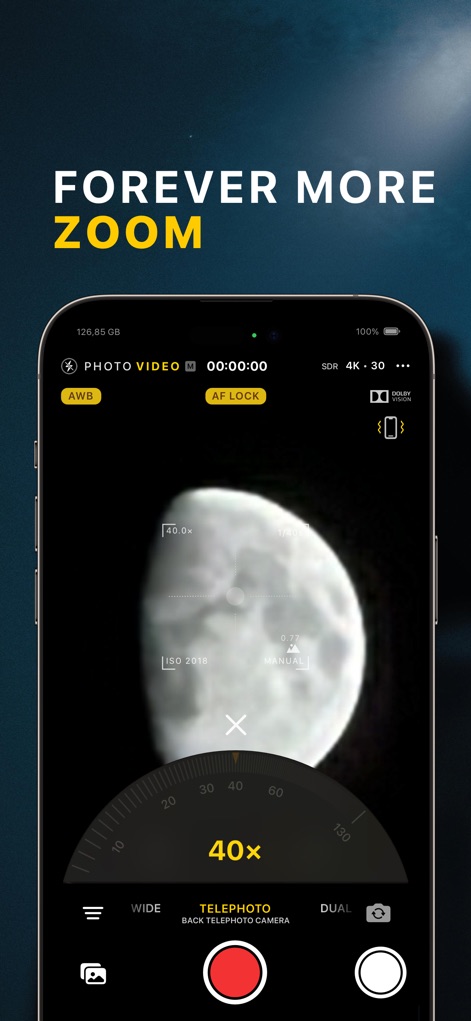
This interface showcases the app's powerful "40x" zoom capability, allowing users to capture distant subjects with clarity, alongside critical "ISO 2018" manual controls for precise exposure management.
Extreme Zoom Capabilities
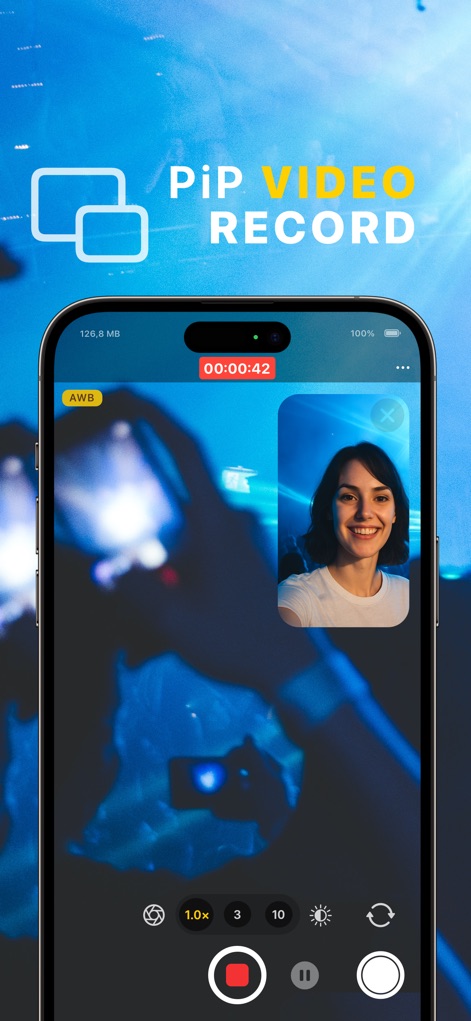
The app enables innovative "PiP VIDEO RECORD" functionality, allowing users to capture simultaneous perspectives as demonstrated by the main "concert scene" and the inset "smiling face" video feed.
Innovative PiP Video
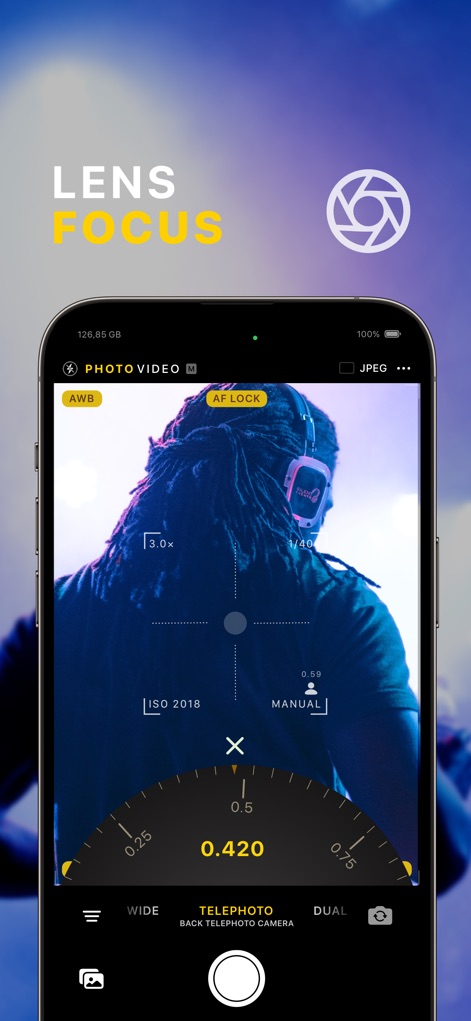
This interface reveals the app's precise "LENS FOCUS" feature, allowing users to manually adjust the focal point with a detailed "0.420" dial, ensuring critical sharpness on their subjects.
Manual Lens Focus
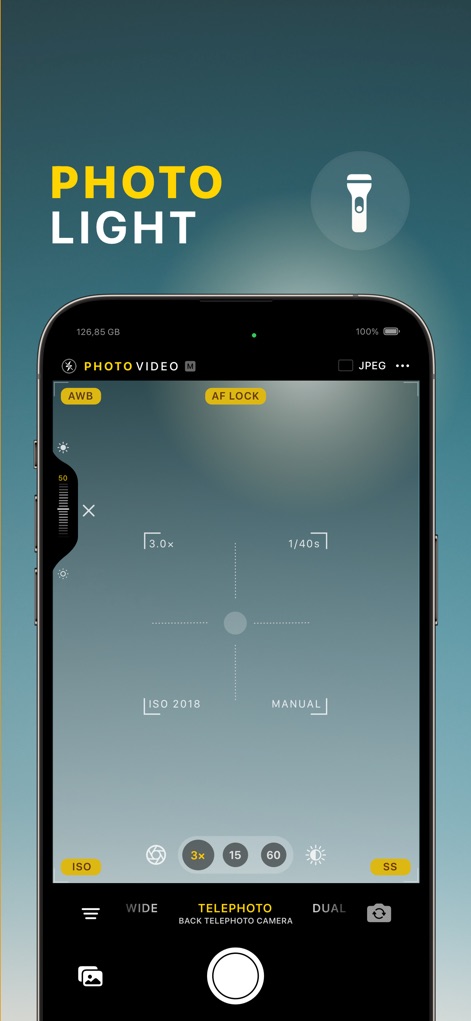
The app provides granular control over illumination with its "PHOTO LIGHT" feature, allowing users to adjust brightness via a "vertical slider" and observe the "1/40s" shutter speed for optimal exposure.
Dynamic Photo Light

This screen illustrates the app's robust support for various "VIDEO FORMAT TYPE" options, prominently featuring professional-grade choices like "HDR (Dolby Vision)" and "LOG (ProRes)" for advanced videography.
Professional Video Formats
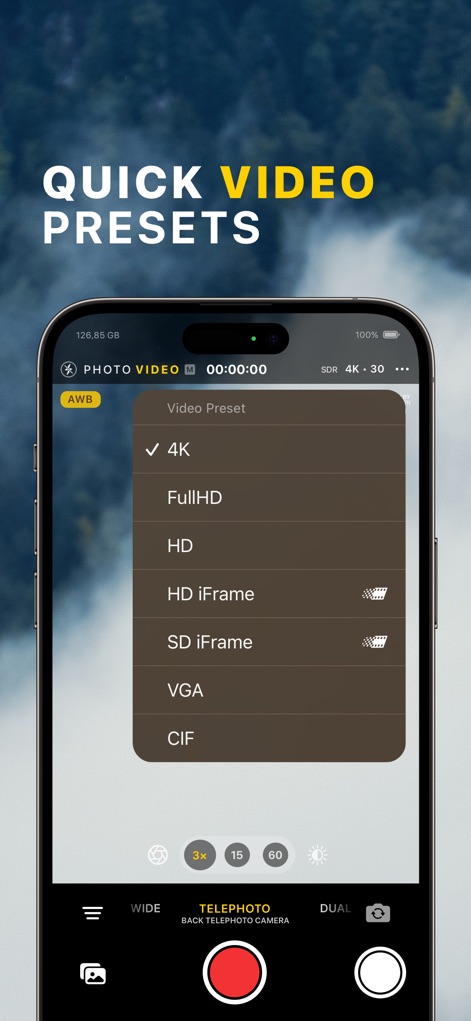
The app provides a comprehensive list of "QUICK VIDEO PRESETS," enabling users to effortlessly select desired video resolutions, from high-fidelity "4K" down to "VGA" for specific needs.
Instant Video Presets
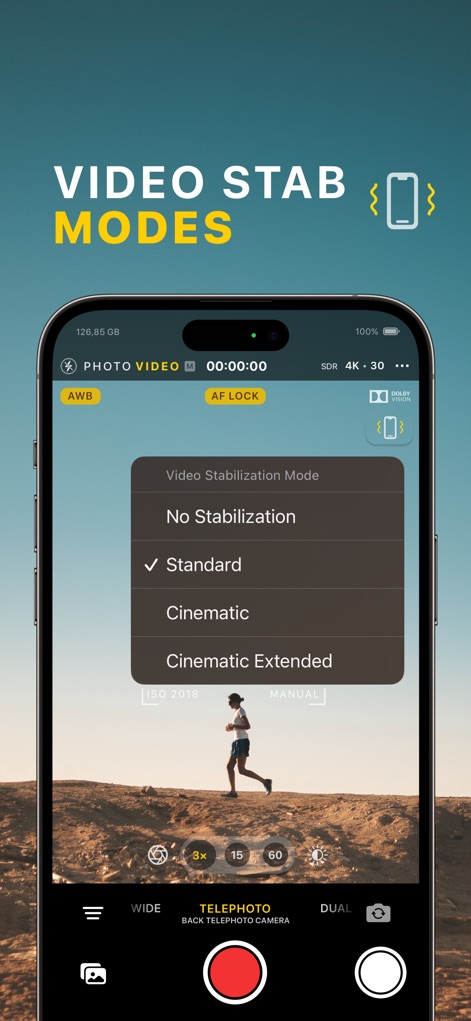
This screen details the app's sophisticated "VIDEO STAB MODES," offering choices like "Cinematic" and "Cinematic Extended" to ensure remarkably smooth and stable video capture.
Advanced Video Stabilization
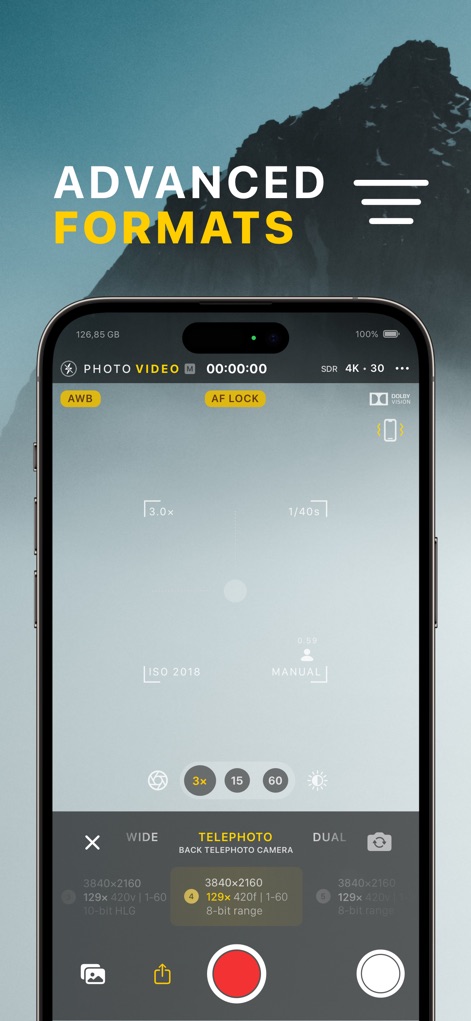
The app supports a range of "ADVANCED FORMATS," showcasing detailed resolution outputs such as "3840x2160" across different camera lenses and explicitly supporting "ProRes" for professional workflows.
Expanded Capture Formats
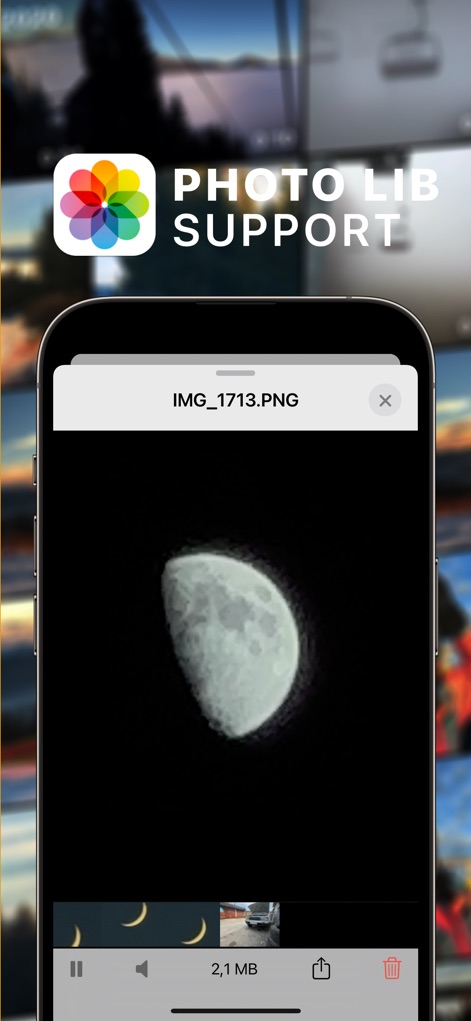
The app offers seamless "PHOTO LIB SUPPORT", allowing users to effortlessly manage their captured media, as evidenced by the "moon image preview" and the "gallery thumbnail strip" at the bottom.
Integrated Photo Library
Description
Download
More Like This
Apps with similar features and user experience

Blackmagic Camera
Blackmagic Design Inc

飓风相机
Hangzhou Ostar Media Co.,Ltd.

ProMovie Recorder
Panda Apps Limited

ReLens Camera-DSLR Portrait
Pixl Concerto Technology Limited

Leica LUX - Pro Manual Camera
Leica Camera AG

FotorGear - Camera in Pocket
Shenzhen Fotorgear Technology Co., Ltd.

Unsharp
北北 宋

ProCam:Professional RAW Camera
BRAND CELLAR HOLDINGS PTE LTD

Vibe Cam - Moments Never Fade
森 林
This page is not an official page of the app or its developer, but an independent editorial publication created for informational and commentary purposes. Unless expressly stated otherwise, neither the app nor its developer is affiliated with, endorsed by, sponsored by, authorized by, or otherwise officially connected with MWM, Apple, Google Play, the app publisher, or the app's developer, and nothing on this page implies that the app was developed using MWM's services. Any trademarks, logos, screenshots, and other content remain the property of their respective owners.