This page is not an official page of the app or its developer, but an independent editorial publication created for informational and commentary purposes. Unless expressly stated otherwise, neither the app nor its developer is affiliated with, endorsed by, sponsored by, authorized by, or otherwise officially connected with MWM, Apple, Google Play, the app publisher, or the app's developer, and nothing on this page implies that the app was developed using MWM's services. Any trademarks, logos, screenshots, and other content remain the property of their respective owners.

ZArchiver - Zip UnZip
Effortlessly compress, extract, and secure your archives with professional-grade tools. Handle ZIP, RAR, and 7Z formats with ease and keep your sensitive data protected on the go.
Key Figures
Downloads
19K+
User Rating
4.3/5
Total Ratings
900
Publisher
Liam Sammy
Category
Utilities
Locales
17
Latest Version
1.5
Size
30.9 MB
First Released
Oct 16, 2024
Features
Desktop-Class File Power in Your Pocket
ZArchiver bridges the gap between iOS and professional file management, giving you the tools to open, secure, and organize any archive format on the go.
Universal Archive Support
Go beyond standard ZIP files. Seamlessly extract RAR, 7Z, TAR, and ISO formats that the native iOS Files app can't handle, perfect for professional assets and creative projects.
Secure Encryption
Protect your privacy with industrial-grade password encryption. Secure sensitive legal or financial documents before uploading them to iCloud, Google Drive, or Dropbox.
The following screenshots and description are sourced directly from the app's official store listing and are the property of the app developer.
App Store
Screenshots
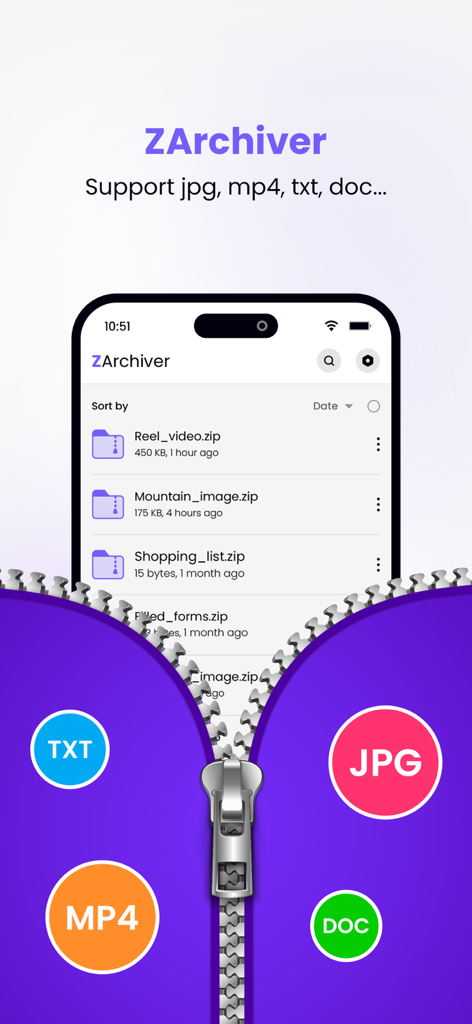
ZArchiver app interface displaying a list of zipped files and icons for supported formats like TXT MP4 JPG and DOC
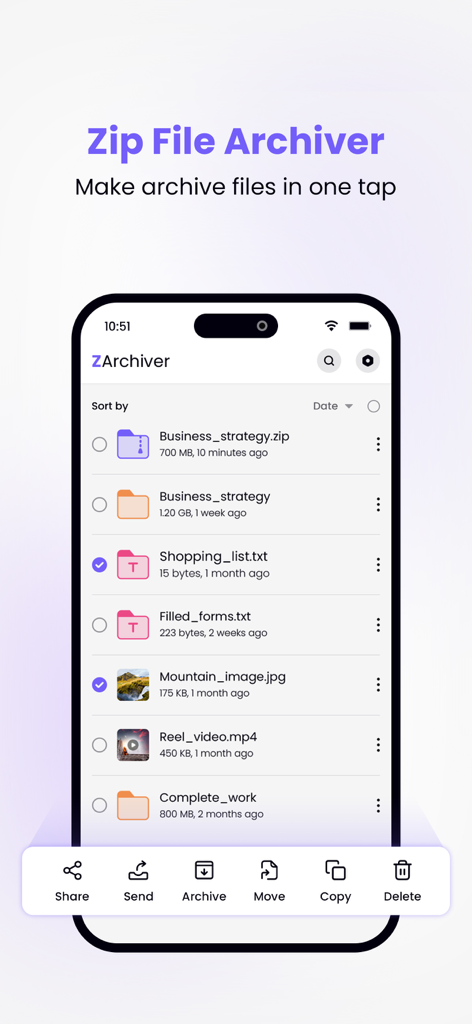
ZArchiver app interface on iPhone showing a file list with archive and compression management options.
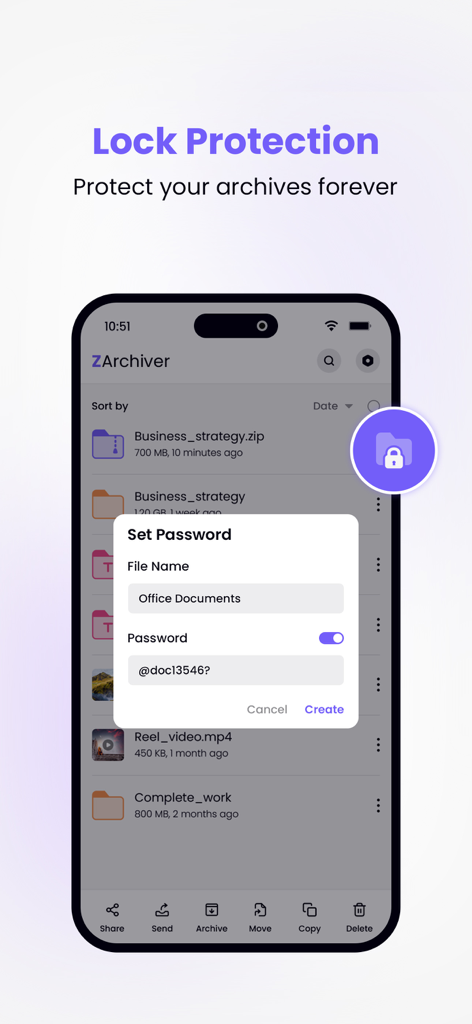
ZArchiver mobile app showing password setup for secure file archives
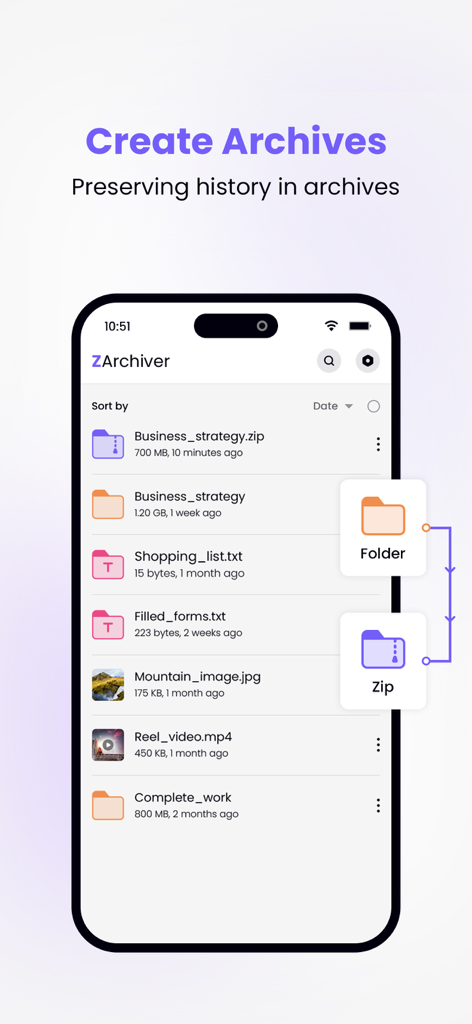
ZArchiver mobile app interface showing a file list and the process of converting a folder into a zip archive
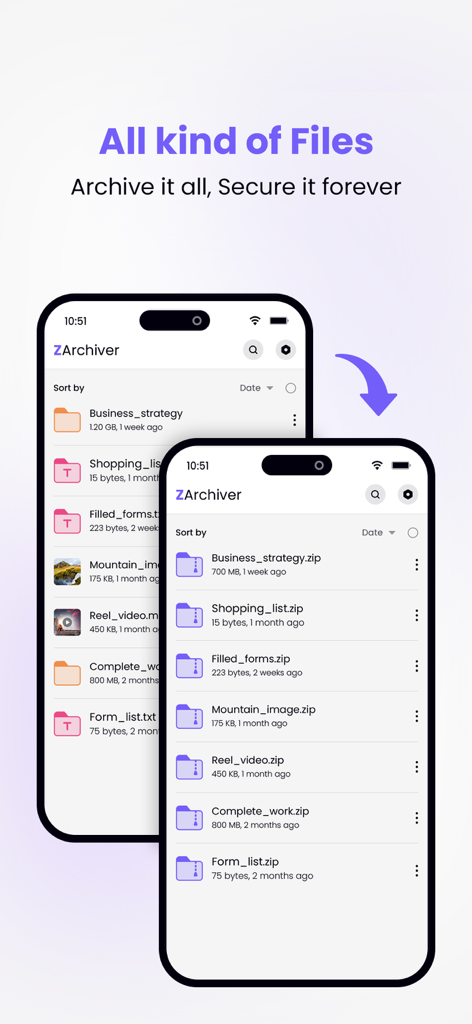
ZArchiver app interface displaying a file list and its conversion to compressed zip archives.
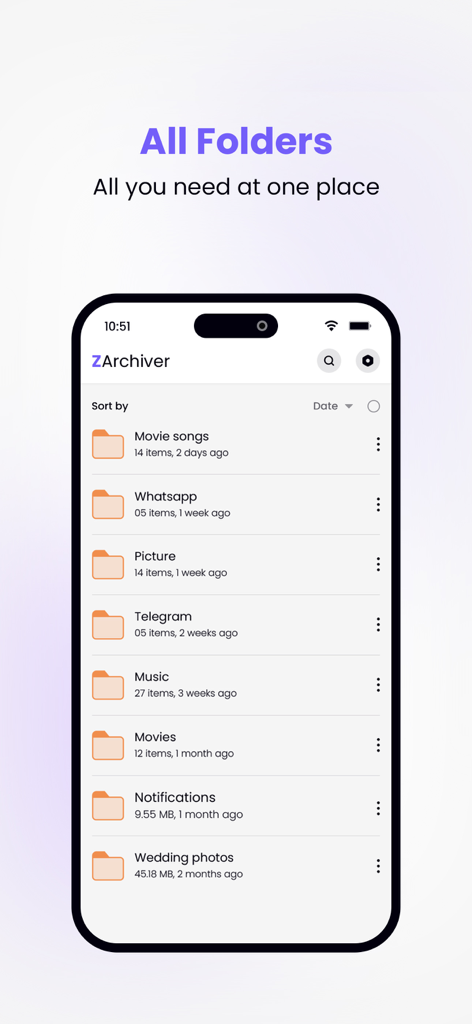
ZArchiver app interface displaying a list of organized folders on an iPhone screen.
Description
Zip Archiver is a powerful and easy-to-use file management tool for phone, designed to compress, decompress, and organize your files quickly. Whether you're handling large archives, sharing multiple files, or simply managing storage, Zip Archiver gives you complete control over your data in just a few taps. It's the ideal solution for anyone who needs to zip or unzip files while on the go, supporting all major archive formats like ZIP, RAR, 7Z, TAR, and more.
◆ Key Features ◆
• Compress Files:
- Easily compress large files or multiple files into a single archive.
- Create ZIP files to save storage space or for fast sharing via email, cloud storage, or messaging apps.
- Supports advanced compression options for customisation.
- Password-protect your ZIP files for enhanced security.
• Decompress Archives:
- Open and extract contents from a variety of compressed file formats, including ZIP, RAR, 7Z, TAR, GZIP, and more.
- Supports multi-part RAR files and encrypted archives.
- Browse, preview, and extract individual files from an archive without decompressing the entire package.
• File Management:
- Manage files within the app with a built-in file browser.
- Organize your documents, images, videos, and archives into folders.
- Perform basic file operations like rename, delete, move, and copy.
• File Preview and Sharing:
- Preview the contents of your archives before extraction, including documents, images, videos, and more.
- Share individual files or entire archives via email, AirDrop, or supported apps like Dropbox, Google Drive, or OneDrive.
- Export files to other apps for further editing or sharing.
• Batch Compression/Decompression:
- Handle multiple files at once with batch compression and decompression.
- Create multi-file archives with ease, perfect for organizing large sets of documents, photos, or videos.
• Advanced Security:
- Add a password to your ZIP files to keep sensitive data secure.
- Decrypt password-protected archives quickly and easily.
- Store sensitive information safely, with the ability to encrypt and share protected files.
• User-Friendly Interface:
- Clean, intuitive design that makes compressing and decompressing files simple for users of all skill levels.
- Easy-to-navigate file structure with support for multiple views and sorting options.
- Quick access to recently opened or created files for easy file management.
• File Formats Supported:
- Compression: ZIP, RAR, 7Z, TAR, GZIP
- Decompression: ZIP, RAR, 7Z, TAR, GZIP, ISO, BZ2, XZ, LZH, and more.
• Offline Mode:
- Work with files and archives even when you’re offline. No internet connection required for zipping/unzipping local files.
◆ Use Cases:
- Organize your work files by compressing multiple documents into a single ZIP file for easy sharing.
- Unzip compressed files received through email or messaging apps to preview and extract contents directly on your device.
- Secure sensitive files by creating password-protected ZIP files.
- Manage and extract compressed files from cloud services without downloading them entirely.
Whether you’re compressing files for storage, sending large attachments via email, or unzipping archives you’ve downloaded, Zip Archiver simplifies file management. With its powerful features, easy-to-use interface, and full support for cloud services and encryption, Zip Archiver is your all-in-one solution for handling compressed files on phone.
This app include Subscribe ZArchiver Pro Monthly at $1.99 and ZArchiver Pro Yearly at $9.99 to use ads free versions of the app for a Month and user can cancel it anytime.
– Privacy Policy: https://sites.google.com/view/liam-sammy-pp
– Terms of Use: https://sites.google.com/view/liam-sammy-tos
Download it today and take control of your files!
This page is not an official page of the app or its developer, but an independent editorial publication created for informational and commentary purposes. Unless expressly stated otherwise, neither the app nor its developer is affiliated with, endorsed by, sponsored by, authorized by, or otherwise officially connected with MWM, Apple, Google Play, the app publisher, or the app's developer, and nothing on this page implies that the app was developed using MWM's services. Any trademarks, logos, screenshots, and other content remain the property of their respective owners.









