Zero Duplicates Mobile

This page is not an official page of the app or its developer, but an independent editorial publication created for informational and commentary purposes. Unless expressly stated otherwise, neither the app nor its developer is affiliated with, endorsed by, sponsored by, authorized by, or otherwise officially connected with MWM, Apple, Google Play, the app publisher, or the app's developer, and nothing on this page implies that the app was developed using MWM's services. Any trademarks, logos, screenshots, and other content remain the property of their respective owners.
Logo of Zero Duplicates Mobile

Zero Duplicates Mobile

Stop "Storage Full" warnings by finding real duplicates—not just matching names. Safely clean your documents, media, and iCloud files with 100% private, local scanning.

Key Figures

Downloads

100+

User Rating

4.5/5

Total Ratings

0

Publisher

Christopher Brock

Category

Utilities

Locales

3

Latest Version

1.2

Size

6.6 MB

First Released

Nov 12, 2025
Features

Take Control of Your Digital Storage

Professional-grade deduplication for iPhone and iPad. Reclaim gigabytes of space by finding hidden clutter across your Files, iCloud, and external drives.

Smart Content Matching

Our engine analyzes actual file data, not just names, finding 10x more duplicates than basic cleaning tools.

One-Tap Auto-Select

Stop manual sorting. Automatically pick the versions you want to keep and organize your device in seconds.

The following screenshots and description are sourced directly from the app's official store listing and are the property of the app developer.

App Store

Screenshots
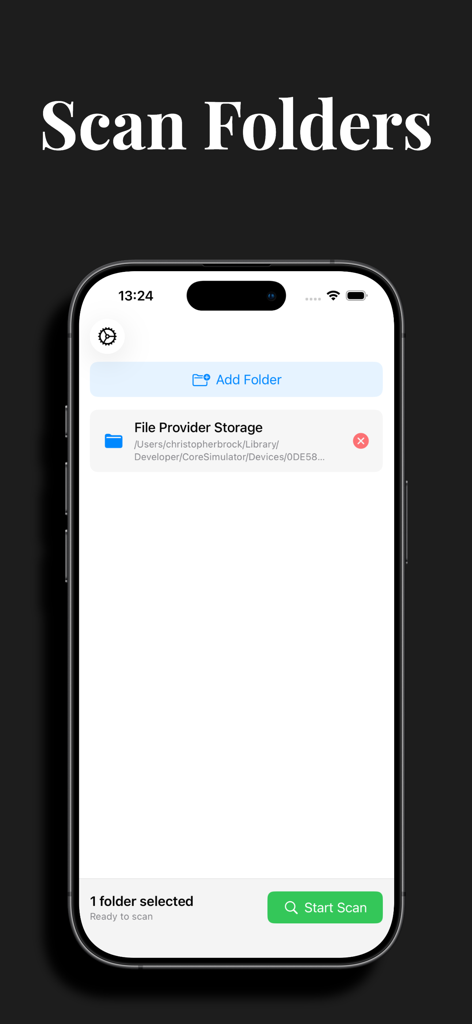
Zero Duplicates Mobile - Zero Duplicates Mobile app screen showing the scan folders interface with a selected storage folder ready to scan for duplicate files
Zero Duplicates Mobile app screen showing the scan folders interface with a selected storage folder ready to scan for duplicate files

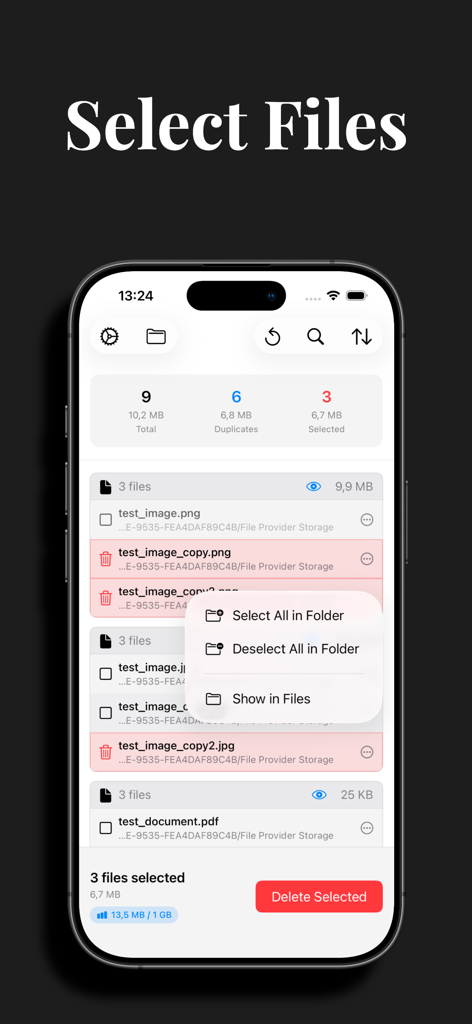
Zero Duplicates Mobile - Interface of Zero Duplicates Mobile showing a list of duplicate files with options to select all or delete selected items to reclaim storage space
Interface of Zero Duplicates Mobile showing a list of duplicate files with options to select all or delete selected items to reclaim storage space

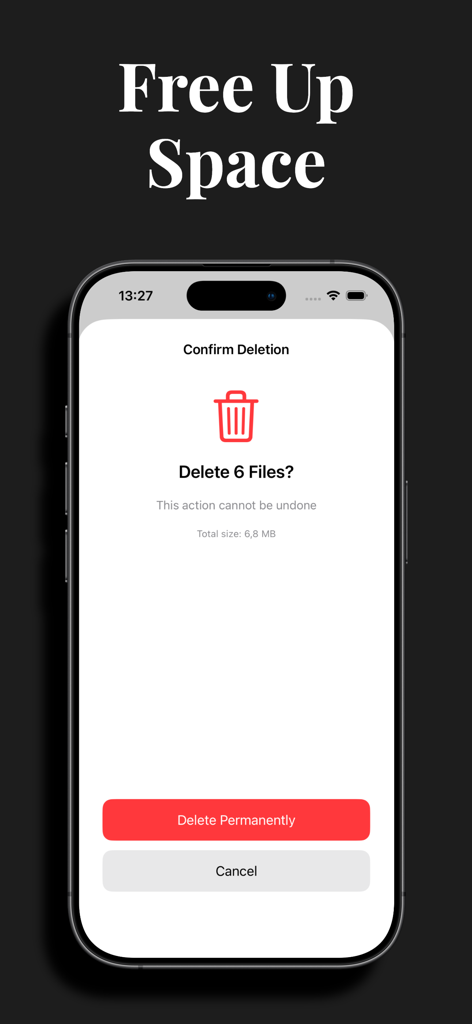
Zero Duplicates Mobile - Screenshot of Zero Duplicates Mobile showing the confirm deletion screen to free up storage space.

Screenshot of Zero Duplicates Mobile showing the confirm deletion screen to free up storage space.
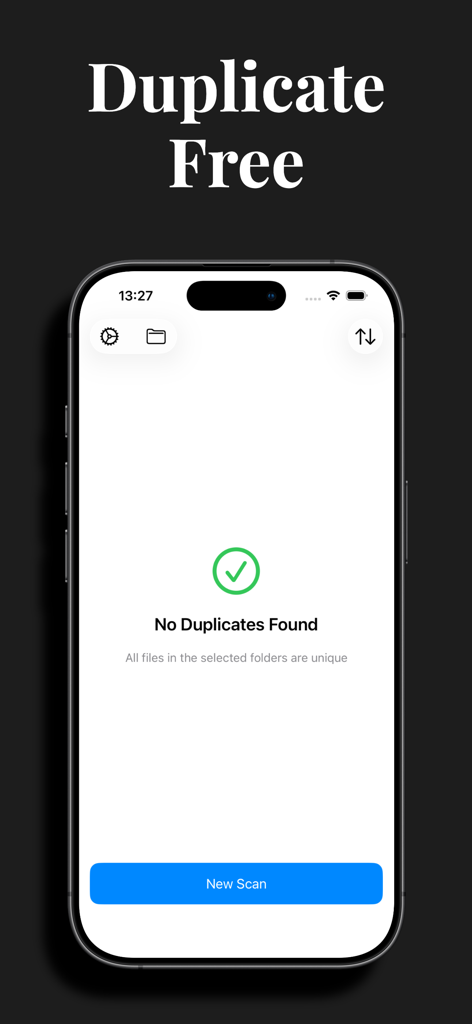
Zero Duplicates Mobile - iPhone screen showing a successful scan with no duplicate files found in the Zero Duplicates Mobile app
iPhone screen showing a successful scan with no duplicate files found in the Zero Duplicates Mobile app

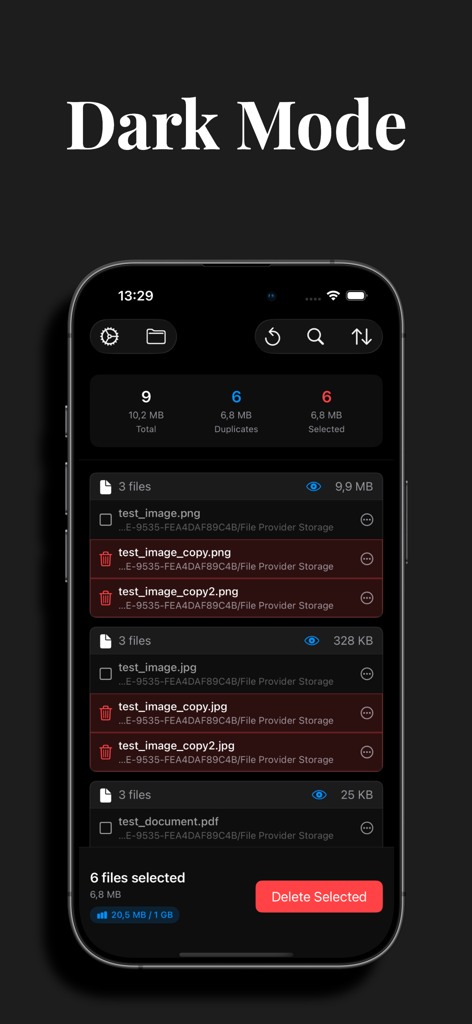
Zero Duplicates Mobile - Zero Duplicates Mobile app interface showing duplicate file detection and selection in dark mode

Zero Duplicates Mobile app interface showing duplicate file detection and selection in dark mode

Description

Running out of iPhone storage? Files piling up? Downloads folder a mess? You're not alone. Duplicate files pile up over time, taking valuable storage space. Most duplicate apps only match filenames—missing the real duplicates hiding across your device. ZeroDuplicates is different. We use advanced content analysis (the same technology Mac users trust) to find REAL duplicates—even when: • Filenames are completely different • Files are scattered across multiple folders • Documents have been renamed or edited • Downloads are saved multiple times • Files came from different apps or sources Plus, you'll always have at least one version left—we make it impossible to accidentally lose everything. TRY WITHOUT RISK Free to download • Unlimited scans • 1 GB free deletion Upgrade to Premium for unlimited deletion and advanced features. WHAT MAKES US DIFFERENT Auto-Select in Seconds NEW: Automatically select duplicates by keeping either the newest or oldest files. Clean up your device in seconds instead of manually reviewing hundreds of duplicates. One tap, instant organization. Smart Content Matching We don't just compare names. Our engine analyzes actual file content, finding 10x more duplicates than basic tools. One tap, instant results. See Before You Delete Preview every duplicate with full clarity. Choose which version to keep. We protect your originals—always. No accidental deletions, ever. Touch-Optimized for iOS Built from scratch for iPhone and iPad. Swipe to select, tap to preview, drag to organize. No desktop port—this is real iOS design that feels natural. Works Everywhere on Your Device • Documents: PDFs, Word, Excel, Pages, Numbers, Keynote • Images: JPEG, PNG, HEIC, GIF, screenshots • Videos: MOV, MP4, screen recordings • Audio: MP3, M4A, voice memos, recordings • Downloads: Files from Safari, Mail, Messages • iCloud Drive: Full folder scanning • Files app: Any location you choose • External storage: USB drives, SD cards (with adapter) Privacy-First Architecture Everything scans locally on your device. No cloud uploads. No data collection. Your files never leave your iPhone. Period. Complete privacy guaranteed. HOW IT WORKS Scan your device or specific folders, review what's found, then delete with confidence. Simple, fast, and effective. The more duplicates you have, the more space you'll reclaim. Perfect for: • Anyone with "Storage Almost Full" warnings • People who download lots of files • Users who backup and restore frequently • Families sharing devices • Anyone managing documents, media, and files • Professionals organizing work files on mobile SAFE & SIMPLE No tech skills needed. Scan, review, delete. Three steps to a cleaner device. We protect system files automatically, so you can clean with confidence. Made with precision. Designed for everyone. Your files, organized. Questions? We're here to help. Terms of Use: https://zeroduplicates.com/terms

Download

This page is not an official page of the app or its developer, but an independent editorial publication created for informational and commentary purposes. Unless expressly stated otherwise, neither the app nor its developer is affiliated with, endorsed by, sponsored by, authorized by, or otherwise officially connected with MWM, Apple, Google Play, the app publisher, or the app's developer, and nothing on this page implies that the app was developed using MWM's services. Any trademarks, logos, screenshots, and other content remain the property of their respective owners.