ZIP Extractor - Unzip, Unrar
Download on App Store

This page is not an official page of the app or its developer, but an independent editorial publication created for informational and commentary purposes. Unless expressly stated otherwise, neither the app nor its developer is affiliated with, endorsed by, sponsored by, authorized by, or otherwise officially connected with MWM, Apple, Google Play, the app publisher, or the app's developer, and nothing on this page implies that the app was developed using MWM's services. Any trademarks, logos, screenshots, and other content remain the property of their respective owners.


Logo of ZIP Extractor - Unzip, Unrar
Download on App Store

ZIP Extractor - Unzip, Unrar

The easiest way to open ZIP, RAR, and 7zip files on your iPhone or iPad. Secure your data with passwords and manage files across iCloud, Google Drive, and Dropbox with one-click efficiency.

Key Figures

Downloads

343K+

User Rating

4.4/5

Total Ratings

5K+

Publisher

Dynamic Apps & Games LLC

Category

Utilities

Locales

1

Latest Version

12.1

Size

65.0 MB

First Released

Dec 19, 2018
Features

Professional File Management on the Go

The all-in-one solution for mobile professionals to extract, compress, and secure documents without needing a desktop.

Universal Archive Support

Instantly open and extract ZIP, RAR, and 7Z files that native iOS tools can't handle, ensuring you never miss a deadline.

Unified Cloud Hub

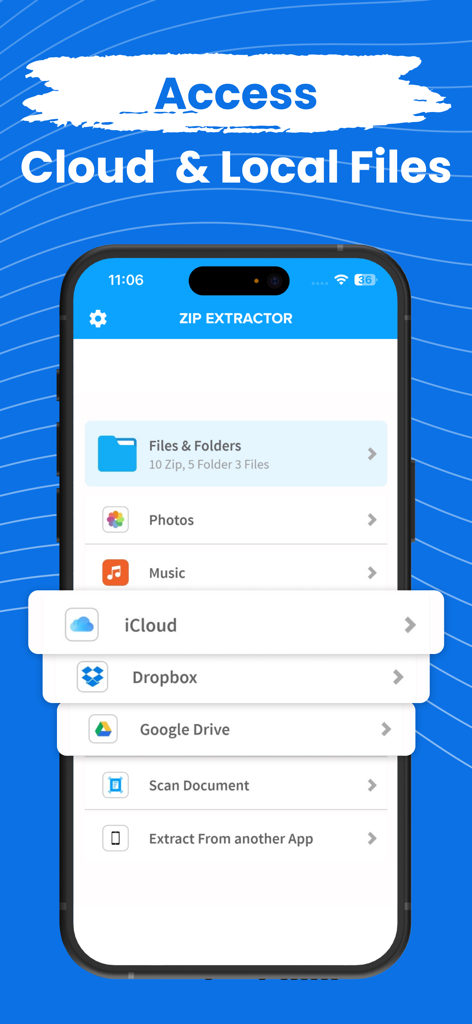
Seamlessly bridge your workflow by zipping and unzipping files directly across iCloud, Google Drive, and Dropbox.

The following screenshots and description are sourced directly from the app's official store listing and are the property of the app developer.

App Store

Screenshots
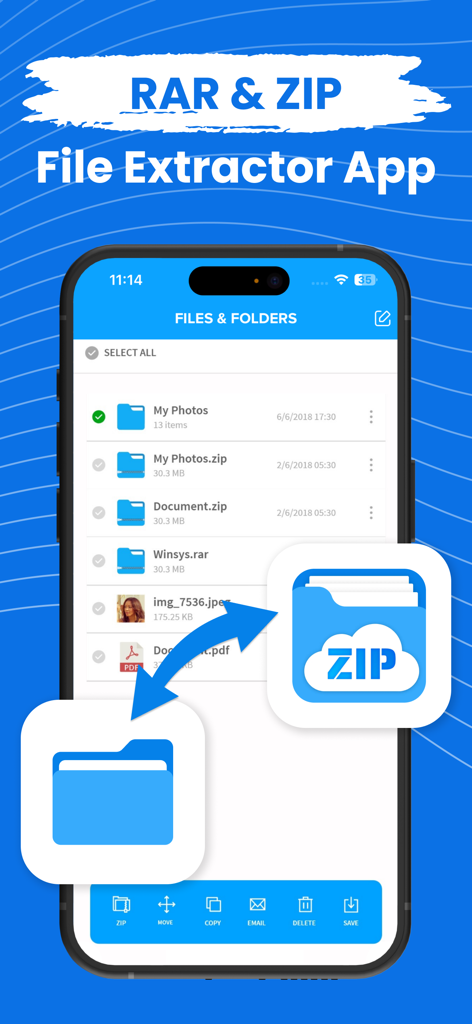
ZIP Extractor - Unzip, Unrar - iPhone screen displaying the file manager interface of a ZIP and RAR extractor app with various file formats and management options.
iPhone screen displaying the file manager interface of a ZIP and RAR extractor app with various file formats and management options.

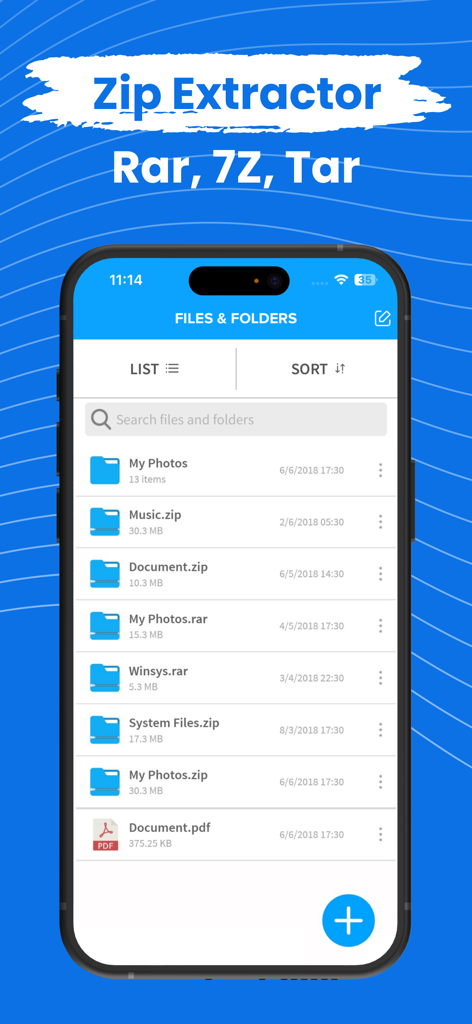
ZIP Extractor - Unzip, Unrar - The ZIP Extractor mobile app interface displaying a list of files and folders including zip and rar archives.
The ZIP Extractor mobile app interface displaying a list of files and folders including zip and rar archives.

ZIP Extractor - Unzip, Unrar - ZIP Extractor app interface showing options to access local files and cloud storage like iCloud, Dropbox, and Google Drive
ZIP Extractor app interface showing options to access local files and cloud storage like iCloud, Dropbox, and Google Drive

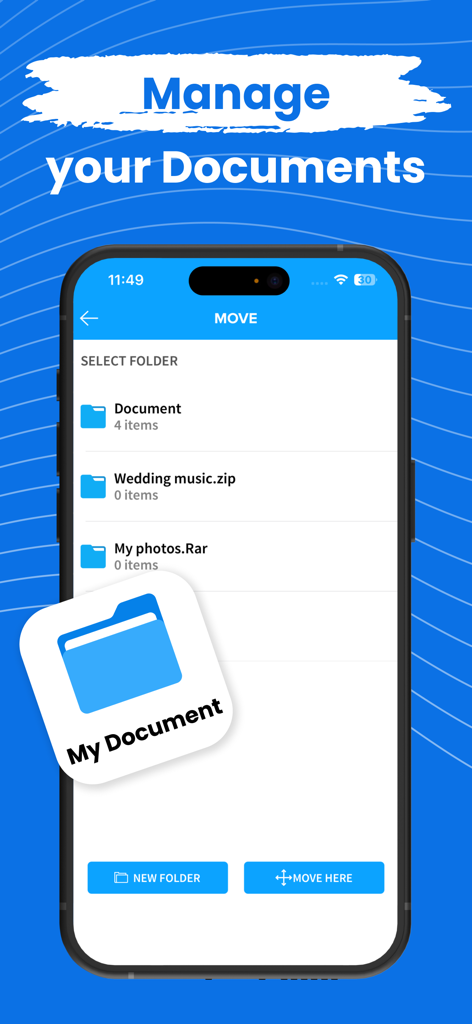
ZIP Extractor - Unzip, Unrar - User interface showing document management and folder organization in the ZIP Extractor app

User interface showing document management and folder organization in the ZIP Extractor app

Description

Zip or Unzip your files, photos or music in easiest way! Compress your files into zip from your iPhone and iPad, Photos, Music, Files anything you can zip in the app and unzip also. You can also zip or unzip files from iCloud, Google drive or Dropbox Zip file will be automatically stored in the application and you can see or extract from the there. Open and decompress compressed file formats: ZIP, RAR, 7zip etc.. Safe your files with password and don't let anyone allow to see your data. All your files can be stored in one app only and you can use it from anywhere! Zip Subscription options:

 1. Title of publication or service: Zip
 2. Length of subscription & Price of subscription, and price per unit if appropriate: - Annual (First 3 day free trial) - Monthly (First 3 day free trial) 3. Price of subscription: - 3 day free trial then $49.99 per year - 3 day free trial then $8.99 per month 
4. Payment will be charged to iTunes Account at confirmation of purchase 
 5. Subscription automatically renews unless auto-renew is turned off at least 24-hours before the end of the current period. You can turn of the auto-renew subscription from iPhone setting 
6. Account will be charged for renewal within 24-hours prior to the end of the current period, and identify the cost of the renewal 
7. Subscriptions may be managed by the user and auto-renewal may be turned off by going to the user's Account Settings after purchase 8. Any unused portion of a free trial period, if offered, will be forfeited when the user purchases a subscription to that publication where applicable 
9. Terms of use: https://dynamicappsgamesllc.wordpress.com/terms-of-service 10. For full Privacy Policy and our Terms of Service: https://dynamicappsgamesllc.wordpress.com/privacy-policy https://dynamicappsgamesllc.wordpress.com/terms-of-service 
11. Zip adds the great features above and are available through an auto-renewing subscription. Subscriptions will be charged to your credit card through your iTunes account. Your subscription will automatically renew unless cancelled at least 24 hours before the end of your current subscription, and you can cancel a subscription during the active period. You can manage your subscription at any time, either by viewing your account in iTunes from your Mac or PC, or Account Settings on your device after purchase 
12. Contact us at : https://dynamicappsgamesllc.wordpress.com/support/ Thank you! Disclaimer: You will be required to sign up for an auto-renewable In-App Purchase before you are able to access the app. To manage your subscription or turn off auto - renewal : 1. Go to Settings -> iTunes & AppStore 2. Tap your Apple ID at the top of the screen. 3. Tap on view Apple ID. You might need to sign in or use Touch ID. 4. Tap subscriptions. 5. Tap the subscription you want to manage. 6. Use the options to manage your subscription. Privacy Policy - https://extractziprar.com/privacy-policy/ Terms of Service - https://extractziprar.com/terms-of-use/

Download

Download on App Store

This page is not an official page of the app or its developer, but an independent editorial publication created for informational and commentary purposes. Unless expressly stated otherwise, neither the app nor its developer is affiliated with, endorsed by, sponsored by, authorized by, or otherwise officially connected with MWM, Apple, Google Play, the app publisher, or the app's developer, and nothing on this page implies that the app was developed using MWM's services. Any trademarks, logos, screenshots, and other content remain the property of their respective owners.








