
This page is not an official page of the app or its developer, but an independent editorial publication created for informational and commentary purposes. Unless expressly stated otherwise, neither the app nor its developer is affiliated with, endorsed by, sponsored by, authorized by, or otherwise officially connected with MWM, Apple, Google Play, the app publisher, or the app's developer, and nothing on this page implies that the app was developed using MWM's services. Any trademarks, logos, screenshots, and other content remain the property of their respective owners.

ZTELink
Effortlessly manage your home WiFi and portable hotspots. Protect your connection from intruders, manage your family's screen time, and keep your high-speed internet running smoothly with just a tap.
Downloads
349K+User Rating
Total Ratings
100Publisher
Category
UtilitiesLocales
10Latest Version
5.6.2Size
48.5 MBFirst Released
Aug 13, 2020Your Network, Under Your Command
Effortlessly manage your ZTE router and mobile Wi-Fi products with an intuitive interface designed for your busy lifestyle.
Stop Wi-Fi Squatters
Identify and block unauthorized devices instantly to ensure your bandwidth remains private and fast.
Manage Family Screen Time
Take charge of your household's digital habits with simple parental controls and dedicated guest network settings.
Frequently Asked Questions
Everything you need to know about ZTELink
What is the ZTELink app used for?
The ZTELink app manages ZTE CPE/Ufi products and controls wireless routers. It provides tools for home network management, network status checks, parental control, and guest network management.
Can I manage a guest Wi-Fi network with the ZTELink app?
Yes, the ZTELink app allows users to manage guest network settings. This feature is listed among its main capabilities for controlling wireless routers and is visible in the Toolkit.
How does ZTELink app prevent unauthorized Wi-Fi access?
The ZTELink app helps prevent Wi-Fi squatters by allowing users to manage a blacklist. This feature blocks unauthorized devices from connecting to the network.
Does the ZTELink app offer parental control features?
Yes, the ZTELink app includes parental control features. Users can manage and monitor network access for children, ensuring a safe online environment directly from the app.
Which countries do not support the ZTELink app's remote control function?
The ZTELink app's remote control function is not supported in Russia, Brunei, Indonesia, Vietnam, and Nigeria. Users in these regions cannot utilize this specific feature.
Can I check my data usage with the ZTELink app?
Yes, the ZTELink app displays current data usage, including free data remaining and the number of connected devices. It also shows uplink and downlink speeds.
What network settings can I access in the ZTELink app's Toolkit?
The ZTELink app's Toolkit offers access to Wi-Fi basic settings, Guest Wi-Fi, network diagnosis, and device auto-restart. It also includes options like Sleep wake-up and Indicator.
Does the ZTELink app show connected devices?
Yes, the ZTELink app shows the number of devices currently connected to the network. Screenshot #1 clearly displays '5 devices connected' under the data usage summary.
The following screenshots and description are sourced directly from the app's official store listing and are the property of the app developer.
App Store
Screenshots
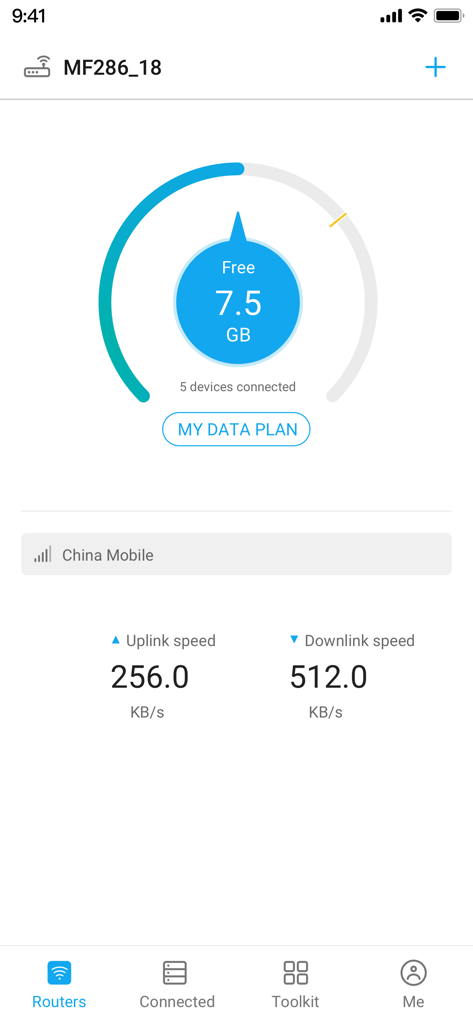
ZTELink app dashboard showing router data usage connected devices and network speeds
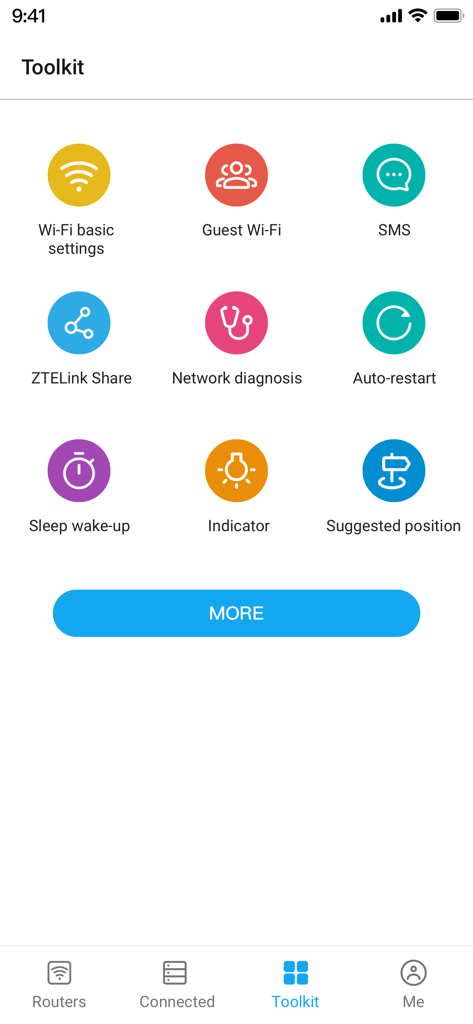
ZTELink app toolkit menu featuring Wi-Fi settings, network diagnosis, and guest network management options.
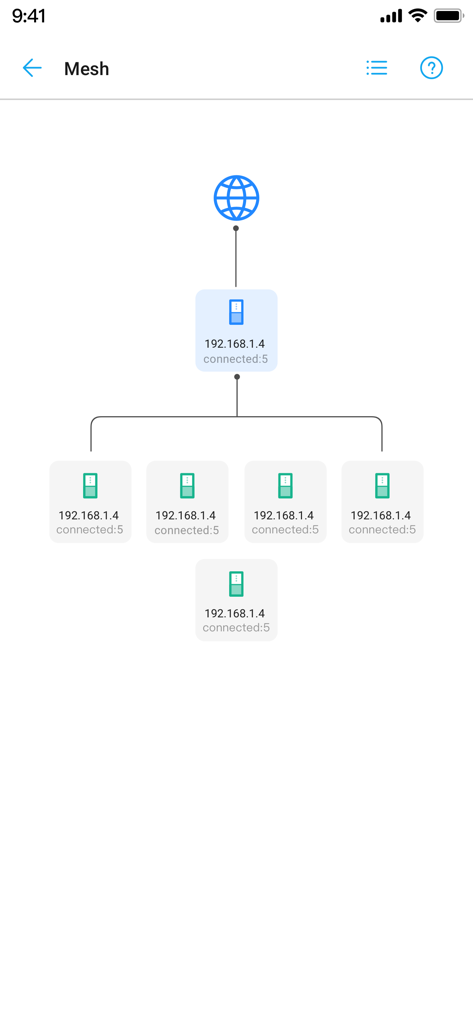
A diagram of a mesh network topology in the ZTELink app showing multiple connected router nodes.
Description
Download
More Like This
Apps with similar features and user experience

TP-Link Tether
TP-Link Systems Inc.

Smart Home Manager
AT&T Services, Inc.

TP-Link Deco
TP-Link Systems Inc.

eero wifi system
eero LLC

MERCUSYS
MERCUSYS Technologies Co., Ltd.

TP-Link Aginet
TP-Link Systems Inc.

T-Mobile Fiber: eero
eero LLC

NETGEAR Nighthawk - WiFi App
NETGEAR, Inc.

UniFi
Ubiquiti Inc.
This page is not an official page of the app or its developer, but an independent editorial publication created for informational and commentary purposes. Unless expressly stated otherwise, neither the app nor its developer is affiliated with, endorsed by, sponsored by, authorized by, or otherwise officially connected with MWM, Apple, Google Play, the app publisher, or the app's developer, and nothing on this page implies that the app was developed using MWM's services. Any trademarks, logos, screenshots, and other content remain the property of their respective owners.