MAILA
MAILA
Download on App Store

This page is not an official page of the app or its developer, but an independent editorial publication created for informational and commentary purposes. Unless expressly stated otherwise, neither the app nor its developer is affiliated with, endorsed by, sponsored by, authorized by, or otherwise officially connected with MWM, Apple, Google Play, the app publisher, or the app's developer, and nothing on this page implies that the app was developed using MWM's services. Any trademarks, logos, screenshots, and other content remain the property of their respective owners.


Logo of MAILA
Download on App Store

MAILA

Empower your audio workflow with real-time DSP management and intelligent room simulation. From festivals to corporate events, command every module wirelessly with the professional precision your audience demands.

Key Figures

Downloads

0

User Rating

5.0/5

Total Ratings

0

Publisher

Adam Hall GmbH

Category

Utilities

Locales

1

Latest Version

1.3.0

Size

190.9 MB

First Released

Dec 22, 2022
Features

Professional Control, Simplified

Take total command of your MAILA system with an intuitive iPad interface designed for high-pressure live sound environments.

Wireless DSP Management

Access every speaker function in real-time. Adjust flown or hard-to-reach modules instantly via LogoLink® wireless technology without ever needing a ladder.

Intelligent Room Simulation

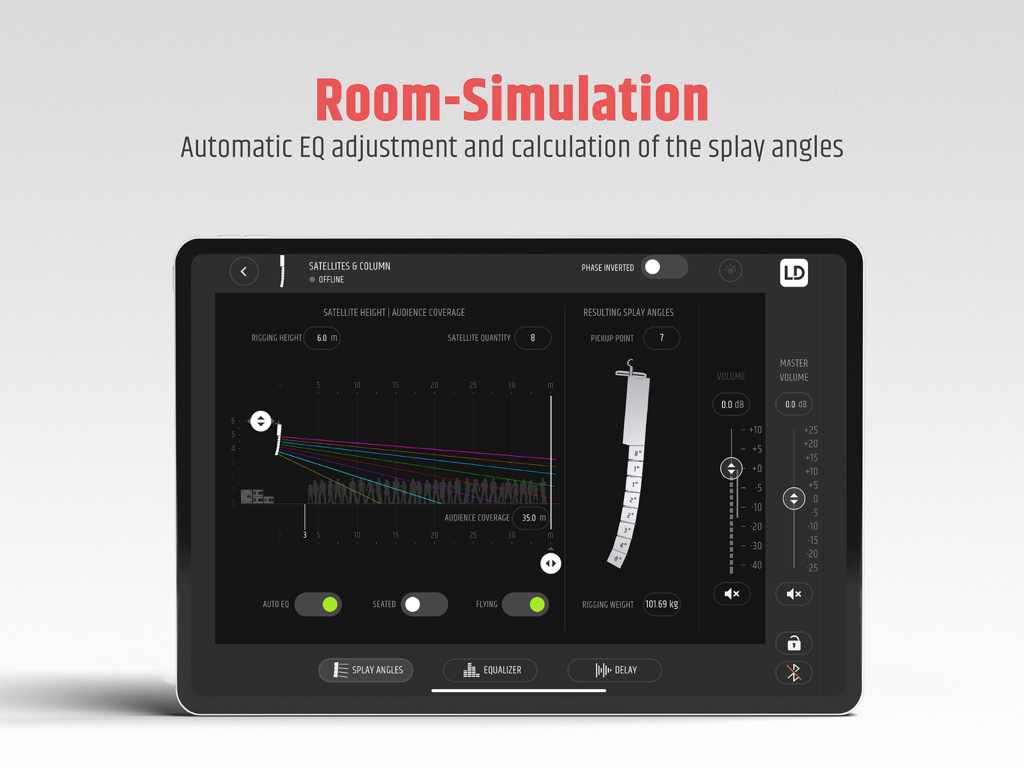
Achieve acoustic perfection automatically. Input your venue specs and the app calculates the ideal SAT module angles and EQ for total audience coverage.

The following screenshots and description are sourced directly from the app's official store listing and are the property of the app developer.

App Store

Screenshots
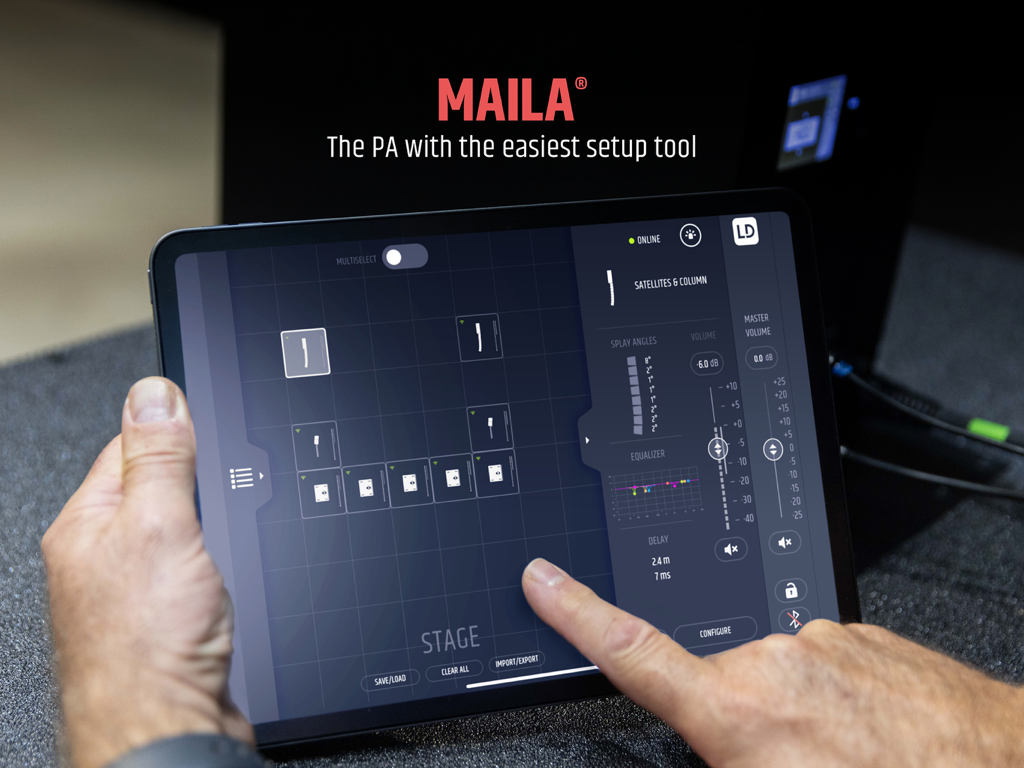
MAILA - Person using the MAILA app on an iPad to configure a professional line array sound system on a virtual stage
Person using the MAILA app on an iPad to configure a professional line array sound system on a virtual stage

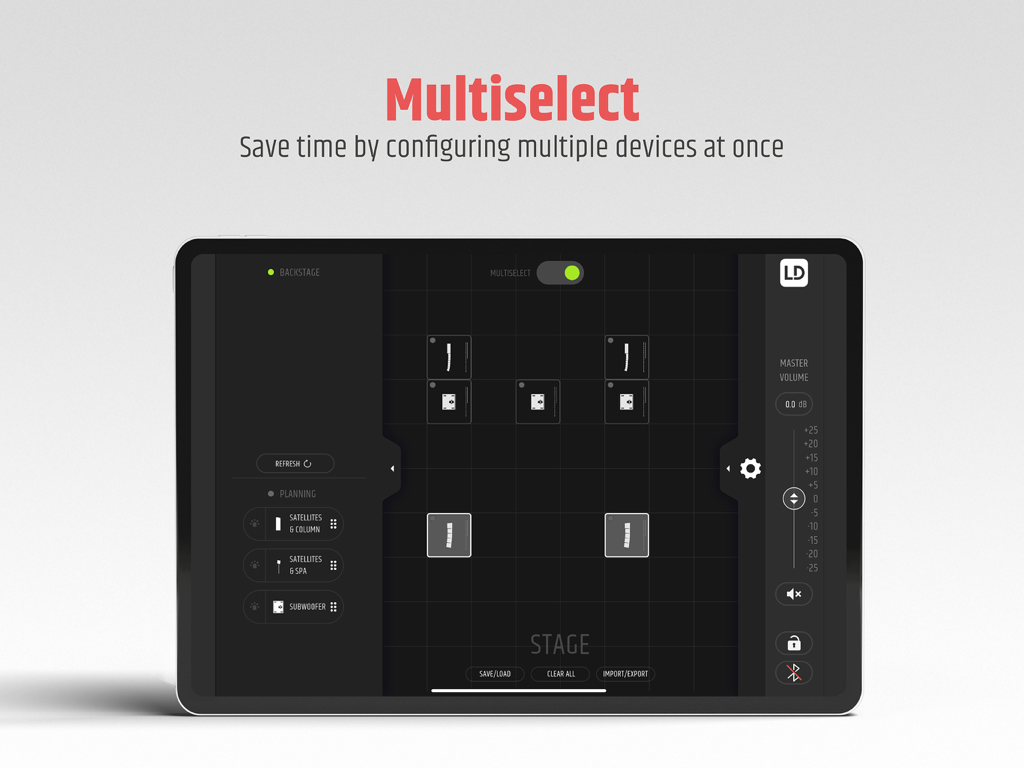
MAILA - MAILA iPad app multiselect screen for configuring multiple audio devices simultaneously
MAILA iPad app multiselect screen for configuring multiple audio devices simultaneously

MAILA - MAILA iPad app displaying room simulation for automatic EQ adjustment and speaker splay angle calculations
MAILA iPad app displaying room simulation for automatic EQ adjustment and speaker splay angle calculations

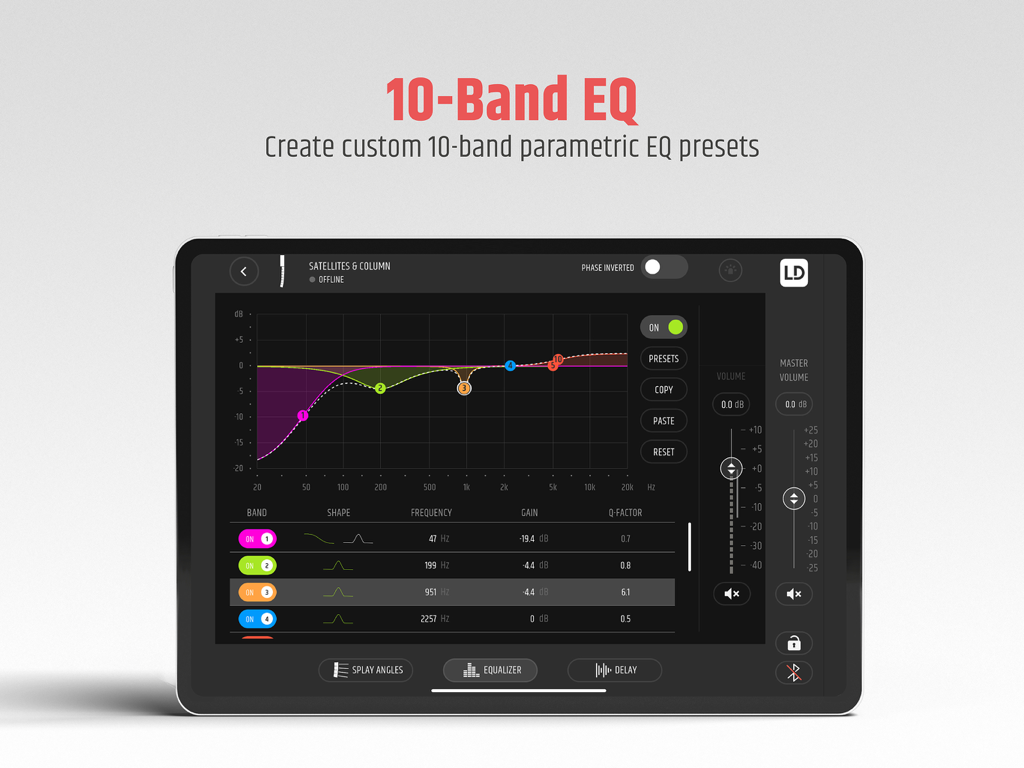
MAILA - iPad screen showing the MAILA app 10-band parametric EQ interface for professional sound engineering
iPad screen showing the MAILA app 10-band parametric EQ interface for professional sound engineering

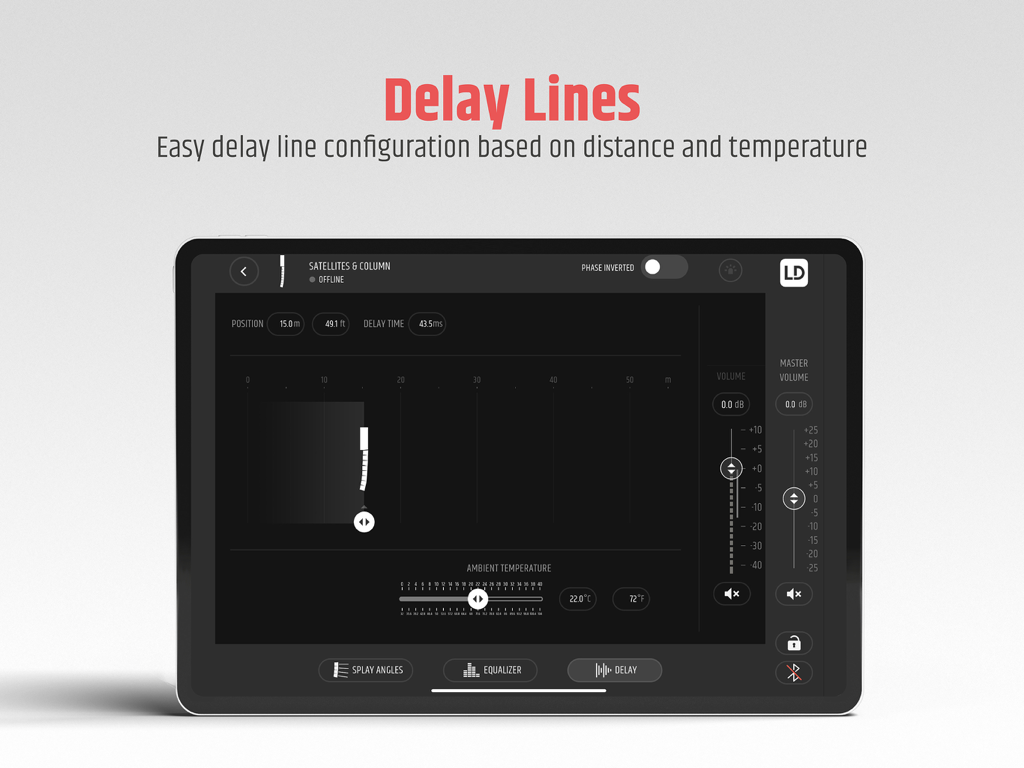
MAILA - MAILA app interface for delay lines configuration on iPad
MAILA app interface for delay lines configuration on iPad

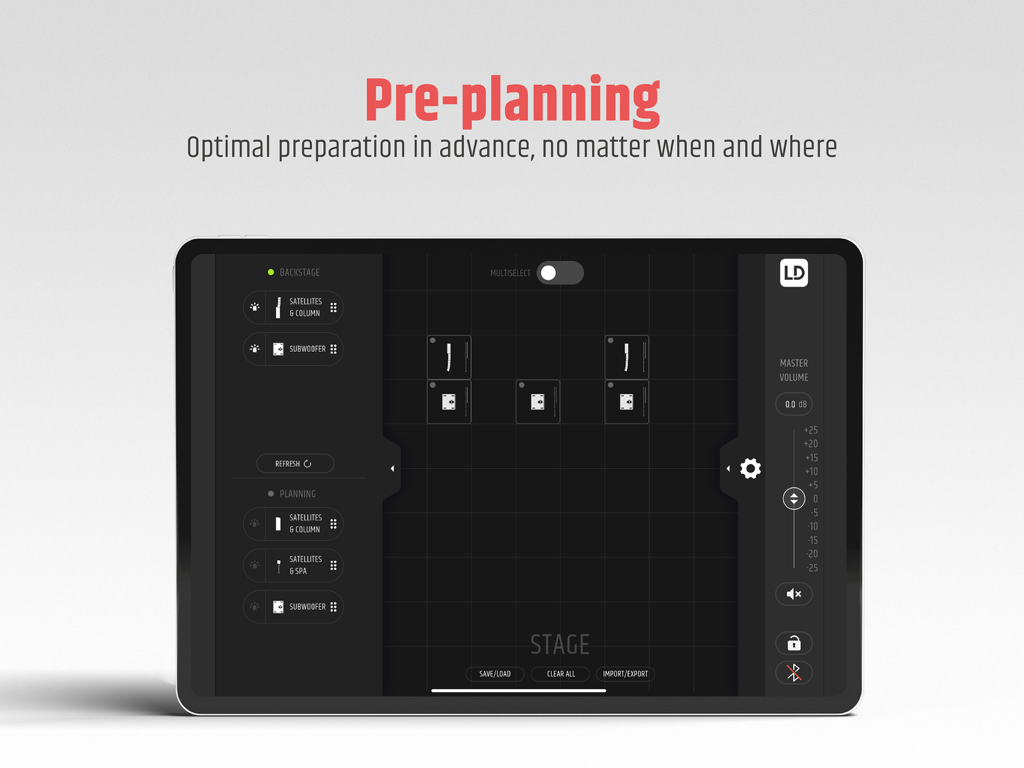
MAILA - MAILA app interface on iPad for professional audio stage pre planning
MAILA app interface on iPad for professional audio stage pre planning

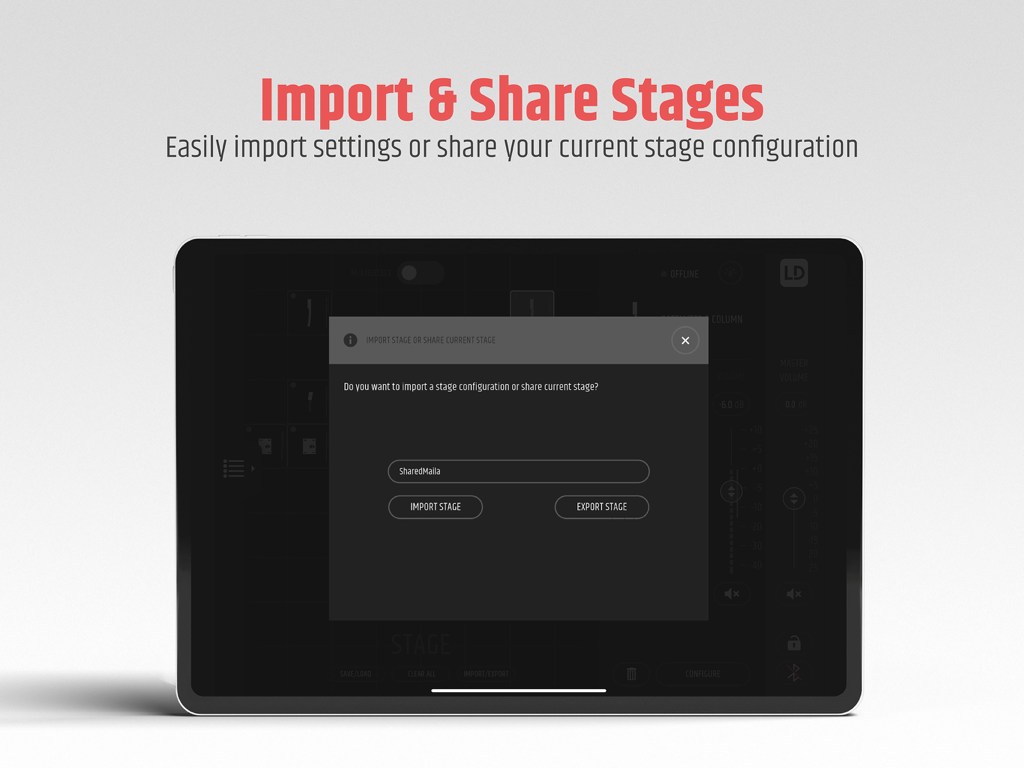
MAILA - The MAILA app interface on an iPad for importing and sharing stage configurations
The MAILA app interface on an iPad for importing and sharing stage configurations

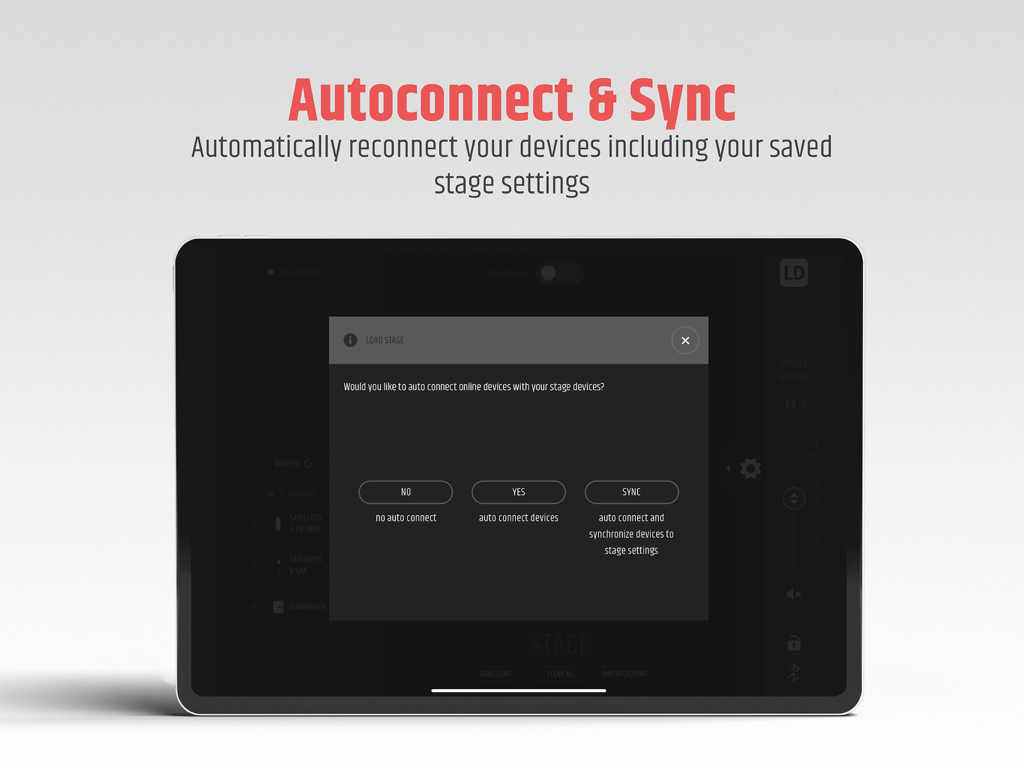
MAILA - iPad screen showing the MAILA app autoconnect and sync dialog for professional speaker systems

iPad screen showing the MAILA app autoconnect and sync dialog for professional speaker systems

Description

Via the free MAILA app (iPadOS), every MAILA system can be customised and supplied with software updates wirelessly. Once connected, the app automatically recognises the existing MAILA components and enables the system to be set up optimally in the run-up to an event. When developing the MAILA app, a great focus was put on the intuitive user experience. Every function of the app makes handling the MAILA system noticeably easier. Plan your system in any place With the MAILA app, you can easily assemble and set up your MAILA system in the run-up to an event. Drag and drop the required modules into the virtual stage area grid, adjust EQ, level and more to the location and save your configuration for later - done! All functions in real-time access The MAILA app mirrors all speaker DSP functions in real time, so you can configure MAILA anywhere - even when the system is flown and hard to reach. To protect your setup from unauthorised access, you can also lock the MAILA system via the app. Perfect sound with few parameters How many satellites does your MAILA system have? At what height are they located? How far in the room does the audience stand? The MAILA room simulation calculates the required angles of the SAT modules and automatically adjusts the EQs of the individual systems to optimally cover your audience with sound. It couldn't be simpler. All frequencies under control With the MAILA app's 10-band EQ, you can adjust the overall sound of any MAILA system to suit your needs. Each individual band offers full parametrics with frequency, Q-factor and gain. You always have direct access to the most important settings via storable presets. Delay Lines If you are working with delay lines in larger rooms, you only need to enter the distance to the main PA and the room temperature in the MAILA app. The MAILA APP calculates the delay time and makes all necessary DSP settings automatically. LogoLink® The specially developed LogoLink® technology ensures the wireless connection between the MAILA system and the MAILA app. The highlight: the wireless antennas are invisibly integrated into the LD logo of the MAILA modules. Autoconnect & Sync In response to your feedback, we've added an Autoconnect & Sync feature. When the app has detected devices, you will now be prompted, 'Would you like to auto connect online devices with your stage devices?'. Choose between NO, YES, or SYNC to auto connect and synchronize devices to your saved stage settings. Gone are the days of manually connecting and synchronizing each device to the stage settings - you can now reconnect your devices automatically, saving you time and effort. Import & Share Stages Sharing your stage setup has never been easier. Simply tap on the 'Import/Export Stage' button and you will be prompted, 'Do you want to import a stage configuration or share the current stage?'. Choose 'Import Stage' to bring in a stage setup, or 'Export stage' to save and share your current setup. About MAILA MAILA (Modular All-Round Intelligent Line-Array) is not just "a" product, but a scalable sound reinforcement system that sets new standards in its diversity and flexibility. From a wedding reception to a conference to a festival - MAILA combines the best concepts in sound reinforcement technology in one system. The result is a large, scalable sound for almost any application.

Download

Download on App Store

This page is not an official page of the app or its developer, but an independent editorial publication created for informational and commentary purposes. Unless expressly stated otherwise, neither the app nor its developer is affiliated with, endorsed by, sponsored by, authorized by, or otherwise officially connected with MWM, Apple, Google Play, the app publisher, or the app's developer, and nothing on this page implies that the app was developed using MWM's services. Any trademarks, logos, screenshots, and other content remain the property of their respective owners.