
このページはアプリまたはその開発者の公式ページではなく、情報提供および論評を目的として作成された独立した編集出版物です。明示的に別段の記載がない限り、アプリおよびその開発者は、MWM、Apple、Google Play、アプリのパブリッシャー、またはアプリの開発者と提携、承認、後援、認可、またはその他の公式的な関係はなく、このページのいかなる内容も、アプリがMWMのサービスを使用して開発されたことを意味するものではありません。すべての商標、ロゴ、スクリーンショット、その他のコンテンツはそれぞれの所有者の財産です。


Opal: Screen Time Control
あなたの集中力、本当にあなたのものか?Opalは、デジタル世界の騒音をねじ伏せ、時間を取り戻すための、あなたの秘密兵器だ。
ダウンロード
7.5M+ユーザー評価
評価数
165.9K開発元
カテゴリ
Productivity対応言語
8最新バージョン
3.156サイズ
258.3 MBリリース日
2020年12月15日テックアナリストによるデジタルウェルビーイング向上ツールの評価
Opal: Screen Time Control アプリの機能分析
強制ブロックモード (Deep Focus Mode)
ユーザーが設定した期間中、指定されたアプリやウェブサイトへのアクセスを完全に防止し、中断することなく作業に集中できるようにします。
フォーカスレポート (Focus Report)
ユーザーは、明確な指標、実用的なスクリーンタイム統計、および他のユーザーとの比較を通じて、自身の進捗を測定できます。
アプリ・ウェブサイト制限 (App & Website Limits)
ユーザーは、アプリやウェブサイトの毎日の使用制限を設定し、それらが自動的にブロックされることで、過度な使用を防止できます。
アプリブロッカー (App Blocker)
ユーザーは、選択したアプリやウェブサイトを、特定の時間帯や曜日ごとに即座にブロックして、時間の使い方を整理できます。
スケジュール設定 (Calendar & Scheduling)
ユーザーは、毎日の勤務時間、睡眠時間、ルーティンを設定し、アプリが自動的にブロックされるようにすることで、手動での管理を不要にします。
フォーカスコア (Focus Score)
ユーザーは、いつでも自身のスクリーンタイムと集中レベルを確認でき、集中している時間と気が散っている時間を容易に特定できます。
マインドフルブロック画面 (Mindful Block Screens)
ユーザーがアクセスすべきではないアプリやウェブサイトを開こうとするたびに、名言やジョークが表示され、意識的な休憩を促します。
リーダーボード (Leaderboard)
ユーザーは、友人たちと集中度を競い合い、お互いを刺激し、モチベーションを維持しながら生産性を向上させることができます。
よくある質問
について知っておくべきこと Opal: Screen Time Control
What is Opal: Screen Time Control?
Opal is a screen time control app designed to improve focus and reduce phone usage. It offers features like app blockers, usage limits, real-time data, and tools to build healthier digital habits.
Does Opal block distracting applications and websites?
Yes, Opal blocks distracting applications and websites. Users can instantly block chosen apps and sites at specific times or set daily usage limits, which automatically activate blocking upon overuse.
Is Opal a private and secure screen time app?
Yes, Opal is private and secure. It operates entirely on the user's phone, leveraging Apple's Screen Time API. Personal browsing data never leaves the device, ensuring privacy.
Is Opal: Screen Time Control available on Mac?
Yes, Opal is available on Mac. Users can extend their screen time control and focus management across their Apple ecosystem, including their MacBook devices.
How much screen time can Opal save users daily?
On average, Opal saves users 1 hour and 23 minutes of screen time per day. The app helps 94% of members feel less distracted and 93% become more productive.
What is Opal's Deep Focus feature?
Deep Focus is Opal's maximum protection level for uninterrupted focus. It prevents users from bypassing or canceling block sessions, ensuring critical tasks are completed without distraction.
How does Opal integrate with iPhone's Screen Time?
Opal integrates with iPhone's Screen Time by utilizing Apple's Screen Time API. This allows it to monitor and block applications, providing effective control over device usage.
Does Opal offer gamification like rewards or leaderboards?
Yes, Opal offers gamification features. Users can unlock unique Milestones through Precious Rewards and compete with friends on a Leaderboard, enhancing motivation and focus.
Can I customize the block screens in Opal?
Yes, users can customize Opal's block screens. The app offers "Mindful Block Screens" where users can choose options like quotes, puns, "Pop Culture" references, or "Brutal Insults" for blocked app messages.
Can I schedule app blocking sessions in Opal?
Yes, Opal allows users to schedule app blocking sessions. The Calendar feature enables setting daily work hours, sleep routines, and automatically blocks apps without manual intervention.
以下のスクリーンショットと説明は、アプリの公式ストアリスティングから直接取得されたものであり、アプリ開発者の所有物です。
アプリストア
スクリーンショット
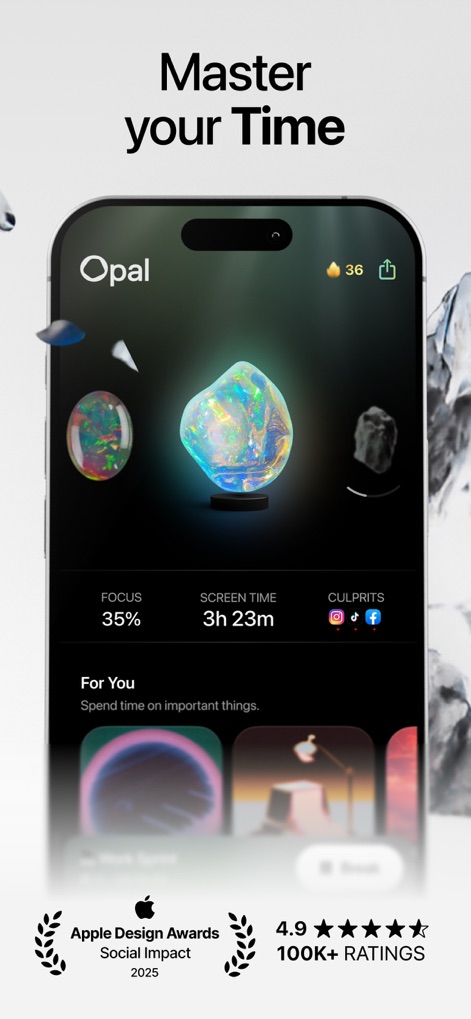
このダッシュボードでは、ユーザーの「FOCUS」(35%)と総「SCREEN TIME」(3時間23分)が明確に表示され、デジタル利用状況を可視化します。
時間を最適化
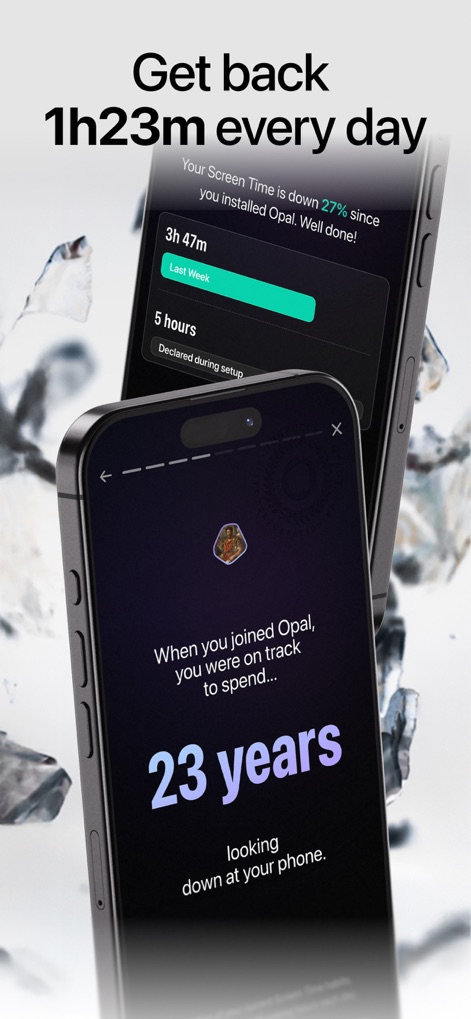
ユーザーは、Opal導入後のスクリーンタイム減少率(27%)をグラフで確認でき、長期的な視点での時間削減効果(23年分)を実感できます。
貴重な時間を取り戻す
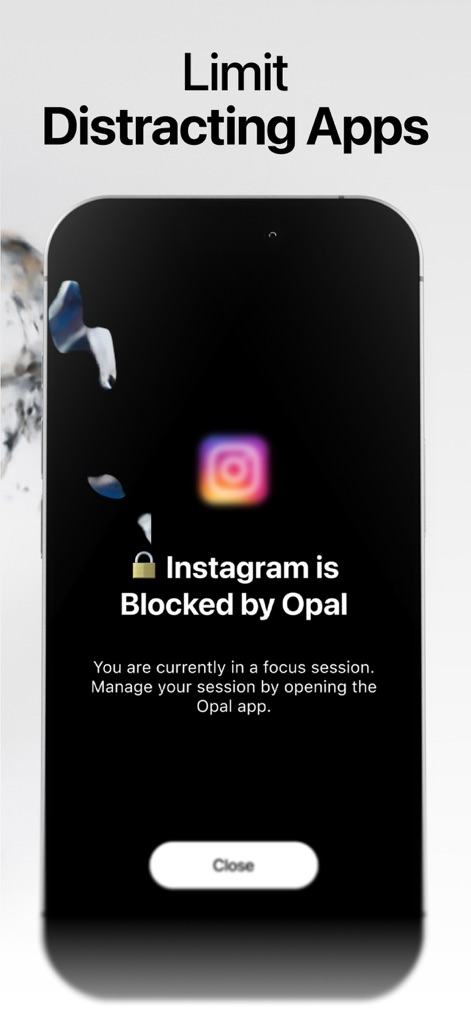
ユーザーはフォーカスセッション中に(Instagram)がブロックされたことを通知で認識でき、ロックアイコンがその制限状態を示しています。
集中を妨げるアプリを制限
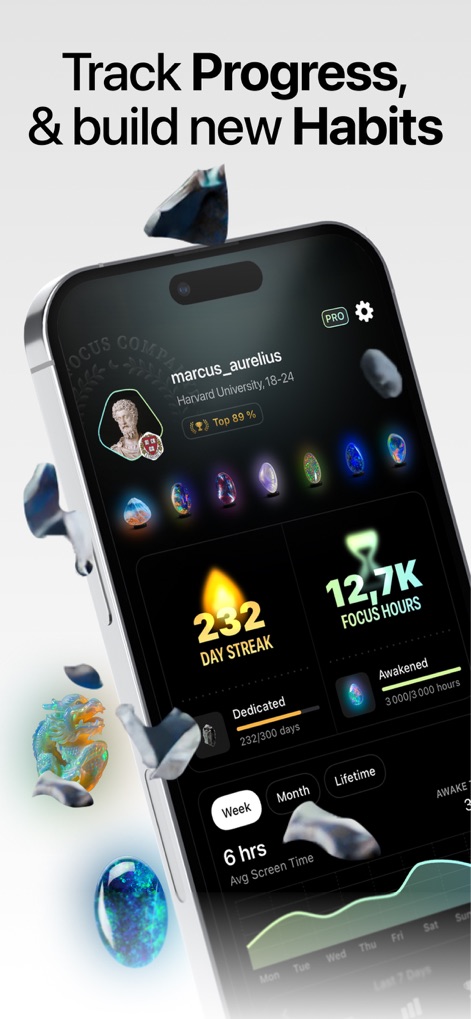
本アプリは、ユーザーの「232 DAY STREAK」(連続記録)と「12.7K FOCUS HOURS」(総集中時間)を詳細な統計データで表示し、モチベーションを維持します。
進捗を追跡し習慣化
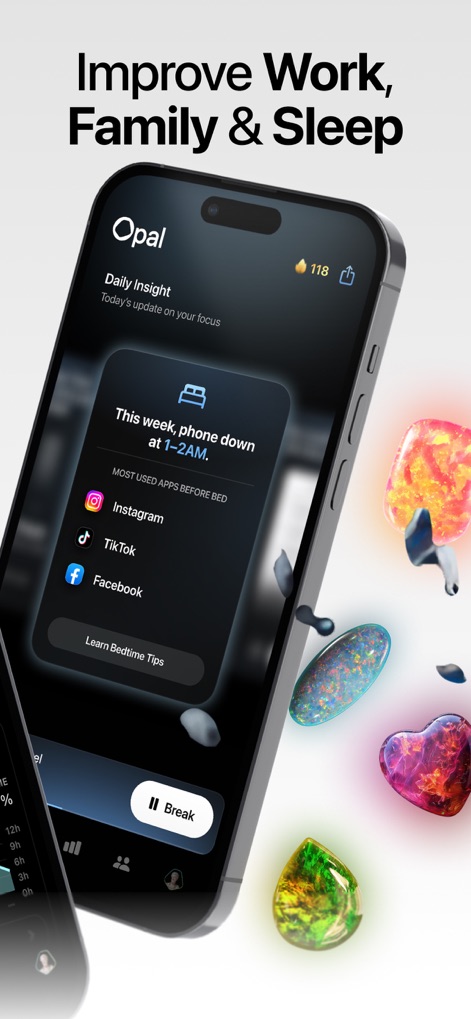
ユーザーは「Daily Insight」カードで就寝前(午前1〜2時)のスマホ使用状況を確認でき、最も使われたアプリ(Instagram、TikTok、Facebook)が具体的に示されます。
生産性と健康を向上
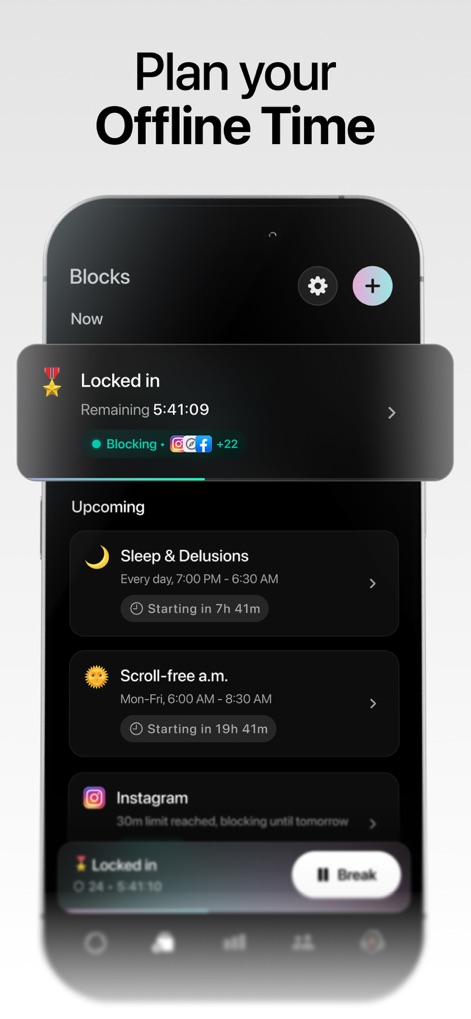
ユーザーは現在有効なブロック(残り5時間41分)の詳細を確認でき、「Sleep & Delusions」や「Scroll-free a.m.」といった今後のスケジュールされたブロックも一覧表示されます。
オフライン時間を計画
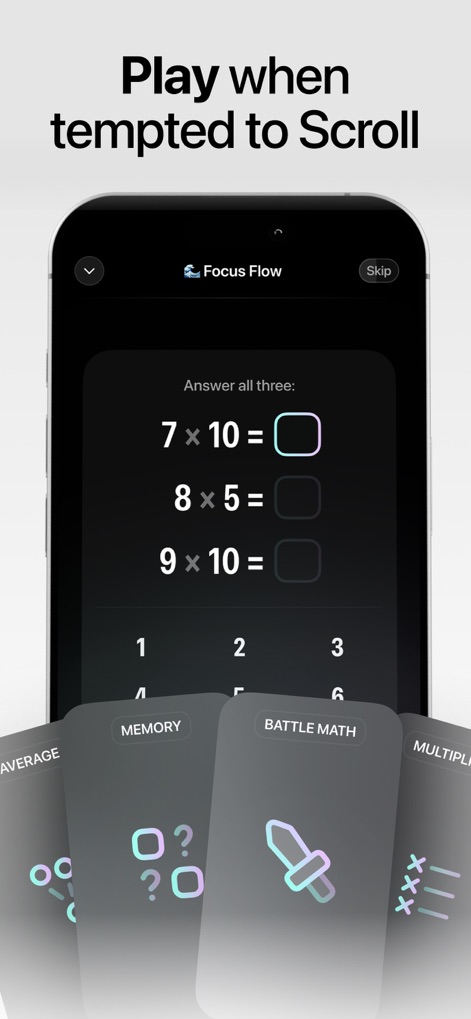
スクロールしたい衝動が起きた際、ユーザーは計算ゲーム(例:7 × 10)で集中を維持でき、「MEMORY」や「BATTLE MATH」などの異なる種類のゲームも選択可能です。
スクロール衝動を克服
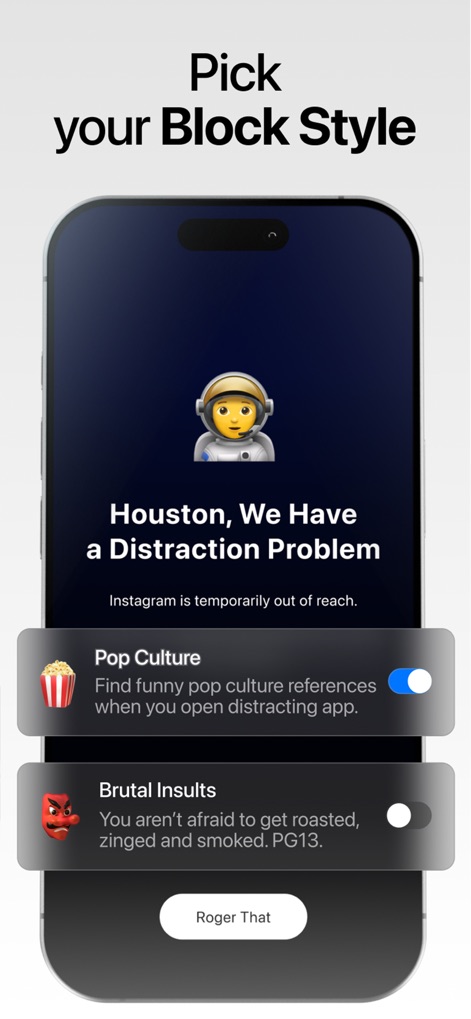
ユーザーはブロック画面に「Houston, We Have a Distraction Problem」のようなユーモラスなメッセージを表示させることができ、「Pop Culture」や「Brutal Insults」といった通知スタイルを自由に切り替えられます。
ブロック通知をカスタマイズ
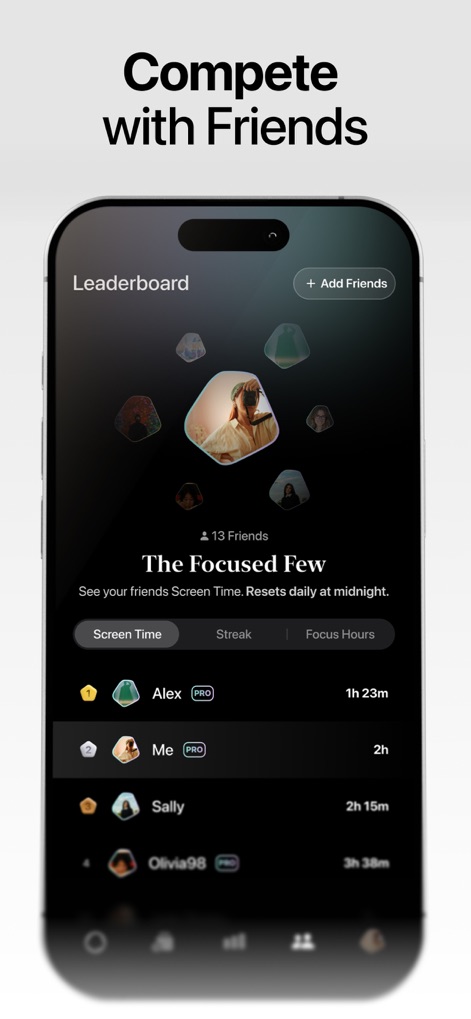
ユーザーは友達の「Screen Time」や「Focus Hours」がランキング形式で表示されるリーダーボードを閲覧でき、「The Focused Few」という称号で仲間と切磋琢磨できます。
友達と集中力を競う
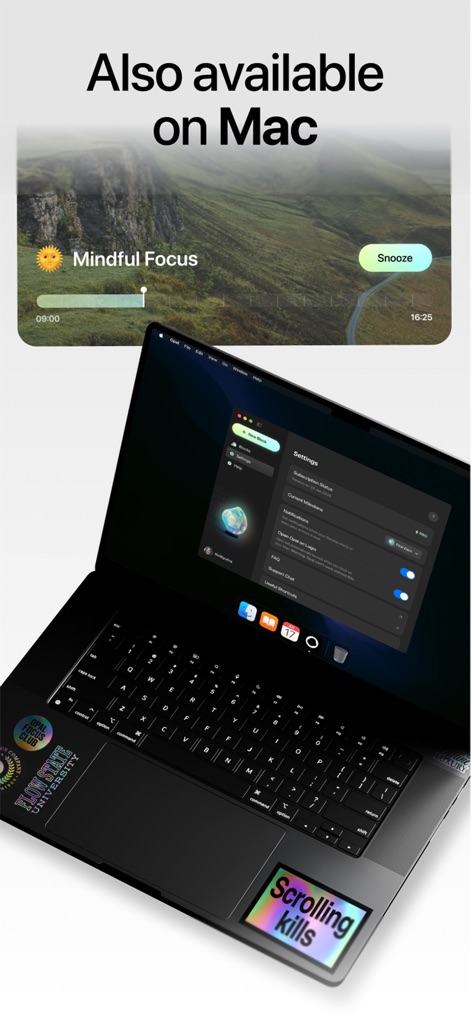
本ツールはMacBookの「Settings」画面で詳細な設定が可能であり、「Mindful Focus」ウィジェットによってデスクトップ上で集中状態を管理できます。
Macでも利用可能
説明
Download
類似アプリ
似た機能とユーザー体験を持つアプリ

BePresent: Screen Time Control
Screen Detox Inc

Brick - Ditch Distractions
Brick LLC (Wisconsin)

one sec | screen time + focus
riedel.wtf apps S.L.

ScreenZen- Screen Time Control
ScreenZen LLC

Refocus: Block Apps & Websites
Labi, LLC

Clarymind: Focus + Self Care
Seamint Co., Ltd.

Roots: Screen Time Control
MWM

AppBlock: Block Apps & Website
MobileSoft s.r.o.

ClearSpace: Reduce Screen Time
Clearspace Technologies, Inc.
このページはアプリまたはその開発者の公式ページではなく、情報提供および論評を目的として作成された独立した編集出版物です。明示的に別段の記載がない限り、アプリおよびその開発者は、MWM、Apple、Google Play、アプリのパブリッシャー、またはアプリの開発者と提携、承認、後援、認可、またはその他の公式的な関係はなく、このページのいかなる内容も、アプリがMWMのサービスを使用して開発されたことを意味するものではありません。すべての商標、ロゴ、スクリーンショット、その他のコンテンツはそれぞれの所有者の財産です。