
このページはアプリまたはその開発者の公式ページではなく、情報提供および論評を目的として作成された独立した編集出版物です。明示的に別段の記載がない限り、アプリおよびその開発者は、MWM、Apple、Google Play、アプリのパブリッシャー、またはアプリの開発者と提携、承認、後援、認可、またはその他の公式的な関係はなく、このページのいかなる内容も、アプリがMWMのサービスを使用して開発されたことを意味するものではありません。すべての商標、ロゴ、スクリーンショット、その他のコンテンツはそれぞれの所有者の財産です。


ScreenZen- Screen Time Control
ScreenZenは、単なるデジタルデトックスツールではない。これは、スクリーン依存の連鎖を断ち切り、集中力を取り戻すための個人の「自己防衛システム」だ。ユーザーは、意識的にアプリを開くまでの遅延を設けることで、無意識のスクロール習慣に楔を打ち込む力を手に入れる。過剰な利用への警告、あるいはアプリへのアクセスを完全に遮断する仕組みは、デジタルウェルビーイングの回復を真剣に考える者にとって、その決意を現実のものとする強力な武器となる。
ダウンロード
1M+ユーザー評価
評価数
81.1K開発元
カテゴリ
Productivity対応言語
6最新バージョン
1.2.177サイズ
105.1 MBリリース日
2021年7月16日デジタルウェルビーイング向上と生産性強化のための包括的なアプローチ
ScreenZen- Screen Time Control: 主要機能分析
厳格なアプリブロック機能
このアプリは、特定の時間帯、起動回数、またはScreenTimeの使用時間に基づき、アプリを厳格にブロックする機能を提供します。ブロックされたアプリはホーム画面から非表示にすることも可能です。
アプリ使用目標の設定と制限
このアプリは、特定のアプリに対する使用目標を設定し、設定された上限に達すると自動的にブロックする機能を提供します。これにより、ユーザーは明確な目標に基づいた自己管理が可能です。
設定変更ロック
ユーザーがアプリを開きたい衝動に駆られた際に、設定を安易に変更できないようにロックする機能です。これにより、ユーザーは自己設定したルールを遵守しやすくなります。
アプリ起動前の遅延設定
ユーザーは、アプリを開く前に一時停止することで、その必要性を再考する機会を得られます。遅延時間は、アプリを開くたびに増加させることができ、衝動的な使用を効果的に抑制します。
曜日・アプリ別詳細設定
ユーザーは、曜日やアプリごとに異なる使用制限やルールを細かく設定できます。これにより、個々の生活スタイルやニーズに合わせた柔軟なデジタルウェルビーイング管理が実現します。
スクリーンタイムの短時間利用
本ツールは、ユーザーが集中を乱すアプリを短時間だけ利用できるようにすることで、無意識の長時間スクロールを防ぎ、依存状態に陥ることを阻止します。
起動前確認メッセージ
この機能により、アプリを開く直前に「これは重要ですか?」といった確認メッセージが表示され、ユーザーは行動の意図を再評価し、無意味な利用を避けることができます。
集中を妨げるアプリの利用時間表示
本ツールは、集中を妨げる可能性のある特定のアプリのみに絞って利用時間を表示します。これにより、ユーザーは本当に管理すべきアプリの使用状況を正確に把握できます。
利用制限維持ストリーク
本ツールは、設定した利用制限を超えたり、設定を上書きしたりしなかった期間を記録するストリーク機能を提供します。これにより、ユーザーは達成感を味わい、健康的なデジタル習慣を継続するモチベーションを得られます。
待機中のマインドフルネス活動提案
この機能は、アプリのロック解除を待つ間に、深呼吸などのマインドフルネス活動を促します。これにより、ユーザーは衝動的なアプリ利用を避け、より建設的な代替行動に意識を向けることができます。
よくある質問
について知っておくべきこと ScreenZen- Screen Time Control
What is ScreenZen- Screen Time Control?
ScreenZen- Screen Time Control is an app designed to reduce screentime and compulsive app opening. It employs strategies like delays, strict blocking, and usage goals to help users reclaim daily time and manage digital habits.
How does ScreenZen- Screen Time Control help delay app opening?
ScreenZen- Screen Time Control allows users to set a configurable delay before opening distracting apps. The wait time can automatically increase with each subsequent opening, prompting users to reconsider their immediate app usage.
Can I set daily app usage goals with ScreenZen- Screen Time Control?
Yes, ScreenZen- Screen Time Control enables users to set app goals, such as limiting daily app opens or session durations. The app automatically blocks access once these predefined usage limits are reached.
Does ScreenZen- Screen Time Control support custom schedules for app blocking?
Yes, ScreenZen- Screen Time Control supports custom schedules for app blocking. Users can configure different limits and blocking rules for specific days of the week and distinct time ranges, enhancing flexibility.
What types of interventions does ScreenZen- Screen Time Control offer before opening apps?
ScreenZen- Screen Time Control offers interventions like "Is this important?" messages. It also provides activities, such as breathing exercises or math problems, to engage users during the delay period before app access.
How does strict blocking work in ScreenZen- Screen Time Control?
ScreenZen- Screen Time Control's strict blocking feature activates for specific time ranges, after a set number of app opens, or when a screentime limit is exceeded. Blocked apps can also be hidden from the home screen.
Can ScreenZen- Screen Time Control prevent users from changing its settings?
Yes, ScreenZen- Screen Time Control can prevent users from changing its settings. It includes a lock feature for its settings menu, which ensures that configured app limits and blocking preferences remain active.
Does ScreenZen- Screen Time Control track all screen time?
No, ScreenZen- Screen Time Control specifically tracks screen time only for designated distracting apps. It intentionally excludes general usage from utility apps, providing a focused view on problematic app consumption patterns.
How does ScreenZen- Screen Time Control help users stay motivated?
ScreenZen- Screen Time Control helps users stay motivated through its "Streaks" feature. This encourages individuals to adhere to their set limits and avoid overriding app blocking settings, fostering consistent screen time reduction habits.
Can I temporarily disable blocking in ScreenZen- Screen Time Control?
Yes, ScreenZen- Screen Time Control offers a "Quick Disable" option. Users can temporarily disable blocking for a specified duration, such as 60 minutes, directly from the application's settings when needed.
以下のスクリーンショットと説明は、アプリの公式ストアリスティングから直接取得されたものであり、アプリ開発者の所有物です。
アプリストア
スクリーンショット
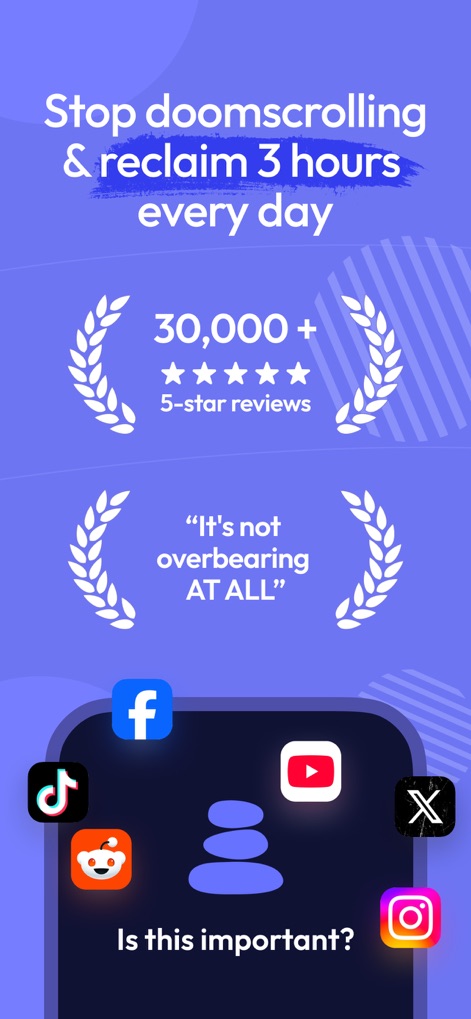
このアプリは、数万件の「5つ星レビュー」と「これは重要ですか?」といった賢い問いかけを通じて、ユーザーがスクリーンタイムを管理し、生産性を向上させるのを助けます。
集中力回復への第一歩
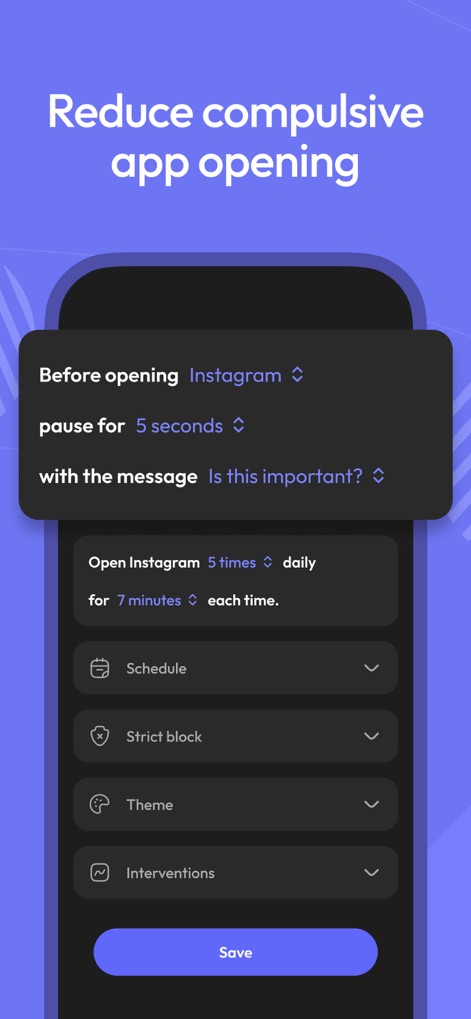
ユーザーは、アプリを開く前に「一時停止時間」を設けることで衝動的な使用を抑制し、特定のアプリに対して「日ごとの利用回数と時間」を設定して利用習慣を効果的に管理できます。
アプリ利用の習慣化
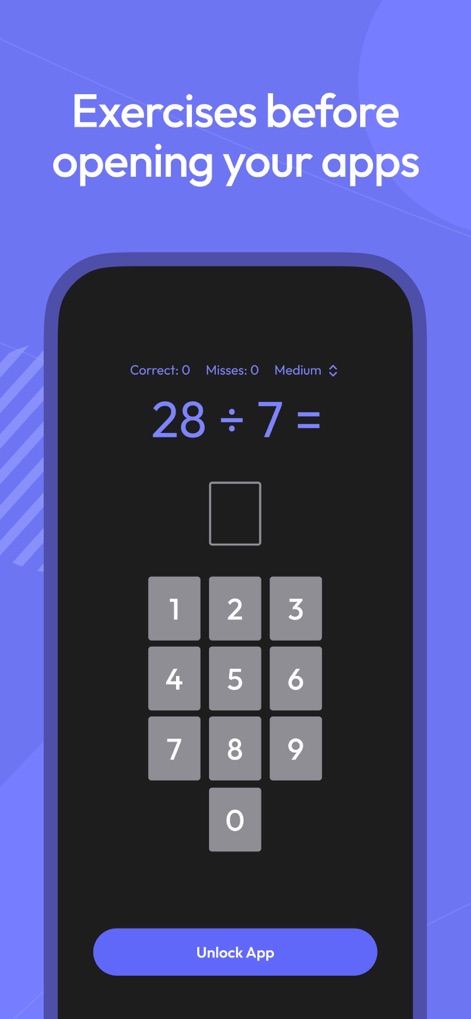
アプリへのアクセス前に「簡単な計算問題」に取り組むことで、ユーザーは集中力を高め、「インタラクティブな入力画面」で思考をクリアにしてから次の行動に移ることができます。
知的な集中力強化
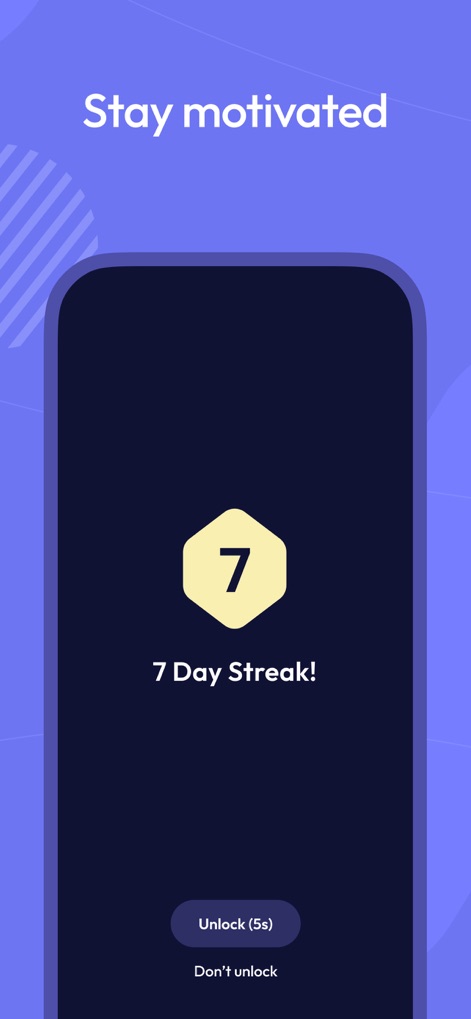
本ツールは、「7日連続達成!」のようなストリーク機能でモチベーションを維持させ、「制限を一時的に解除」するか維持するかをユーザーに選択させます。
目標達成をサポート

ユーザーは、「時間帯と曜日を指定」してアプリの利用スケジュールを設定でき、「日ごとの利用目標達成後」や特定スクリーンタイム超過後にアプリを厳しくブロックできます。
詳細な利用制限設定
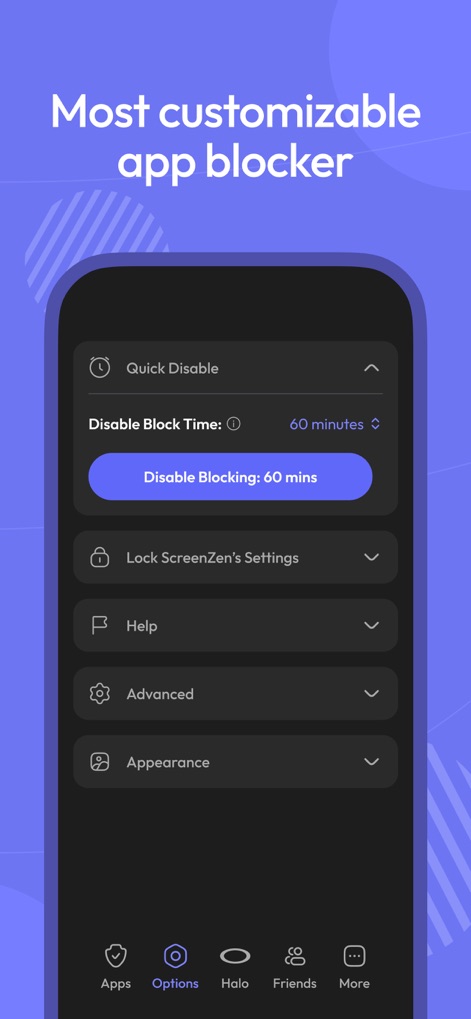
このアプリは、「一時的なブロック解除」を可能にし、ユーザーが自身のニーズに合わせて柔軟に対応できるよう、さらに「アプリ設定のロック機能」で規律を維持します。
高度なカスタマイズ性
説明
Download
類似アプリ
似た機能とユーザー体験を持つアプリ

Opal: Screen Time Control
OPAL OS CORPORATION

BePresent: Screen Time Control
Screen Detox Inc

Brick - Ditch Distractions
Brick LLC (Wisconsin)

one sec | screen time + focus
riedel.wtf apps S.L.

Refocus: Block Apps & Websites
Labi, LLC

Clarymind: Focus + Self Care
Seamint Co., Ltd.

Roots: Screen Time Control
MWM

AppBlock: Block Apps & Website
MobileSoft s.r.o.

ClearSpace: Reduce Screen Time
Clearspace Technologies, Inc.
このページはアプリまたはその開発者の公式ページではなく、情報提供および論評を目的として作成された独立した編集出版物です。明示的に別段の記載がない限り、アプリおよびその開発者は、MWM、Apple、Google Play、アプリのパブリッシャー、またはアプリの開発者と提携、承認、後援、認可、またはその他の公式的な関係はなく、このページのいかなる内容も、アプリがMWMのサービスを使用して開発されたことを意味するものではありません。すべての商標、ロゴ、スクリーンショット、その他のコンテンツはそれぞれの所有者の財産です。