
このページはアプリまたはその開発者の公式ページではなく、情報提供および論評を目的として作成された独立した編集出版物です。明示的に別段の記載がない限り、アプリおよびその開発者は、MWM、Apple、Google Play、アプリのパブリッシャー、またはアプリの開発者と提携、承認、後援、認可、またはその他の公式的な関係はなく、このページのいかなる内容も、アプリがMWMのサービスを使用して開発されたことを意味するものではありません。すべての商標、ロゴ、スクリーンショット、その他のコンテンツはそれぞれの所有者の財産です。

Remote, Mouse & Keyboard
iPhoneまたはiPadをパワフルなワイヤレスマウス、キーボード、スマートリモコンに変えましょう。あなたのデジタルライフのために設計された、簡単なジェスチャー、ライブ画面表示、スマートオートメーションで、Apple TV、Mac、PCをシームレスにコントロールします。
ダウンロード
1M+ユーザー評価
評価数
43K+開発元
カテゴリ
Utilities対応言語
33最新バージョン
2026.1サイズ
88.3 MBリリース日
2013年4月13日すべてを支配する一つのデバイス
複数のリモコンの散らかりをなくしましょう。iPhoneをMac、PC、Apple TVのための高性能ワイヤレスブリッジに、シームレスな精度で変えましょう。
高精度マウス&キーボード
イライラするテレビでのタイピングにさよなら。応答性の高いトラックパッドとフルQWERTYキーボードとして携帯電話を使用し、インスタント検索と簡単なコンピューター操作を実現します。
ユニバーサルメディアコマンド
ストリーマーやコードカッターにとって究極のコンパニオン。単一の直感的なインターフェースから、すべてのエンターテイメントデバイスの音量、再生、アプリ起動を管理します。
よくある質問
について知っておくべきこと Remote, Mouse & Keyboard
Remote, Mouse & Keyboardアプリとは何ですか?
Remote, Mouse & Keyboardは、iPhoneまたはiPadをユニバーサルリモコン、ワイヤレスマウス、キーボード、自動化ハブに変えます。Wi-FiまたはBluetooth経由でApple TV、Mac、Windows PC、または別のiPadを制御します。
Remote, Mouse & Keyboardはどのデバイスを制御できますか?
Remote, Mouse & Keyboardは、Apple TV、Mac、Windows PC、その他のiPadを制御します。さまざまなデジタルデバイスのオールインワンアプリとして機能します。
Remote, Mouse & Keyboardはどのようにして私のiPhoneをApple TVリモコンに変えますか?
Remote, Mouse & KeyboardはWi-Fi経由でApple TVに接続します。音量、再生、メディア機能、タッチパッドでのナビゲーション、快適なタイピング、インスタントアプリ起動を制御できます。
Remote, Mouse & KeyboardはMacとWindowsコンピューターの両方を制御できますか?
はい、Remote, Mouse & KeyboardはMacとWindowsコンピューターの両方を制御します。完全なコマンドのためにmacOS 10.13以降およびWindows 7以降をサポートしています。
Remote, Mouse & Keyboardは私のコンピューター画面を携帯電話にライブ表示しますか?
はい、Remote, Mouse & Keyboardを使用すると、iPhoneまたはiPadでコンピューター画面をライブ表示できます。この機能は、生産性と制御のためのリアルタイムインタラクションをサポートします。
Remote, Mouse & Keyboardはアプリ内購入を提供していますか?
はい、Remote, Mouse & Keyboardはオプションのアプリ内購入を提供しています。これらの購入により、プレミアム機能、カスタマイズオプション、高度な自動化ツールがアンロックされます。
Remote, Mouse & Keyboardアプリのシステム要件は何ですか?
システム要件には、Macの場合はmacOS 10.13以降、Windowsの場合はWindows 7以降、iPad制御の場合はBluetoothが含まれます。すべてのApple TVモデルがサポートされています。無料のヘルパーアプリのダウンロードも必要です。
Remote, Mouse & Keyboardでカスタムコントロールパネルを作成できますか?
はい、Remote, Mouse & Keyboardを使用すると、ユーザーは任意のソフトウェア用のカスタムコントロールパネルを作成できます。また、人気のあるアプリやウェブサイト向けの既製のコントロールパネルも提供します。
Remote, Mouse & KeyboardアプリはSiriショートカットと統合されていますか?
はい、Remote, Mouse & KeyboardはSiriショートカットと統合されています。ユーザーは音声コマンドを使用して、システムアクションを実行したり、アプリを起動したり、カスタム自動化スクリプトをトリガーしたりできます。
Remote, Mouse & Keyboardがコンピューターを制御するためにヘルパーアプリが必要ですか?
はい、Remote, Mouse & KeyboardがMacまたはWindowsコンピューターを制御するには、無料のヘルパーアプリのダウンロードが必要です。アプリの説明にこのダウンロードへのリンクが記載されています。
Remote, Mouse & Keyboardを使用してiPhoneで別のiPadを制御できますか?
はい、Remote, Mouse & Keyboardアプリを使用して、Bluetooth経由でiPhoneから別のiPadを制御できます。これにより、音量、再生、タイピング、ナビゲーションを調整できます。
Remote, Mouse & Keyboardはどのような接続方法を使用しますか?
Remote, Mouse & Keyboardは、シームレスな接続のためにWi-FiとBluetoothの両方を利用します。Wi-FiはApple TVとコンピューターの制御に使用され、BluetoothはiPadの制御に使用されます。
Remote, Mouse & Keyboardは、接続されたコンピューターでアプリケーションを起動することを許可しますか?
はい、Remote, Mouse & Keyboardを使用すると、ユーザーは接続されたMacまたはWindowsコンピューターでアプリを起動または終了できます。これにより、ワークフローが合理化され、iPhoneまたはiPadから完全に制御できます。
Remote, Mouse & Keyboardを使用して、コンピューターでシャットダウンや再起動などのシステムアクションを実行できますか?
はい、Remote, Mouse & Keyboardを使用すると、スリープ、再起動、ログアウト、シャットダウンなど、コンピューターでさまざまなシステムアクションを実行できます。これらのアクションは、iPhoneまたはiPadから直接管理されます。
以下のスクリーンショットと説明は、アプリの公式ストアリスティングから直接取得されたものであり、アプリ開発者の所有物です。
アプリストア
スクリーンショット
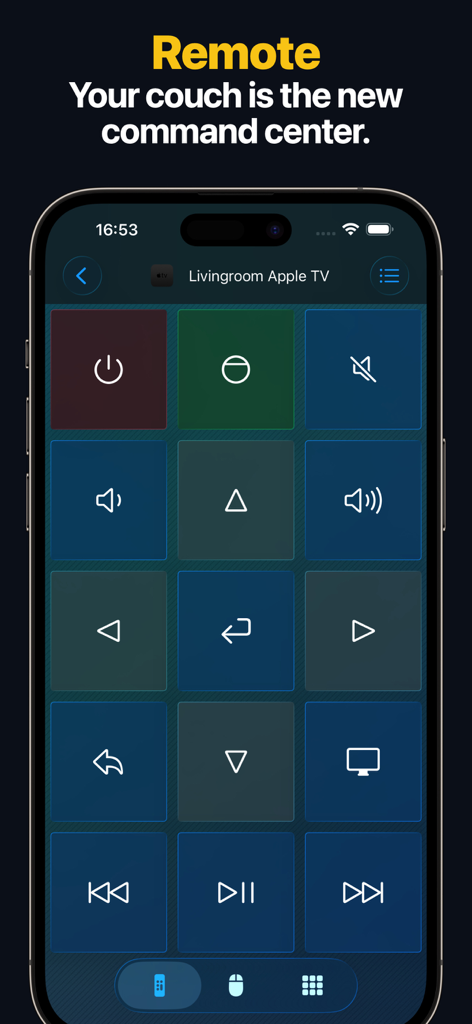
再生と音量ボタンが表示されたデジタルApple TVリモートコントロールインターフェースがiPhone画面に表示されています
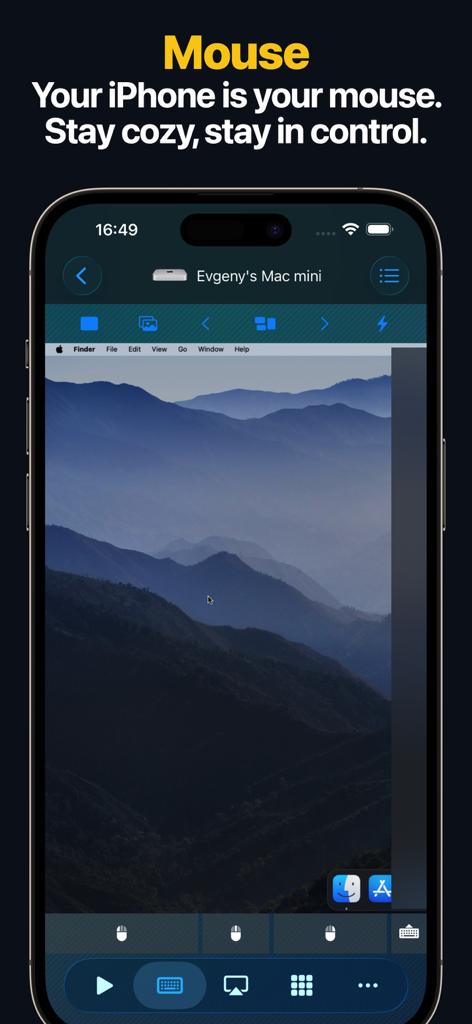
Mac miniコンピューターのリモートデスクトップコントロールを表示するiPhoneアプリ画面
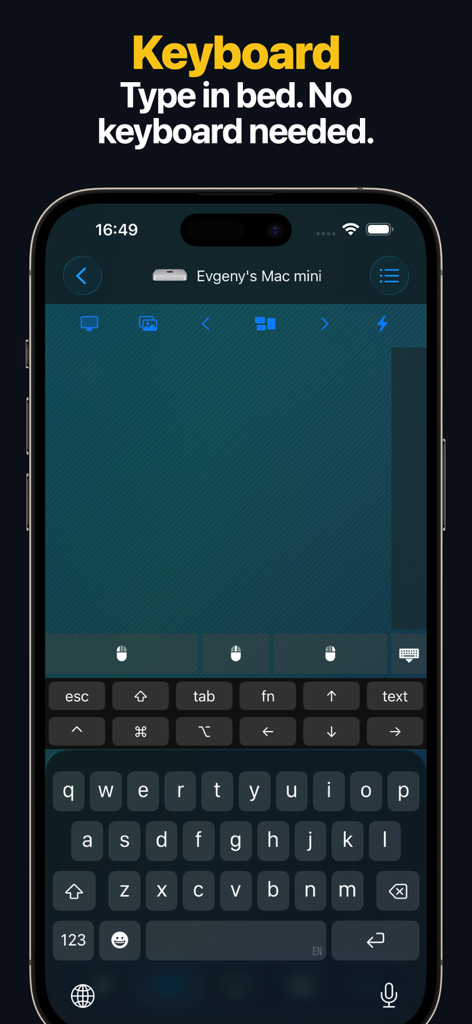
Mac miniコンピューターをリモートで制御するために使用される仮想キーボードインターフェースを表示するiPhoneアプリ画面
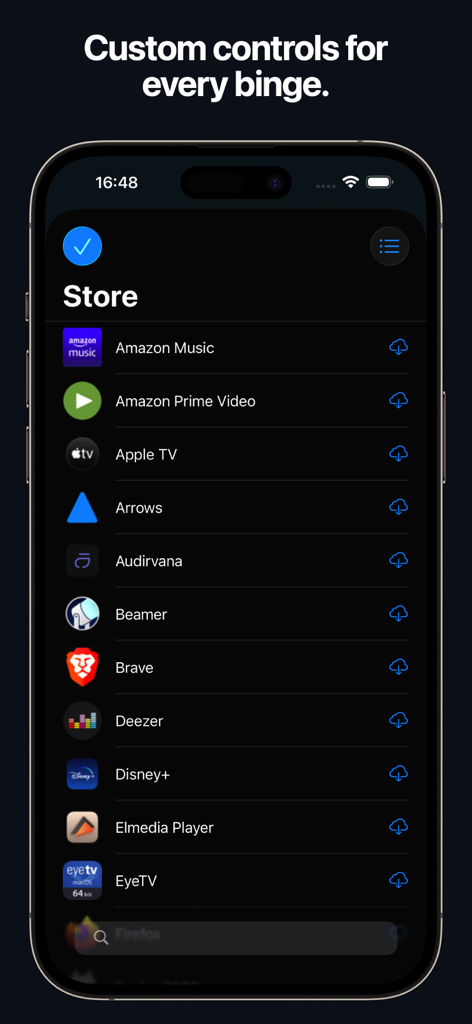
Amazon Prime Video、Disney Plus、Apple TVのカスタムリモートコントロールレイアウトを表示するストア画面
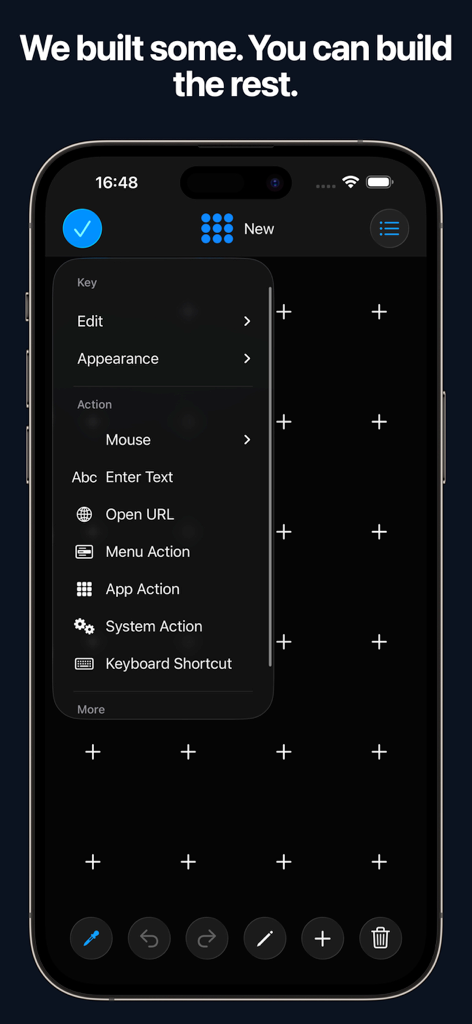
システムアクションやキーボードショートカットなどのさまざまなアクションオプションを備えたカスタムリモートコントロールレイアウトビルダーを表示するiPhone画面
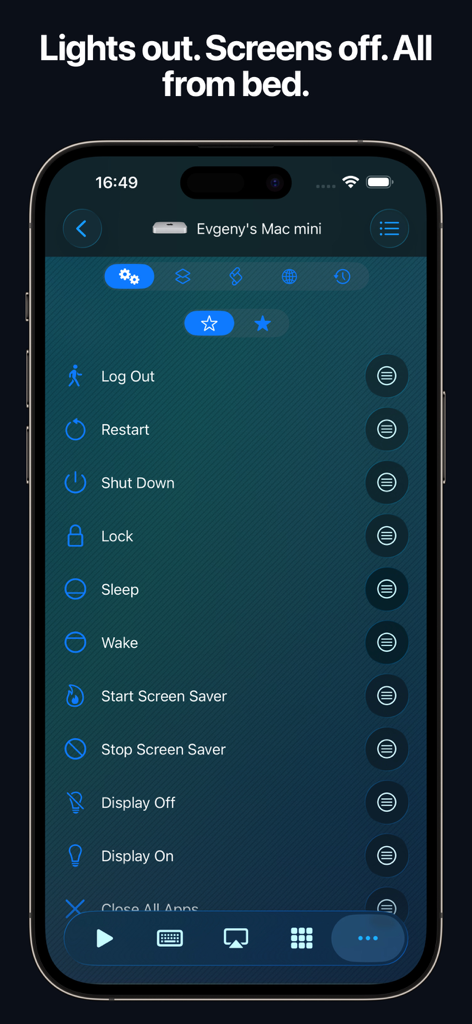
iPhoneアプリRemote Mouse and KeyboardのインターフェースでMac Miniのリモートシステムアクションが表示されています
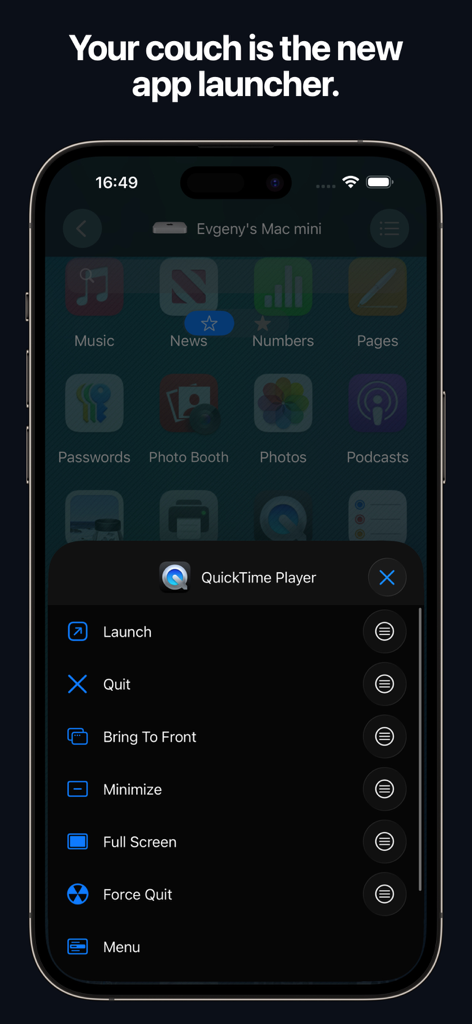
スマートフォンからMacアプリケーションを制御するためのリモートランチャーを表示するiPhoneアプリインターフェース
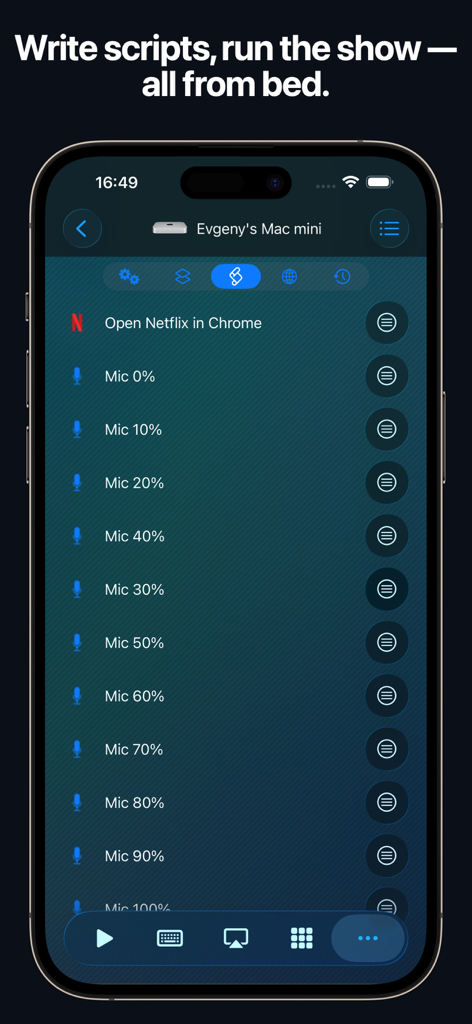
iPhoneでMac miniをリモートで制御するための自動化スクリプトインターフェース
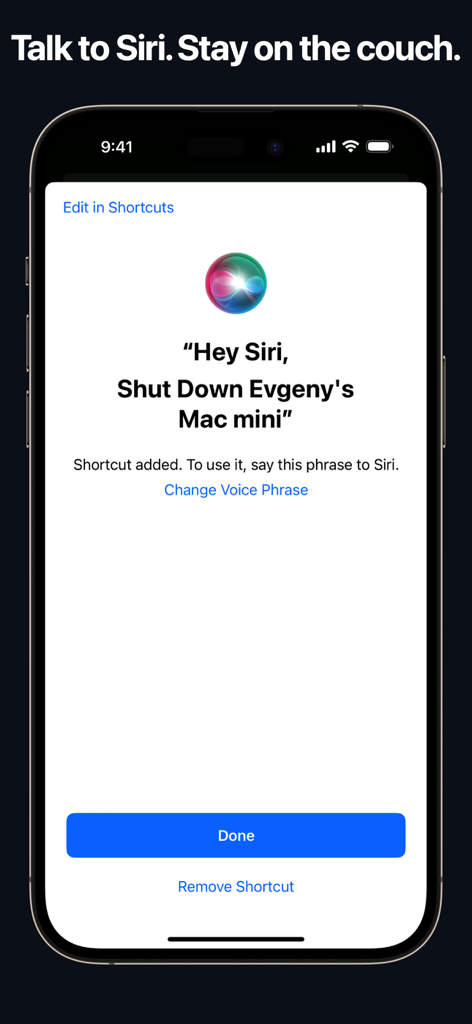
MacコンピューターをリモートでシャットダウンするためのSiri音声コマンドショートカットを表示するiPhone画面
説明
Download
類似アプリ
似た機能とユーザー体験を持つアプリ

Mouse · Keyboard
Remote Sunrise LTD

Camo Camera
Reincubate Ltd

DroidCam Webcam & OBS Camera
DEV47 APPS LTD.

spacedesk - USB Display for PC
datronicsoft Technology GmbH

iVCam Webcam
俊红 柴

Remote Mouse
耀 阮

CamX - USB Camera
Touchbits Inc.

Genki Studio
Human Things, Inc

Astropad Studio Drawing Tablet
Astro HQ LLC
このページはアプリまたはその開発者の公式ページではなく、情報提供および論評を目的として作成された独立した編集出版物です。明示的に別段の記載がない限り、アプリおよびその開発者は、MWM、Apple、Google Play、アプリのパブリッシャー、またはアプリの開発者と提携、承認、後援、認可、またはその他の公式的な関係はなく、このページのいかなる内容も、アプリがMWMのサービスを使用して開発されたことを意味するものではありません。すべての商標、ロゴ、スクリーンショット、その他のコンテンツはそれぞれの所有者の財産です。