Turning: Screen Time & Routine
ダウンロード: App Store

このページはアプリまたはその開発者の公式ページではなく、情報提供および論評を目的として作成された独立した編集出版物です。明示的に別段の記載がない限り、アプリおよびその開発者は、MWM、Apple、Google Play、アプリのパブリッシャー、またはアプリの開発者と提携、承認、後援、認可、またはその他の公式的な関係はなく、このページのいかなる内容も、アプリがMWMのサービスを使用して開発されたことを意味するものではありません。すべての商標、ロゴ、スクリーンショット、その他のコンテンツはそれぞれの所有者の財産です。


ロゴ: Turning: Screen Time & Routine
ダウンロード: App Store

Turning: Screen Time & Routine

Doomscrolling をやめて、生き始めましょう。科学的に裏付けられた「ハードモード」ロックを使って、気を散らすものをなくし、集中力を高め、定着する意図的な習慣を身につけている25万人以上のハイアチーバーに参加しましょう。

主要数値

ダウンロード

128K+

ユーザー評価

4.0/5

評価数

2K+

開発元

HUSTLERS Corp

カテゴリ

Productivity

対応言語

3

最新バージョン

26.3.0

サイズ

77.9 MB

リリース日

2023年5月31日
機能

あなたの最高の可能性を解き放つ

タイマー以上のものが必要なハイアチーバーのために作られました。科学的に検証された規律を通じて、毎日平均3.5時間のスクリーンタイムを取り戻している世界中の25万人以上のユーザーに加わりましょう。

破れないフォーカスロック

信頼性の高い24時間ロックシステムで、自分で設定したルールを回避するのをやめましょう。ネイティブのスクリーンタイムツールでは提供できない、デジタル規律のための「ハードモード」です。

ゲーミフィケーションされた習慣バディ

デジタルフォーカスコンパニオン、Turnyに会いましょう。衝動的なスクロールを価値の高い仕事や意図的な生活に置き換えるにつれて、Turnyの気分がリアルタイムで変化するのを見てください。

以下のスクリーンショットと説明は、アプリの公式ストアリスティングから直接取得されたものであり、アプリ開発者の所有物です。

アプリストア

スクリーンショット
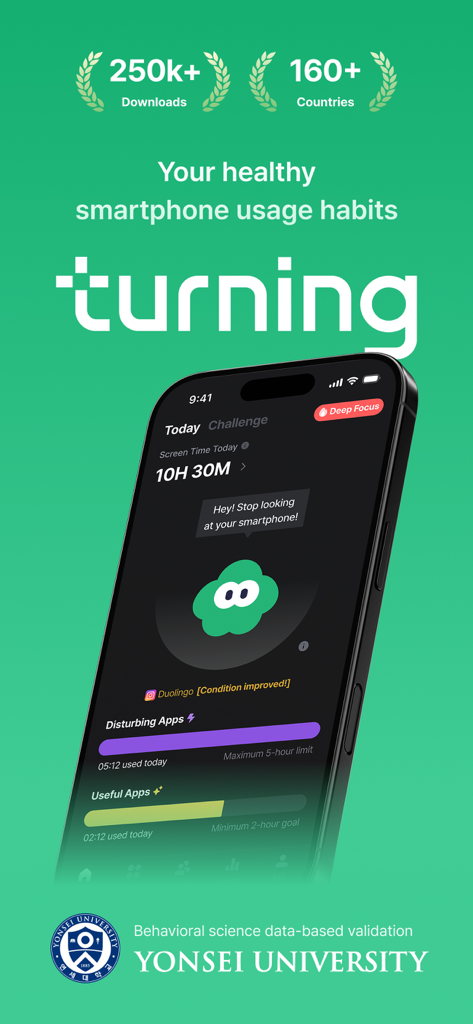
Turning: Screen Time & Routine - Turningアプリのダッシュボードには、スクリーンタイム追跡、ディープフォーカスモード、Turnyというデジタルバディキャラクターが表示されます。
Turningアプリのダッシュボードには、スクリーンタイム追跡、ディープフォーカスモード、Turnyというデジタルバディキャラクターが表示されます。

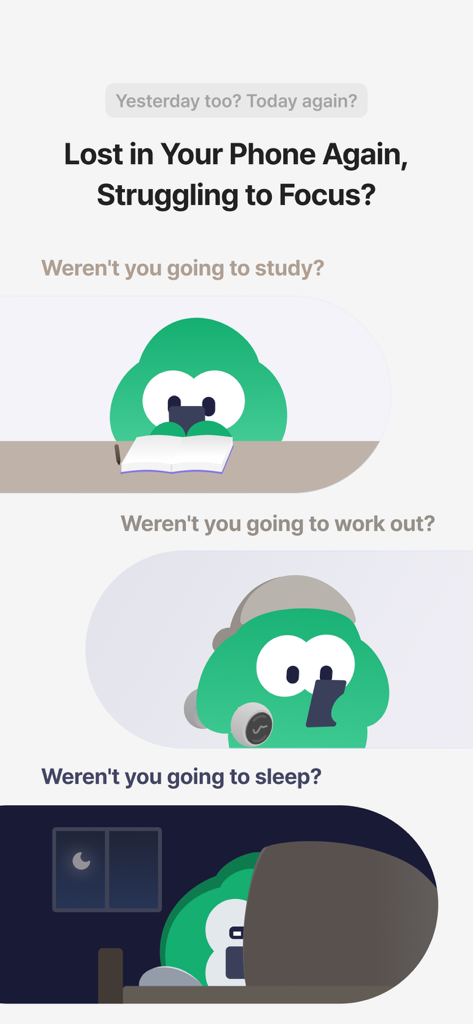
Turning: Screen Time & Routine - 勉強中、運動中、就寝中にスマートフォンに気を取られているキャラクターを示す一連のイラスト。
勉強中、運動中、就寝中にスマートフォンに気を取られているキャラクターを示す一連のイラスト。

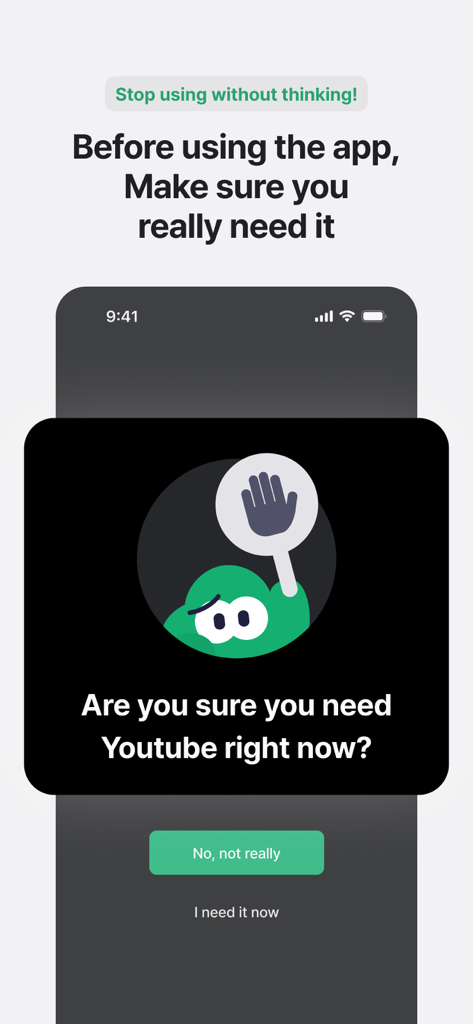
Turning: Screen Time & Routine - Turningアプリからのマインドフルネスなプロンプトが表示され、衝動的なスクロールを防ぐために本当にYouTubeを開く必要があるかユーザーに尋ねるモバイル画面。
Turningアプリからのマインドフルネスなプロンプトが表示され、衝動的なスクロールを防ぐために本当にYouTubeを開く必要があるかユーザーに尋ねるモバイル画面。

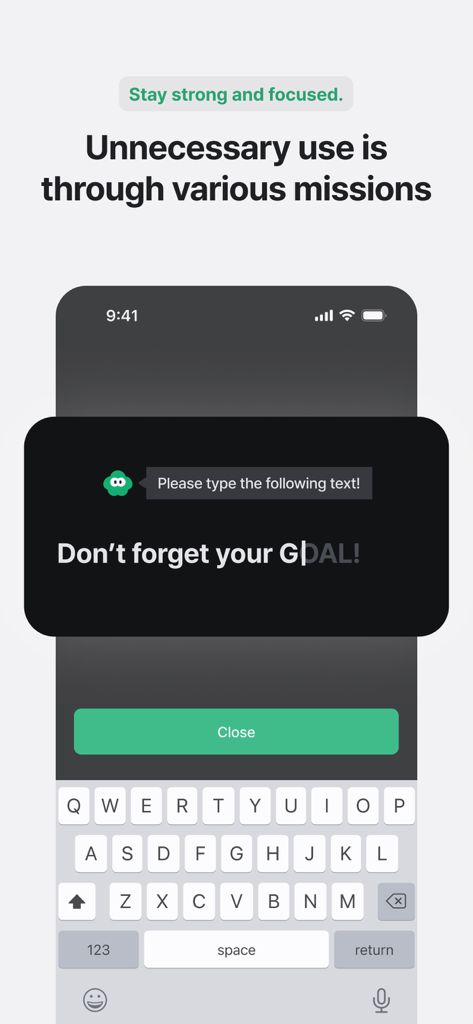
Turning: Screen Time & Routine - Turningアプリで、不要な電話の使用を減らすためにフレーズを入力するようにユーザーに求めるフォーカスミッションを表示する画面。
Turningアプリで、不要な電話の使用を減らすためにフレーズを入力するようにユーザーに求めるフォーカスミッションを表示する画面。

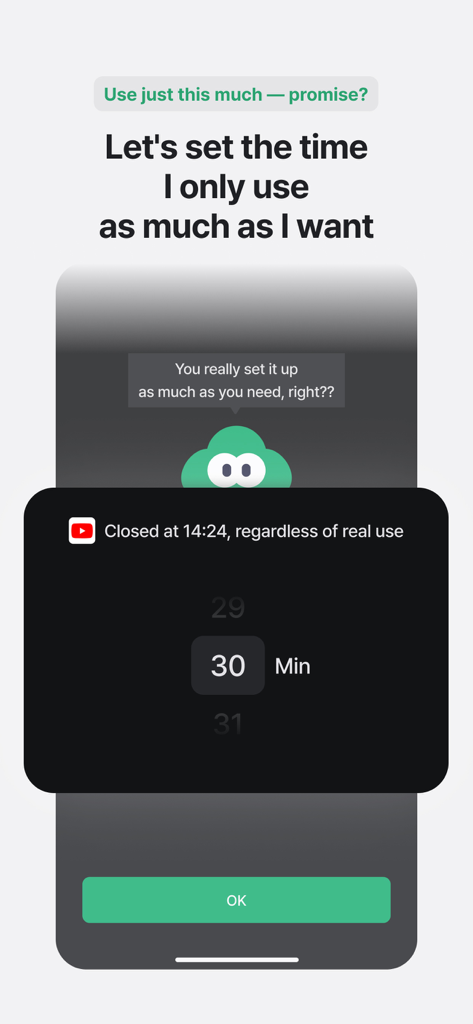
Turning: Screen Time & Routine - デジタルバディTurnyと一緒に、Turningスクリーンタイムアプリで30分のアプリ使用制限を設定しています。
デジタルバディTurnyと一緒に、Turningスクリーンタイムアプリで30分のアプリ使用制限を設定しています。

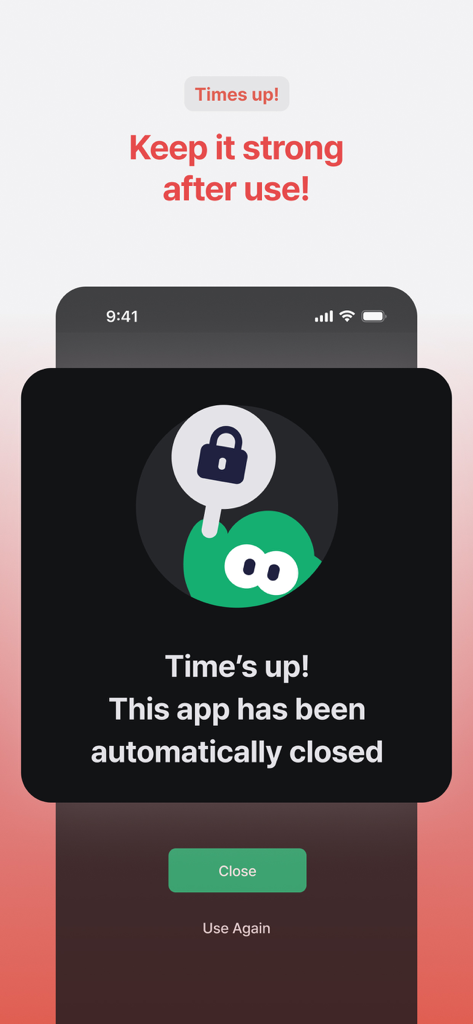
Turning: Screen Time & Routine - Turningアプリからの通知画面で、スクリーンタイム制限が終了し、アプリが自動的に閉じられたことが表示されています。
Turningアプリからの通知画面で、スクリーンタイム制限が終了し、アプリが自動的に閉じられたことが表示されています。

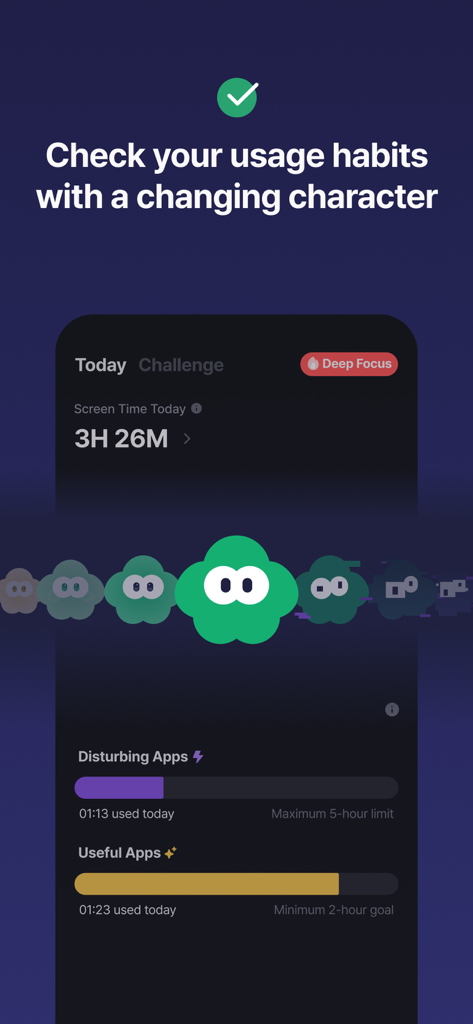
Turning: Screen Time & Routine - Turningアプリのダッシュボードに、スクリーンタイム使用習慣とゲーミフィケーションされたデジタルバディTurnyが表示されています。
Turningアプリのダッシュボードに、スクリーンタイム使用習慣とゲーミフィケーションされたデジタルバディTurnyが表示されています。

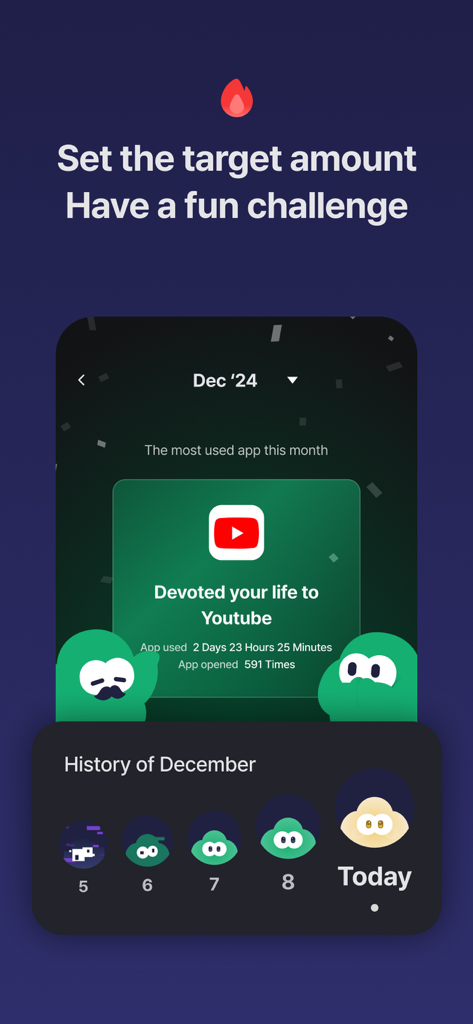
Turning: Screen Time & Routine - TurningアプリのYouTube月間使用統計とゲーミフィケーションされた習慣追跡履歴を表示する画面。
TurningアプリのYouTube月間使用統計とゲーミフィケーションされた習慣追跡履歴を表示する画面。

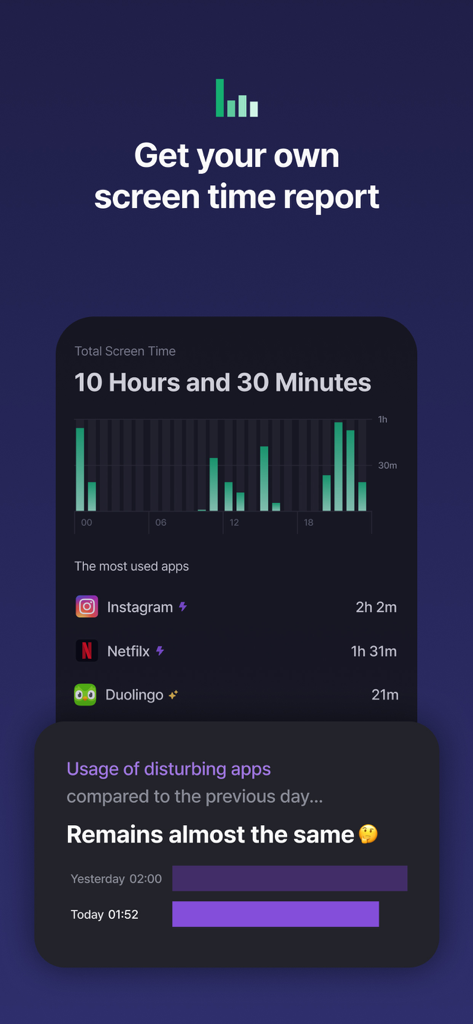
Turning: Screen Time & Routine - Turningアプリのスクリーンタイムレポートに、1日の総電話使用量と最もよく使われたアプリのリストが表示されています。

Turningアプリのスクリーンタイムレポートに、1日の総電話使用量と最もよく使われたアプリのリストが表示されています。

説明

#Boost focus, reduce screen time, and build better habits# -- “Just 10 more minutes... Just one more video... I’ll start tomorrow, for real... Wait, what time is it?” ”Turn your time around. Save up to 2 hours a day — use only the apps you *truly* need, when you need them” -- ■ The first and #1 screen time management app in Korea, used in over ''160 countries by 250,000+ users'' ■ Highly recommended for students, exam takers, job seekers, freelancers, and anyone seeking productivity ■ Scientifically validated in collaboration with ''Yonsei University’s Applied Statistics Lab'' ■ ''Reduces daily screen time from 6 hours to just 2.5 hours'' on average after starting Turning — ▶ Who is Turning for? - Those who can't stop watching Shorts or Reels before bed - Those who lose entire days to impulsive smartphone use - Those preparing for exams, competitions, or major events - Those experiencing poor focus or recurring digital fatigue - Those concerned about kids, partners, or friends using phones all day - Those who’ve tried everything to break phone addiction — ▶ Turning helps you ''use apps intentionally, not habitually.'' ▶ Now featuring ''a reliable 24-hour lock system'' to control app usage with consistency. (1) Simply register your apps once. Our intuitive, straightforward system locks distractions for 24 hours. Through the “Apps” tab, categorize your helpful and distracting apps. Turning helps you consciously access only what you need, when you need it. (2) Need stronger control? Subscribe to ''Deep Focus Mode.'' With per-app time limits and total daily usage caps, Deep Focus Mode offers more powerful blocking. If the basic mode felt too lenient, upgrade for full control and digital discipline. (3) Meet your digital buddy ''Turny'' on the home screen. Turny’s mood changes based on your screen time patterns :) Decrease distracting app use, and increase productivity-enhancing apps! (4) Track your ''personalized usage statistics'' See which apps you used today and how you've improved compared to yesterday. Build long-term healthy habits through daily insights and steady progress. — ▶ Have suggestions or feature requests? Contact us via in-app support or at [cs@hustlers.co.kr](mailto:cs@hustlers.co.kr) — ▶ Thousands are improving their lives with Turning. Build healthier smartphone habits — start today with Turning. — #screentime #focus #study #routine #digitaldetox #productivity #studyapp #miraclemorning #habits #selfcontrol #sleep #phoneaddiction #timer #studywithme — ▶ Terms of Use: https://www.apple.com/legal/internet-services/itunes/dev/stdeula — ▶ Payment will be charged to your Apple ID account upon purchase confirmation. ▶You can manage and cancel your subscription in your App Store account settings. ▶Your subscription renews automatically unless canceled at least 24 hours before the end of the current period.

Download

ダウンロード: App Store

このページはアプリまたはその開発者の公式ページではなく、情報提供および論評を目的として作成された独立した編集出版物です。明示的に別段の記載がない限り、アプリおよびその開発者は、MWM、Apple、Google Play、アプリのパブリッシャー、またはアプリの開発者と提携、承認、後援、認可、またはその他の公式的な関係はなく、このページのいかなる内容も、アプリがMWMのサービスを使用して開発されたことを意味するものではありません。すべての商標、ロゴ、スクリーンショット、その他のコンテンツはそれぞれの所有者の財産です。