
이 페이지는 앱이나 개발자의 공식 페이지가 아니며, 정보 제공 및 논평을 목적으로 작성된 독립 편집 간행물입니다. 명시적으로 달리 언급되지 않는 한, 해당 앱이나 개발자는 MWM, Apple, Google Play, 앱 퍼블리셔 또는 앱 개발자와 제휴, 보증, 후원, 승인 또는 공식적으로 연결되어 있지 않으며, 이 페이지의 어떤 내용도 해당 앱이 MWM의 서비스를 사용하여 개발되었음을 의미하지 않습니다. 모든 상표, 로고, 스크린샷 및 기타 콘텐츠는 해당 소유자의 자산입니다.


e Signature Scanner, Sign PDF
이 앱은 디지털 문서에 인간의 흔적을 남기려는 전문가를 위한 무자비한 도구입니다.
다운로드
2.5M+사용자 평점
총 평가 수
57.0K개발사
카테고리
Business지원 언어
8최신 버전
2.0.3크기
181.2 MB출시일
2020년 3월 28일디지털 문서 서명 및 관리의 전문성 강화
e Signature Scanner, Sign PDF 앱 분석
강력한 보안 및 개인 정보 보호
이 앱은 사용자의 서명을 장치에 로컬로 안전하게 저장하며, 어떠한 서명 관련 정보도 클라우드에 업로드되거나 제3자와 공유되지 않도록 하여 높은 수준의 개인 정보 보호를 보장합니다.
완전한 종이 없는 서명 워크플로우
이 도구는 사용자가 문서를 인쇄하거나 스캔할 필요 없이 계약서, 송장, NDA 및 기타 비즈니스 문서에 직접 서명할 수 있게 하여 시간과 자원을 절약하고 효율적인 원격 작업을 지원합니다.
실제 자필 서명 디지털화 및 자동 정리
사용자가 종이에 쓴 실제 서명을 휴대폰 카메라로 스캔하면, 이 앱은 배경을 자동으로 제거하고 투명하게 만들어 디지털 문서에 즉시 사용할 수 있는 전문적인 자필 서명을 생성합니다.
AI 기반 서명 정교화
이 앱은 AI 엔진을 활용하여 스캔한 서명의 그림자나 종이 선을 제거하면서도 사용자의 필기 특유의 자연스러운 흐름을 유지하여 매우 전문적이고 신뢰할 수 있는 디지털 서명을 만들어줍니다.
다양한 문서 형식 직접 서명 지원
사용자는 PDF, 이미지 파일 또는 스캔된 문서 등 다양한 형식의 파일을 앱 내에서 직접 열어 서명할 수 있어, 번거로운 변환 과정 없이 편리하게 문서 작업을 처리할 수 있습니다.
즉시 PDF 서명 및 공유
이 도구는 사용자가 PDF 문서에 서명하고 즉시 전송할 수 있도록 지원하여, 신속한 문서 처리와 효율적인 커뮤니케이션을 가능하게 합니다.
간편한 원탭 서명 스캔
이 앱은 단 한 번의 탭으로 종이 서명을 스캔하여 디지털화하는 간편한 방법을 제공하며, 별도의 트레이싱이나 스타일러스 없이도 정확하게 서명을 캡처합니다.
통합된 서명 생성 및 문서 서명 기능
이 앱은 서명을 생성하는 기능과 함께 문서에 서명하는 기능을 모두 갖추고 있어, 사용자가 하나의 플랫폼에서 모든 서명 관련 작업을 효율적으로 처리할 수 있도록 돕습니다.
자주 묻는 질문
에 대해 알아야 할 모든 것 e Signature Scanner, Sign PDF
How does e Signature: Signature Scanner capture my handwritten signature?
e Signature: Signature Scanner captures your handwritten signature by scanning it from paper with your phone camera. The app then automatically cleans the background, creating a transparent, professional digital signature.
Can I sign PDF documents directly with e Signature: Signature Scanner?
Yes, e Signature: Signature Scanner allows you to sign PDF documents directly from your phone. You can open any PDF, image, or scanned document within the app to apply your signature.
Does e Signature: Signature Scanner store my data or signatures in the cloud?
No, e Signature: Signature Scanner stores your signatures securely on your device. The app does not upload or share anything, ensuring privacy with no cloud storage or data tracking.
What types of files can e Signature: Signature Scanner process?
e Signature: Signature Scanner processes various file types including PDFs, images, and scanned documents. This allows you to sign contracts, invoices, NDAs, and other business agreements efficiently.
How does e Signature: Signature Scanner ensure a professional signature appearance?
e Signature: Signature Scanner uses an AI engine to refine your signature, removing shadows and paper lines. This process maintains the natural flow of your handwriting, creating a clean, credible digital output.
Can I save and manage multiple signatures within e Signature: Signature Scanner?
Yes, e Signature: Signature Scanner allows you to save and manage multiple distinct signatures. The app provides an interface to organize and easily access all your stored signatures.
What file formats are supported for saving documents in e Signature: Signature Scanner?
e Signature: Signature Scanner supports saving documents in PNG, PDF, or JPG formats. This offers flexibility for sharing and integrating your signed files with various platforms.
Does e Signature: Signature Scanner allow direct sharing of signed documents?
Yes, e Signature: Signature Scanner facilitates easy sharing of your signed documents. You can access various sharing options directly from within the app after signing.
Is the e Signature: Signature Scanner app suitable for organizing documents?
Yes, e Signature: Signature Scanner helps users go paperless by offering document organization features. You can manage and store various documents like invoices, ID cards, and work reports within the app.
Is e Signature: Signature Scanner free to use for signing PDFs?
Yes, e Signature: Signature Scanner allows users to sign PDFs for free. The app provides this core function as an easy way to sign and share files from anywhere without additional costs.
다음 스크린샷과 설명은 앱의 공식 스토어 목록에서 직접 가져온 것이며 앱 개발자의 자산입니다.
앱 스토어
스크린샷
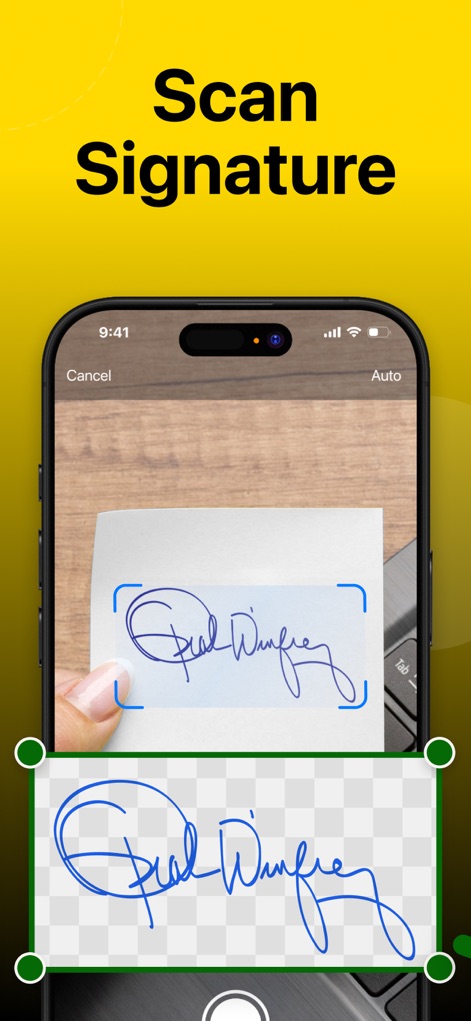
이 앱은 사용자의 실제 서명을 빠르고 정확하게 스캔하며, 배경을 자동으로 제거하여 (깨끗한 스캔 영역)과 (투명한 서명 결과)를 제공합니다.
서명 스캔, 배경 제거
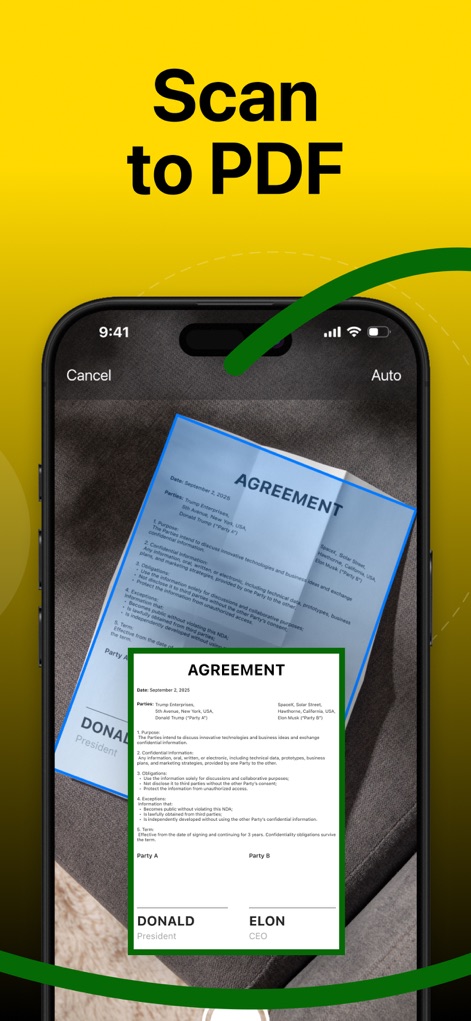
물리적 문서를 디지털화하여 효율성을 높이십시오. 이 도구는 계약서와 같은 문서를 스캔하여 (선명한 디지털 PDF 형식)으로 즉시 변환하고 (원본 레이아웃을 유지)합니다.
문서 스캔, PDF 변환
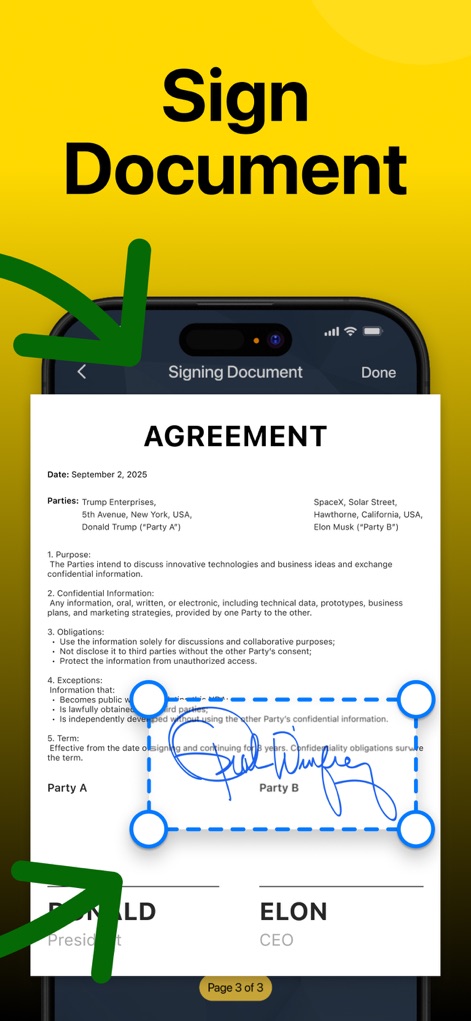
사용자는 스캔된 PDF 문서에 자신의 서명을 쉽고 안전하게 추가할 수 있습니다. (서명 위치를 자유롭게 조정)하고 (깔끔하게 적용된 디지털 서명)으로 문서를 완성합니다.
문서에 서명하기

이 앱은 전 세계 300만 이상의 전문가들이 신뢰하며 사용하고 있습니다. (높은 평점 4.8점)과 (수많은 다운로드 수)는 이 앱의 뛰어난 성능과 신뢰성을 증명합니다.
300만 전문가의 선택
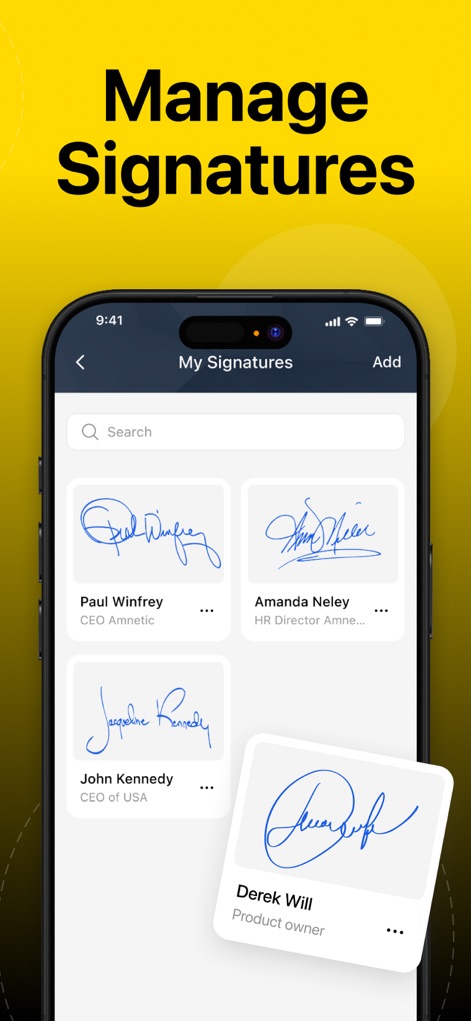
사용자는 여러 개의 서명을 생성하고 효과적으로 관리할 수 있습니다. (이름과 직책별로 분류된 서명 목록)을 통해 필요한 서명을 쉽게 찾고 (각각의 서명 미리보기)를 확인할 수 있습니다.
서명 목록 관리
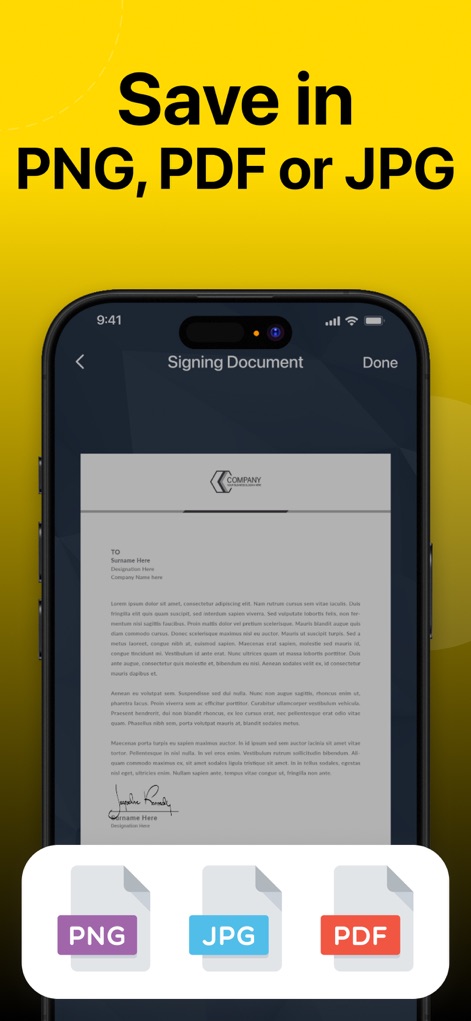
서명된 문서는 사용자의 필요에 따라 다양한 형식으로 저장될 수 있습니다. (PNG, JPG, PDF와 같은 여러 파일 형식)을 지원하여 (문서 유형에 맞는 유연한 저장 옵션)을 제공합니다.
다양한 형식으로 저장
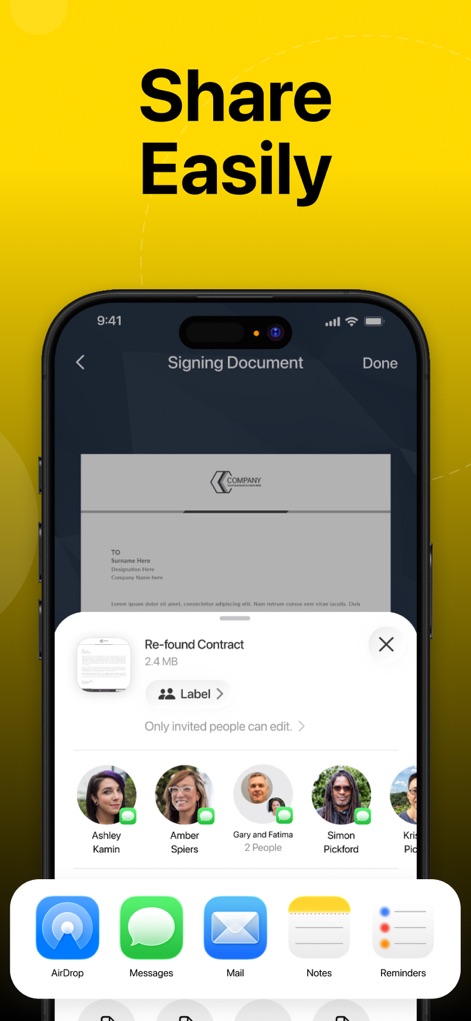
서명된 문서를 동료나 클라이언트와 즉시 공유하십시오. 이 앱은 (다양한 공유 앱 및 연락처 목록)을 통해 (빠르고 효율적인 문서 배포)를 가능하게 합니다.
간편한 문서 공유
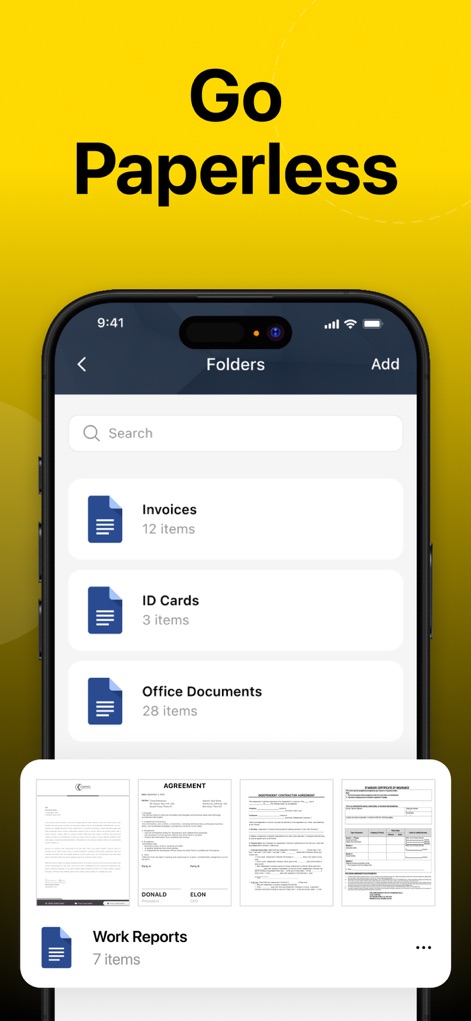
사용자는 모든 중요 문서를 체계적으로 디지털 보관하여 페이퍼리스 환경을 구축할 수 있습니다. (폴더별로 정리된 문서 목록)과 (각 문서의 축소판 미리보기)를 통해 관리가 용이합니다.
스마트한 문서 보관
설명
Download
비슷한 앱
유사한 기능과 사용자 경험을 가진 앱

PDF PRO Scan Image & Documents
Balzo srl

The PDF Scanner, PDF editor HQ
NEXT K.U.M. LTD

CamScanner - PDF Scanner App
INTSIG Information Co., Ltd

Adobe Scan: PDF & OCR Scanner
Adobe Inc.

WPS Office: PDF, Docs, Sheets
KINGSOFT OFFICE SOFTWARE CORPORATION LIMITED

iLovePDF - PDF Editor & Scan
ILOVEPDF S.L.

Scanner App: Genius Scan
The Grizzly Labs

Microsoft Lens: PDF Scanner
Microsoft Corporation

Clear Scan: Doc Scanner App
INDY MOBILE APP COMPANY LIMITED
이 페이지는 앱이나 개발자의 공식 페이지가 아니며, 정보 제공 및 논평을 목적으로 작성된 독립 편집 간행물입니다. 명시적으로 달리 언급되지 않는 한, 해당 앱이나 개발자는 MWM, Apple, Google Play, 앱 퍼블리셔 또는 앱 개발자와 제휴, 보증, 후원, 승인 또는 공식적으로 연결되어 있지 않으며, 이 페이지의 어떤 내용도 해당 앱이 MWM의 서비스를 사용하여 개발되었음을 의미하지 않습니다. 모든 상표, 로고, 스크린샷 및 기타 콘텐츠는 해당 소유자의 자산입니다.