MobiScanner - PDF Scanner App
다운로드: App Store

이 페이지는 앱이나 개발자의 공식 페이지가 아니며, 정보 제공 및 논평을 목적으로 작성된 독립 편집 간행물입니다. 명시적으로 달리 언급되지 않는 한, 해당 앱이나 개발자는 MWM, Apple, Google Play, 앱 퍼블리셔 또는 앱 개발자와 제휴, 보증, 후원, 승인 또는 공식적으로 연결되어 있지 않으며, 이 페이지의 어떤 내용도 해당 앱이 MWM의 서비스를 사용하여 개발되었음을 의미하지 않습니다. 모든 상표, 로고, 스크린샷 및 기타 콘텐츠는 해당 소유자의 자산입니다.

로고: MobiScanner - PDF Scanner App
다운로드: App Store

MobiScanner - PDF Scanner App

iPhone을 강력한 PDF 스캐너로 활용하세요. OCR로 텍스트를 손쉽게 추출하고, 이동 중 계약서에 서명하고, 비즈니스 문서를 몇 초 만에 정리하세요.

주요 수치

다운로드

74K+

사용자 평점

4.7/5

총 평가 수

100

개발사

CLOUD INTERACTIVE TECH PTE. LTD.

카테고리

Business

지원 언어

14

최신 버전

1.1.45

크기

47.1 MB

출시일

2023년 5월 20일
기능

올인원 모바일 오피스

빠르게 변화하는 미국 전문가를 위해 설계된 전문가 수준의 스캔, 즉각적인 텍스트 추출, 안전한 디지털 서명으로 문서 워크플로우를 간소화하세요.

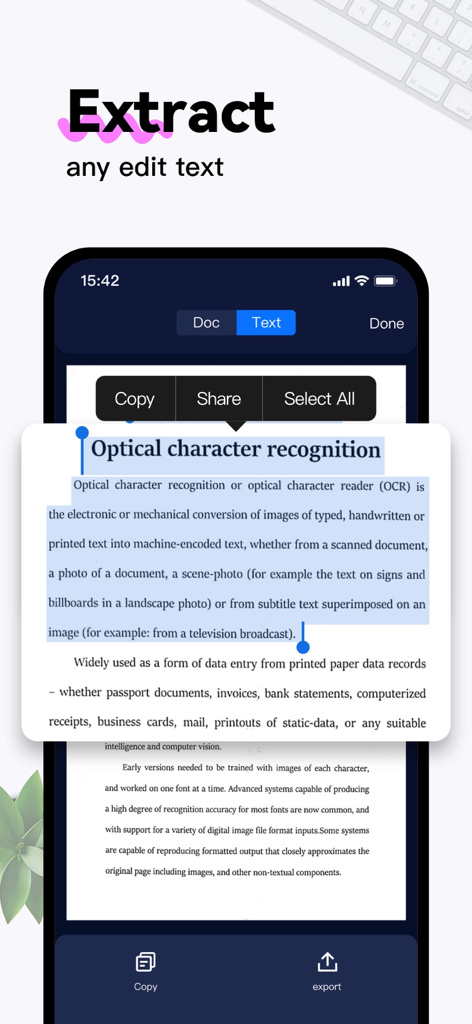
즉각적인 텍스트 추출 (OCR)

실제 페이지를 편집 가능한 디지털 텍스트로 즉시 변환하세요. 높은 정확도의 인식으로 보고서나 책의 데이터를 영어, 스페인어, 프랑스어 등으로 추출할 수 있습니다.

몇 초 만에 전자 서명 및 공유

프린터를 건너뛰고 더 빠르게 거래를 성사시키세요. 화면에서 바로 계약서에 전문적인 서명을 추가하고 이메일, iMessage 또는 WhatsApp을 통해 즉시 공유하세요.

다음 스크린샷과 설명은 앱의 공식 스토어 목록에서 직접 가져온 것이며 앱 개발자의 자산입니다.

앱 스토어

스크린샷
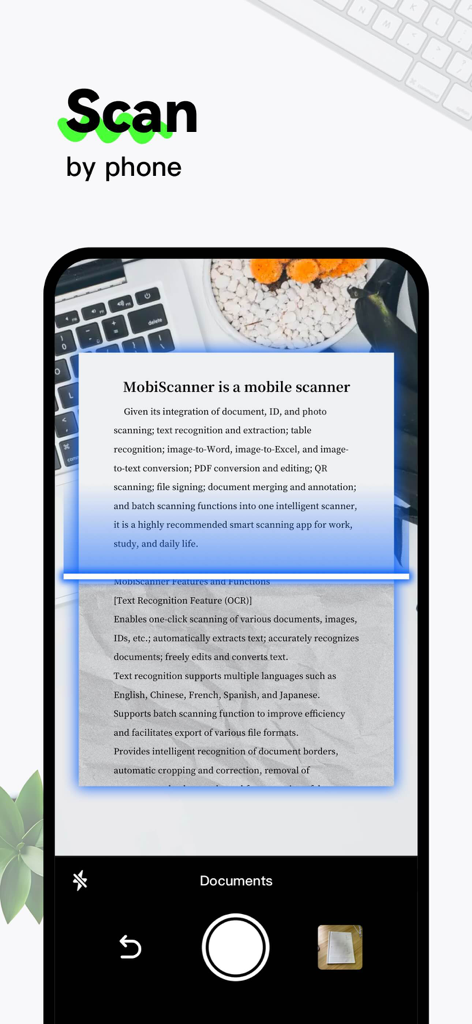
MobiScanner - PDF Scanner App - MobiScanner 앱을 사용하여 종이 문서를 디지털 파일로 스캔하는 스마트폰
MobiScanner 앱을 사용하여 종이 문서를 디지털 파일로 스캔하는 스마트폰

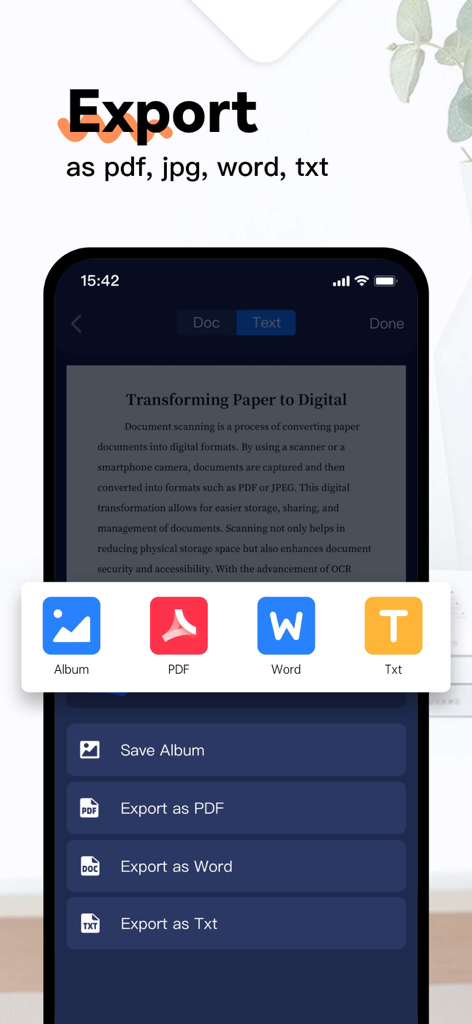
MobiScanner - PDF Scanner App - MobiScanner 앱 인터페이스에서 PDF, Word, Txt 형식의 문서 내보내기 옵션 표시
MobiScanner 앱 인터페이스에서 PDF, Word, Txt 형식의 문서 내보내기 옵션 표시

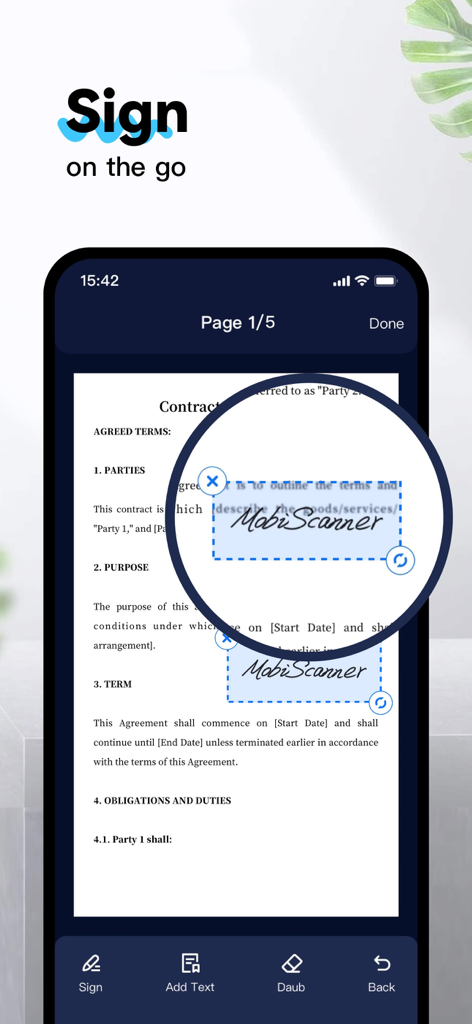
MobiScanner - PDF Scanner App - MobiScanner 앱 인터페이스에서 계약서 문서에 디지털 서명을 적용하는 모습 표시
MobiScanner 앱 인터페이스에서 계약서 문서에 디지털 서명을 적용하는 모습 표시

MobiScanner - PDF Scanner App - 스마트폰 화면에 MobiScanner 앱이 OCR 기술을 사용하여 스캔된 문서에서 텍스트를 추출하는 모습 표시
스마트폰 화면에 MobiScanner 앱이 OCR 기술을 사용하여 스캔된 문서에서 텍스트를 추출하는 모습 표시

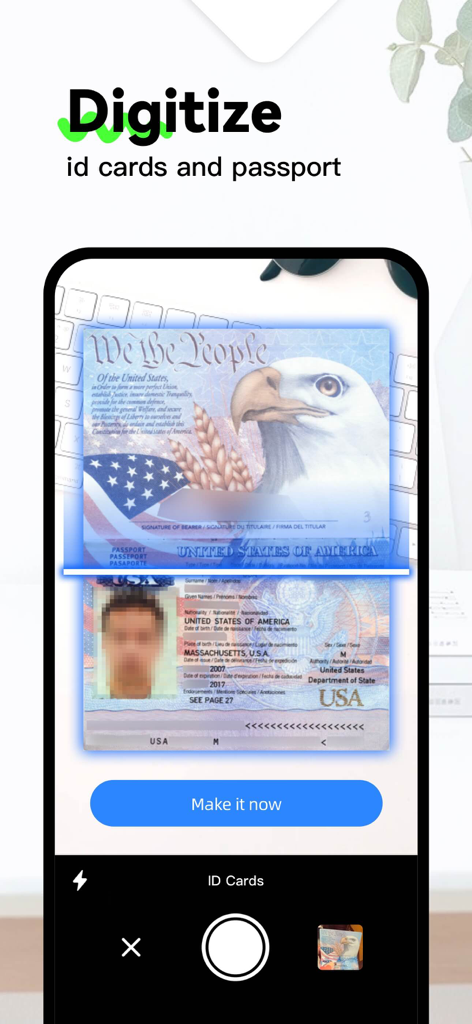
MobiScanner - PDF Scanner App - 스마트폰 카메라를 사용하여 MobiScanner 앱으로 미국 여권 및 신분증을 디지털화하는 인터페이스 표시
스마트폰 카메라를 사용하여 MobiScanner 앱으로 미국 여권 및 신분증을 디지털화하는 인터페이스 표시

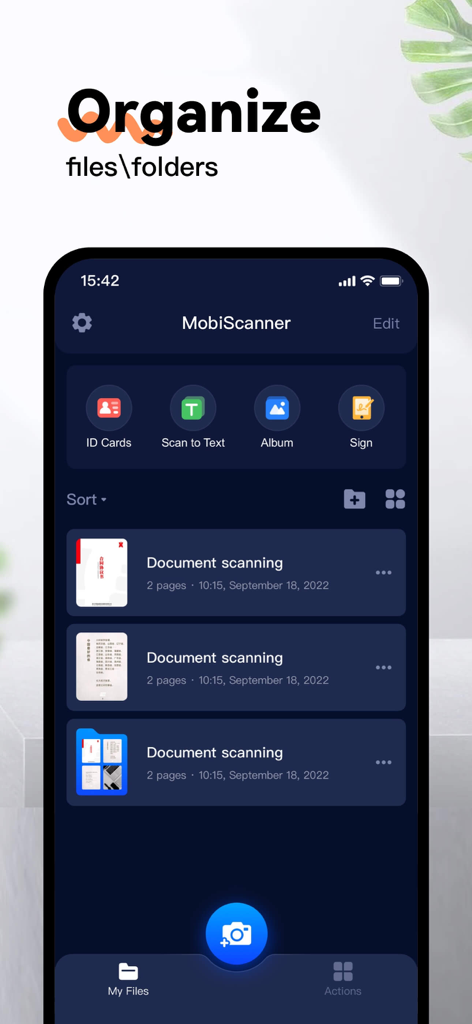
MobiScanner - PDF Scanner App - MobiScanner 앱 인터페이스에 정리된 문서 폴더 및 스캔 옵션 표시

MobiScanner 앱 인터페이스에 정리된 문서 폴더 및 스캔 옵션 표시

설명

Mobilscanner is a multi-functional scanner app. It turns your mobile device into a useful scanner, which can automatically recognize text (OCR) and improves your efficiency to save your time. Download this scanner app for free to scan, save, export, and share any document in PDF, JPG or TXT formats instantly. =====Important Features==== [Scanning] This powerful scanner app is a must-use tool for students and anyone involved in business (accountant, real estate agent, manager or lawyer). Use this PDF scanner to scan anything you need: receipts, contracts, paper notes, fax paper, books, and store the scans as multi-page PDF or JPG files. [Multiple scanning modes] --Single\Multiple document --ID cards and passport --QR CODE [Save、Export] –-PDF Converter: This PDF scanner allows you to create PDFs from apps and convert documents in many formats to PDF. –-supported file formats: pdf, jpg, word, txt, [Text Recognition Feature (OCR)] --easy to use automatically extracts text. --extract text from any scannable object with text recognition. --support languages: English, Chinese, French, Spanish, and Japanese…… --recognized text can be freely edited, saved and exported --supports scanning and imported file recognition [Share & Sign] --sign scans manually or add image signatures --share files for commenting or viewing in WhatsApp, iMessage, Facebook [Document editors and file managers] --edit scans with filters and noise removal. --manage files using folders, drag-and-drop to reorder, and enjoy other document editing features. --use the delete or import document palace Download MobiScanner today and start saving you time and work! MobiScanner subscribe for advanced features: access to all features. You will be charged after the purchase is confirmed. Subscriptions auto-renew 24 hours before the expiration date. You can manage your subscriptions in account Settings of the AppStore. We'd love to hear from you! Please leave your comments to help us make MobiScanner even better. You can also get in touch with us at https://www.cloudintertech.com/contact-us.html. MobiScanner Subscribe to get Premium features: access to all features. You will be charged after the purchase confirmation. Subscriptions auto-renew 24 hours before the expiration date. You can manage your subscriptions in account Settings on the AppStore. Privacy Policy: https://www.cloudintertech.com/privacy.html Terms of Use: https://www.cloudintertech.com/agreement.html We'd love to hear from you! Please leave a review to help us make MobiScanner even better. You can also get in touch with us at https://www.cloudintertech.com/contact-us.html.

Download

다운로드: App Store

이 페이지는 앱이나 개발자의 공식 페이지가 아니며, 정보 제공 및 논평을 목적으로 작성된 독립 편집 간행물입니다. 명시적으로 달리 언급되지 않는 한, 해당 앱이나 개발자는 MWM, Apple, Google Play, 앱 퍼블리셔 또는 앱 개발자와 제휴, 보증, 후원, 승인 또는 공식적으로 연결되어 있지 않으며, 이 페이지의 어떤 내용도 해당 앱이 MWM의 서비스를 사용하여 개발되었음을 의미하지 않습니다. 모든 상표, 로고, 스크린샷 및 기타 콘텐츠는 해당 소유자의 자산입니다.








