
이 페이지는 앱이나 개발자의 공식 페이지가 아니며, 정보 제공 및 논평을 목적으로 작성된 독립 편집 간행물입니다. 명시적으로 달리 언급되지 않는 한, 해당 앱이나 개발자는 MWM, Apple, Google Play, 앱 퍼블리셔 또는 앱 개발자와 제휴, 보증, 후원, 승인 또는 공식적으로 연결되어 있지 않으며, 이 페이지의 어떤 내용도 해당 앱이 MWM의 서비스를 사용하여 개발되었음을 의미하지 않습니다. 모든 상표, 로고, 스크린샷 및 기타 콘텐츠는 해당 소유자의 자산입니다.


PDFelement: PDF Editor, Viewer
이 앱은 당신의 문서 작업을 해방시킵니다. 끝없는 서류 더미에 묻히는 대신, 단 몇 번의 탭으로 질서를 부여할 수 있습니다.
다운로드
2.5M+사용자 평점
총 평가 수
21.5K개발사
카테고리
Productivity지원 언어
13최신 버전
V6.1.1크기
260.4 MB출시일
2020년 11월 2일주요 기능 분석 및 전문가 평가
'PDFelement: PDF Editor, Viewer' 앱 심층 분석
PDF 직접 편집
이 앱은 텍스트와 이미지를 워드 프로세서처럼 직접 편집할 수 있도록 하여, 문서 수정 및 업데이트를 매우 편리하게 만듭니다.
AI 기반 PDF 대화
이 도구는 사용자가 PDF 문서와 대화하듯 질문하고, 문서 내에서 즉각적이고 정확한 답변을 얻을 수 있도록 합니다.
고급 OCR 스캐닝
이 앱은 영수증, 송장, 서식과 같은 종이 문서를 스캔하고, OCR(광학 문자 인식) 기술을 통해 텍스트를 추출하여 검색 및 편집 가능한 디지털 파일로 변환합니다.
PDF를 Excel로 변환
이 도구는 사용자가 은행 명세서와 같은 PDF 파일을 클릭 한 번으로 Excel 스프레드시트로 정확하게 변환하여 데이터를 쉽게 분석하고 관리할 수 있도록 지원합니다.
AI 요약 기능
이 앱은 길이가 긴 계약서나 보고서를 몇 초 만에 핵심 내용으로 요약하여, 사용자가 중요한 정보를 빠르게 파악하고 시간을 절약할 수 있도록 돕습니다.
문서 병합 및 압축
이 도구는 여러 개의 PDF 파일을 하나의 문서로 병합하고, 문서 품질을 유지하면서 파일 크기를 줄여 효율적인 문서 관리와 쉬운 공유를 가능하게 합니다.
AI 기반 번역
이 앱은 선택한 텍스트를 60개 이상의 언어로 원활하게 번역할 수 있도록 하여, 사용자가 외국어 문서를 손쉽게 이해하고 처리할 수 있게 합니다.
양식 작성 및 서명
이 앱은 사용자가 대화형 필드로 PDF 양식을 쉽게 완성하고, 텍스트 입력 또는 자필 서명 이미지를 추가하여 문서에 디지털 서명할 수 있도록 제공합니다.
문서 보안 강화
이 도구는 민감한 문서에 암호를 설정하고 보안 기능을 적용하여, 사용자의 기밀 데이터를 안전하게 보호합니다.
상세 주석 및 마크업
이 앱은 노트, 도형, 화살표, 하이라이트 등을 추가하여, 사용자가 문서 검토 및 팀원과의 공동 작업을 효과적으로 수행할 수 있도록 지원합니다.
자주 묻는 질문
에 대해 알아야 할 모든 것 PDFelement: PDF Editor, Viewer
What is PDFelement: PDF Editor, Viewer?
PDFelement is an AI PDF Editor, Reader, Scanner, and Converter. It provides smart AI solutions like chatting with PDFs, translation, summarization, grammar checks, and AI-generated content detection, along with comprehensive PDF editing and management tools.
Can I edit PDFs like a Word document using PDFelement?
Yes, PDFelement allows mobile-exclusive editing of text and images in PDFs, similar to a Word document. Users can fix typos, add paragraphs, customize visuals, and import unique cloud fonts for professional results.
Does PDFelement offer AI features for PDF documents?
Yes, PDFelement offers extensive AI features. These include an AI Written Detector, AI PDF translation, Chat with PDF/AI, summarizing, grammar checks, and rewriting PDFs to enhance document management and analysis.
Can PDFelement translate PDF documents into multiple languages?
Yes, PDFelement's AI PDF translator can translate documents into over 50 languages. This feature ensures that the original formatting is preserved during the translation process, maintaining document integrity.
What PDF reading modes are available in PDFelement?
PDFelement offers Smart PDF Reader features. These include Liquid Mode, which readjusts PDFs to fit the screen, Bookmark navigation for seamless reading, and background modes like dark, light, and sepia for optimal viewing.
Can PDFelement convert files to and from PDF format?
Yes, PDFelement functions as a PDF Converter. It converts various file types such as Word, Excel, PowerPoint, HTML, images, and TXT files to PDF, and also converts PDFs back to these formats.
How does PDFelement handle document scanning and OCR?
PDFelement includes a Scanner to digitize paper documents. It features Enhancer & Deskew for automatic background removal and edge trimming. Its OCR functionality recognizes and extracts text for easy searching, editing, or sharing.
Can I protect my PDFs with a password in PDFelement?
Yes, PDFelement allows users to protect PDFs by setting a password for confidential content. This feature ensures enhanced security for sensitive documents stored or shared through the application.
What cloud storage services does PDFelement support?
PDFelement supports linking with various online storage accounts. These include Wondershare Cloud, iCloud, Google Drive, OneDrive, Dropbox, WebDAV, FTP, and SFTP for convenient storage and access to your PDFs.
How does the subscription work for PDFelement: PDF Editor, Viewer?
Payment for the PDFelement subscription is charged to your iTunes account upon purchase. Subscriptions automatically renew unless auto-renew is turned off at least 24 hours before the current period ends.
Can PDFelement detect AI-generated content?
Yes, PDFelement includes an AI Written Detector feature. This tool accurately checks content to determine if it is human-crafted or AI-generated, assisting users with content verification.
Does PDFelement allow creating new PDF documents?
Yes, PDFelement allows users to create blank PDFs using custom templates like lined, grid, dotted, or music paper. It also enables creating PDFs directly from imported images or device camera scans.
Is it possible to generate mind maps in PDFelement?
Yes, PDFelement features AI Recognition and Summarization to generate mind maps. This capability helps users visualize and organize key information extracted from their documents effectively.
Can PDFelement help me fill out and sign forms?
Yes, PDFelement enables users to fill out PDF forms using interactive text fields, checkboxes, and radio buttons. It also supports creating and uploading digital signatures and custom stamps for document authentication.
Does PDFelement offer audio comments and text transcription?
Yes, PDFelement offers an "AI Record" feature for audio comments and text transcription. This allows users to add spoken notes to documents and convert them into written text efficiently.
다음 스크린샷과 설명은 앱의 공식 스토어 목록에서 직접 가져온 것이며 앱 개발자의 자산입니다.
앱 스토어
스크린샷

이 앱은 AI 기록 및 PDF와 채팅과 같은 AI 기반 빠른 도구를 통해 사용자가 PDF 작업을 효율적으로 관리할 수 있도록 지원합니다.
스마트 AI 솔루션
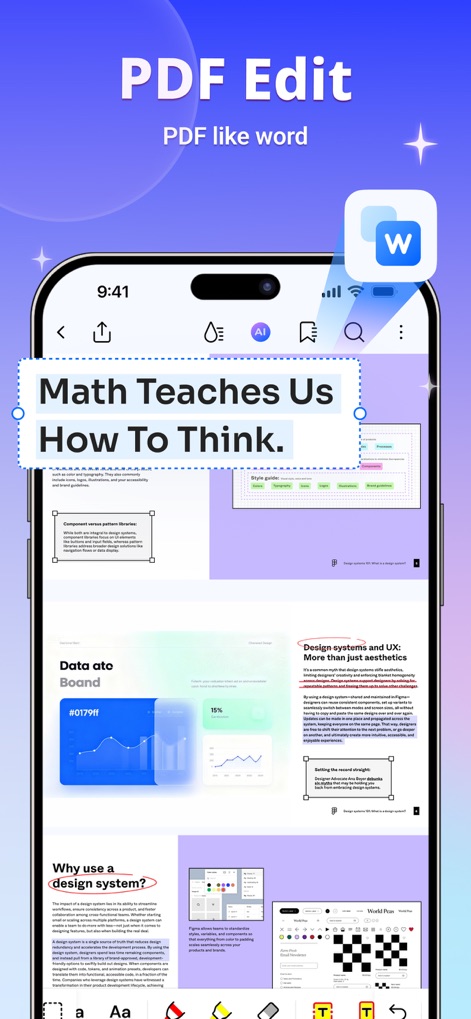
사용자는 이 도구를 사용하여 PDF 문서에서 텍스트를 직접 편집하고 글꼴 크기 및 간격과 같은 다양한 서식 옵션을 편리하게 조정할 수 있습니다.
워드처럼 편집
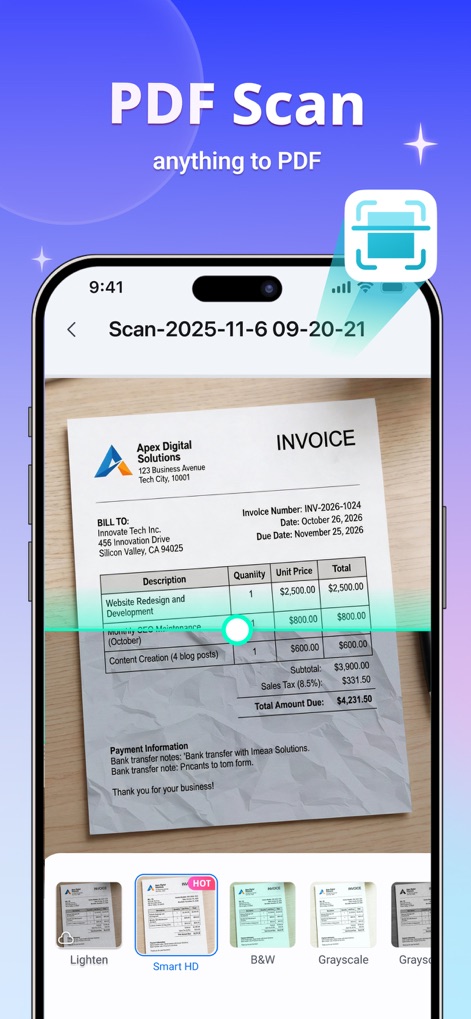
이 앱은 사용자가 종이 영수증을 HD 품질로 스캔하여 디지털화하고, 최적화된 스캔 결과를 위한 다양한 이미지 필터 모드를 제공합니다.
문서 스캔 및 디지털화
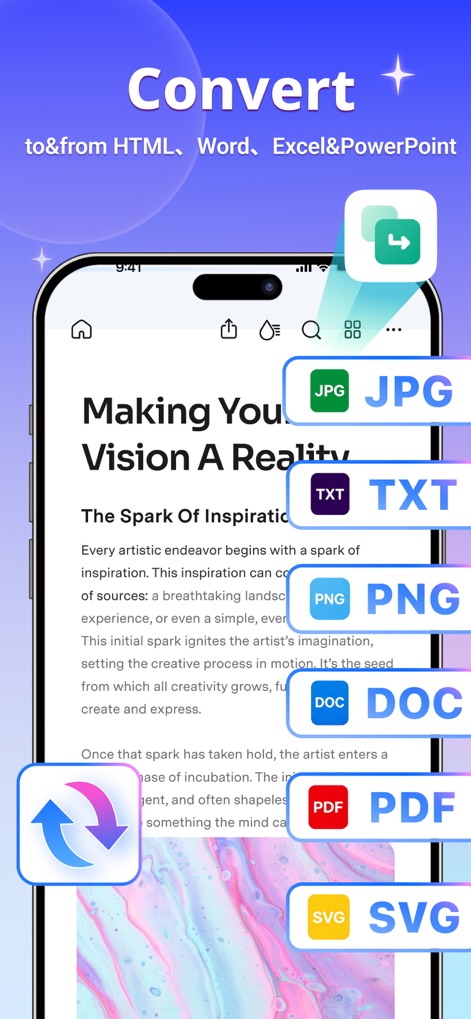
이 도구는 PDF 파일을 JPG 또는 DOC와 같은 다양한 형식으로 변환할 수 있도록 지원하며, 이미지에 표시된 양방향 변환 화살표는 유연한 문서 관리 기능을 보여줍니다.
형식 변환 마법사
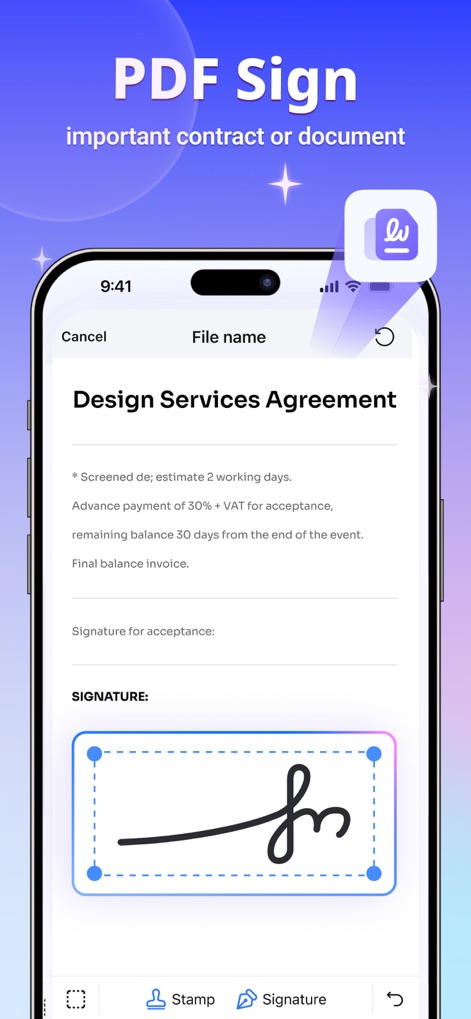
사용자는 이 앱을 통해 중요한 계약서에 디지털 서명을 쉽고 안전하게 추가할 수 있으며, 서명 필드는 정확한 배치와 서명 유형 선택을 위한 옵션을 제공합니다.
간편한 전자서명
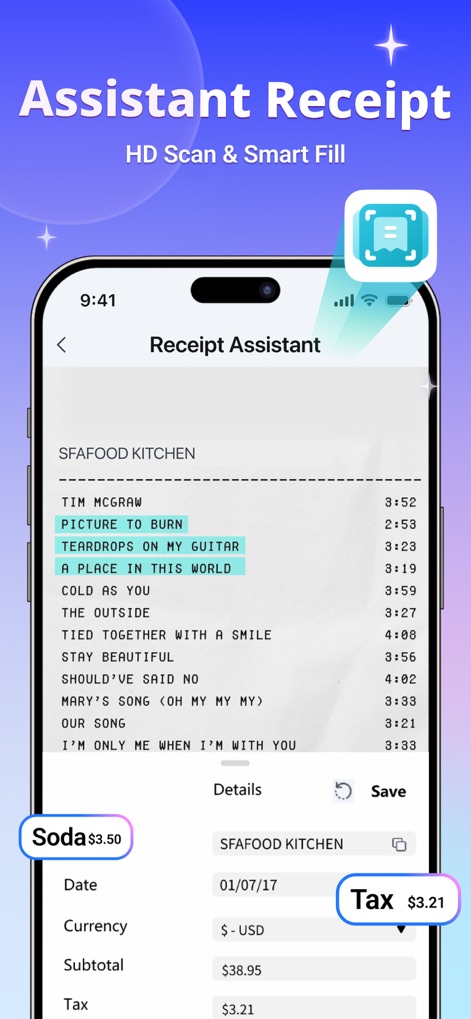
이 도우미는 영수증에서 항목별 내역을 자동으로 추출하여 정리하고, 스마트 필 기능으로 세금 및 총액 정보를 빠르고 정확하게 입력할 수 있게 합니다.
영수증 정리 도우미
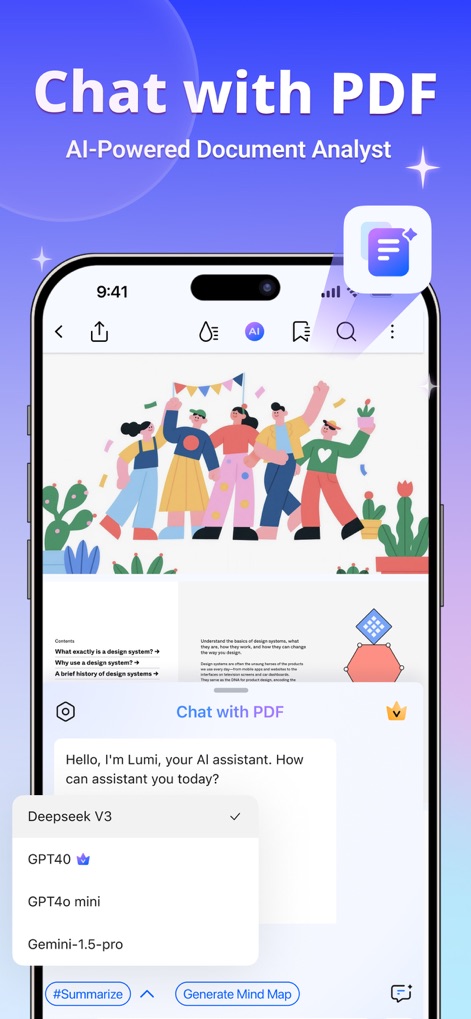
사용자는 PDF 문서와 직접 채팅하여 질문하고 즉각적인 답변을 얻을 수 있으며, GPT4o 및 Gemini와 같은 다양한 AI 모델 중에서 선택할 수 있습니다.
AI 기반 문서 분석
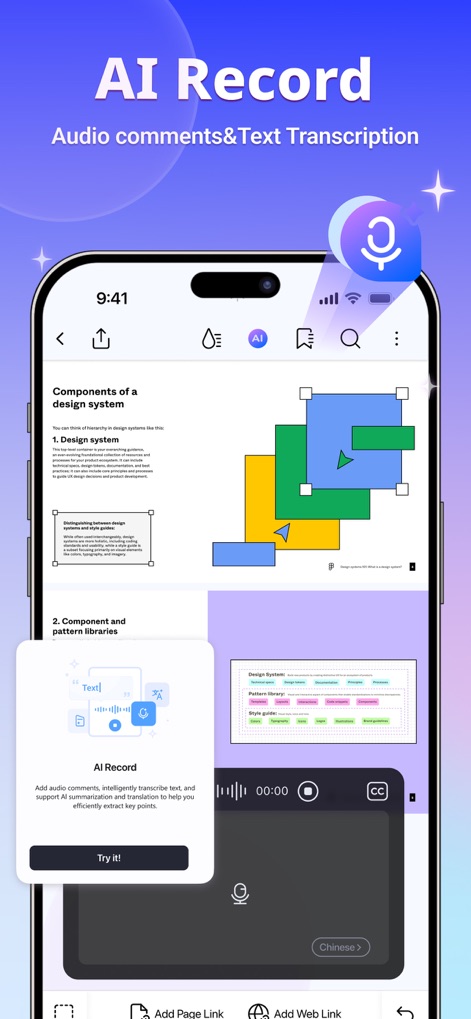
이 기능은 음성 메모를 녹음하고 텍스트로 변환하여 문서에 효율적으로 주석을 달 수 있게 하며, 오디오 파형은 녹음 진행 상황을 시각적으로 보여줍니다.
AI 음성 기록
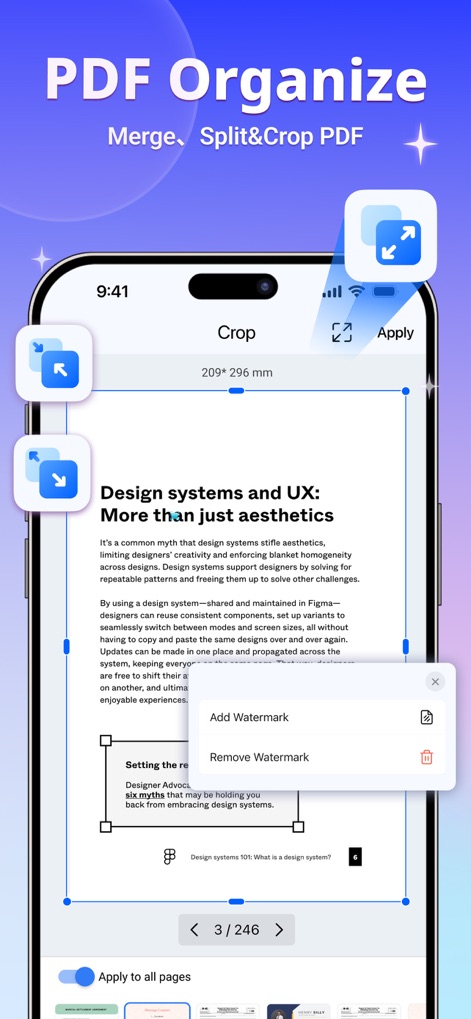
사용자는 PDF 문서의 페이지를 자르거나 회전하고, 워터마크를 추가하거나 제거하는 등 다양한 페이지 관리 기능을 통해 문서를 효율적으로 정리할 수 있습니다.
PDF 페이지 관리
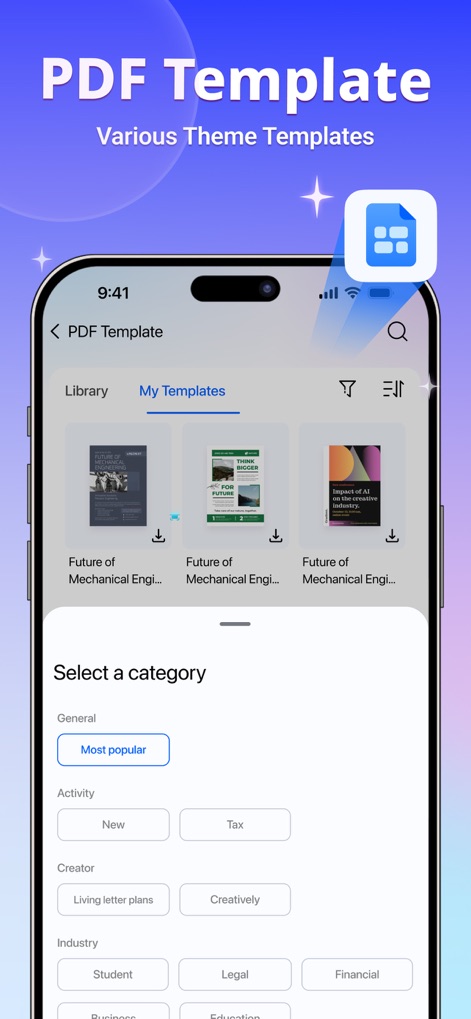
이 앱은 이력서 및 청구서와 같은 전문적인 PDF 템플릿 라이브러리를 제공하며, 사용자는 '인기순' 또는 '업무'와 같은 카테고리를 통해 필요한 템플릿을 쉽게 찾을 수 있습니다.
전문 템플릿 라이브러리
설명
Download
비슷한 앱
유사한 기능과 사용자 경험을 가진 앱

PDF PRO Scan Image & Documents
Balzo srl

The PDF Scanner, PDF editor HQ
NEXT K.U.M. LTD

CamScanner - PDF Scanner App
INTSIG Information Co., Ltd

Adobe Scan: PDF & OCR Scanner
Adobe Inc.

WPS Office: PDF, Docs, Sheets
KINGSOFT OFFICE SOFTWARE CORPORATION LIMITED

iLovePDF - PDF Editor & Scan
ILOVEPDF S.L.

Scanner App: Genius Scan
The Grizzly Labs

Microsoft Lens: PDF Scanner
Microsoft Corporation

Clear Scan: Doc Scanner App
INDY MOBILE APP COMPANY LIMITED
이 페이지는 앱이나 개발자의 공식 페이지가 아니며, 정보 제공 및 논평을 목적으로 작성된 독립 편집 간행물입니다. 명시적으로 달리 언급되지 않는 한, 해당 앱이나 개발자는 MWM, Apple, Google Play, 앱 퍼블리셔 또는 앱 개발자와 제휴, 보증, 후원, 승인 또는 공식적으로 연결되어 있지 않으며, 이 페이지의 어떤 내용도 해당 앱이 MWM의 서비스를 사용하여 개발되었음을 의미하지 않습니다. 모든 상표, 로고, 스크린샷 및 기타 콘텐츠는 해당 소유자의 자산입니다.