
This page is not an official page of the app or its developer, but an independent editorial publication created for informational and commentary purposes. Unless expressly stated otherwise, neither the app nor its developer is affiliated with, endorsed by, sponsored by, authorized by, or otherwise officially connected with MWM, Apple, Google Play, the app publisher, or the app's developer, and nothing on this page implies that the app was developed using MWM's services. Any trademarks, logos, screenshots, and other content remain the property of their respective owners.


AeroWeather Pro
Get instant access to real-time aviation weather, decoded reports, NOTAMs, and ATC delays. Designed for the cockpit and your wrist, it's the ultimate pre-flight tool for professional and private pilots alike.
Downloads
503K+User Rating
Total Ratings
2K+Publisher
Category
WeatherLocales
15Latest Version
3.14.2Size
114.5 MBFirst Released
Jun 30, 2010Precision Weather Tools for Pilots
AeroWeather Pro delivers mission-critical aviation data with high-density accuracy, giving you the professional edge in pre-flight planning and situational awareness.
Decoded METAR & TAF
Access instant, worldwide weather reports in raw or easy-to-read formats, optimized for professional pre-flight briefings and FAA compliance.
Smart Condition Alerts
Stay informed with push notifications for flight rule changes, wind shifts, or visibility thresholds so you never miss a safe weather window.
Frequently Asked Questions
Everything you need to know about AeroWeather Pro
What information does AeroWeather Pro provide?
AeroWeather Pro provides current and precise weather conditions (METAR) and forecasts (TAF) for airports globally. It also integrates airport NOTAMs, webcam images, and US ATC delay information.
Does AeroWeather Pro display decoded weather data?
Yes, AeroWeather Pro provides both raw and fully decoded METAR and TAF data. Users can switch between these formats for easy understanding or detailed analysis.
Does AeroWeather Pro have an airport database?
Yes, AeroWeather Pro includes a built-in airport database. This database provides information such as runways, sunrise/sunset times, twilight times, moon times, and timezones for various airports.
Does AeroWeather Pro support Apple Watch?
Yes, AeroWeather Pro features a dedicated Apple Watch app. It displays a list of selected or nearby stations and shows METAR and TAF data directly on your watch face as a complication.
Are METAR alert notifications available in AeroWeather Pro?
Yes, AeroWeather Pro offers METAR alert notifications. Users can define multiple alerts for each station based on criteria like flight rule, wind speed, temperature, and visibility. This feature requires a 'First' subscription.
What features does the 'First' subscription include?
The 'First' subscription for AeroWeather Pro unlocks dedicated METAR/TAF data, Meteograms, alert push notifications, D-ATIS, Area Forecast Discussions, RVR data, and Home Screen Widgets.
Can I sync user groups in AeroWeather Pro?
Yes, AeroWeather Pro supports user group synchronization via Cloud Kit. This functionality requires a one-time purchase, which is not transferable between Lite, Pro, and Mac versions of the app.
The following screenshots and description are sourced directly from the app's official store listing and are the property of the app developer.
App Store
Screenshots
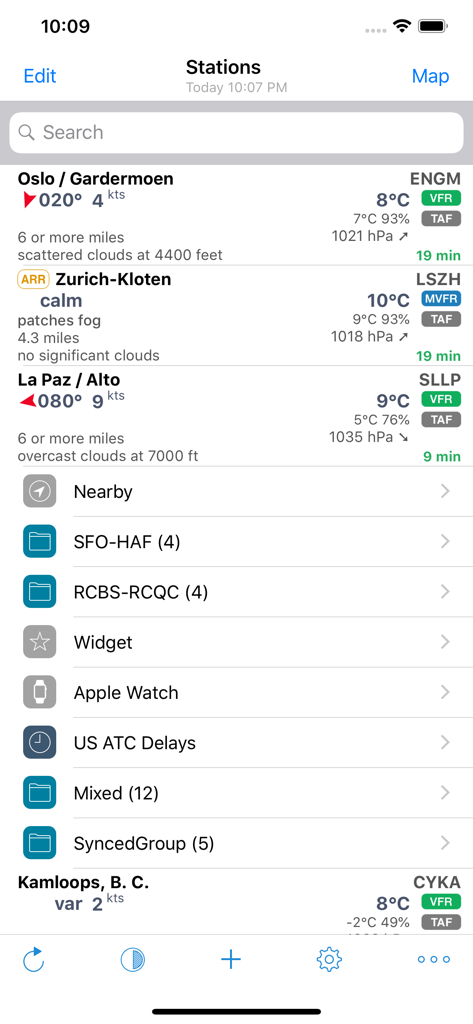
AeroWeather Pro stations view showing aviation weather data and flight rules
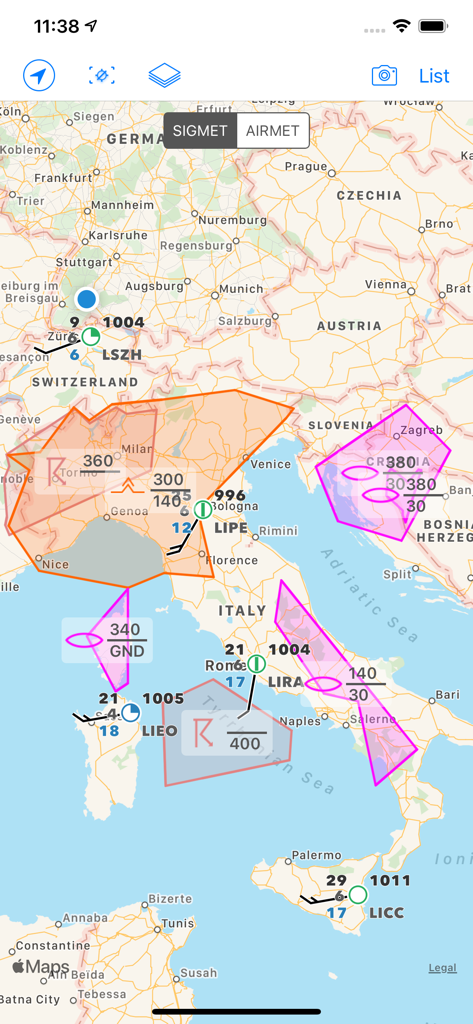
AeroWeather Pro app map view displaying SIGMET and AIRMET weather alerts and technical aviation data over Europe
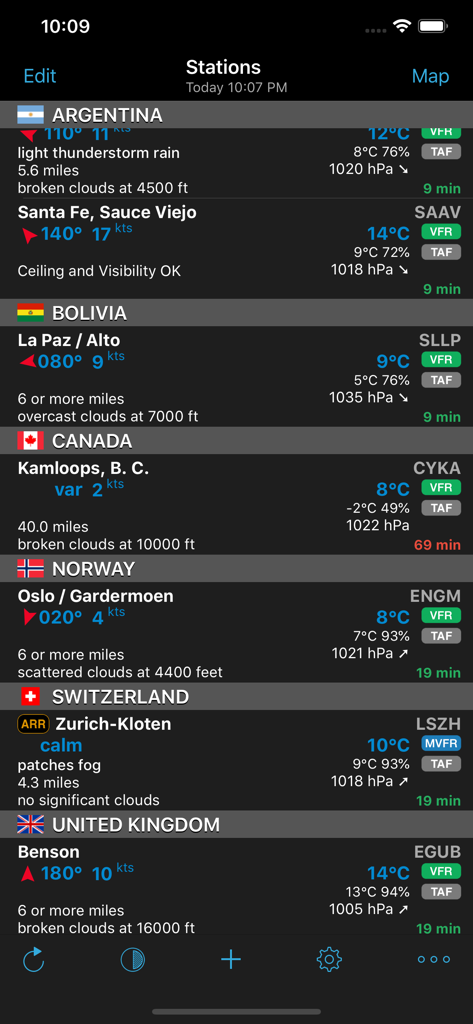
AeroWeather Pro app interface showing METAR and TAF weather data for international airports.
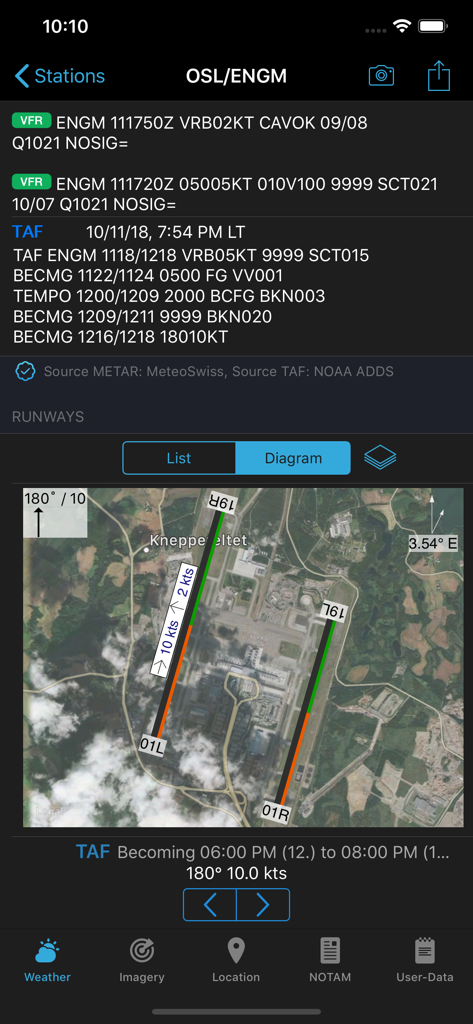
AeroWeather Pro screen showing METAR TAF weather reports and satellite runway diagram for an airport
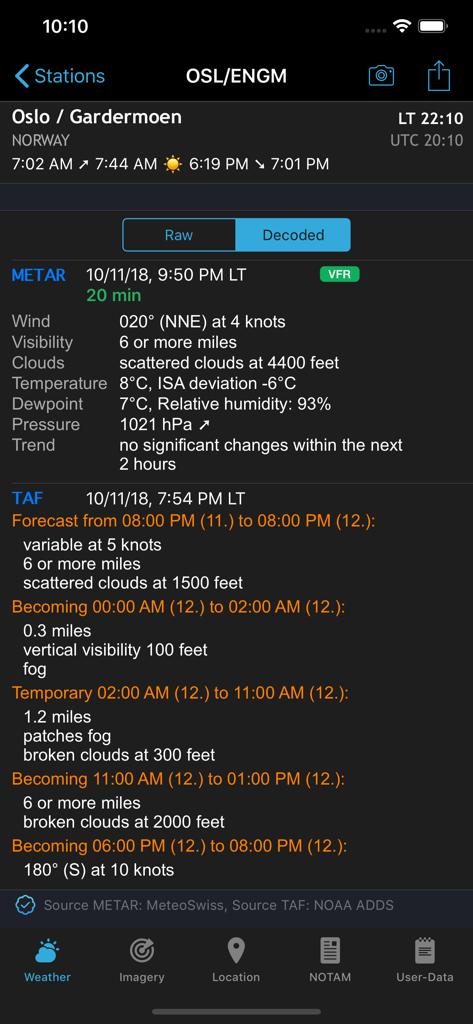
AeroWeather Pro app interface showing decoded METAR and TAF aviation weather data.
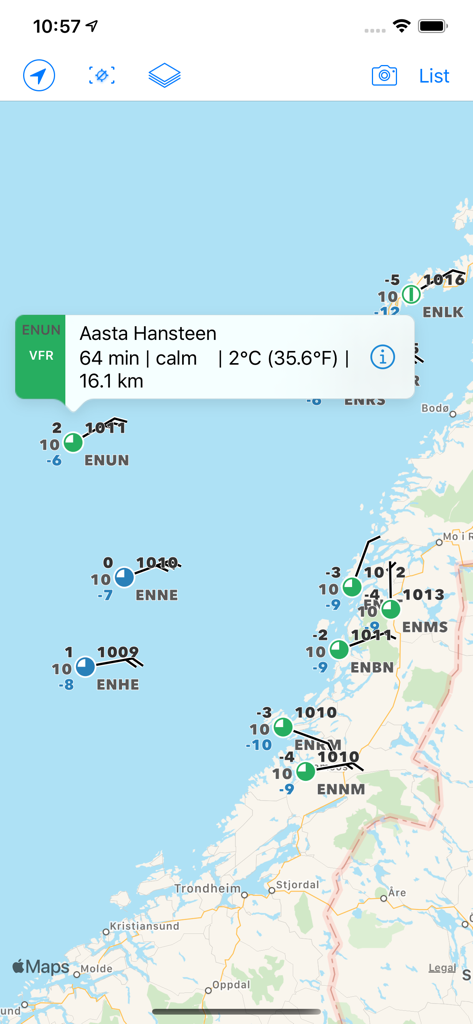
Aviation weather map displaying METAR reports and flight rules for pilots
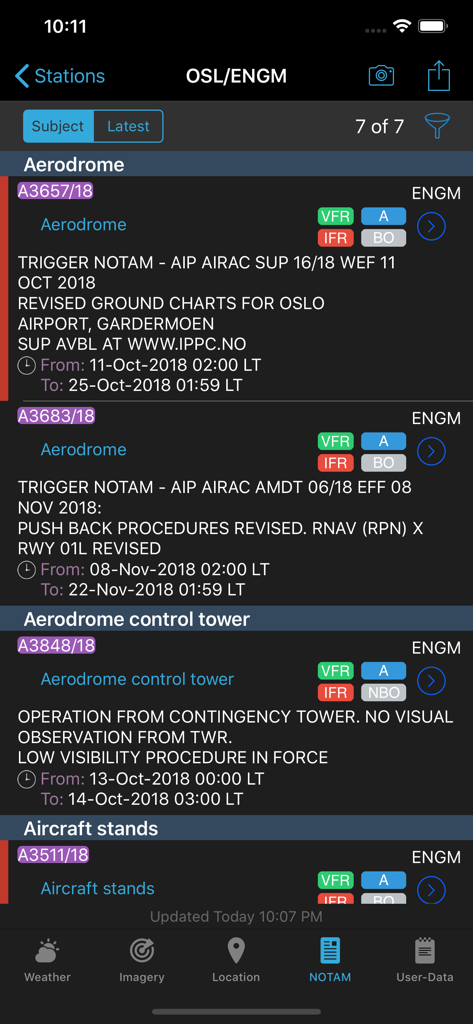
AeroWeather Pro mobile app screen displaying aviation NOTAMs for Oslo Airport including aerodrome and control tower alerts
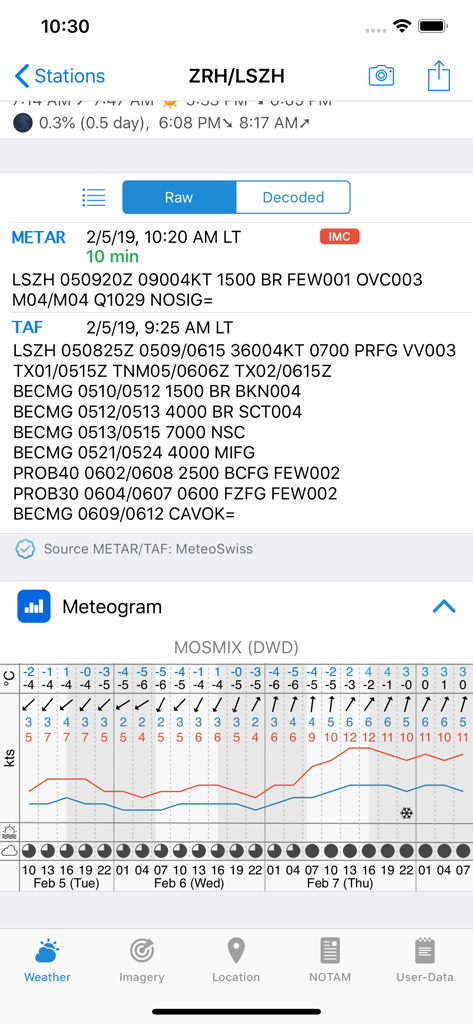
AeroWeather Pro interface showing raw METAR and TAF reports and a meteogram chart for an airport
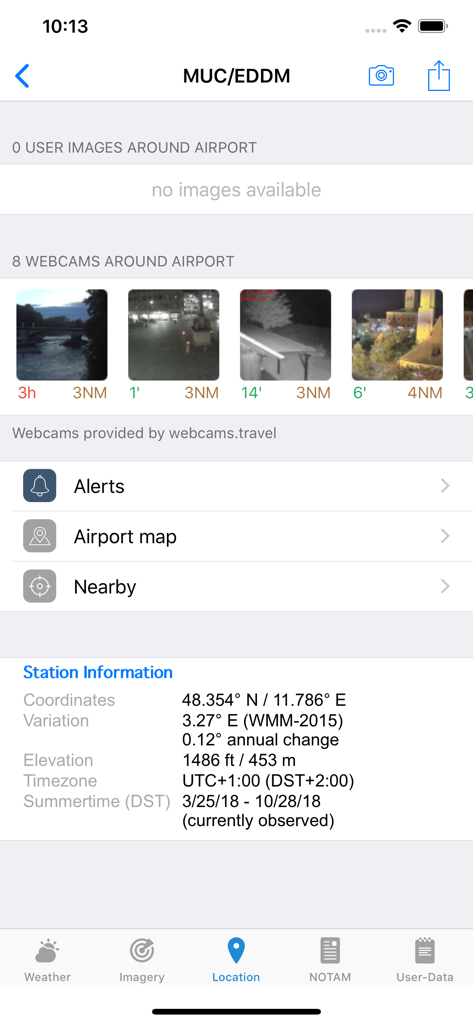
AeroWeather Pro app interface showing airport station information and live webcam views
Description
Download
More Like This
Apps with similar features and user experience

Navigraph Charts
Navigraph KB

SkyDemon
Divelements Limited

Airports
Applicate Ltd

OzRunways EFB
OzRunways Pty. Ltd.

fDeck: flight instruments
Darren Yeates

Noisy Goose
Automata Solutions Ltd.

StationWeather - METAR and TAF
Oliver Puetz

Drone UAV Fly Forecast: AirMap
MONIQ TAP COMPANY LIMITED

Airmate
Myriel Aviation SA
This page is not an official page of the app or its developer, but an independent editorial publication created for informational and commentary purposes. Unless expressly stated otherwise, neither the app nor its developer is affiliated with, endorsed by, sponsored by, authorized by, or otherwise officially connected with MWM, Apple, Google Play, the app publisher, or the app's developer, and nothing on this page implies that the app was developed using MWM's services. Any trademarks, logos, screenshots, and other content remain the property of their respective owners.