
This page is not an official page of the app or its developer, but an independent editorial publication created for informational and commentary purposes. Unless expressly stated otherwise, neither the app nor its developer is affiliated with, endorsed by, sponsored by, authorized by, or otherwise officially connected with MWM, Apple, Google Play, the app publisher, or the app's developer, and nothing on this page implies that the app was developed using MWM's services. Any trademarks, logos, screenshots, and other content remain the property of their respective owners.


Airmate
Elevate your cockpit with professional moving maps, FAA charts, and real-time situational awareness. Experience the power of a full-featured Electronic Flight Bag without the expensive subscription fees.
Downloads
438K+User Rating
Total Ratings
100Publisher
Category
NavigationLocales
7Latest Version
3.20Size
219.5 MBFirst Released
Jul 22, 2017Master the Skies with a Professional EFB
Airmate provides a comprehensive suite of flight planning, navigation, and safety tools designed for General Aviation pilots who demand professional reliability without subscription fatigue.
Complete US Flight Planning
Access free FAA Sectionals, Terminal Procedures, and Auto Route tools to file VFR or IFR flight plans in seconds across the US and 200+ countries.
Advanced Situational Awareness
Boost safety with 3D Synthetic Vision, a backup EFIS, and real-time ADS-B traffic integration to stay ahead of the aircraft in any environment.
Frequently Asked Questions
Everything you need to know about Airmate
What is the Airmate app?
Airmate is a free, easy-to-use flight planning and weather application for pilots, designed to improve situational awareness and provide instant access to essential aviation data and maps.
Is Airmate a free application for pilots?
Yes, Airmate is a free application. It provides access to a worldwide aeronautical database and topographic maps free of charge, with free updates.
Does Airmate provide IFR and VFR airport plates?
Yes, Airmate provides IFR and VFR airport plates. These plates are freely available for the US (FAA charts), Europe, and over 200 other countries, many are georeferenced.
Can Airmate display in-flight weather information?
Yes, Airmate can display in-flight weather. When coupled with an external ADS-B receiver, it receives FIS-B weather, and it includes up-to-date weather and NOTAMs.
How does Airmate assist with flight planning?
Airmate assists with flight planning by offering an Auto Route feature to select the best route, filing VFR/IFR flight plans, and managing/delaying/canceling filed plans.
Does Airmate support traffic display during flight?
Yes, Airmate supports traffic display. It shows nearby traffic on the moving map via an external ADS-B receiver or neighboring traffic over mobile networks, including commercial airlines and other aircraft.
Can Airmate simulate an aircraft attitude indicator?
Yes, Airmate can simulate an aircraft attitude indicator. It displays a backup attitude indicator and flight parameters in an EFIS-like view during flight.
Does Airmate offer Synthetic Vision?
Yes, Airmate offers Synthetic Vision. This feature displays rolling terrain ahead in an EFIS-like view and is available worldwide. Scenery is available in selected countries via purchase.
What kind of aeronautical data does Airmate provide?
Airmate provides a worldwide aeronautical database including airports, navigation beacons, waypoints, airways, obstacles, and regulated/restricted areas, updated free of charge. It also offers topographic maps and elevation data.
Can Airmate record and replay flights?
Yes, Airmate can record flights. Users can replay their flights later, export the flight path in GPX format, and automatically compute pilot log entries from flown flights.
Does Airmate sync data across multiple devices?
Yes, Airmate syncs data across devices. It saves planned and flown flights, user waypoints, and user aircrafts in the cloud, synchronizing them between devices and the Airmate web flight planning.
The following screenshots and description are sourced directly from the app's official store listing and are the property of the app developer.
App Store
Screenshots
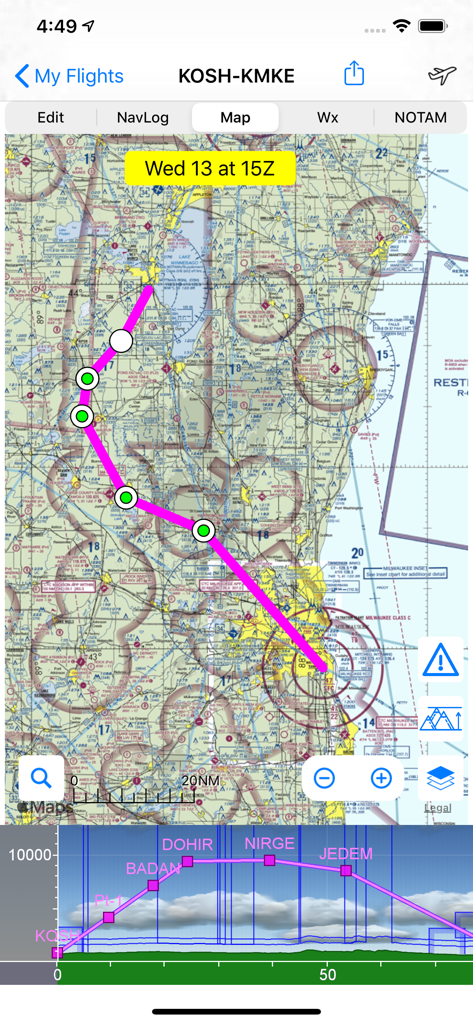
Airmate app showing a flight route on an aeronautical sectional chart with a vertical profile view
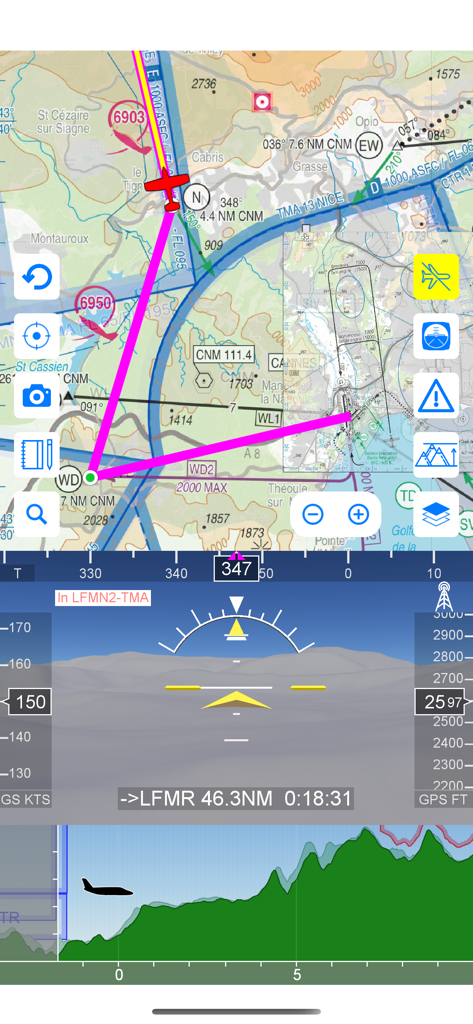
Airmate app displaying moving aeronautical map EFIS with synthetic vision and flight profile
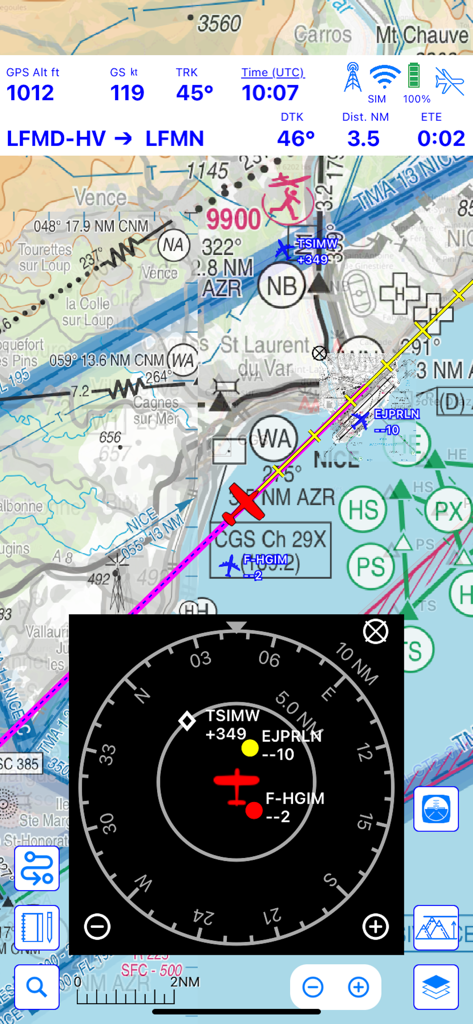
Airmate flight navigation interface showing a moving map with integrated traffic radar and flight telemetry
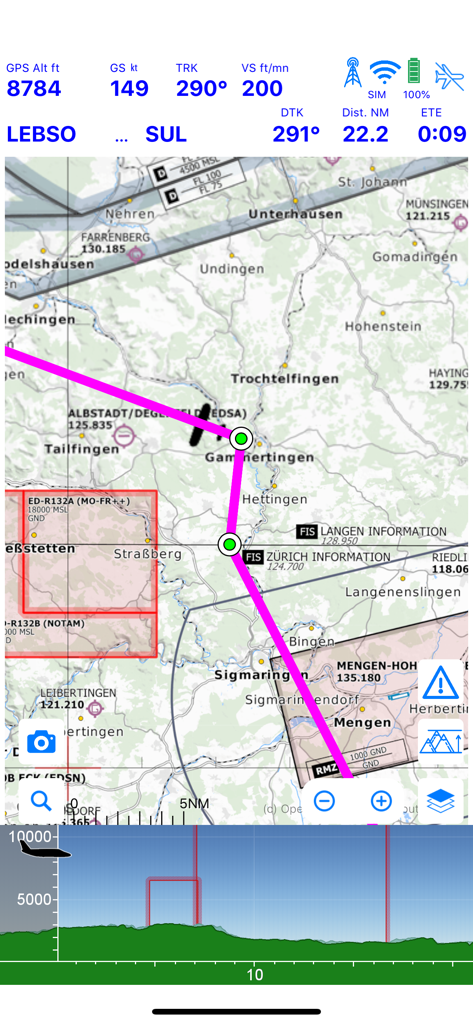
Airmate app moving map display with flight telemetry and terrain profile
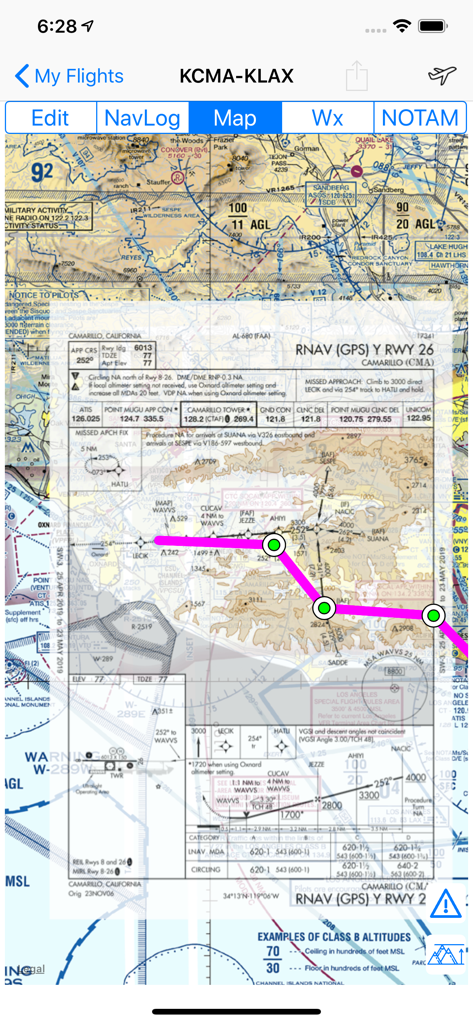
Airmate app interface showing a moving map with an overlaid FAA instrument approach chart.
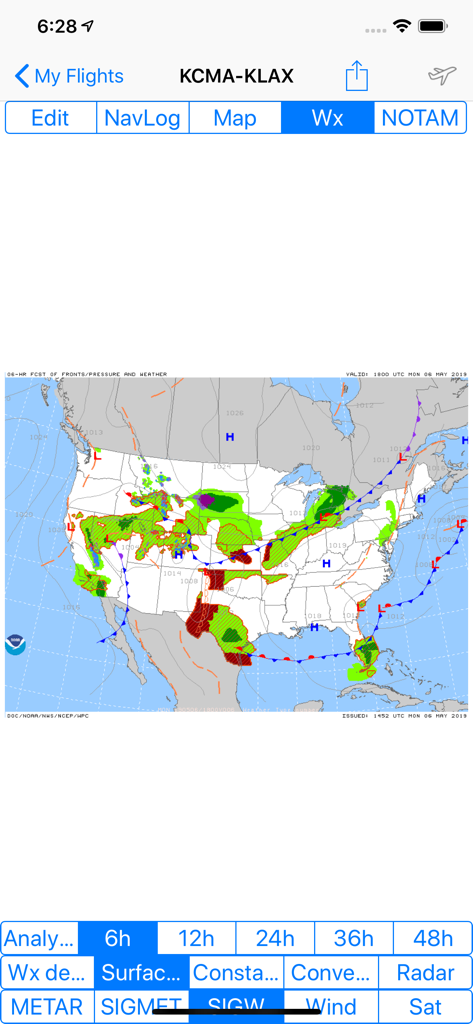
Airmate app display showing a significant weather forecast map with fronts and pressure systems across the United States
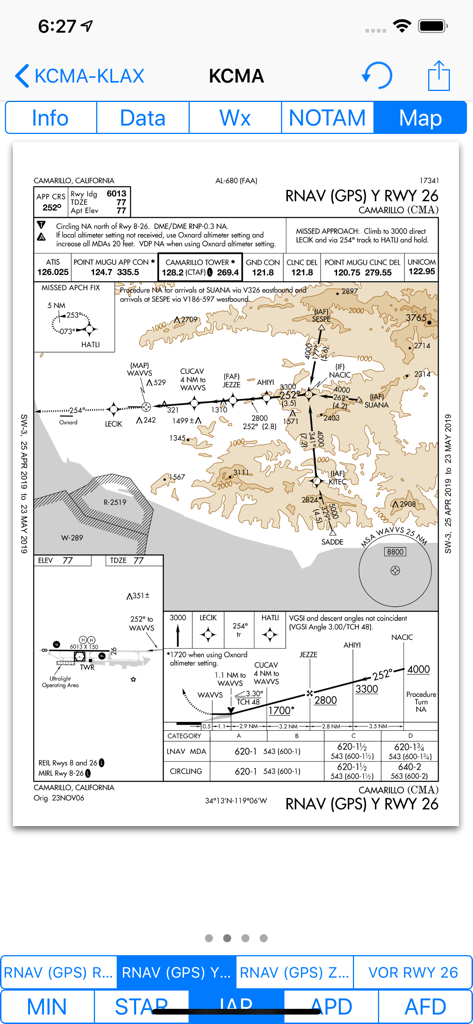
Airmate app displaying an FAA RNAV GPS instrument approach chart for Camarillo California airport
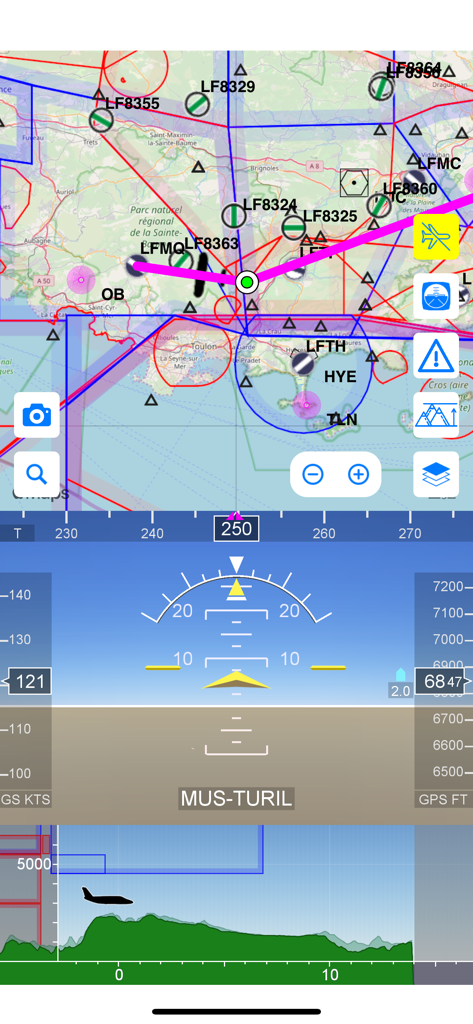
Airmate flight app interface featuring a moving aeronautical map, electronic flight instruments, and a terrain elevation profile
Description
Download
More Like This
Apps with similar features and user experience

Navigraph Charts
Navigraph KB

SkyDemon
Divelements Limited

Airports
Applicate Ltd

OzRunways EFB
OzRunways Pty. Ltd.

fDeck: flight instruments
Darren Yeates

Noisy Goose
Automata Solutions Ltd.

StationWeather - METAR and TAF
Oliver Puetz

Drone UAV Fly Forecast: AirMap
MONIQ TAP COMPANY LIMITED

AvPlan EFB
BJA Consulting Pty Ltd
This page is not an official page of the app or its developer, but an independent editorial publication created for informational and commentary purposes. Unless expressly stated otherwise, neither the app nor its developer is affiliated with, endorsed by, sponsored by, authorized by, or otherwise officially connected with MWM, Apple, Google Play, the app publisher, or the app's developer, and nothing on this page implies that the app was developed using MWM's services. Any trademarks, logos, screenshots, and other content remain the property of their respective owners.