
This page is not an official page of the app or its developer, but an independent editorial publication created for informational and commentary purposes. Unless expressly stated otherwise, neither the app nor its developer is affiliated with, endorsed by, sponsored by, authorized by, or otherwise officially connected with MWM, Apple, Google Play, the app publisher, or the app's developer, and nothing on this page implies that the app was developed using MWM's services. Any trademarks, logos, screenshots, and other content remain the property of their respective owners.


Navigraph Charts
Finally, virtual pilots get the ultimate control tower in their pocket. This app hands users unparalleled flight intelligence, cutting through the chaos of complex airspaces with surgical precision.
Downloads
500k+User Rating
Total Ratings
4.3KPublisher
Category
NavigationLocales
1Latest Version
8.43.1Size
78.6 MBFirst Released
Jun 11, 2015An evaluation of key functionalities driving realism and utility for serious flight simulation.
Navigraph Charts: Core Analytical Feature Breakdown
Regular AIRAC Cycle Updates
The app ensures aeronautical data and charts are sourced from Jeppesen and updated every 28 days in accordance with the AIRAC calendar, providing the most current and critical navigation information for realistic flight operations.
Exclusive Jeppesen Data Integration
The app provides exclusive access to official Jeppesen charts and navigation data, which is paramount for achieving authentic and professional-grade flight simulation experiences.
Real-time Weather & Crosswind Data
It offers real-time runway crosswind and comprehensive airport weather information, including radar and wind overlays, vital for realistic flight planning, decision-making, and execution in varying conditions.
Automated Chart Management
This tool features automatic pinning and organization of relevant procedure charts to a dedicated pinboard, significantly reducing pilot workload and streamlining chart access during critical flight phases.
Global IFR Chart Coverage
The app delivers extensive IFR chart coverage for over 7,000 airports worldwide, representing the largest dataset of its kind and supporting diverse global flight routes.
Seamless Moving Maps
It provides seamless zoom capabilities with moving maps, allowing users to pan and zoom from a global overview down to gate-level detail, enhancing situational awareness throughout the flight.
Unified Data Synchronization
This tool synchronizes simulator sceneries, flight plans, charts, navigation systems, and addon software from a unified data source, eliminating discrepancies and ensuring a cohesive simulation environment.
Online Traffic & ATC Display
The app displays live VATSIM and IVAO traffic, alongside ATC sector information, significantly enhancing the realism and immersion for virtual pilots engaged in online multiplayer environments.
3D Globe Projection
It incorporates a dynamic 3D globe projection feature, which assists in visualizing complex flight paths, Great Circle distances, and planning polar routes effectively.
Worldwide VFR Charts
It now includes comprehensive worldwide VFR charts, powered by official Jeppesen VFR data, expanding its utility to cater to visual flight rules enthusiasts with high fidelity.
Frequently Asked Questions
Everything you need to know about Navigraph Charts
What is Navigraph Charts?
Navigraph Charts is a comprehensive software solution for flight simulation. It provides Jeppesen charts and navigation data, reducing pilot workload and offering a seamless, intuitive experience for simulated flights.
Does Navigraph Charts offer Jeppesen charts?
Yes, Navigraph Charts is the only provider of Jeppesen charts and navigation data for flight simulation. The charts are directly sourced from Jeppesen, a Boeing Company, ensuring authenticity.
What types of charts are available in Navigraph Charts?
Navigraph Charts provides both IFR and VFR charts. It includes IFR coverage for over 7,000 airports worldwide and new worldwide VFR Charts powered by Jeppesen VFR data.
How often are Navigraph Charts updated?
The charts and data in Navigraph Charts are updated every 28 days. This schedule follows the AIRAC calendar, ensuring users always have the most current navigation information for their flight simulations.
Does Navigraph Charts provide weather information?
Yes, Navigraph Charts includes various weather features. These encompass runway crosswind and airport weather information, weather overlays (radar and winds), and ATIS, providing comprehensive environmental data.
Is live tracking available in Navigraph Charts?
Yes, Navigraph Charts offers Live Tracking Moving Maps as part of its Navigraph Unlimited features. This allows users to track their simulated flight in real-time on detailed navigational maps.
What flight simulators are compatible with Navigraph Charts' Moving Maps?
Navigraph Charts' Moving Maps feature is compatible with Microsoft Flight Simulator, X-Plane, and Prepar3d. This ensures broad integration for flight simulation enthusiasts.
Can users annotate charts within Navigraph Charts?
Yes, Navigraph Charts allows users to annotate and draw directly on charts. This functionality also extends to SimBrief operational flight plans, enabling personalized markups.
Does Navigraph Charts support 3D globe projection?
Yes, Navigraph Charts features a 3D Globe Projection. This helps users visualize Great Circle distances and polar routes, enhancing route planning and geographical understanding during simulations.
The following screenshots and description are sourced directly from the app's official store listing and are the property of the app developer.
App Store
Screenshots
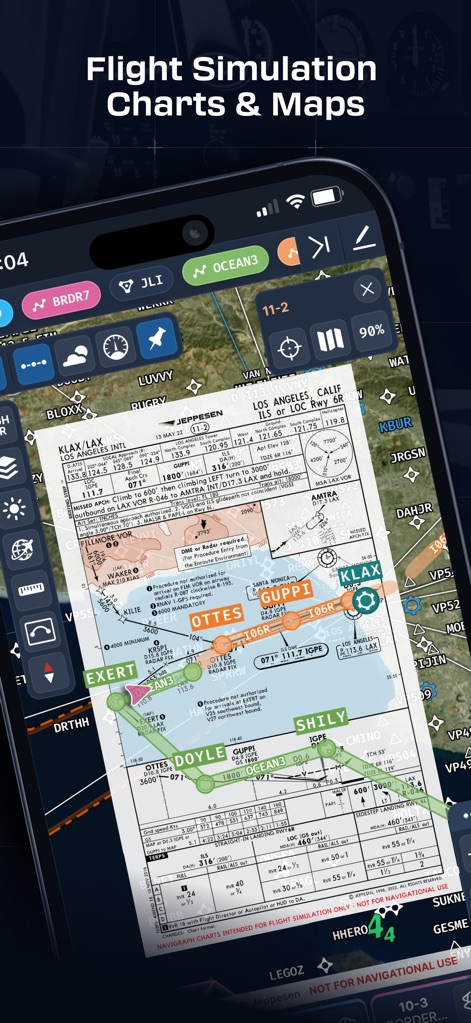
This tool presents high-fidelity Jeppesen charts directly overlaid on a dynamic map, showcasing both detailed approach procedures and precise flight path guidance.
Precision Navigation
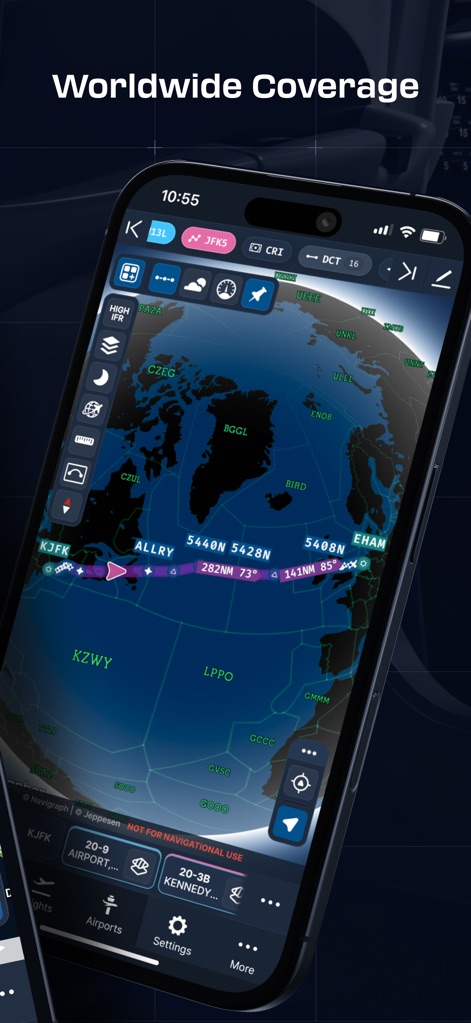
Users can visualize expansive flight routes on a stunning 3D globe projection, providing a clear overview of Great Circle distances and global coverage.
Global Flight Paths
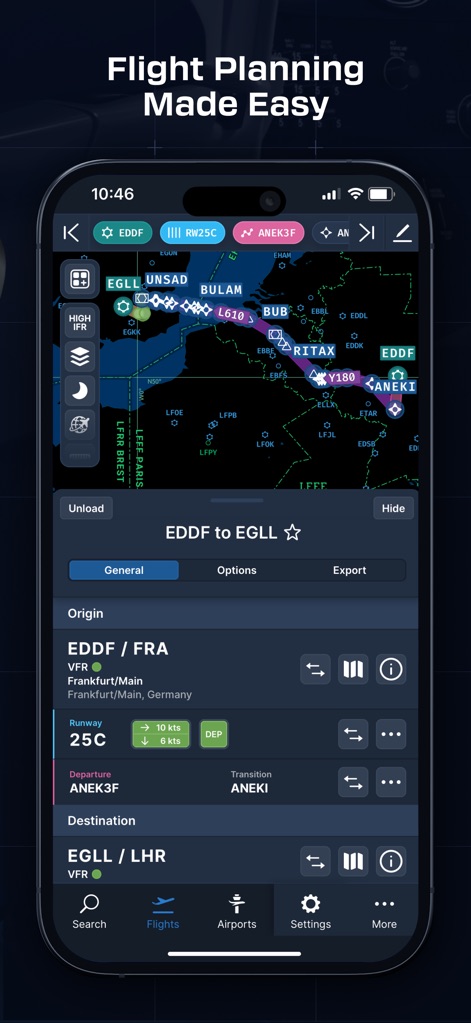
The app streamlines flight planning with a dedicated interface, allowing users to easily configure origin/destination details and select specific departure/arrival procedures.
Intuitive Planning
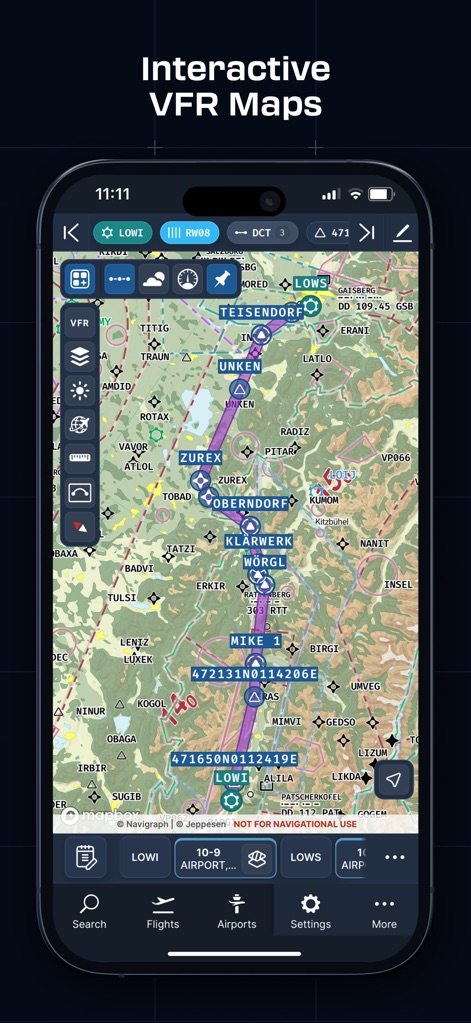
This tool provides comprehensive worldwide VFR charts, detailing topographical features and crucial airspaces for visual flight rule navigation.
Detailed VFR Maps
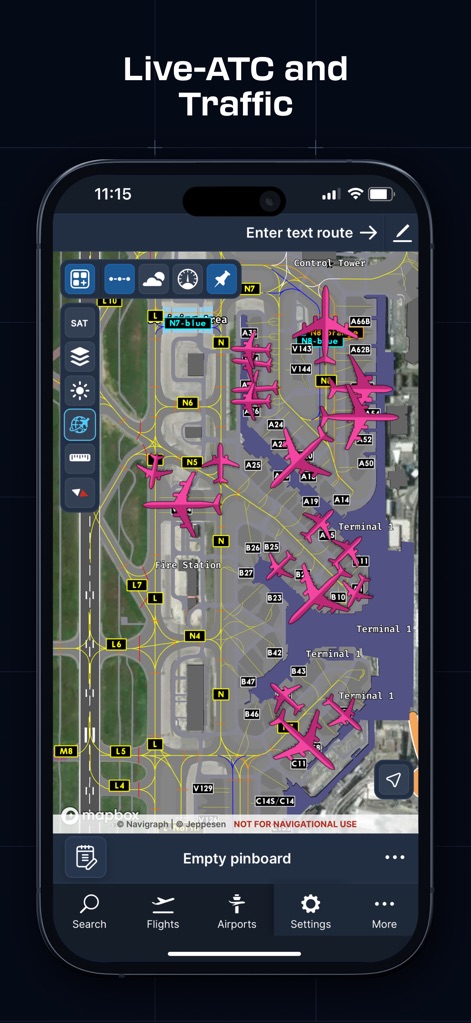
Virtual pilots can monitor real-time VATSIM/IVAO traffic directly on detailed airport ground charts, enhancing situational awareness of airport operations and traffic flow.
Live Traffic View
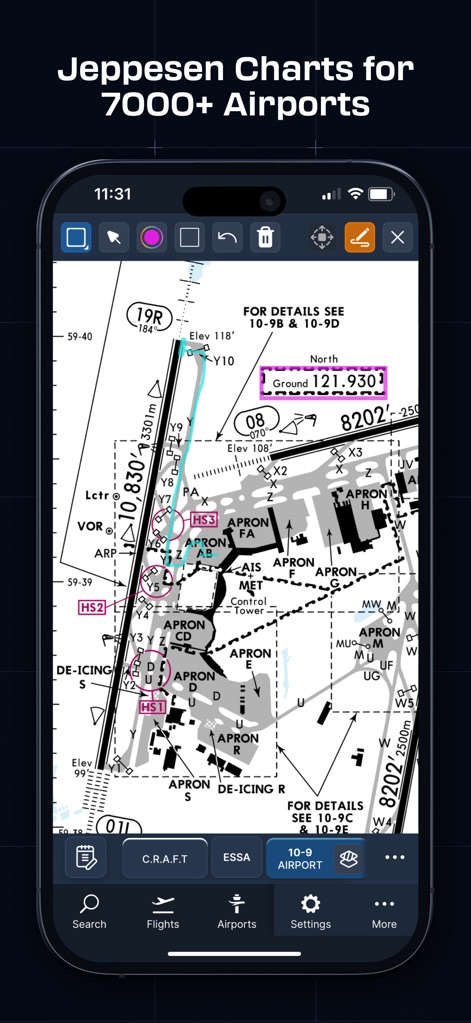
The app offers interactive Jeppesen airport charts, enabling users to precisely annotate and mark critical details directly on the diagram for personalized flight preparation.
Annotate Charts
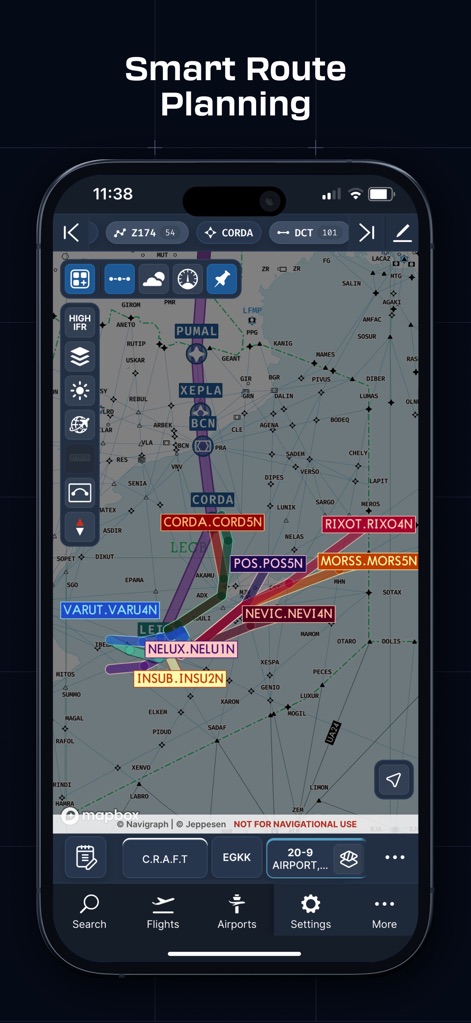
The tool presents sophisticated vector charts with dynamic route displays, allowing users to meticulously plan and visualize complex flight segments and waypoints.
Advanced Route Display
Description
Download
More Like This
Apps with similar features and user experience

SkyDemon
Divelements Limited

Airports
Applicate Ltd

OzRunways EFB
OzRunways Pty. Ltd.

fDeck: flight instruments
Darren Yeates

Noisy Goose
Automata Solutions Ltd.

StationWeather - METAR and TAF
Oliver Puetz

Drone UAV Fly Forecast: AirMap
MONIQ TAP COMPANY LIMITED

Airmate
Myriel Aviation SA

AvPlan EFB
BJA Consulting Pty Ltd
This page is not an official page of the app or its developer, but an independent editorial publication created for informational and commentary purposes. Unless expressly stated otherwise, neither the app nor its developer is affiliated with, endorsed by, sponsored by, authorized by, or otherwise officially connected with MWM, Apple, Google Play, the app publisher, or the app's developer, and nothing on this page implies that the app was developed using MWM's services. Any trademarks, logos, screenshots, and other content remain the property of their respective owners.