
This page is not an official page of the app or its developer, but an independent editorial publication created for informational and commentary purposes. Unless expressly stated otherwise, neither the app nor its developer is affiliated with, endorsed by, sponsored by, authorized by, or otherwise officially connected with MWM, Apple, Google Play, the app publisher, or the app's developer, and nothing on this page implies that the app was developed using MWM's services. Any trademarks, logos, screenshots, and other content remain the property of their respective owners.


Air Printer App: Smart Print
Paperwork, tamed. The app gives users command over their documents, transforming an iPhone into a portable print and scan center.
Downloads
500k+User Rating
Total Ratings
1.2KPublisher
Category
BusinessLocales
5Latest Version
2.9.4Size
43.1 MBFirst Released
Sep 5, 2023An analysis of key functionalities and user impact for iOS productivity.
App Evaluation: Air Printer App: Smart Print
Seamless Wireless Printing
The app leverages Apple's AirPrint technology for effortless wireless printing from any compatible printer, ensuring precision and speed directly from an iOS device.
Direct Email Printing
It allows users to print documents by simply forwarding email attachments to a personalized in-app email address, streamlining the printing process directly from email.
High-Quality Mobile Scanning
This tool transforms any iOS device into a portable scanner, capable of capturing clear and accurate scans of documents, receipts, and photos.
Extensive Printer Support
The app provides compatibility with over 9,000 printer models from major brands, ensuring broad usability across various setups without complex driver installations.
Frequently Asked Questions
Everything you need to know about Air Printer App: Smart Print
What is the Air Printer App: Smart Print?
The Air Printer App: Smart Print is an iOS application that transforms your device into a printing and scanning hub. It allows wireless scanning and printing of documents and photos using Apple's AirPrint technology.
Which printer brands does Air Printer App: Smart Print support?
Air Printer App: Smart Print supports over 10,000 printers, including major brands like HP, Canon, Brother, Epson, Samsung, Dell, Fuji, Lexmark, and Sharp.
Does the Air Printer App: Smart Print require drivers for printers?
No, the Air Printer App: Smart Print does not require printer drivers. It leverages Apple's AirPrint technology for wireless connection and printing to compatible devices.
Can DocuPrint scan documents and photos?
Yes, DocuPrint functions as a portable scanner for iOS devices. It captures high-quality scans of documents, receipts, and photos, ensuring clarity and accuracy directly within the app.
What editing capabilities are available in DocuPrint for scanned items?
DocuPrint allows users to edit scanned documents within the app. Adjustments, annotations, and enhancements can be made directly before printing, providing a seamless editing experience.
How do users print files using Air Printer App: Smart Print?
To print with Air Printer App: Smart Print, users select a document or photo, choose a compatible printer, and then initiate printing. The app simplifies the process by connecting wirelessly.
Does DocuPrint offer direct photo printing from the gallery?
Yes, DocuPrint facilitates direct printing of photos from your device's gallery. The app provides a specific option for easily selecting and printing images.
Will Air Printer App: Smart Print support printing via email?
Yes, Air Printer App: Smart Print will soon support Email to Print. Users can forward documents as attachments to their personalized DocuPrint email address for convenient printing.
Where can users access the privacy policy for Air Printer App: Smart Print?
The privacy policy for the Air Printer App: Smart Print is available on the official website. The direct link is: https://app.websitepolicies.com/policies/view/yjso2kpt.
Is Air Printer App: Smart Print exclusively for iOS devices?
Yes, Air Printer App: Smart Print is designed for iOS devices. It transforms an iOS smartphone or tablet into a versatile hub for printing and scanning documents.
The following screenshots and description are sourced directly from the app's official store listing and are the property of the app developer.
App Store
Screenshots
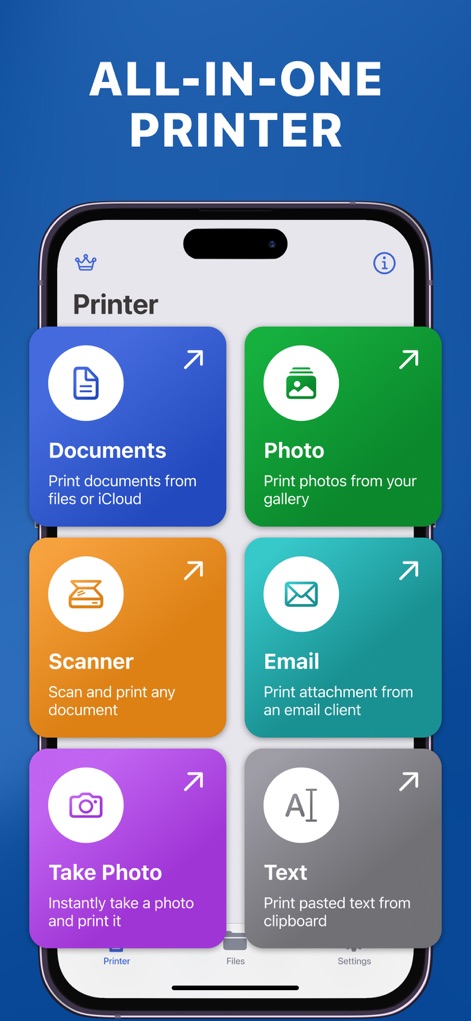
This app consolidates printing and scanning tasks, showcasing dedicated tiles for 'Documents' and a 'Scanner' function.
Unified Print Hub
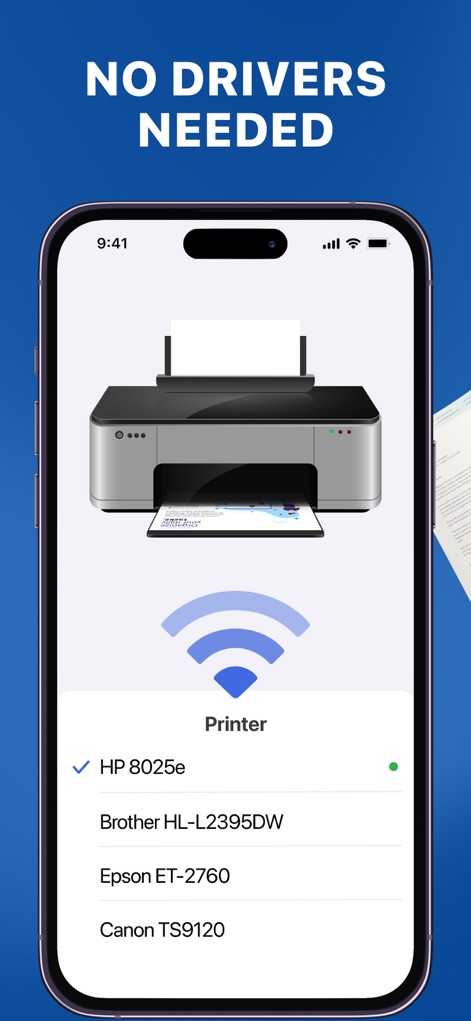
The app simplifies wireless printing by automatically displaying a list of compatible printers, such as 'HP 8025e,' without requiring driver installations.
Seamless Connectivity
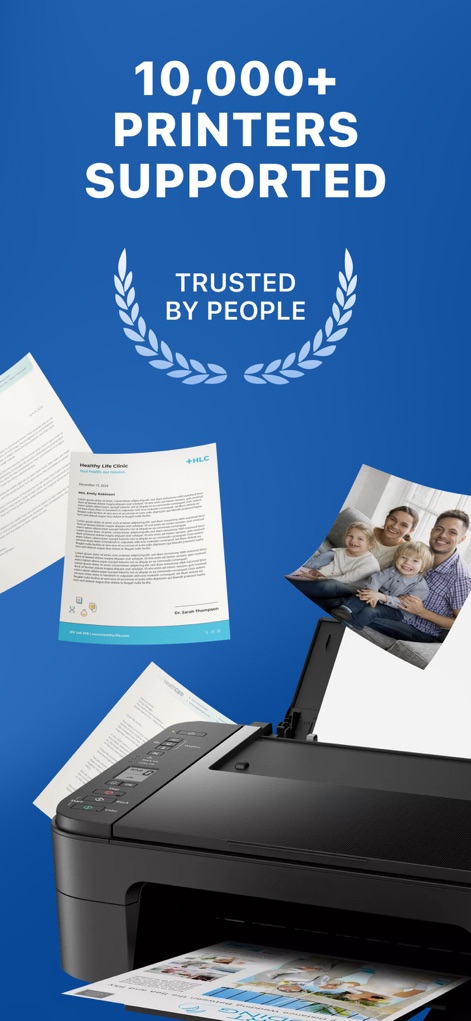
This image highlights the extensive compatibility with over 10,000 printers, featuring various printed documents and the 'TRUSTED BY PEOPLE' recognition.
Broad Device Support
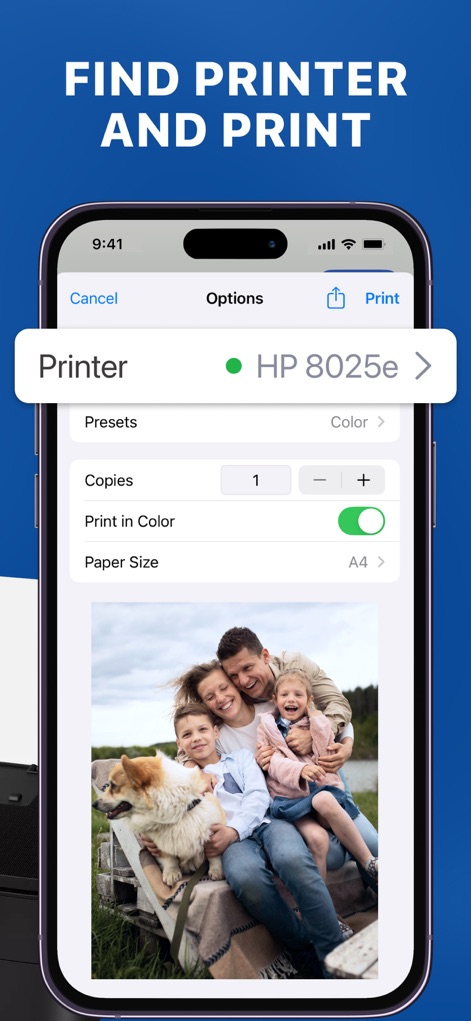
Users can fine-tune print jobs directly from their device, with options like toggling 'Print in Color' and selecting specific 'Paper Size' before initiating printing.
Custom Print Settings
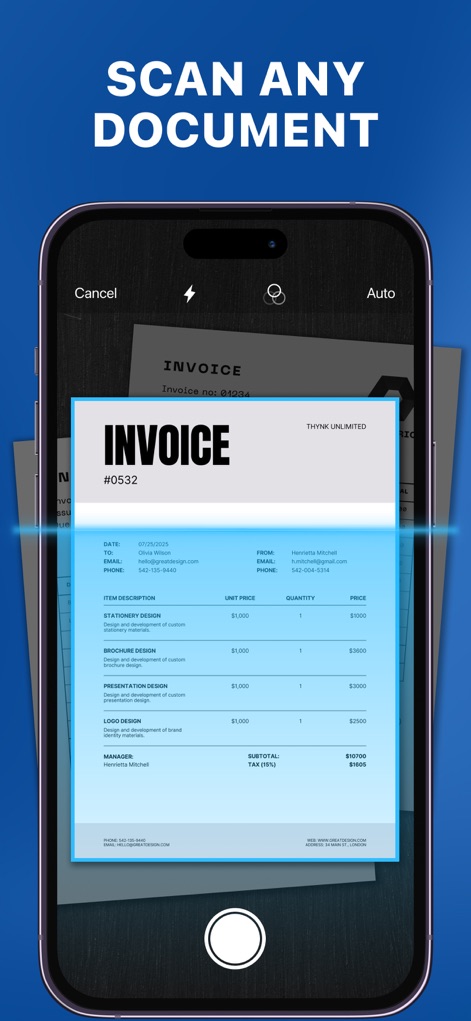
The app transforms an iOS device into a powerful scanner, clearly depicting an invoice document being captured with an intelligent scanning overlay and an 'Auto' mode option.
Integrated Document Scanner
Description
Download
More Like This
Apps with similar features and user experience

Docuslice - Poster Printing
Jeremiah Lachica

Printer Pro: Smart Printer App
Ivan Spyrydonov

HP
HP Inc.

Canon PRINT
Canon Inc.

Epson Smart Panel
Seiko Epson Corporation

Brother Mobile Connect
Brother Industries, LTD.

Epson iPrint
Seiko Epson Corporation

Printer App: Smart Print
Netpeak EOOD

Smart Printer App: iPrint
AppFusion OU
This page is not an official page of the app or its developer, but an independent editorial publication created for informational and commentary purposes. Unless expressly stated otherwise, neither the app nor its developer is affiliated with, endorsed by, sponsored by, authorized by, or otherwise officially connected with MWM, Apple, Google Play, the app publisher, or the app's developer, and nothing on this page implies that the app was developed using MWM's services. Any trademarks, logos, screenshots, and other content remain the property of their respective owners.