
This page is not an official page of the app or its developer, but an independent editorial publication created for informational and commentary purposes. Unless expressly stated otherwise, neither the app nor its developer is affiliated with, endorsed by, sponsored by, authorized by, or otherwise officially connected with MWM, Apple, Google Play, the app publisher, or the app's developer, and nothing on this page implies that the app was developed using MWM's services. Any trademarks, logos, screenshots, and other content remain the property of their respective owners.


小白学习打印-手机打印,教辅试卷错题整理
No more printing headaches. This app puts a classroom printer in your pocket, instantly.
Downloads
5M+User Rating
Total Ratings
133.8KPublisher
Category
ProductivityLocales
2Latest Version
4.38.0Size
589.8 MBFirst Released
Feb 5, 2020An Analytical Overview of '小白学习打印-手机打印,教辅试卷错题整理' Capabilities
Key Academic Printing and Support Features
Extensive Educational Resource Library
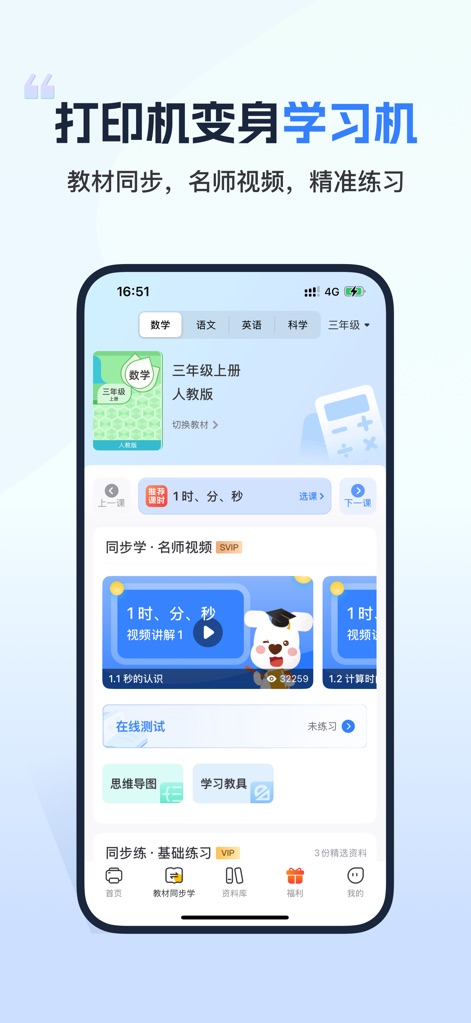
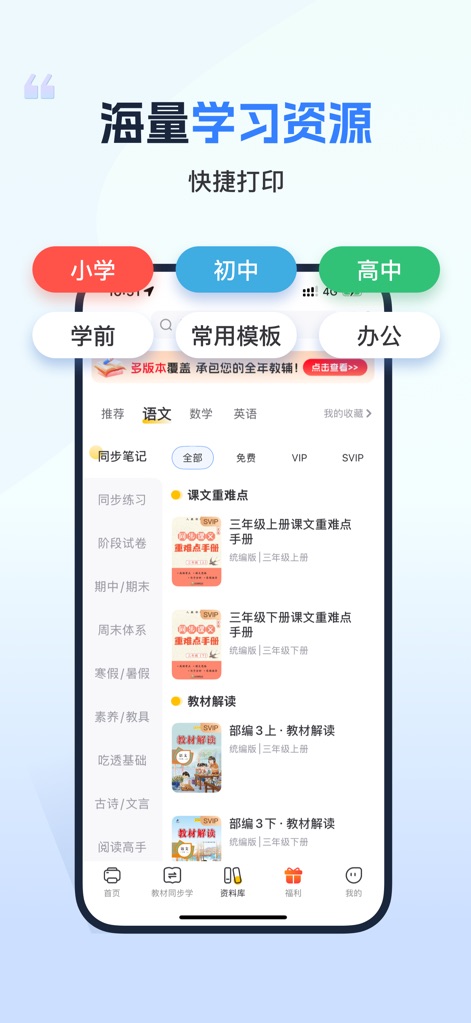
The app provides a vast collection of educational resources, covering mainstream textbook versions and intelligently adapting to different grade levels. This directly supports students in their studies and exam preparation.
Smart Document Scanning & Correction
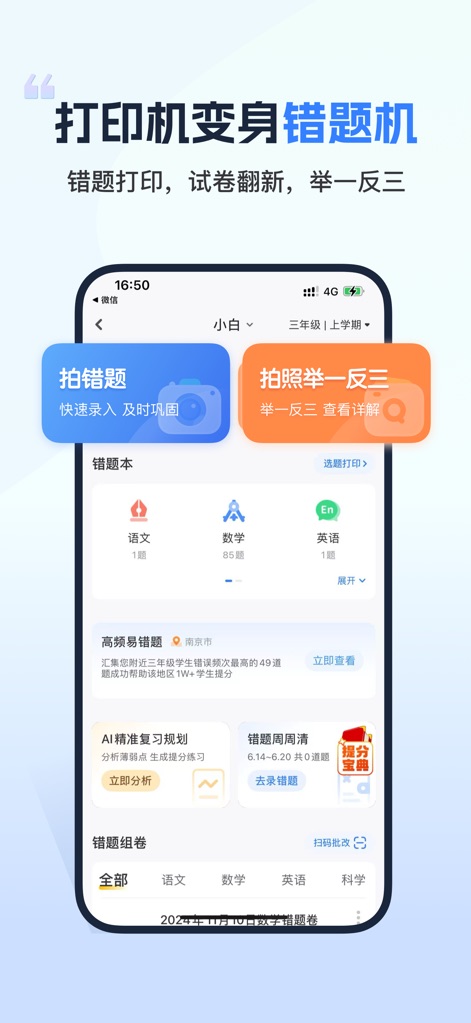
This tool features a smart recognition system that performs gradient correction on photographed document images, restoring them to a true document effect. It is crucial for organizing 'wrong problems' and digitizing handwritten notes.
Multi-Platform Document Printing
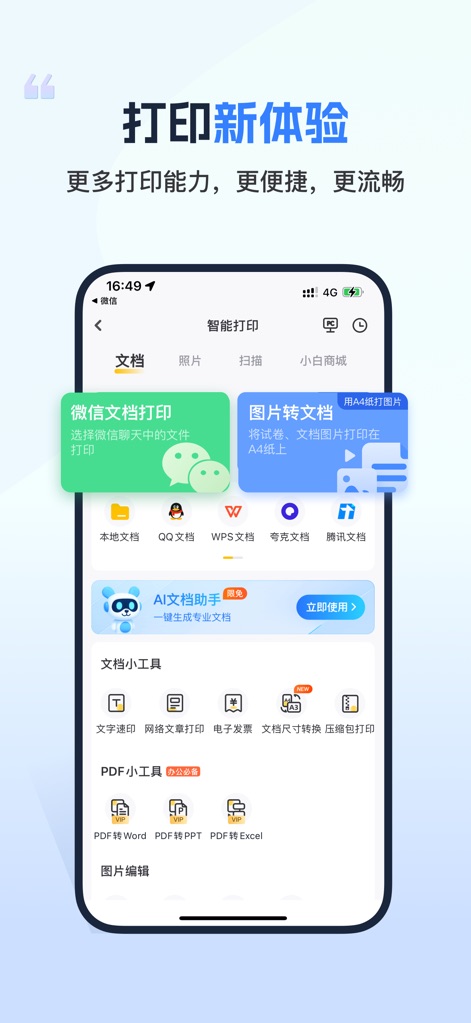
It allows users to print documents directly from popular platforms like WeChat, QQ, WPS, DingTalk, Baidu Netdisk, and QQ Mail with one-click upload, eliminating the need for manual file transfers.
Broad Printer Compatibility
The app supports various printer models, including mainstream WiFi printers, ensuring broad compatibility and ease of use for most households with existing printing hardware.
Multi-Format Document Support
It supports direct printing of multiple file formats, including WORD, PPT, EXCEL, PDF, and images, offering flexibility for various academic and personal printing needs.
Easy Mobile Printer Setup
Users can easily bind their printer to the app in just a few steps on their mobile phone, supporting multiple printer brands for a simplified setup experience.
Integrated Photo Editing Tools
The app includes smart photo editing functions such as cropping and contrast adjustments, which help improve the quality of photographed documents or notes before printing.
Family Sharing Functionality
It offers a one-click sharing feature, allowing family members to conveniently share and utilize the app's printing services together, enhancing convenience in a multi-user household.
Frequently Asked Questions
Everything you need to know about 小白学习打印-手机打印,教辅试卷错题整理
What is the 小白学习打印 app?
小白学习打印 is an intelligent mobile printing application. It supports mainstream WiFi printers, offers extensive learning resources, and provides advanced document management and correction features.
Is 小白学习打印 compatible with all WiFi printers?
Yes, 小白学习打印 is compatible with mainstream WiFi printers. It supports multiple printer models and brands, allowing for easy binding directly from your phone.
What file formats does 小白学习打印 support for printing?
小白学习打印 supports various formats including WORD, PPT, EXCEL, PDF, and image files. Users can print these document types directly from their mobile device.
Does 小白学习打印 offer learning resources?
Yes, 小白学习打印 provides massive learning resources. These resources cover mainstream textbook versions, are intelligently adapted by grade, and include content for primary, junior, and senior high levels.
How much does the SVIP subscription for 小白学习打印 cost?
The continuous weekly SVIP subscription for 小白学习打印 costs 19.8 RMB per week. Payment is processed through the user's iTunes account upon purchase confirmation.
How can I cancel my SVIP subscription for 小白学习打印?
To cancel your SVIP subscription, navigate to your iPhone's Settings. Then go to iTunes Store & App Store, tap Apple ID, select View Apple ID, and under Account Settings, tap Subscriptions. Locate and cancel the continuous weekly SVIP.
Does 小白学习打印 include photo editing capabilities?
Yes, 小白学习打印 includes smart photo editing functions. These features allow users to perform actions like cropping and adjusting contrast to optimize images before printing.
Can I use 小白学习打印 to manage error questions?
Yes, the app functions as an "Error Question Machine." It enables users to capture error questions, review them, and utilize features such as AI review plans and weekly error reviews.
Where can I upload documents for printing with 小白学习打印?
小白学习打印 supports one-click document uploads from various platforms. These include WeChat, QQ, WPS, DingTalk, Baidu Netdisk, and QQ Mailbox for direct printing.
Does 小白学习打印 correct scanned documents?
Yes, 小白学习打印 features an intelligent recognition system. This system applies gradient correction to photographed documents, effectively restoring them to their original clear and accurate appearance.
Does 小白学习打印 offer document conversion tools?
Yes, 小白学习打印 offers document conversion tools. Users can convert PDF files to Word, PPT, or Excel formats, and access features like document size conversion.
The following screenshots and description are sourced directly from the app's official store listing and are the property of the app developer.
App Store
Screenshots
Description
Download
More Like This
Apps with similar features and user experience

Docuslice - Poster Printing
Jeremiah Lachica

Printer Pro: Smart Printer App
Ivan Spyrydonov

HP
HP Inc.

Canon PRINT
Canon Inc.

Epson Smart Panel
Seiko Epson Corporation

Brother Mobile Connect
Brother Industries, LTD.

Epson iPrint
Seiko Epson Corporation

Printer App: Smart Print
Netpeak EOOD

Smart Printer App: iPrint
AppFusion OU
This page is not an official page of the app or its developer, but an independent editorial publication created for informational and commentary purposes. Unless expressly stated otherwise, neither the app nor its developer is affiliated with, endorsed by, sponsored by, authorized by, or otherwise officially connected with MWM, Apple, Google Play, the app publisher, or the app's developer, and nothing on this page implies that the app was developed using MWM's services. Any trademarks, logos, screenshots, and other content remain the property of their respective owners.