
This page is not an official page of the app or its developer, but an independent editorial publication created for informational and commentary purposes. Unless expressly stated otherwise, neither the app nor its developer is affiliated with, endorsed by, sponsored by, authorized by, or otherwise officially connected with MWM, Apple, Google Play, the app publisher, or the app's developer, and nothing on this page implies that the app was developed using MWM's services. Any trademarks, logos, screenshots, and other content remain the property of their respective owners.

Audio Converter - Music editor
Effortlessly convert formats, extract high-quality MP3s from videos, and create custom ringtones in seconds. The ultimate mobile studio for creators and efficiency seekers who demand precision and speed.
Downloads
82K+User Rating
Total Ratings
500Publisher
Category
UtilitiesLocales
23Latest Version
2.3.3Size
71.7 MBFirst Released
Feb 7, 2024Master Your Mobile Audio Studio
The all-in-one power tool to extract, convert, and edit audio files with professional precision—no desktop required.
Instant Video-to-Audio Extraction
Turn any screen recording or social media clip into a high-quality MP3. Perfect for grabbing trending sounds for your own content.
Precision Editing & Mixing
Trim clips with 0.1s accuracy, merge multiple tracks, and add professional fade-in effects for seamless transitions.
Frequently Asked Questions
Everything you need to know about Audio Converter - Music editor
What is the "Audio Converter - Music editor" app?
The "Audio Converter - Music editor" app is a comprehensive tool for converting and extracting audio from video and audio files. It includes features for audio editing, ringtone creation, and merging audio.
What audio formats does the "Audio Converter - Music editor" app support?
"Audio Converter - Music editor" supports popular audio formats like MP3, WAV, M4A, FLAC, AAC, OGG, ALAC, CAF, AIFF, and AFIC for conversion.
Can I customize audio settings in "Audio Converter - Music editor"?
Yes, with "Audio Converter - Music editor," you can customize parameters such as bitrate, sample rate, and channel count (stereo/mono) before converting audio files.
Does "Audio Converter - Music editor" allow audio file editing?
Yes, the "Audio Converter - Music editor" app includes an audio editor to cut, copy, paste, merge, and edit music tracks. It also supports adding background sounds and multitrack editing.
Can "Audio Converter - Music editor" create ringtones from videos?
Yes, "Audio Converter - Music editor" can extract audio from videos to create ringtones. It supports precise 0.1s clipping, fade-in/fade-out, and conversion to MP3 and M4R formats.
What video formats can "Audio Converter - Music editor" extract audio from?
"Audio Converter - Music editor" extracts audio from various video formats including MP4, MOV, AVI, MKV, and FLV.
Is an internet connection needed to extract audio with "Audio Converter - Music editor"?
No, an internet connection is not required to extract audio using "Audio Converter - Music editor" once the video is downloaded to your device.
How do I subscribe to the Premium features of "Audio Converter - Music editor"?
You subscribe to "Audio Converter - Music editor" Premium through a monthly billed plan. Payment charges to your iTunes Account upon purchase confirmation.
How can I manage my "Audio Converter - Music editor" Premium subscription?
Users can manage "Audio Converter - Music editor" subscriptions and turn off auto-renewal through their iTunes Account Settings after purchase.
The following screenshots and description are sourced directly from the app's official store listing and are the property of the app developer.
App Store
Screenshots
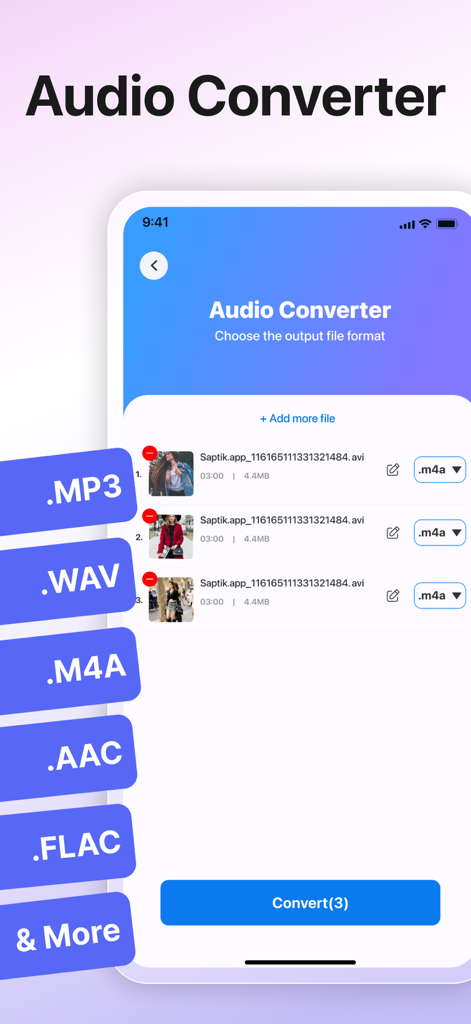
Interface of the audio converter app showing multiple file format options for batch conversion
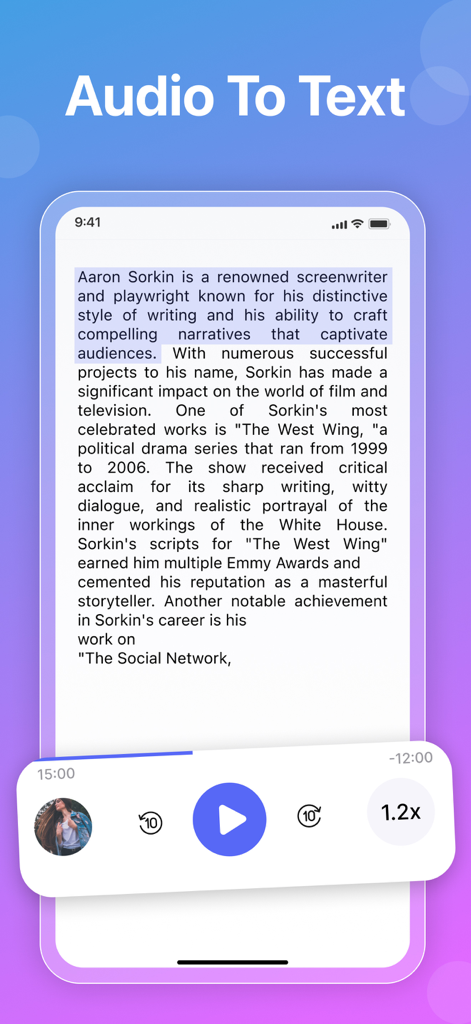
Mobile app interface for converting audio to text with playback controls
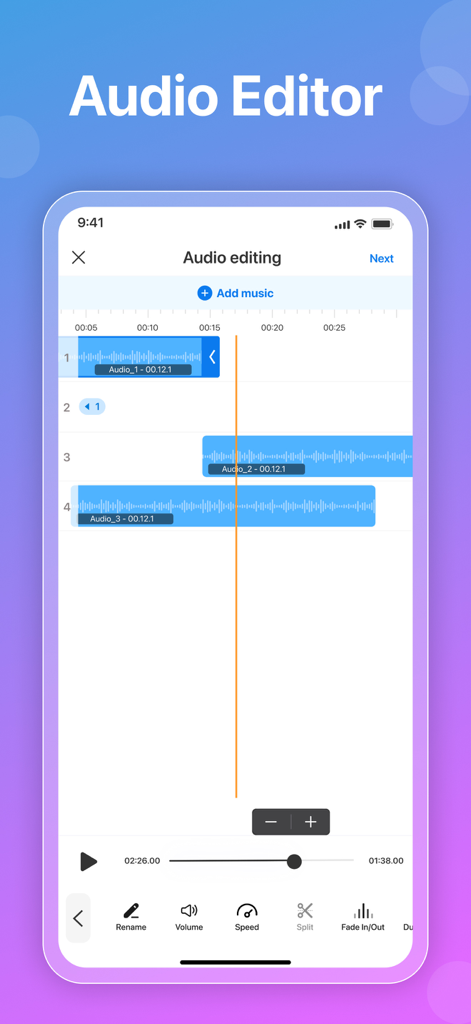
Multitrack audio editing interface with waveforms and tools
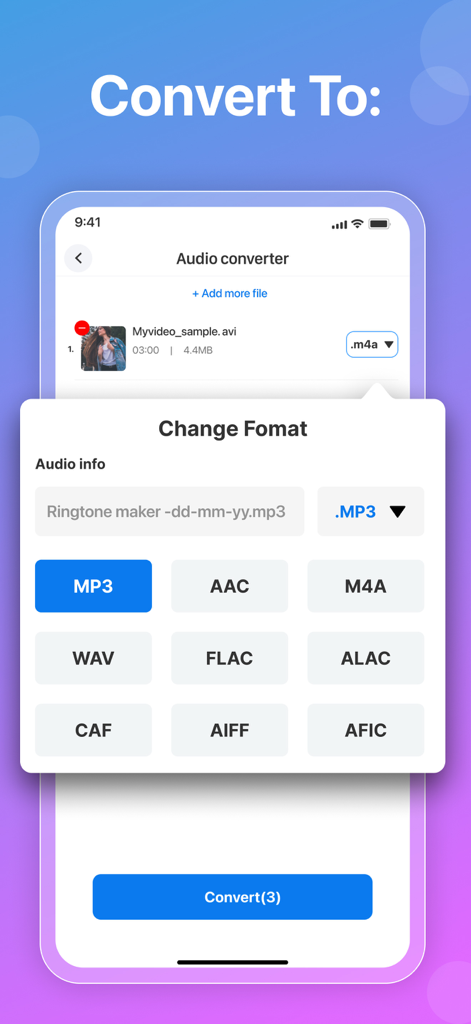
Selecting audio format for conversion in Audio Converter app
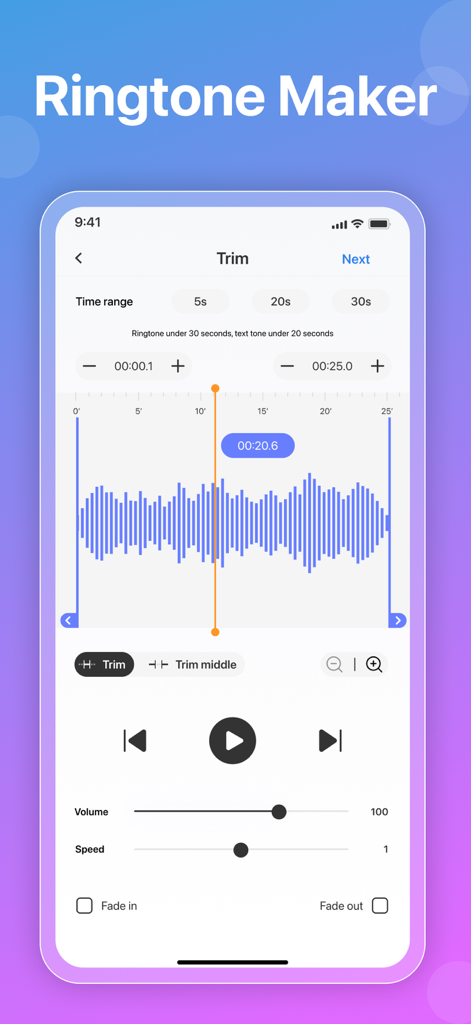
Audio Converter app ringtone maker screen with waveform editing and playback controls
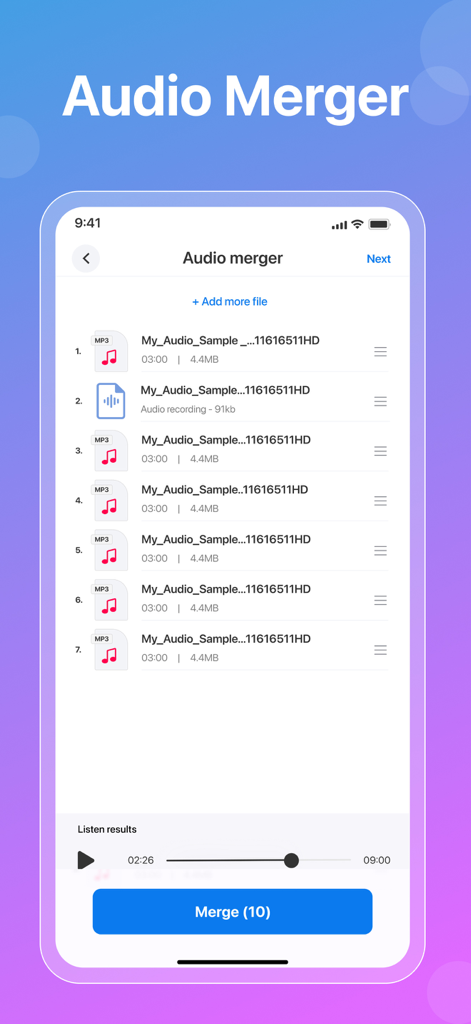
Interface showing multiple audio tracks being merged together in the app
Description
Download
More Like This
Apps with similar features and user experience

MP3 Converter -Audio Extractor
妍 岳

Audio Editor - Music Mixer
妍 岳

MP3 Converter: Video to Audio
Fitness Labs SRL

Audio Editor: MP3 Converter
ZHN Co., Ltd.

MP3 Converter - video2mp3
ZHN Co., Ltd.

EZAudioCut - Audio Editor Lite
龙刚 李

Audio Extractor-Audio Editing
正军 刘

Audio Editor & Music Mixer
Wuhan Net Power Technology Co., Ltd

Audio Converter&Ringtone Maker
俊鹏 位
This page is not an official page of the app or its developer, but an independent editorial publication created for informational and commentary purposes. Unless expressly stated otherwise, neither the app nor its developer is affiliated with, endorsed by, sponsored by, authorized by, or otherwise officially connected with MWM, Apple, Google Play, the app publisher, or the app's developer, and nothing on this page implies that the app was developed using MWM's services. Any trademarks, logos, screenshots, and other content remain the property of their respective owners.