
This page is not an official page of the app or its developer, but an independent editorial publication created for informational and commentary purposes. Unless expressly stated otherwise, neither the app nor its developer is affiliated with, endorsed by, sponsored by, authorized by, or otherwise officially connected with MWM, Apple, Google Play, the app publisher, or the app's developer, and nothing on this page implies that the app was developed using MWM's services. Any trademarks, logos, screenshots, and other content remain the property of their respective owners.


Audio Editor - AI Music Editor
Master your music with local AI vocal separation, studio-grade mixing, and viral sound effects. Create, sync, and export watermark-free content for TikTok, Instagram, and YouTube effortlessly.
Downloads
288K+User Rating
Total Ratings
700Publisher
Category
MusicLocales
9Latest Version
1.4.9Size
126.5 MBFirst Released
Feb 23, 2024Professional Power. Mobile Freedom.
The all-in-one studio to isolate vocals, mix tracks, and craft viral-ready audio with desktop-grade precision and AI-powered speed.
Instant AI Stem Splitting
Isolate vocals or instruments locally on your device with zero wait times and total privacy for your unreleased music.
Desktop-Grade Audio Mixing
Master your sound with infinite undo, 10-band custom EQ, and pro-level reverb to match the quality of professional desktop software.
Frequently Asked Questions
Everything you need to know about Audio Editor - AI Music Editor
What is "Audio Editor - AI Music Editor"?
"Audio Editor - AI Music Editor" is a powerful audio editor for listening, sharing, and organizing music. It features AI for vocal separation, sound effects, voice changing, and video integration.
What audio editing features does Audio Editor offer?
Audio Editor offers mixing, fade in/out, volume changes, tone/tempo/speed adjustments, custom equalization, balance settings (R-CH and L-CH), and unlimited undo/redo.
Can Audio Editor handle multi-track audio?
Yes, Audio Editor supports multitrack audio editing. Users can manage multiple audio tracks, as shown in the editing interface, and record new tracks directly within the project.
Does Audio Editor support unlimited undo and redo?
Yes, Audio Editor supports unlimited times of undo and redo. This feature is available to revert or reapply changes during the editing process.
How does Audio Editor help organize music projects?
Audio Editor organizes tracks into projects and folders. These are synced across iPhone and web. Users can also drag and drop files from their desktop into the web app.
Can users collaborate on projects with Audio Editor?
Yes, Audio Editor allows collaboration on projects. Users can share links to their music and manage access, including granting permission for others to edit and download tracks.
Is music shared through Audio Editor secure?
Yes, Audio Editor states its encryption is on par with Dropbox and SoundCloud. It aims to be a secure place for unreleased music, protecting users' content.
What is the AI Vocal Separator feature in Audio Editor?
The AI Vocal Separator in Audio Editor employs machine learning to isolate vocal and instrumental stems from audio tracks. It extracts vocals and instruments separately.
Does the AI Vocal Separator process files locally?
Yes, the AI Vocal Separator processes all AI tasks locally on your device. This means there is no need to upload files or wait in line for processing.
What sound effects are available in Audio Editor?
Audio Editor provides pitch effects (rising/falling, voice changes), reverb (room, living room, church), distortion (electronic, echo, metal), and delay effects up to 2 seconds.
Can I change my voice with Audio Editor?
Yes, Audio Editor includes a Voice Changer feature. It allows users to alter their voice by transforming tone, pitch, and timbre to create unique characters or enhance vocal performances.
Does Audio Editor include an equalizer?
Yes, Audio Editor includes a custom equalizer with 10 sections of frequency. It also offers presets like bass boost and human voice resonance for clear and rhythmic audio.
Can I add music to videos using Audio Editor?
Yes, Audio Editor allows users to add unlimited photos and videos to projects. It supports adding multiple background audio tracks, music, and voice to videos.
Does Audio Editor add watermarks to exported videos?
No, Audio Editor states that videos are exported without compression and without watermarks. This ensures high-quality output for sharing on social networks.
How can I import audio files into Audio Editor?
Audio Editor supports Wi-Fi import and export. It also allows direct import from other applications, and direct use of the album's video and mobile music library.
Can Audio Editor create ringtones?
Yes, Audio Editor functions as an amazing ringtone cutter. Users can trim music and cut any part of their favorite songs to create custom ringtones.
Does Audio Editor support project synchronization across devices?
Yes, Audio Editor offers background sync that automatically updates projects. Users can access and use their projects on iPhone, iPad, and desktop devices.
Which platforms does Audio Editor sync projects with?
Audio Editor supports syncing projects across major platforms. This includes Google Drive, iCloud, and others, allowing users to access their work from multiple cloud services.
What are the subscription options for Audio Editor Pro?
Audio Editor Pro Unlimited subscription is billed either weekly or annually. The rate corresponds to the specific plan selected by the user.
Does Audio Editor Pro auto-renew subscriptions?
Yes, Audio Editor Pro subscriptions automatically renew. Auto-renewal turns off if not canceled at least 24 hours before the current period ends, and accounts are charged for renewal.
The following screenshots and description are sourced directly from the app's official store listing and are the property of the app developer.
App Store
Screenshots
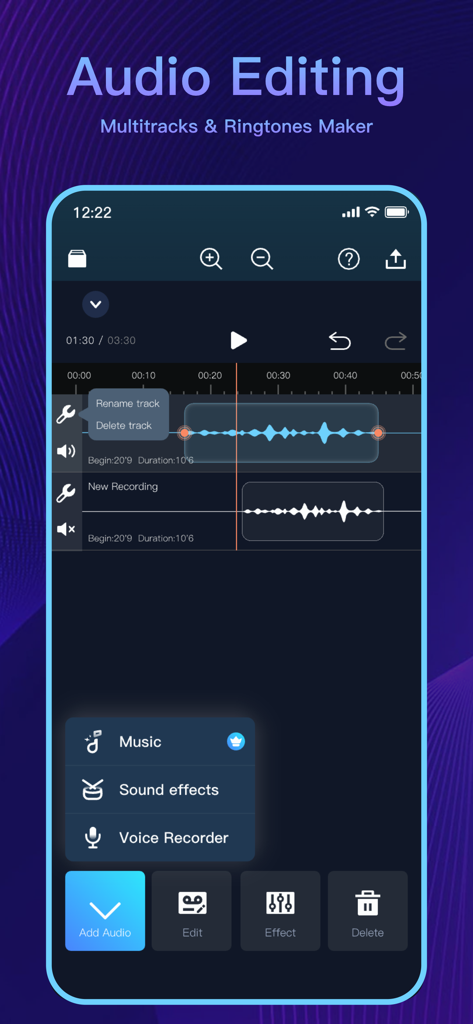
Mobile app interface for multitrack audio editing and ringtone creation
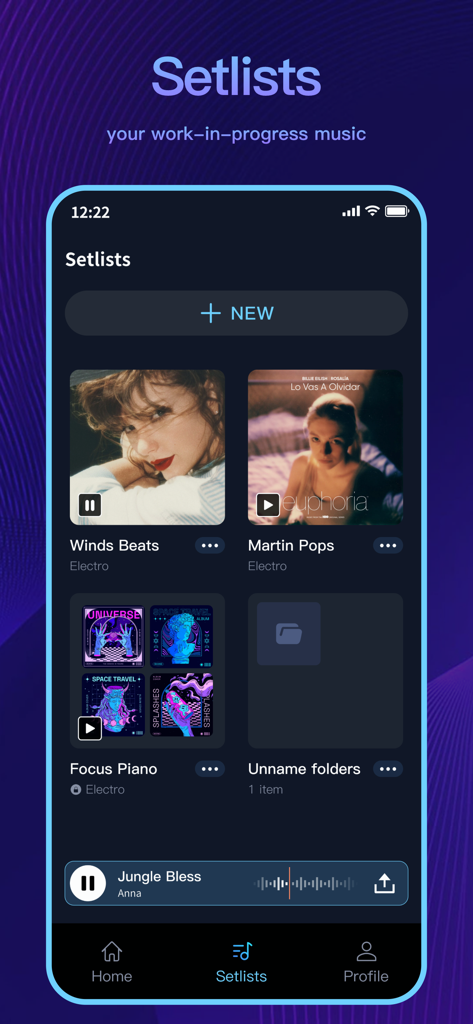
Interface of the Audio Editor app showing the setlists section with organized music projects and folders
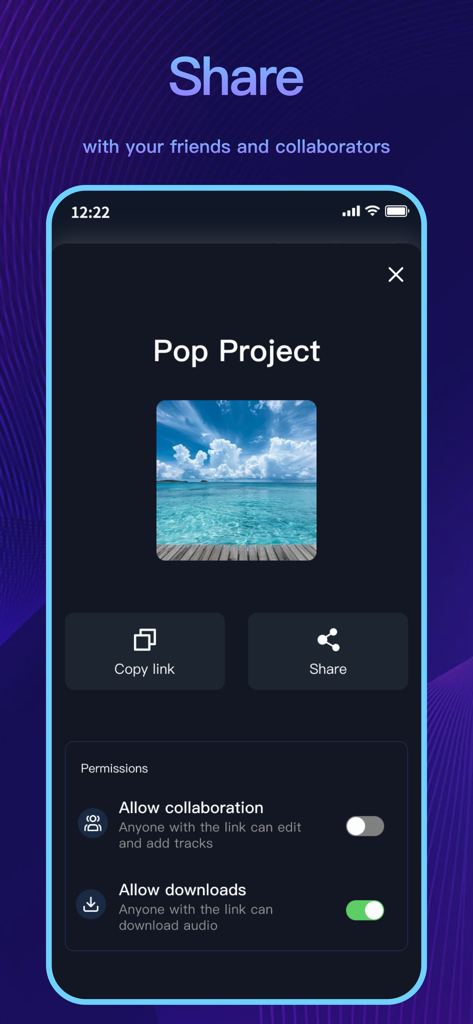
A mobile interface for sharing music projects and managing collaboration and download permissions
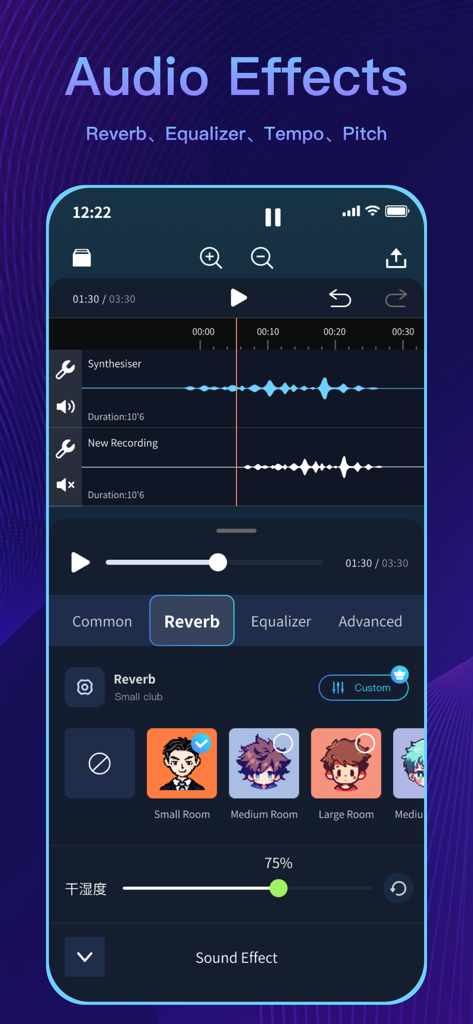
Mobile app interface showing multi-track audio editing and customizable reverb sound effects.
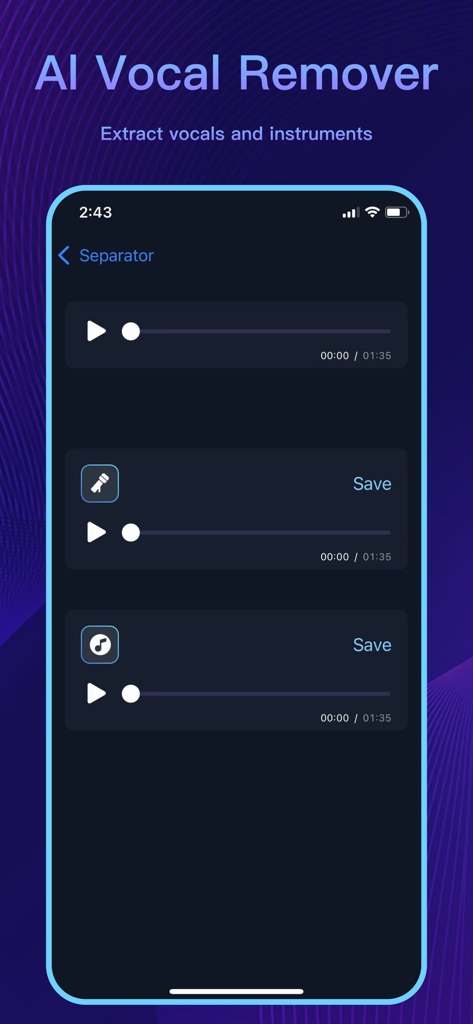
Mobile app interface showing AI vocal remover feature to separate vocals and instruments from a song
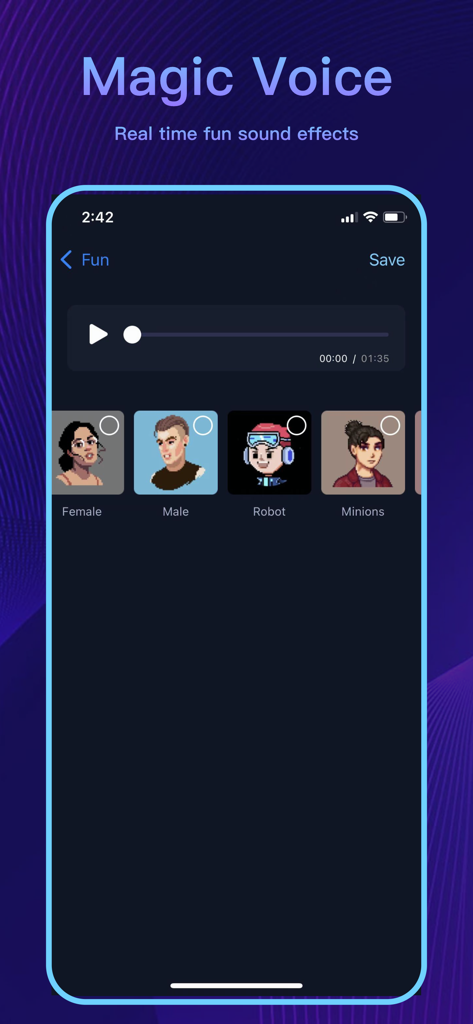
Audio Editor app interface showing the Magic Voice feature with various sound effect filters like robot and minions
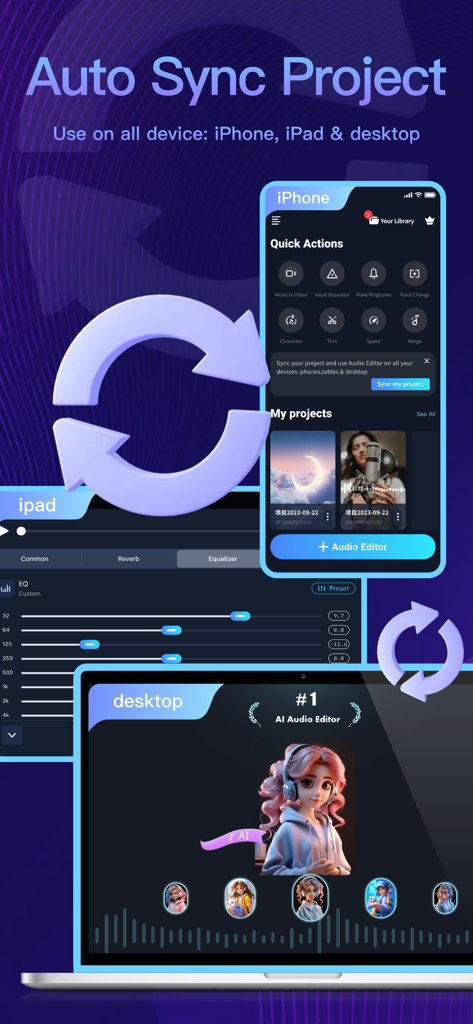
Audio Editor app interface showing automatic project synchronization across iPhone iPad and desktop devices
Description
Download
More Like This
Apps with similar features and user experience

WavePad音频和音乐编辑器
NCH Software

Audio Editor - Music editor
苏娟 陈

SoundLab - Audio Editor
孛 刘

Microphone Live-Voice Recorder
Arpenik Katikyan

Ferrite Recording Studio
Wooji Juice Ltd

WavePad Music and Audio Editor
NCH Software

Audio Editor - AudioLab, Mixer
Innovation Software Development 360 LLC

au editor - audio cutter
龙刚 李

Audio Editor: Video to Audio
文 夏
This page is not an official page of the app or its developer, but an independent editorial publication created for informational and commentary purposes. Unless expressly stated otherwise, neither the app nor its developer is affiliated with, endorsed by, sponsored by, authorized by, or otherwise officially connected with MWM, Apple, Google Play, the app publisher, or the app's developer, and nothing on this page implies that the app was developed using MWM's services. Any trademarks, logos, screenshots, and other content remain the property of their respective owners.