
This page is not an official page of the app or its developer, but an independent editorial publication created for informational and commentary purposes. Unless expressly stated otherwise, neither the app nor its developer is affiliated with, endorsed by, sponsored by, authorized by, or otherwise officially connected with MWM, Apple, Google Play, the app publisher, or the app's developer, and nothing on this page implies that the app was developed using MWM's services. Any trademarks, logos, screenshots, and other content remain the property of their respective owners.


Audio-Technica | Connect
Tailor your audio environment with customizable EQ, intuitive sensor remapping, and real-time status updates—the ultimate command center for your high-fidelity lifestyle.
Downloads
945K+User Rating
Total Ratings
24K+Publisher
Category
MusicLocales
11Latest Version
2.6.1Size
110.8 MBFirst Released
Oct 30, 2018Precision Control for the Modern Prosumer
Elevate your Audio-Technica hardware with a suite of professional tools designed to personalize every beat and every touch.
Professional-Grade Tuning
Take full control of your audio signature with a customizable equalizer and granular volume steps tailored to your environment.
Intelligent Command Center
Personalize your device's touch sensors and button operations to align perfectly with your workflow and dominant hand.
Frequently Asked Questions
Everything you need to know about Audio-Technica | Connect
What is the Audio-Technica | Connect app?
The Audio-Technica | Connect app enhances the convenience of using supported Audio-Technica Bluetooth products. It provides an operating guide, displays in-use status, and allows customization of volume control, operation patterns, and equalizer settings.
What are the main features of the Audio-Technica | Connect app?
Yes, the Audio-Technica | Connect app offers features like an operating guide, in-use status display (battery, mode), customizable equalizer, volume step settings, and button/touch-sensor operation adjustments. Available features vary by product.
Can I customize equalizer and volume settings in the Audio-Technica | Connect app?
Yes, the Audio-Technica | Connect app allows users to customize equalizer settings, including options like 'Bass Boost'. It also permits adjustments to volume step settings and button/touch-sensor operations based on preferences.
Does the Audio-Technica | Connect app show battery levels?
Yes, the Audio-Technica | Connect app displays the in-use status of connected products, which includes battery levels for both left and right earbuds and the charging case, as shown for the ATH-TWX9 model.
What Audio-Technica products are compatible with the Connect app?
Yes, the Audio-Technica | Connect app supports specific Audio-Technica models such as ATH-TWX9MK2, ATH-CC500BT2, ATH-CKS50TW2, ATH-TWX7, ATH-SQ1TW2, and many others listed in the app description. Product availability may vary by region.
Can I manage multiple connected devices using the Audio-Technica | Connect app?
Yes, the Audio-Technica | Connect app includes a 'Connected Device Management' section. This feature allows users to view and manage currently connected devices, disconnect them, or connect to previously paired devices from a history list.
Will the Audio-Technica | Connect app work with future iOS updates?
Yes, the Audio-Technica | Connect app may become unusable without prior notice due to iOS updates. Users are advised to be aware of this possibility, as stated in the app's official documentation.
The following screenshots and description are sourced directly from the app's official store listing and are the property of the app developer.
App Store
Screenshots
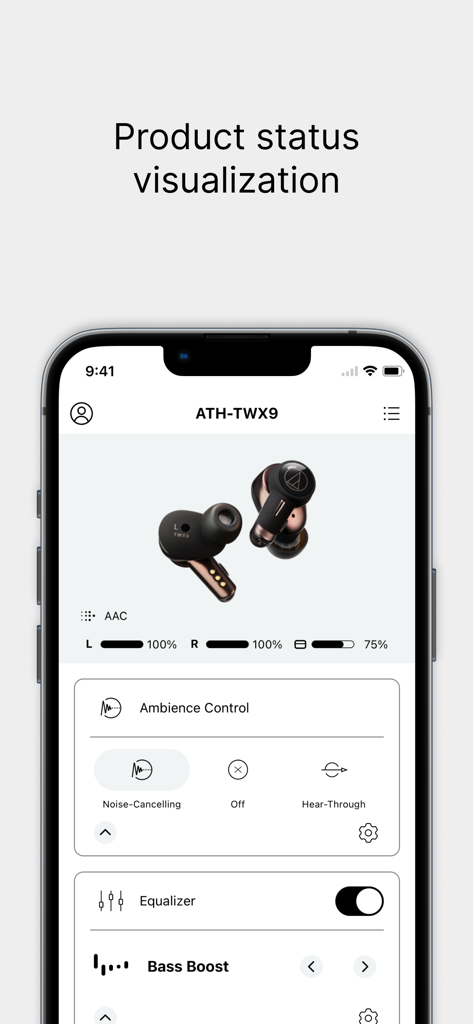
Audio-Technica Connect app showing battery levels and audio settings for ATH-TWX9 earbuds
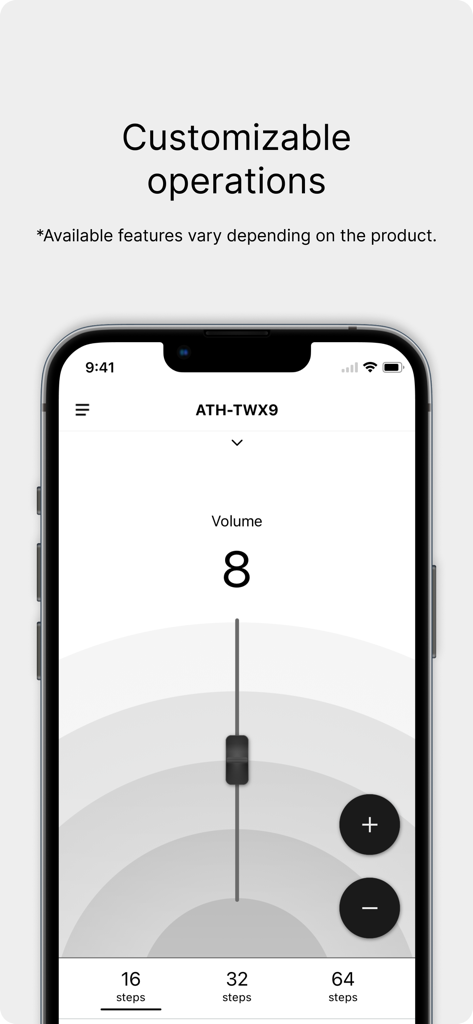
Audio Technica Connect app interface showing customizable volume steps for high fidelity headphones.
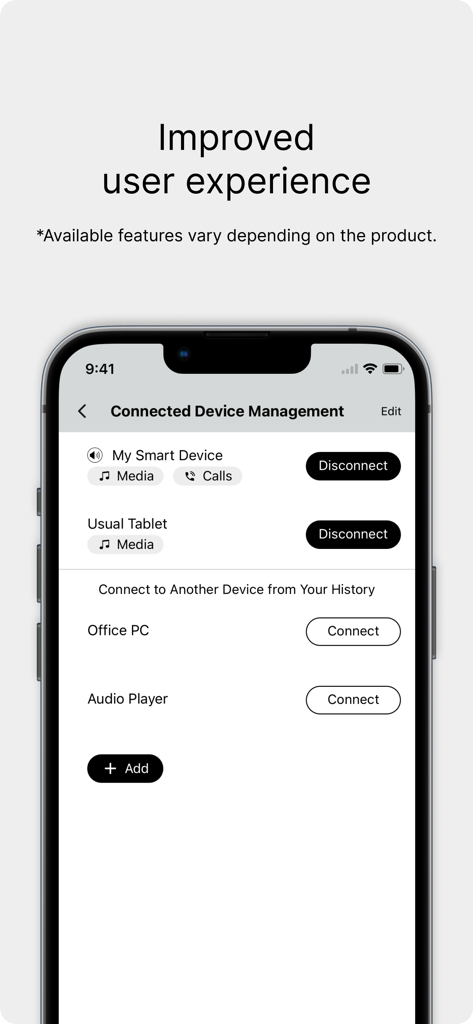
Interface of the Audio-Technica Connect app showing multipoint Bluetooth connection management for several devices
Description
Download
More Like This
Apps with similar features and user experience

Bose
Bose Corporation

Marshall Bluetooth
Marshall Group AB (publ)

JBL PartyBox
Harman International Industries

Bose Connect
Bose Corporation

Bose QC Earbuds
Bose Corporation

JBL Headphones
Harman International Industries

soundcore
Power Mobile Life LLC

JBL Portable
Harman International Industries

Xiaomi Earbuds
Beijing Xiaomi Co., Ltd
This page is not an official page of the app or its developer, but an independent editorial publication created for informational and commentary purposes. Unless expressly stated otherwise, neither the app nor its developer is affiliated with, endorsed by, sponsored by, authorized by, or otherwise officially connected with MWM, Apple, Google Play, the app publisher, or the app's developer, and nothing on this page implies that the app was developed using MWM's services. Any trademarks, logos, screenshots, and other content remain the property of their respective owners.