
This page is not an official page of the app or its developer, but an independent editorial publication created for informational and commentary purposes. Unless expressly stated otherwise, neither the app nor its developer is affiliated with, endorsed by, sponsored by, authorized by, or otherwise officially connected with MWM, Apple, Google Play, the app publisher, or the app's developer, and nothing on this page implies that the app was developed using MWM's services. Any trademarks, logos, screenshots, and other content remain the property of their respective owners.

Blockin -Screen Time for Focus
Join over 500,000 high-achievers using Lockout Mode and gamified rewards to eliminate distractions, conquer doom-scrolling, and unlock deep work.
Downloads
511K+User Rating
Total Ratings
16K+Publisher
Category
Health & FitnessLocales
3Latest Version
2.3.16Size
181.1 MBFirst Released
May 13, 2023Master Your Time, Not Your Timeline
Designed for ambitious professionals and students, Blockin combines psychological friction with gamified rewards to help you reclaim up to 3 hours of daily focus.
Unbreakable Lockout Mode
Stop the 'five more minutes' trap. Our deep focus mode prevents premature unblocking, ensuring you stay committed to your most important tasks without shortcuts.
Gamified Habit Building
Replace mindless dopamine hits with real achievement. Earn 'Blockins' and collect Smile Balls every time you choose productivity over scrolling, turning discipline into a game.
Frequently Asked Questions
Everything you need to know about Blockin -Screen Time for Focus
What is Blockin -Screen Time for Focus?
Blockin is a healthcare app designed to foster balance and focus by smartly managing smartphone usage. It provides customizable block types and usage tracking to promote digital wellness.
How does Blockin help me limit my daily screen time?
Blockin offers a 'Limit Block' feature. Users set a daily app usage cap, and Blockin automatically blocks access once this limit is reached, promoting healthier digital habits.
Can I schedule specific times to block apps using Blockin for focused periods?
Yes, Blockin's 'Time Block' feature allows scheduling specific periods, like 9 PM to midnight, for uninterrupted focus. This helps create quiet times tailored to your daily routine.
Does Blockin offer a quick way to minimize distractions immediately?
Yes, Blockin provides a 'Quick Block' feature. Users can activate it to immediately minimize distractions for a chosen duration, such as a 25-minute focus period followed by a 5-minute break.
How does Blockin motivate users to manage their screen time effectively?
Blockin motivates users through 'Blockins' (Smile Balls). Collecting these tangible rewards tracks progress and celebrates commitment to a digital diet, keeping users engaged in their wellness journey.
What are the specialized focus modes available in Blockin?
Blockin provides 'Lockout Mode' for full concentration without interruption and 'Timeout Mode' to gradually increase break intervals. These modes help develop sustained focus habits for digital mastery.
Does Blockin display inspirational quotes during block sessions?
Yes, Blockin activates inspirational quotes on the Block Shield during focus sessions. These curated quotes remind users of time's value, encouraging deeper reflection and mindful engagement.
Can Blockin provide a detailed overview of my smartphone usage?
Yes, Blockin offers a comprehensive smartphone usage overview. It tracks today's usage time, interaction frequency, and identifies the top 3 most used apps to manage your digital footprint.
Is user privacy protected when using the Blockin app?
Yes, Blockin is committed to user privacy and autonomy. The service provides robust privacy protections and clear terms of service, accessible via links in the app description.
What are the key benefits of using Blockin for digital well-being?
Blockin helps users reduce screen time for better sleep, engage in real-world connections, sharpen concentration, and ease mental strain. It ensures technology serves you, not controls you.
Can users temporarily unblock apps during an active Blockin session?
Yes, Blockin allows temporary unblocking. For instance, Screenshot #8 shows options to unblock for 3, 5, 10, 15 minutes, or "All day", along with a "Hold for 5 seconds to Unblock" feature.
The following screenshots and description are sourced directly from the app's official store listing and are the property of the app developer.
App Store
Screenshots
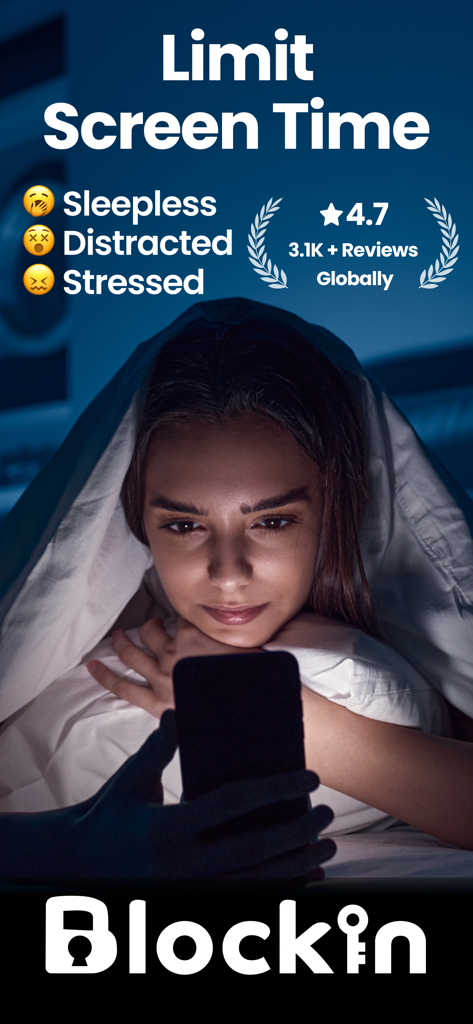
A woman using her smartphone under a blanket at night with text about limiting screen time to reduce stress.
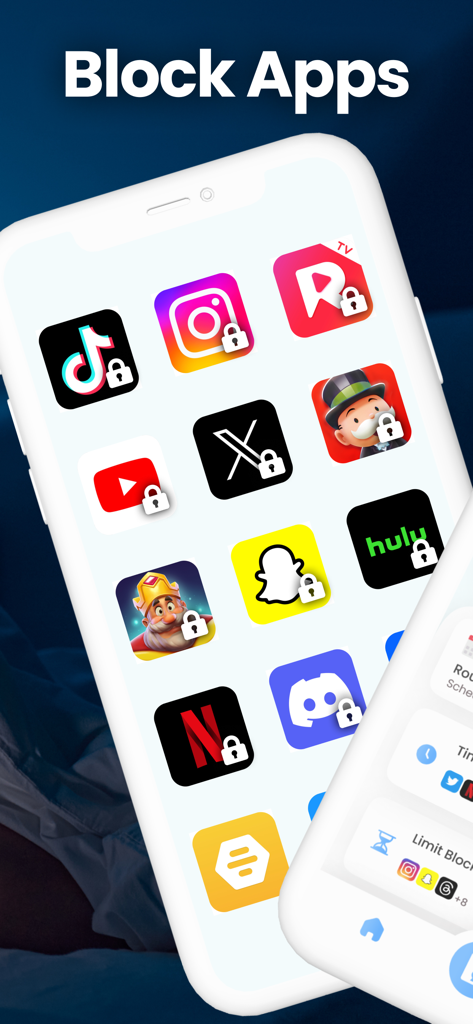
iPhone screen displaying popular social media and entertainment apps with lock icons to demonstrate the app blocking feature
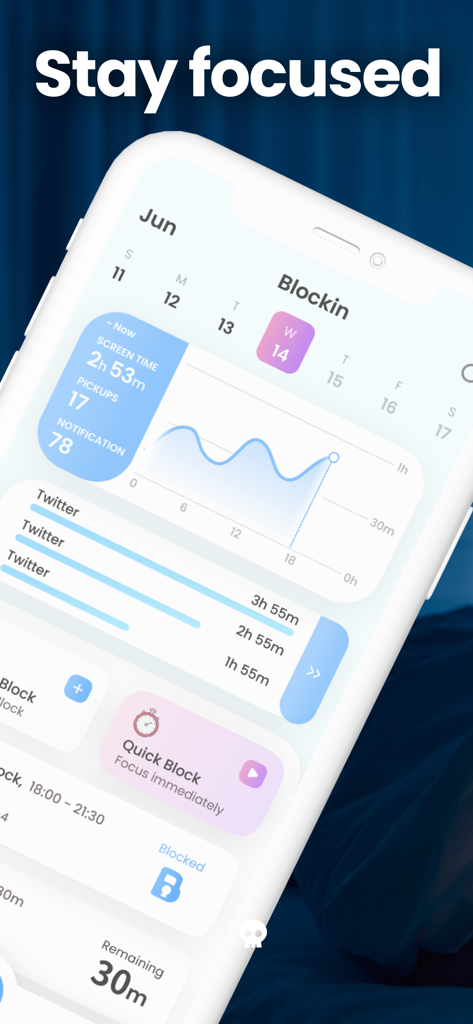
Dashboard of Blockin app showing screen time stats and focus tools
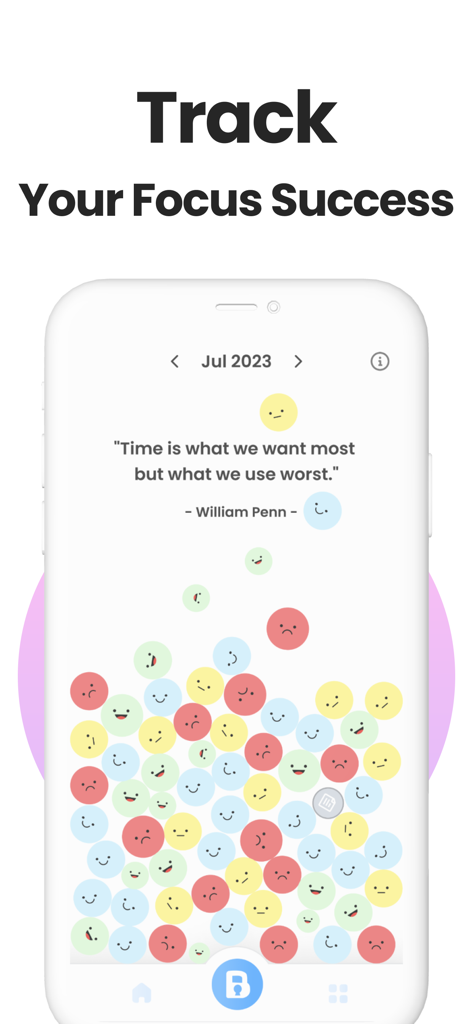
Blockin app interface showing focus success tracking with smile balls and a quote
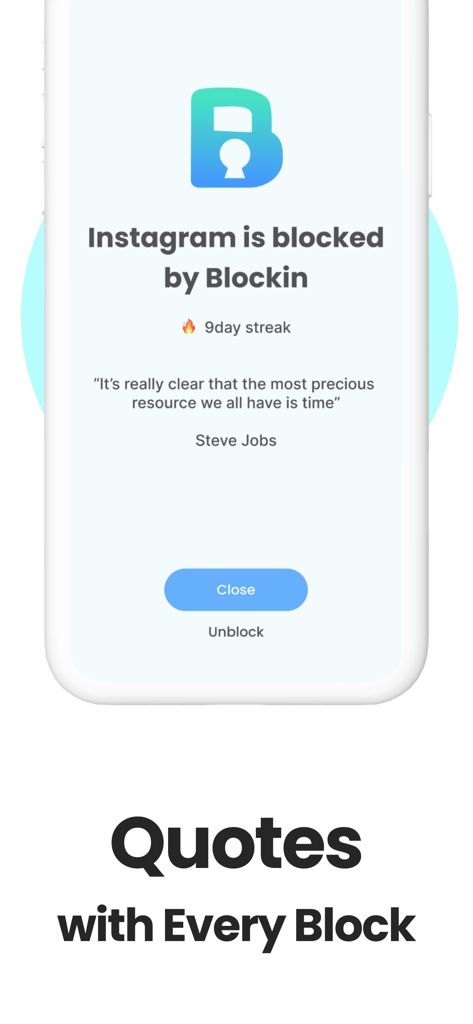
Screenshot of the Blockin app showing Instagram blocked with an inspirational quote by Steve Jobs and a 9 day streak
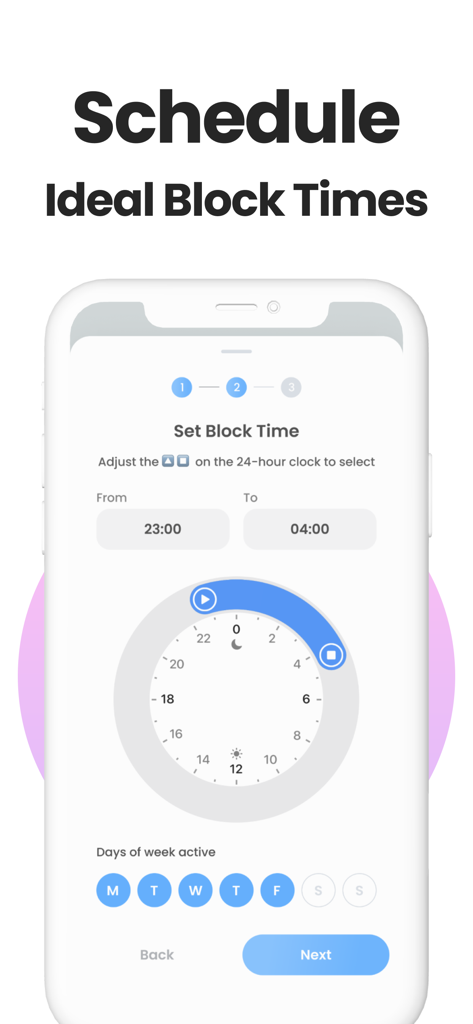
Blockin app interface showing how to schedule specific times to block apps using a 24-hour clock dial and weekday selector
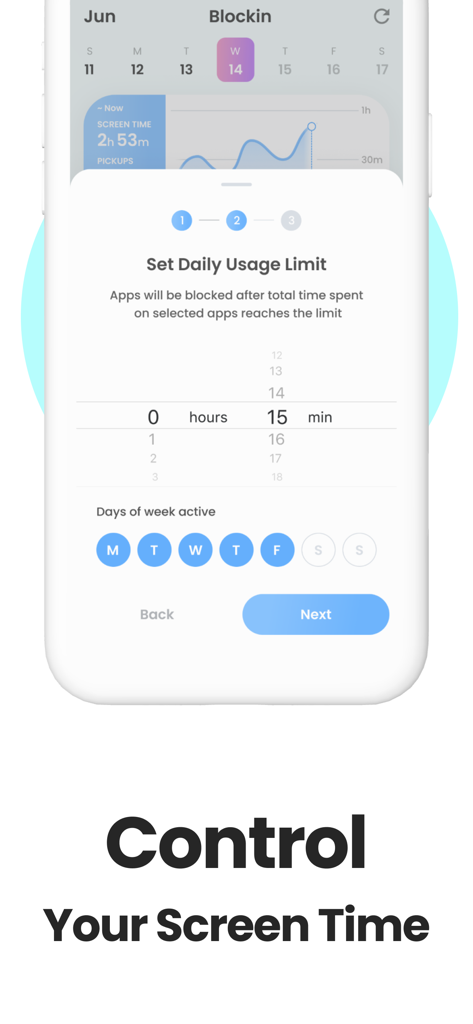
Interface for setting a daily smartphone usage limit in the Blockin app
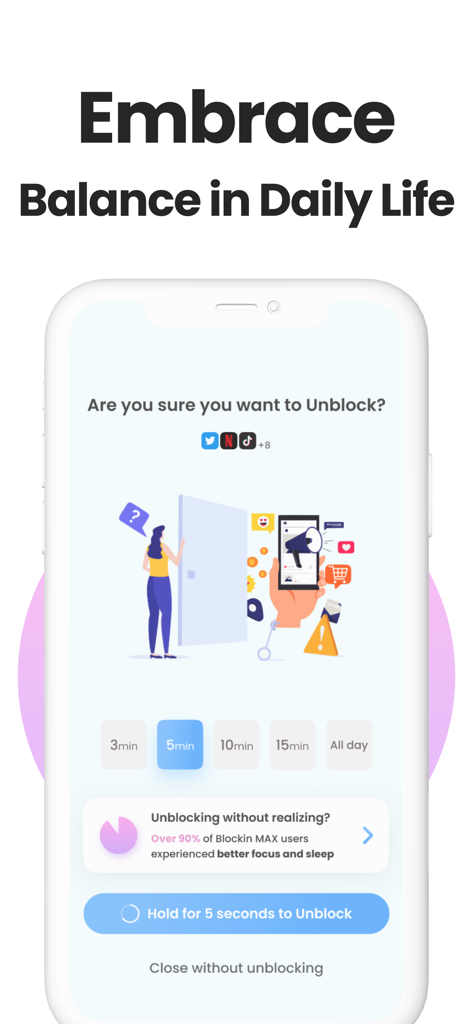
Blockin app screen showing an unblock confirmation message with a hold-to-unlock button to maintain digital balance.
Description
Download
More Like This
Apps with similar features and user experience
Opal: Screen Time Control
OPAL OS CORPORATION

BePresent: Screen Time Control
Screen Detox Inc

Brick - Ditch Distractions
Brick LLC (Wisconsin)

one sec | screen time + focus
riedel.wtf apps S.L.

ScreenZen- Screen Time Control
ScreenZen LLC

Refocus: Block Apps & Websites
Labi, LLC

Clarymind: Focus + Self Care
Seamint Co., Ltd.

Roots: Screen Time Control
MWM

AppBlock: Block Apps & Website
MobileSoft s.r.o.
This page is not an official page of the app or its developer, but an independent editorial publication created for informational and commentary purposes. Unless expressly stated otherwise, neither the app nor its developer is affiliated with, endorsed by, sponsored by, authorized by, or otherwise officially connected with MWM, Apple, Google Play, the app publisher, or the app's developer, and nothing on this page implies that the app was developed using MWM's services. Any trademarks, logos, screenshots, and other content remain the property of their respective owners.