
This page is not an official page of the app or its developer, but an independent editorial publication created for informational and commentary purposes. Unless expressly stated otherwise, neither the app nor its developer is affiliated with, endorsed by, sponsored by, authorized by, or otherwise officially connected with MWM, Apple, Google Play, the app publisher, or the app's developer, and nothing on this page implies that the app was developed using MWM's services. Any trademarks, logos, screenshots, and other content remain the property of their respective owners.


Opal: Screen Time Control
Your focus isn't a suggestion; it's a command. This app hands you the reins, making distraction optional.
Downloads
7.5M+User Rating
Total Ratings
165.9KPublisher
Category
ProductivityLocales
8Latest Version
3.156Size
258.3 MBFirst Released
Dec 15, 2020Key features driving user focus and digital well-being for self-aware individuals.
Core Functionalities & Impact Analysis
Focus Report
The app provides detailed focus reports, offering clear metrics, actionable screen time statistics, and peer benchmarking to track progress.
Deep Focus
This feature provides an unbypassable "Deep Focus" mode, offering the highest level of protection against digital distractions for ultimate concentration.
App Blocker
It allows users to instantly block selected apps and websites during specific times, aiding in time organization and focus.
Focus Score
Users can monitor their focus level and screen time at any moment, helping them identify periods of concentration versus distraction.
App Limits
The app enables setting daily usage limits for specific applications and websites, automatically blocking access to prevent overuse.
Calendar Integration
It allows scheduling daily working hours, sleep, and routines, automatically blocking apps to support consistent digital boundaries.
Shortcut Integration
It supports iPhone Shortcut automations, enabling users to customize the start and stop of Focus Sessions based on various triggers like app opens or location.
Leaderboard
This tool features a leaderboard, enabling users to challenge friends and enhance motivation through friendly competition.
Focus Mode Integration
The app seamlessly integrates with iPhone Focus Mode, synchronizing focus sessions to automatically manage app blocking.
Focus Reminders
Users receive timely reminder notifications, alerting them when they become distracted or approach a set time limit.
Frequently Asked Questions
Everything you need to know about Opal: Screen Time Control
What is Opal: Screen Time Control?
Opal is a screen time control app designed to improve focus and reduce phone usage. It offers features like app blockers, usage limits, real-time data, and tools to build healthier digital habits.
Does Opal block distracting applications and websites?
Yes, Opal blocks distracting applications and websites. Users can instantly block chosen apps and sites at specific times or set daily usage limits, which automatically activate blocking upon overuse.
Is Opal a private and secure screen time app?
Yes, Opal is private and secure. It operates entirely on the user's phone, leveraging Apple's Screen Time API. Personal browsing data never leaves the device, ensuring privacy.
Is Opal: Screen Time Control available on Mac?
Yes, Opal is available on Mac. Users can extend their screen time control and focus management across their Apple ecosystem, including their MacBook devices.
How much screen time can Opal save users daily?
On average, Opal saves users 1 hour and 23 minutes of screen time per day. The app helps 94% of members feel less distracted and 93% become more productive.
What is Opal's Deep Focus feature?
Deep Focus is Opal's maximum protection level for uninterrupted focus. It prevents users from bypassing or canceling block sessions, ensuring critical tasks are completed without distraction.
How does Opal integrate with iPhone's Screen Time?
Opal integrates with iPhone's Screen Time by utilizing Apple's Screen Time API. This allows it to monitor and block applications, providing effective control over device usage.
Does Opal offer gamification like rewards or leaderboards?
Yes, Opal offers gamification features. Users can unlock unique Milestones through Precious Rewards and compete with friends on a Leaderboard, enhancing motivation and focus.
Can I customize the block screens in Opal?
Yes, users can customize Opal's block screens. The app offers "Mindful Block Screens" where users can choose options like quotes, puns, "Pop Culture" references, or "Brutal Insults" for blocked app messages.
Can I schedule app blocking sessions in Opal?
Yes, Opal allows users to schedule app blocking sessions. The Calendar feature enables setting daily work hours, sleep routines, and automatically blocks apps without manual intervention.
The following screenshots and description are sourced directly from the app's official store listing and are the property of the app developer.
App Store
Screenshots
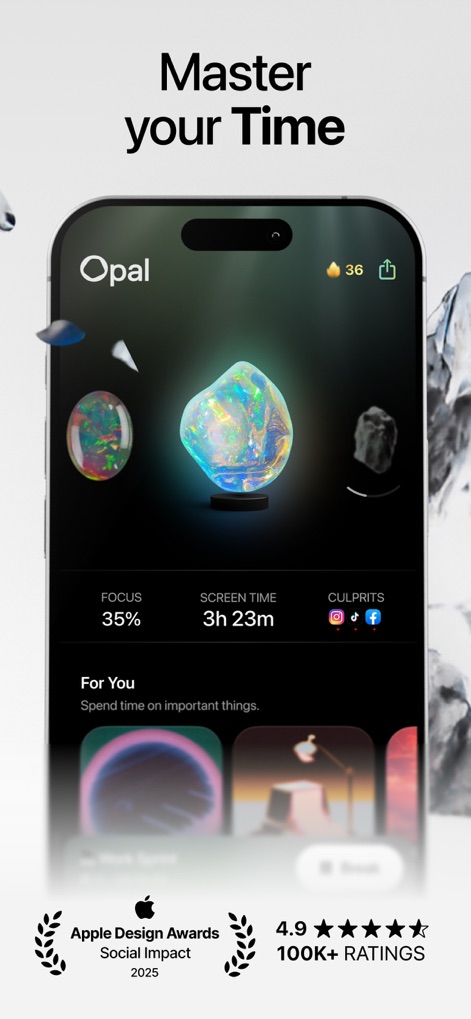
Explore Opal's intuitive dashboard, displaying your real-time focus percentage and identifying top screen time culprits.
Dashboard Insights
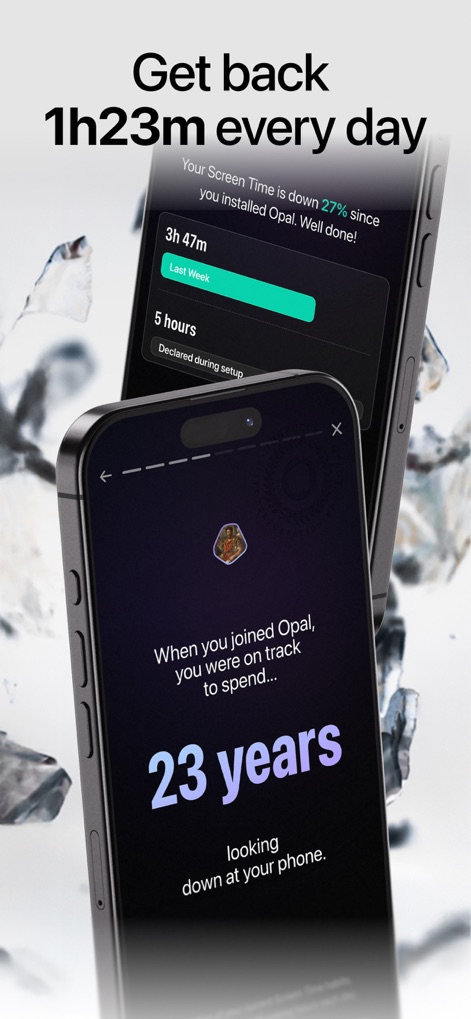
Witness the app's tangible impact with a personalized screen time reduction report and a startling projection of reclaimed hours.
Reclaim Your Time
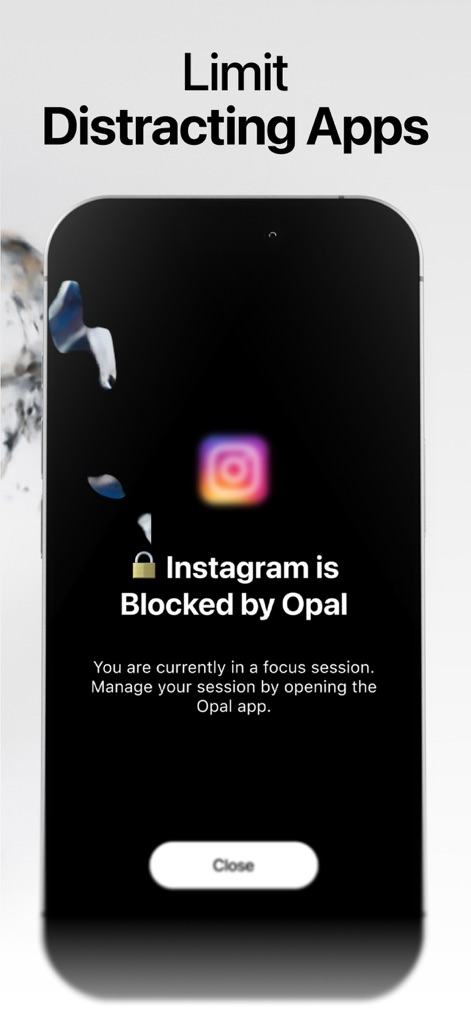
See how Opal effectively blocks distracting apps like Instagram, reinforcing focus during active work sessions.
Smart App Blocking
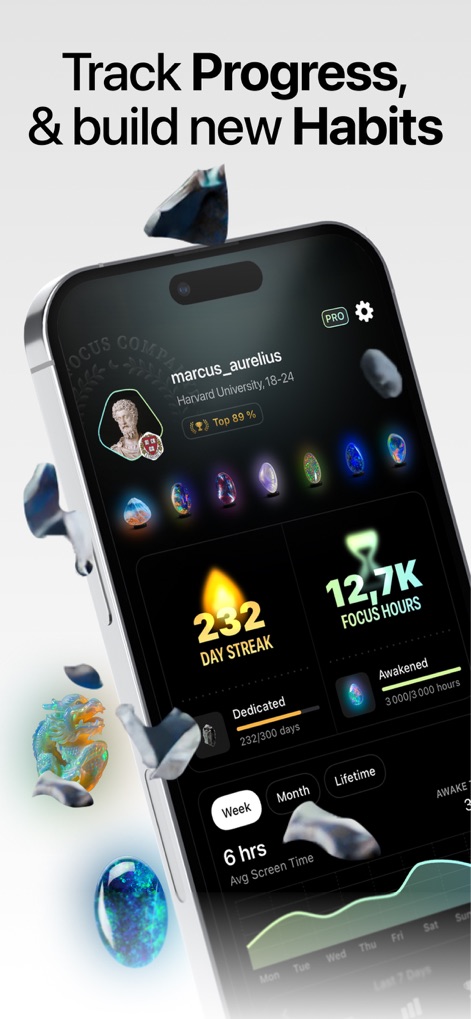
Track personal achievements with a visible day streak and accumulate focus hours, fostering a sense of accomplishment.
Gamified Progress
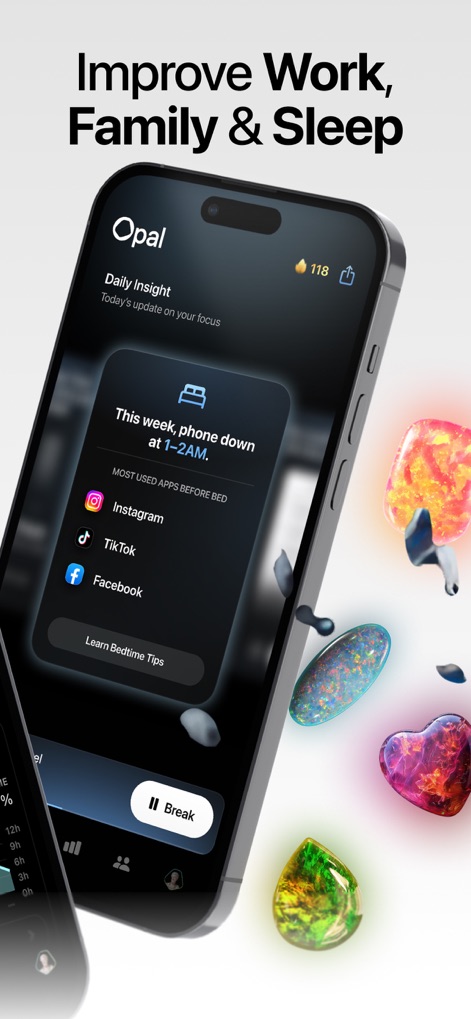
Discover daily insights into app usage before sleep and utilize the 'Break' function to step away mindfully during sessions.
Mindful Routines
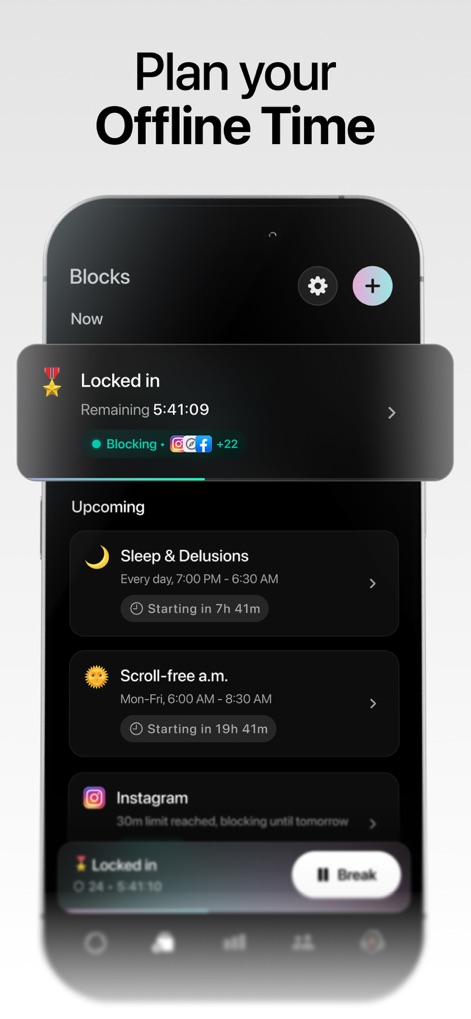
Organize your day by scheduling custom blocks like 'Sleep & Delusions' and 'Scroll-free a.m.' to proactively manage screen time.
Scheduled Focus
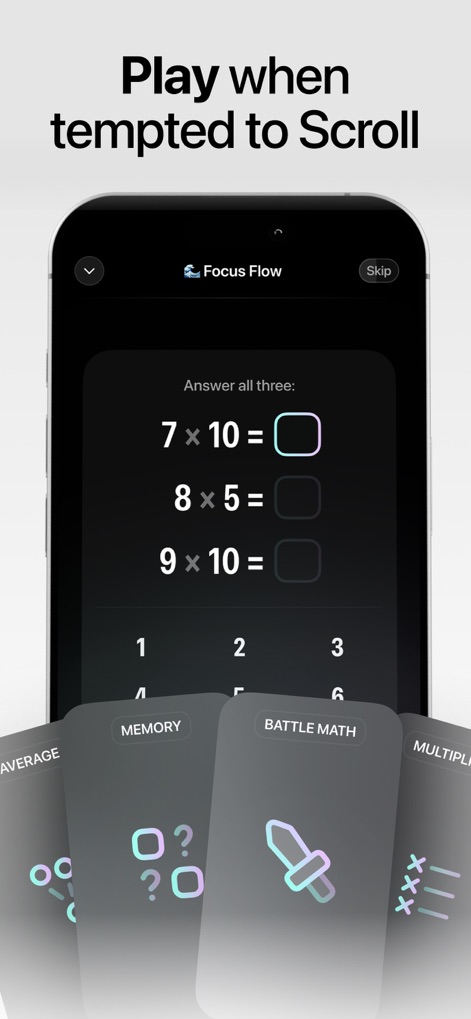
When temptation strikes, users can engage with stimulating mini-games like multiplication challenges or memory exercises to reroute focus.
Engaging Distraction
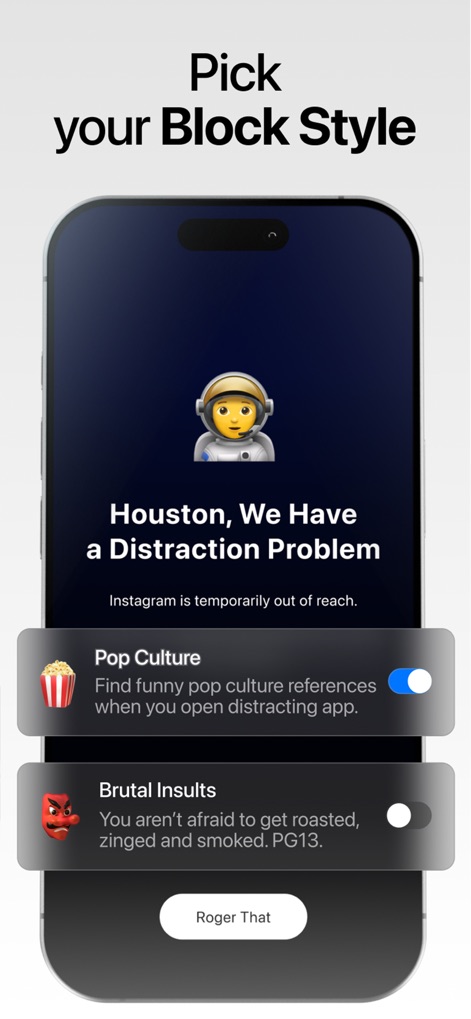
Customize the blocking experience with fun prompts like 'Houston, We Have a Distraction Problem' and choose between 'Pop Culture' or 'Brutal Insults' styles.
Personalized Block Screens
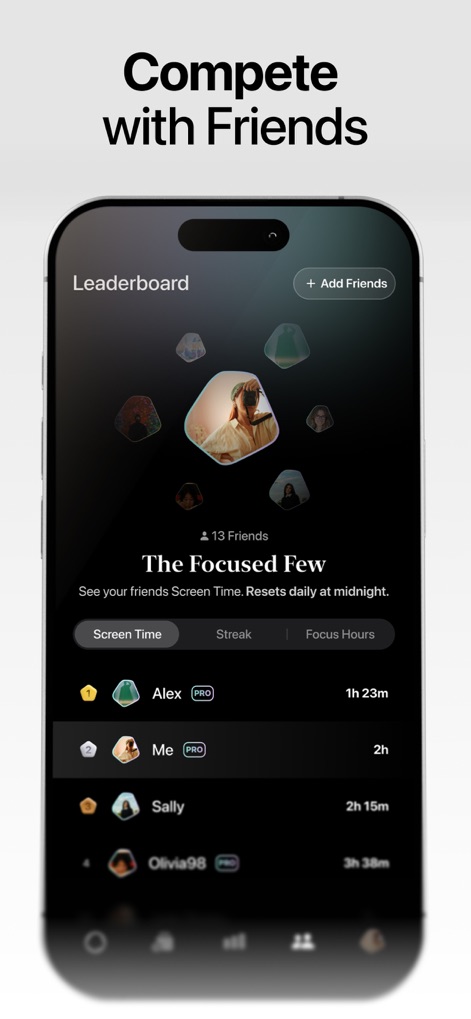
Engage with friends on the leaderboard, tracking 'Screen Time' and 'Focus Hours' to foster competitive motivation and shared goals.
Community Challenges
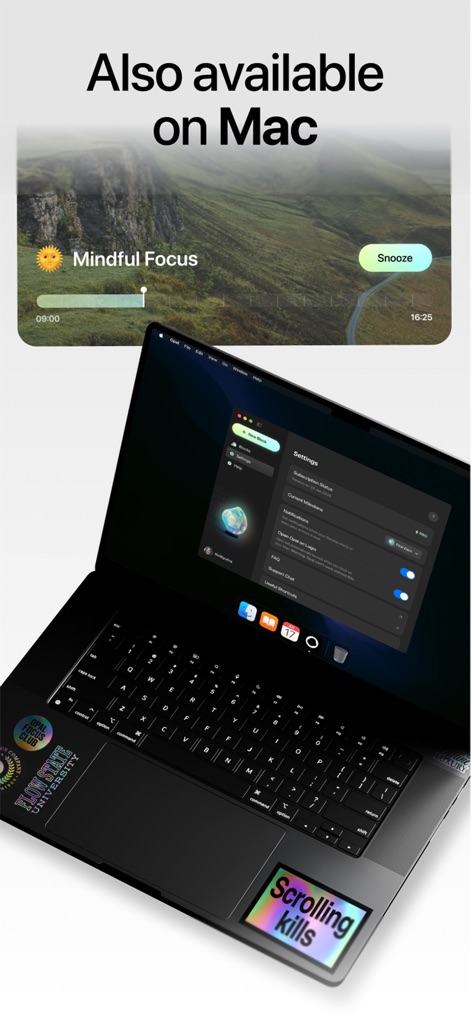
Extend focus control to the desktop with Opal's Mac application, featuring detailed settings and a convenient 'Mindful Focus' notification widget.
Cross-Device Support
Description
Download
More Like This
Apps with similar features and user experience

BePresent: Screen Time Control
Screen Detox Inc

Brick - Ditch Distractions
Brick LLC (Wisconsin)

one sec | screen time + focus
riedel.wtf apps S.L.
ScreenZen- Screen Time Control
ScreenZen LLC

Refocus: Block Apps & Websites
Labi, LLC

Clarymind: Focus + Self Care
Seamint Co., Ltd.

Roots: Screen Time Control
MWM

AppBlock: Block Apps & Website
MobileSoft s.r.o.

ClearSpace: Reduce Screen Time
Clearspace Technologies, Inc.
This page is not an official page of the app or its developer, but an independent editorial publication created for informational and commentary purposes. Unless expressly stated otherwise, neither the app nor its developer is affiliated with, endorsed by, sponsored by, authorized by, or otherwise officially connected with MWM, Apple, Google Play, the app publisher, or the app's developer, and nothing on this page implies that the app was developed using MWM's services. Any trademarks, logos, screenshots, and other content remain the property of their respective owners.