
This page is not an official page of the app or its developer, but an independent editorial publication created for informational and commentary purposes. Unless expressly stated otherwise, neither the app nor its developer is affiliated with, endorsed by, sponsored by, authorized by, or otherwise officially connected with MWM, Apple, Google Play, the app publisher, or the app's developer, and nothing on this page implies that the app was developed using MWM's services. Any trademarks, logos, screenshots, and other content remain the property of their respective owners.


Refocus: Block Apps & Websites
The digital world demands attention; Refocus grants users the power to reclaim it. This app isn't just about blocking distractions; it's about engineering a distraction-free environment.
Downloads
500k+User Rating
Total Ratings
17.8KPublisher
Category
ProductivityLocales
10Latest Version
2.0.33Size
55.5 MBFirst Released
Sep 22, 2022An Analytical Review of its Core Capabilities for Digital Well-being and Productivity Enhancement.
Key Features of Refocus: Block Apps & Websites
Advanced Strict Mode for Self-Control
This tool features a 'Strict Mode' with advanced deterrents like passcodes, NFC tags, timed waits, copy challenges, or Pomodoro-based unblocking limits, designed to prevent users from easily circumventing their own set restrictions.
Comprehensive App & Website Blocking
The app provides a robust mechanism to block access to virtually any distracting application or website, ensuring users can eliminate common digital temptations.
Configurable Time-Based & Scheduled Blocking
It allows users to schedule specific blocking periods, such as during work hours or study times, and set duration-based blocks, enabling proactive management of digital availability.
Dynamic App Usage Limits
The app provides the ability to set limits on how long specific apps can be used before they are blocked, helping users develop healthier usage habits for individual applications.
Insightful Screen Time Analytics
It allows users to access daily, weekly, and monthly screen time analytics, providing insights into their digital habits and helping them understand areas for improvement.
Contextual Location-Based Blocking
This tool features location-aware blocking, allowing users to automatically apply restrictions when they are at specific places like home, work, or school, aligning digital discipline with physical environment.
Frequently Asked Questions
Everything you need to know about Refocus: Block Apps & Websites
Does Refocus block apps and websites?
Yes, Refocus blocks apps and websites. Users can select specific apps or sites, set time limits, schedule blocking durations, or activate blocking based on location to limit screen time effectively.
What is Strict Mode in Refocus?
Refocus's "Strict Mode" prevents users from easily unblocking apps. It offers options like requiring a passcode, an NFC tag scan, a waiting duration, or completing a copy text challenge to disable blocking.
Can Refocus block apps during specific hours or days?
Yes, Refocus allows users to schedule app and website blocking for specific times. For example, users can configure blocks to activate every weekday from 9:00 AM to 5:00 PM.
Does Refocus offer screen time tracking features?
Yes, Refocus provides daily, weekly, and monthly screen time analytics. Users can view their screen time, pickups, and notification counts to track their usage patterns.
Is Refocus available for Mac computers?
Yes, Refocus offers a Mac app. This application allows users to block apps and websites on macOS, providing consistent screen time control across their Apple devices.
Can I set daily usage limits for apps with Refocus?
Yes, Refocus allows users to set specific app limits. For instance, it can block an app like Instagram after a custom duration, such as 10 minutes of usage.
Does Refocus offer app blocking based on location?
Yes, Refocus supports location-based blocking. Users can configure blocks to activate only when they are at specific locations, including home, work, or school.
What options does Refocus provide to prevent easy unblocking?
Refocus offers various ways to make unblocking more difficult. These include a waiting duration, completing a copy text challenge, scanning an NFC tag, or setting a passcode within "Strict Mode" settings.
Can I limit how many times I unblock an app daily using Refocus?
Yes, Refocus's "Strict Mode" includes an "Unblock Limit (Hard)" feature. This option allows users to specify the maximum number of times they can unblock an app per day.
The following screenshots and description are sourced directly from the app's official store listing and are the property of the app developer.
App Store
Screenshots
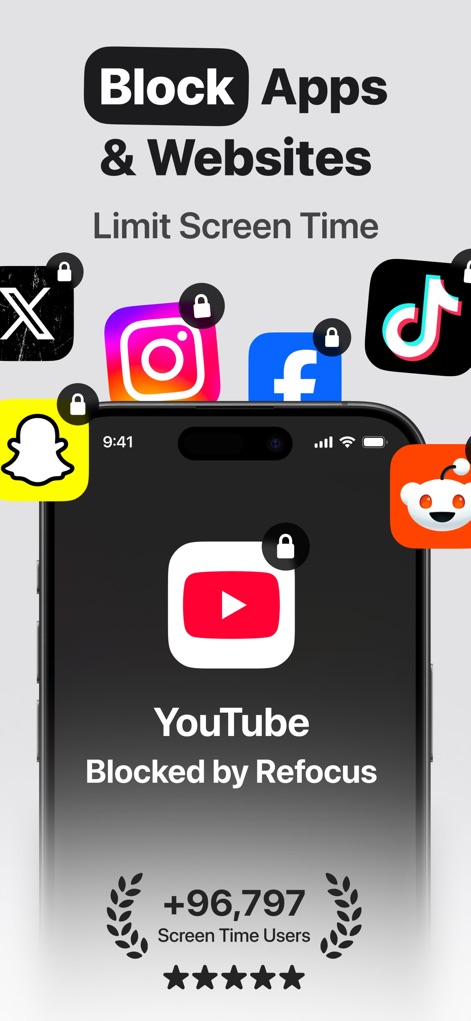
Discover how this tool instantly blocks distracting platforms like YouTube, clearly displaying which apps are locked and showcasing a broad range of popular social media and video icons.
Instant Digital Block
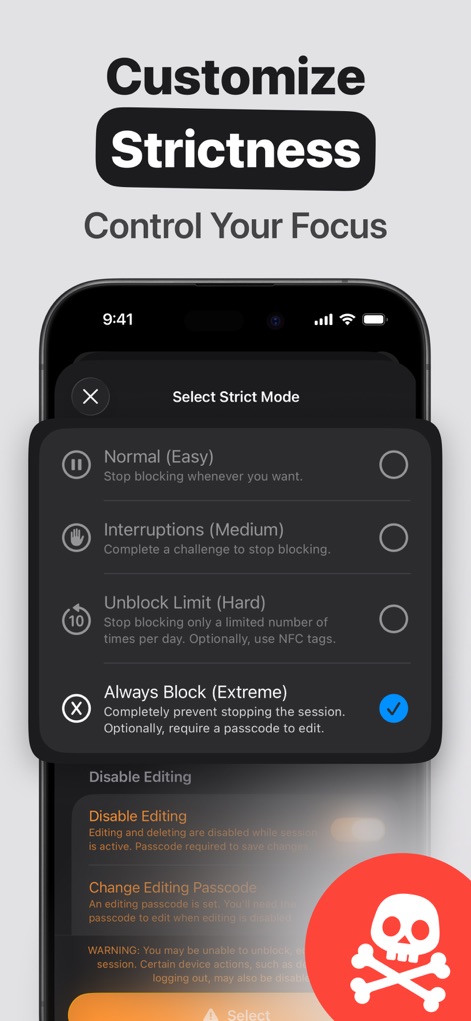
Explore the app's robust "Strict Mode" options, allowing users to select tailored blocking levels from "Normal" to "Always Block", and understand the security provided by the "Disable Editing" feature.
Precision Focus Control
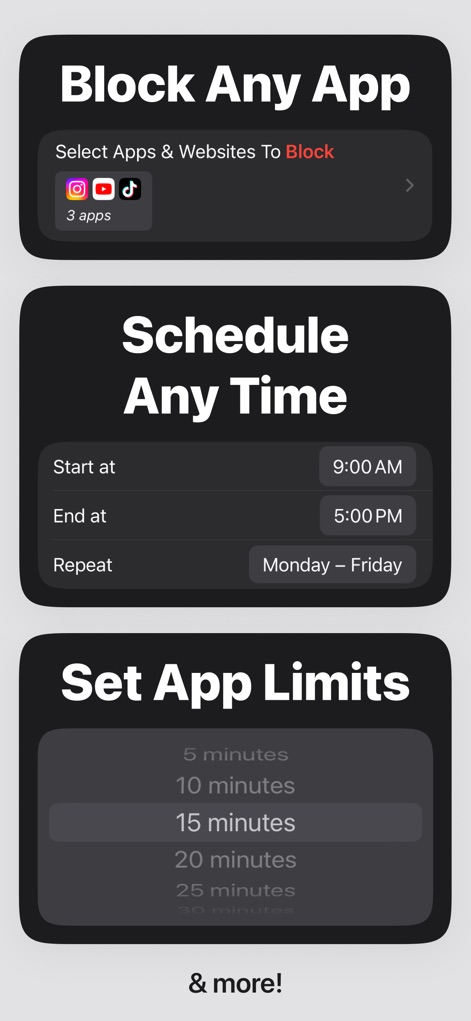
Observe how users can effortlessly "Select Apps & Websites To Block" from a comprehensive list and precisely "Schedule Any Time" for their focus sessions, demonstrating extensive customization.
Flexible Blocking Rules
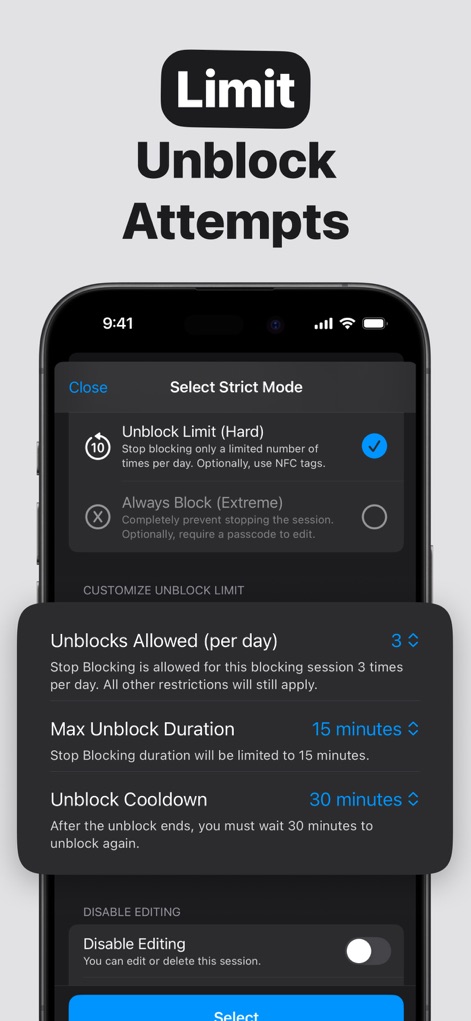
Examine the advanced "Unblock Limit (Hard)" setting, which lets users define the "Unblocks Allowed (per day)" and establish an "Unblock Cooldown" period to reinforce discipline.
Strategic Unblock Limits
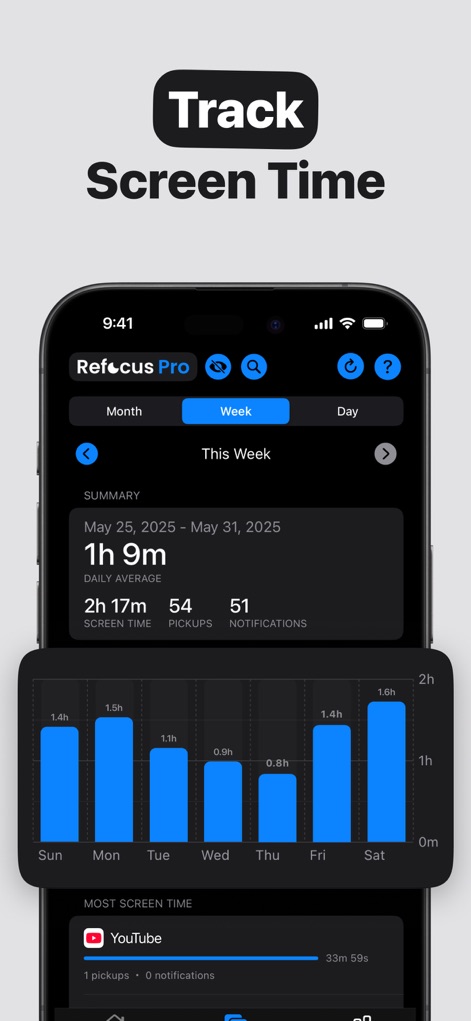
Gain valuable insights from the app's detailed screen time "SUMMARY", showcasing daily usage, pickups, and notifications, alongside a clear "bar chart" visualization of weekly activity.
Insightful Usage Analytics
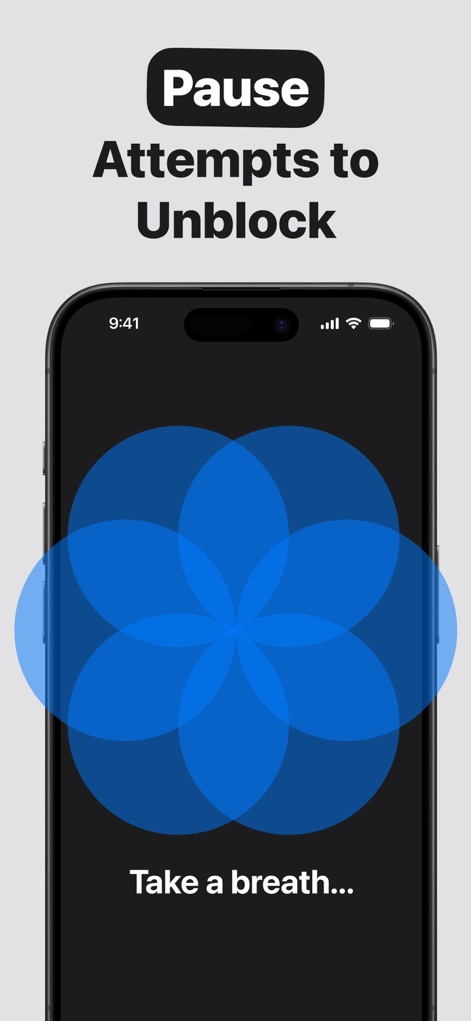
Experience the app's supportive prompts, featuring a serene "calming pattern" and the gentle reminder to "Take a breath...", designed to deter impulsive unblocking attempts.
Mindful Break Prompts
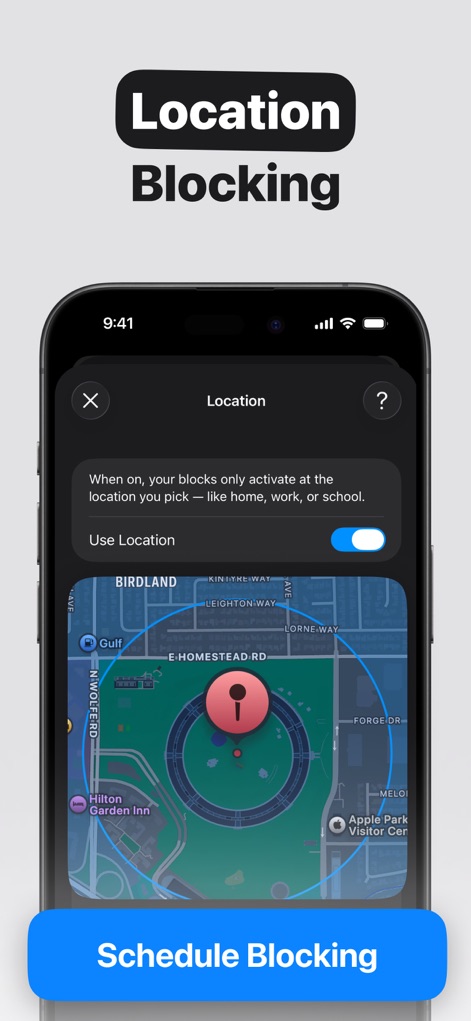
See how the app facilitates productivity by utilizing a precise "map interface" for "Location Blocking", enabling users to activate blocks based on their physical presence and the "Use Location" toggle.
Geo-Fenced Productivity
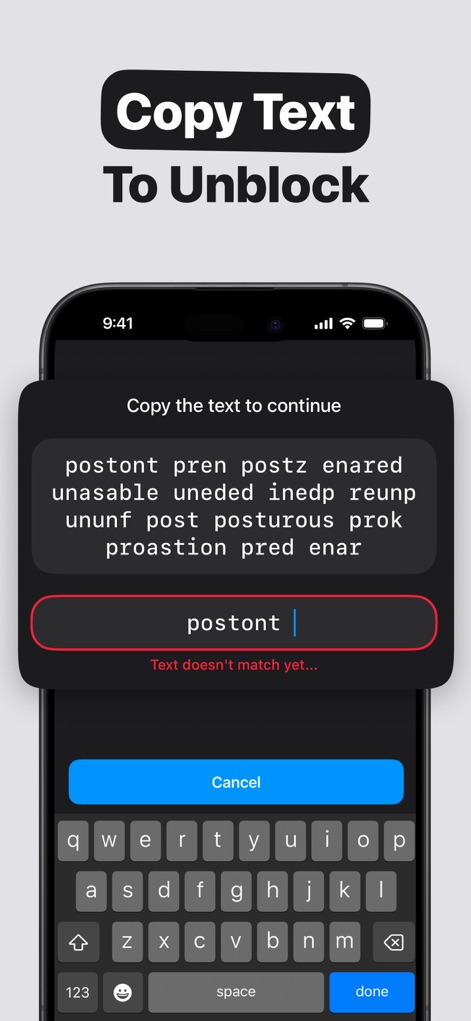
Discover a unique deterrent in the form of a "jumbled text challenge", where users must accurately reproduce the provided text into the "input field" to temporarily lift blocks.
Cognitive Unblock Challenge

Understand an innovative physical unblocking option, showing the "Ready to Scan" prompt with an NFC icon and clear "instructions" for utilizing an NFC tag to gain temporary access.
Physical Unblock Method
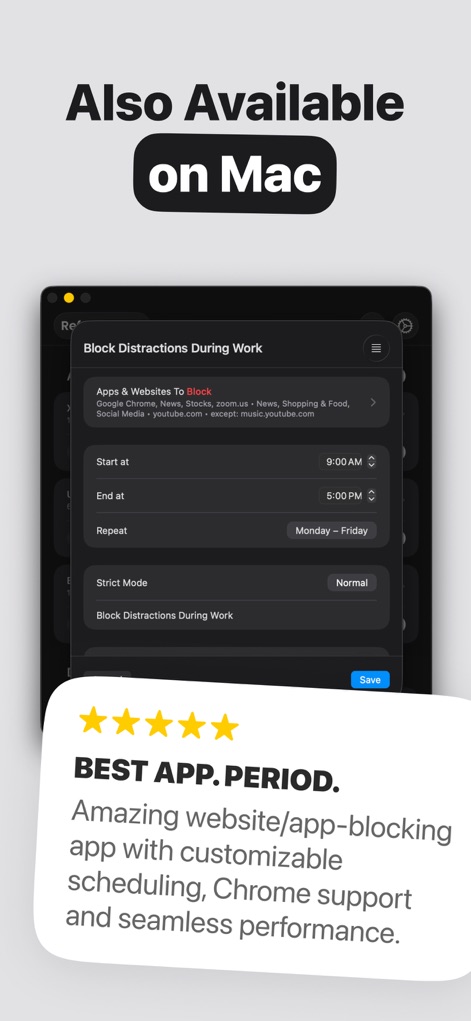
Witness the app's versatility with its "Mac interface", extending powerful blocking capabilities to desktop users, underscored by compelling "5-star rating" and positive user feedback.
Cross-Platform Focus
Description
Download
More Like This
Apps with similar features and user experience

Opal: Screen Time Control
OPAL OS CORPORATION

BePresent: Screen Time Control
Screen Detox Inc

Brick - Ditch Distractions
Brick LLC (Wisconsin)

one sec | screen time + focus
riedel.wtf apps S.L.

ScreenZen- Screen Time Control
ScreenZen LLC

Clarymind: Focus + Self Care
Seamint Co., Ltd.

Roots: Screen Time Control
MWM

AppBlock: Block Apps & Website
MobileSoft s.r.o.

ClearSpace: Reduce Screen Time
Clearspace Technologies, Inc.
This page is not an official page of the app or its developer, but an independent editorial publication created for informational and commentary purposes. Unless expressly stated otherwise, neither the app nor its developer is affiliated with, endorsed by, sponsored by, authorized by, or otherwise officially connected with MWM, Apple, Google Play, the app publisher, or the app's developer, and nothing on this page implies that the app was developed using MWM's services. Any trademarks, logos, screenshots, and other content remain the property of their respective owners.