
This page is not an official page of the app or its developer, but an independent editorial publication created for informational and commentary purposes. Unless expressly stated otherwise, neither the app nor its developer is affiliated with, endorsed by, sponsored by, authorized by, or otherwise officially connected with MWM, Apple, Google Play, the app publisher, or the app's developer, and nothing on this page implies that the app was developed using MWM's services. Any trademarks, logos, screenshots, and other content remain the property of their respective owners.


BlockSite: Block Apps & Focus
Digital chaos ends now. It gives back precious hours, enforcing discipline where willpower fails.
Downloads
1M+User Rating
Total Ratings
6.2KPublisher
Category
ProductivityLocales
1Latest Version
4.3.3Size
96.5 MBFirst Released
Sep 1, 2019An evaluation of BlockSite's core functionalities designed to combat digital distractions for focused work and study.
Key Features Analysis: Enhancing Focus and Productivity
Schedule Mode
It empowers users to establish consistent routines by scheduling specific times for blocking and accessing content, promoting disciplined work or study habits.
Website Blocker
The app enables users to customize their block list, ensuring a distraction-free environment tailored to their specific needs.
Password Protection
This feature reinforces commitment to focus by preventing users from easily bypassing their own blocking settings, thus enhancing accountability.
App Blocking
It provides granular control over mobile distractions by blocking specific applications, fostering greater self-control and focus.
Category Blocking
This tool streamlines the process of eliminating common distractions by allowing users to block entire categories of websites and apps with a single action.
Block by Keyword
The app offers advanced, dynamic blocking capabilities, allowing users to prevent access to a broader range of distracting content by matching keywords in URLs.
Frequently Asked Questions
Everything you need to know about BlockSite: Block Apps & Focus
What is BlockSite?
BlockSite is an app blocker and site blocker designed to help users stay focused, avoid procrastination, and improve productivity. It blocks distracting websites and applications.
Is BlockSite a free app?
Yes, BlockSite offers free blocking of websites and apps. It also provides premium features such as Block by Keyword, Unlimited Category Blocking, and Password Protection for enhanced control.
What web browsers does BlockSite support?
BlockSite supports major web browsers including Google Chrome, Firefox, Safari, Aloha, Puffin, and Opera Touch. It ensures broad compatibility for blocking distractions across platforms.
Can BlockSite block specific applications on my device?
Yes, BlockSite can block specific applications on your device using its App Blocker feature. You can block any app for a desired duration to enhance your self-control and focus.
How do I block websites using BlockSite?
You block websites with BlockSite by adding them to your personalized Block List. Once added, BlockSite actively prevents you from accessing these distracting sites when the block is active.
Does BlockSite offer scheduled blocking times?
Yes, BlockSite includes a Schedule Mode. This feature allows you to create daily routines by setting exact days and times for when specific websites and apps are blocked or accessible.
Can BlockSite block websites based on keywords?
Yes, BlockSite provides a premium feature to block websites based on specific keywords. For instance, blocking the keyword 'face' prevents access to sites like Facebook.
What types of content categories can BlockSite block?
BlockSite's premium Category Blocking feature allows blocking thousands of websites and apps instantly. Available categories include adult content, social media, shopping, news, sports, and gambling.
Does BlockSite use a VPN service?
Yes, BlockSite utilizes inner VPN services to block distracting content from opening across various browsers. This integral service helps users maintain focus for extended periods.
Can I protect my BlockSite settings with a password?
Yes, BlockSite offers Password Protection as a premium feature. This allows users to secure app settings and blocked pages with a password, preventing tampering and maintaining focus.
The following screenshots and description are sourced directly from the app's official store listing and are the property of the app developer.
App Store
Screenshots

This visual demonstrates the app's central blocking mechanism and prominently displays endorsements from various publications.
Block Apps Simply
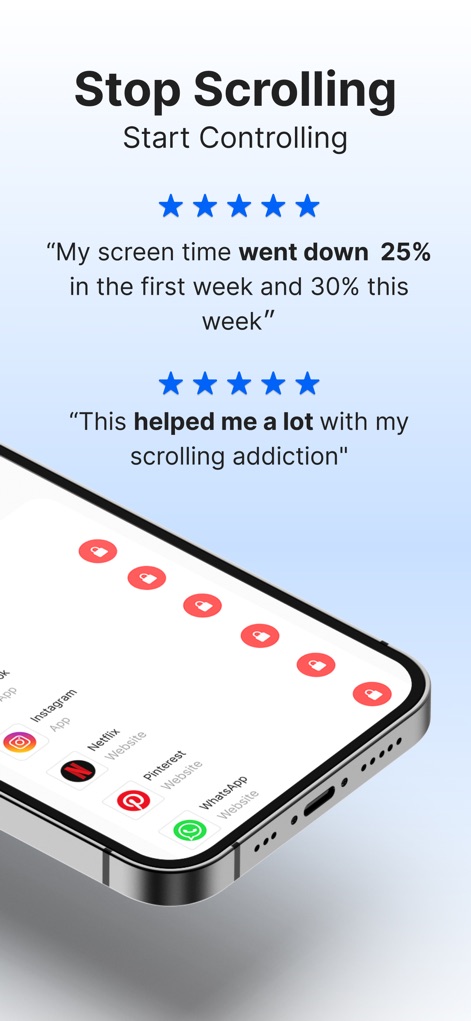
Users can observe how the app enables control over specific distracting platforms and features compelling user testimonials.
Control Your Scrolling

This interface showcases the app's comprehensive ability to block various applications and displays the clear visual "blocked" overlay.
Block Any Application
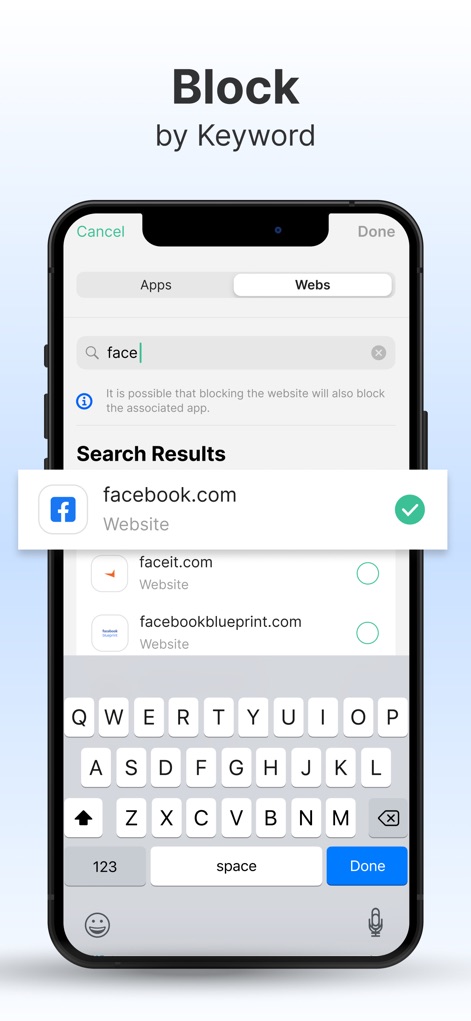
This screen highlights the premium feature to block sites by specific keywords and allows users to select from associated search results.
Keyword Blocking Precision
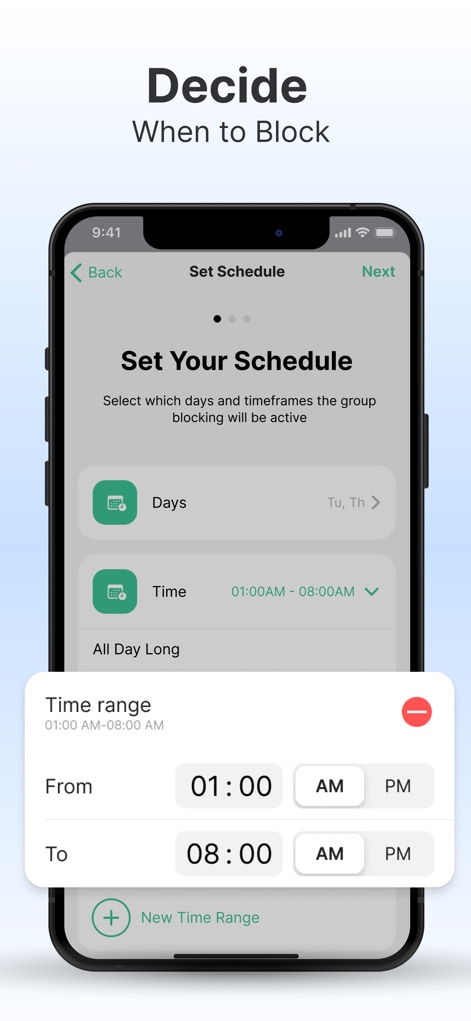
Users can easily define custom blocking schedules based on specific days and set precise time ranges for active blocking.
Schedule Focus Times

This feature allows users to efficiently block thousands of websites and apps by category and offers pre-defined lists for common distractions.
Category Block Mastery

This visual demonstrates the app's seamless integration across devices, showcasing both the Safari extension and detailed focus insights.
Multi-Device Focus
Description
Download
More Like This
Apps with similar features and user experience

Opal: Screen Time Control
OPAL OS CORPORATION

BePresent: Screen Time Control
Screen Detox Inc

Brick - Ditch Distractions
Brick LLC (Wisconsin)

one sec | screen time + focus
riedel.wtf apps S.L.

ScreenZen- Screen Time Control
ScreenZen LLC

Refocus: Block Apps & Websites
Labi, LLC

Clarymind: Focus + Self Care
Seamint Co., Ltd.

Roots: Screen Time Control
MWM

AppBlock: Block Apps & Website
MobileSoft s.r.o.
This page is not an official page of the app or its developer, but an independent editorial publication created for informational and commentary purposes. Unless expressly stated otherwise, neither the app nor its developer is affiliated with, endorsed by, sponsored by, authorized by, or otherwise officially connected with MWM, Apple, Google Play, the app publisher, or the app's developer, and nothing on this page implies that the app was developed using MWM's services. Any trademarks, logos, screenshots, and other content remain the property of their respective owners.