
This page is not an official page of the app or its developer, but an independent editorial publication created for informational and commentary purposes. Unless expressly stated otherwise, neither the app nor its developer is affiliated with, endorsed by, sponsored by, authorized by, or otherwise officially connected with MWM, Apple, Google Play, the app publisher, or the app's developer, and nothing on this page implies that the app was developed using MWM's services. Any trademarks, logos, screenshots, and other content remain the property of their respective owners.

极空BMS
Master your energy independence with real-time monitoring, active equalization, and professional-grade parameter settings for your solar, RV, or marine battery banks via Bluetooth.
Downloads
101K+User Rating
Total Ratings
100Publisher
Category
UtilitiesLocales
1Latest Version
5.10.0Size
37.4 MBFirst Released
Aug 16, 2018Master Your Off-Grid Power System
The ultimate companion for JK BMS hardware, designed for DIY enthusiasts who demand precision, safety, and total control over their lithium battery banks.
Real-Time Health Monitoring
Track individual cell voltages, current flow, and state-of-charge instantly via Bluetooth. Know exactly how your energy is performing without opening your battery box.
Advanced Active Balancing
Maximize the lifespan of your LiFePO4 cells. Visualize and control the active equalization process that keeps your battery bank healthy, balanced, and efficient.
Frequently Asked Questions
Everything you need to know about 极空BMS
What is the primary function of the 极空BMS app?
The 极空BMS app connects to an active equalizer of extreme space technology via Bluetooth. It allows for parameter display, operating parameter settings, and control of the battery management system equipment.
Can I monitor real-time battery status with the 极空BMS app?
Yes, the 极空BMS app provides real-time status monitoring. Users can view battery capacity, remaining capacity, cycle times, individual cell voltages, and charging/discharging statuses.
Does the 极空BMS app allow users to adjust operating parameters?
Yes, the 极空BMS app allows users to set operating parameters. This includes common settings like battery capacity and balance trigger voltage, and detailed settings such as overcharge voltage and balance start voltage.
How does the 极空BMS app connect to the active equalizer?
The 极空BMS app connects to the active equalizer using Bluetooth technology. This enables seamless communication and control between the app and the battery management system.
What types of warnings or alerts does the 极空BMS app display?
The 极空BMS app displays system warnings like "Balance wire resistance abnormal" and "Internal communication abnormal." It also prompts users to change authorization passwords for security purposes.
Can the 极空BMS app control battery management system equipment?
Yes, the 极空BMS app provides control over battery management system equipment. Users can toggle functions such as charge, discharge, and balance switches, and manage various protection features.
What is the current app version for 极空BMS?
The current version of the 极空BMS app is V5.0.2. This information is available within the application's "About" section, indicating the software's build.
The following screenshots and description are sourced directly from the app's official store listing and are the property of the app developer.
App Store
Screenshots
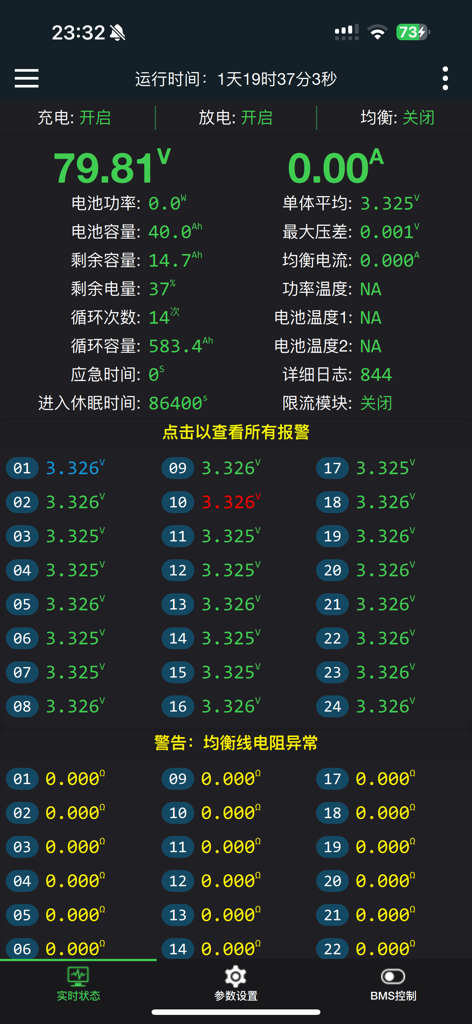
JK BMS app real time monitoring screen showing battery pack status and individual cell voltages
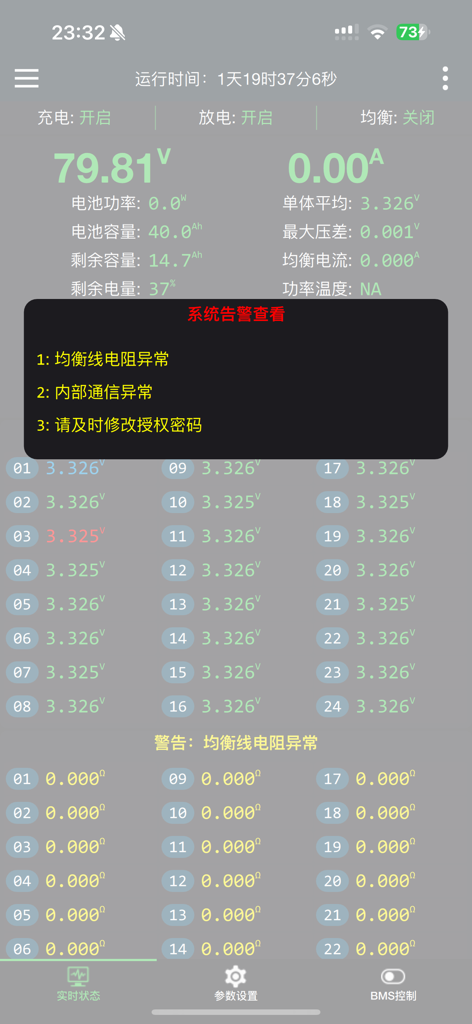
JK BMS app interface showing real time battery cell voltage and system status monitoring
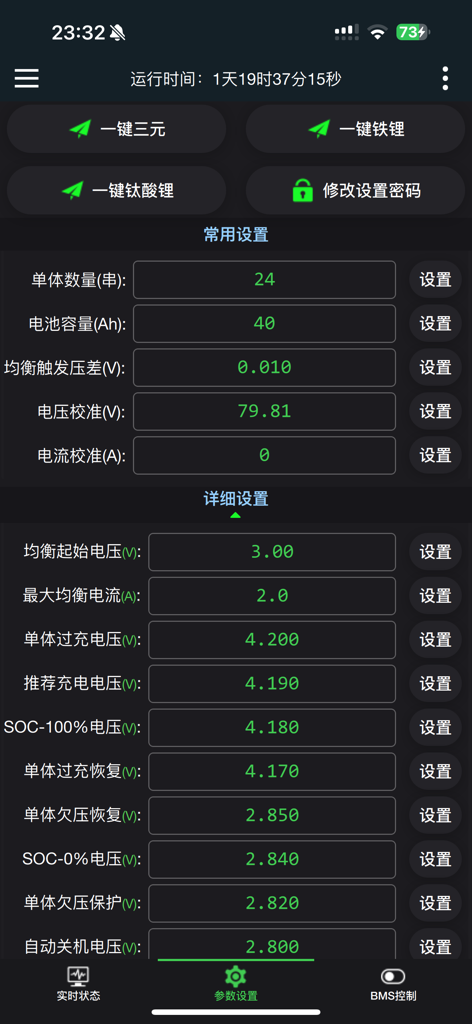
JK BMS app interface showing battery configuration parameters including cell count, capacity, and voltage settings.
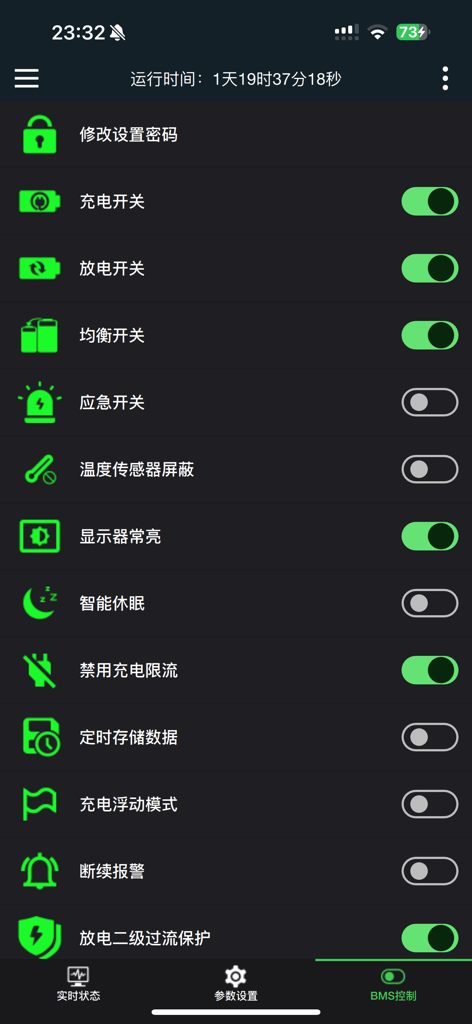
Interface of the JK BMS app displaying battery control settings and toggle switches for charging and balancing.
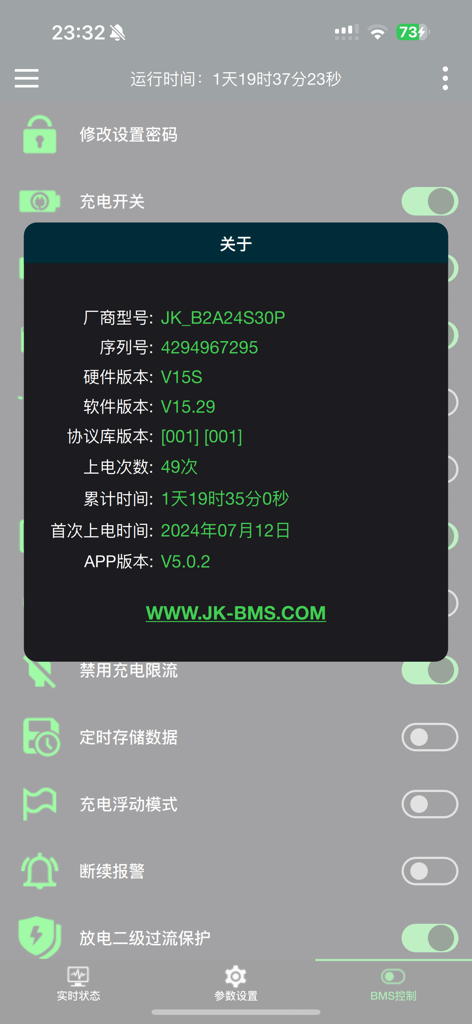
JK BMS app showing device model and system information popup
Description
Download
More Like This
Apps with similar features and user experience

DJI Mimo
SZ DJI TECHNOLOGY CO., LTD

DJI Ronin
SZ DJI TECHNOLOGY CO., LTD

Roku TV Remote Control & Cast
Aleh Piashkou

Remote for Hisense TV.
Duscov Stepan

Alpha Linker - Camera Transfer
恒茂 刘

MyCentsys Pro
Centurion Systems (Pty) Ltd

Roku TV Remote Control・
Artur Belov

Luminair
Synthe FX, LLC

FUJIFILM XApp
FUJIFILM Corporation
This page is not an official page of the app or its developer, but an independent editorial publication created for informational and commentary purposes. Unless expressly stated otherwise, neither the app nor its developer is affiliated with, endorsed by, sponsored by, authorized by, or otherwise officially connected with MWM, Apple, Google Play, the app publisher, or the app's developer, and nothing on this page implies that the app was developed using MWM's services. Any trademarks, logos, screenshots, and other content remain the property of their respective owners.