
This page is not an official page of the app or its developer, but an independent editorial publication created for informational and commentary purposes. Unless expressly stated otherwise, neither the app nor its developer is affiliated with, endorsed by, sponsored by, authorized by, or otherwise officially connected with MWM, Apple, Google Play, the app publisher, or the app's developer, and nothing on this page implies that the app was developed using MWM's services. Any trademarks, logos, screenshots, and other content remain the property of their respective owners.


CamScanner HD
Digitize your workflow with high-resolution scanning, smart OCR, and seamless cloud sync. Join over 60 million professionals and students transforming their iPad into a powerful portable office.
Downloads
3M+User Rating
Total Ratings
1K+Publisher
Category
ProductivityLocales
14Latest Version
3.12.0Size
64.8 MBFirst Released
Mar 26, 2018Your Professional Document Powerhouse
Transform your iPad into a high-performance scanner and digital filing system designed to streamline your professional and academic workflow.
Pro-Grade Scan Quality
Say goodbye to blurry photos. Our smart-cropping and auto-enhancing algorithms ensure every document looks sharp, clear, and professional in high resolution.
Advanced OCR Technology
Unlock the text within your images. Extract data from receipts, notes, or contracts to search, edit, or export documents with lightning speed.
Frequently Asked Questions
Everything you need to know about CamScanner HD
What is CamScanner HD?
CamScanner HD is a top mobile document scanning and sharing application. It enables users to scan, store, sync, and collaborate on various documents across smartphones, iPads, tablets, and computers.
Can CamScanner HD digitize physical documents?
Yes, CamScanner HD can quickly digitize documents. Users simply use their device camera to scan various paper documents, such as receipts, notes, invoices, business cards, and certificates.
Does CamScanner HD have an OCR feature for text extraction?
Yes, CamScanner HD features OCR (optical character recognition). This allows users to extract texts from document images for later searching, editing, or sharing. This is a paid app only feature.
How can I share documents using CamScanner HD?
CamScanner HD allows easy sharing of documents in PDF or JPEG format. Users can share files with friends via social media, email attachments, or by sending a document download link.
Does CamScanner HD support printing and faxing documents?
Yes, CamScanner HD supports both AirPrint and faxing. Users can instantly print documents with nearby printers via AirPrint or directly fax documents to over 30 countries from the app.
Can I collaborate on documents with CamScanner HD?
Yes, CamScanner HD enables document collaboration. Registrants can invite friends or colleagues to view, comment, and exchange ideas on documents within designated groups.
Can users add watermarks to documents in CamScanner HD?
CamScanner HD offers advanced editing tools, including the ability to make annotations. Users can also add customized watermarks to their documents to mark them as their own.
How does CamScanner HD organize and allow searching for documents?
CamScanner HD helps organize documents with Tags, allowing quick categorization and finding. The OCR for Search feature also facilitates finding text inside images and notes using keywords.
Are there security features to protect documents in CamScanner HD?
Yes, CamScanner HD provides security features. Users can set passcodes for viewing confidential documents and add passwords to document download links to restrict access.
Does CamScanner HD sync documents across different devices?
Yes, CamScanner HD allows documents to sync across platforms for registrants. Users can sign in on any smartphone, tablet, or computer to access, edit, and share their documents.
What benefits are included with CamScanner HD Premium Subscription?
The CamScanner HD Premium Subscription includes editing OCR results, 10GB cloud space, 40 extra collaborators, password-protected links with expiration dates, and batch PDF downloads in the web app.
What is the price for CamScanner HD Premium Subscription?
The CamScanner HD Premium Subscription costs $4.99 per month or $49.99 per year. Subscriptions renew automatically unless canceled within 24 hours before the period ends.
Can CamScanner HD connect to other cloud storage services?
Yes, CamScanner HD supports integration with several third-party cloud storage services. These include Box.com, Google Drive, Evernote, and Dropbox for enhanced storage and access options.
The following screenshots and description are sourced directly from the app's official store listing and are the property of the app developer.
App Store
Screenshots
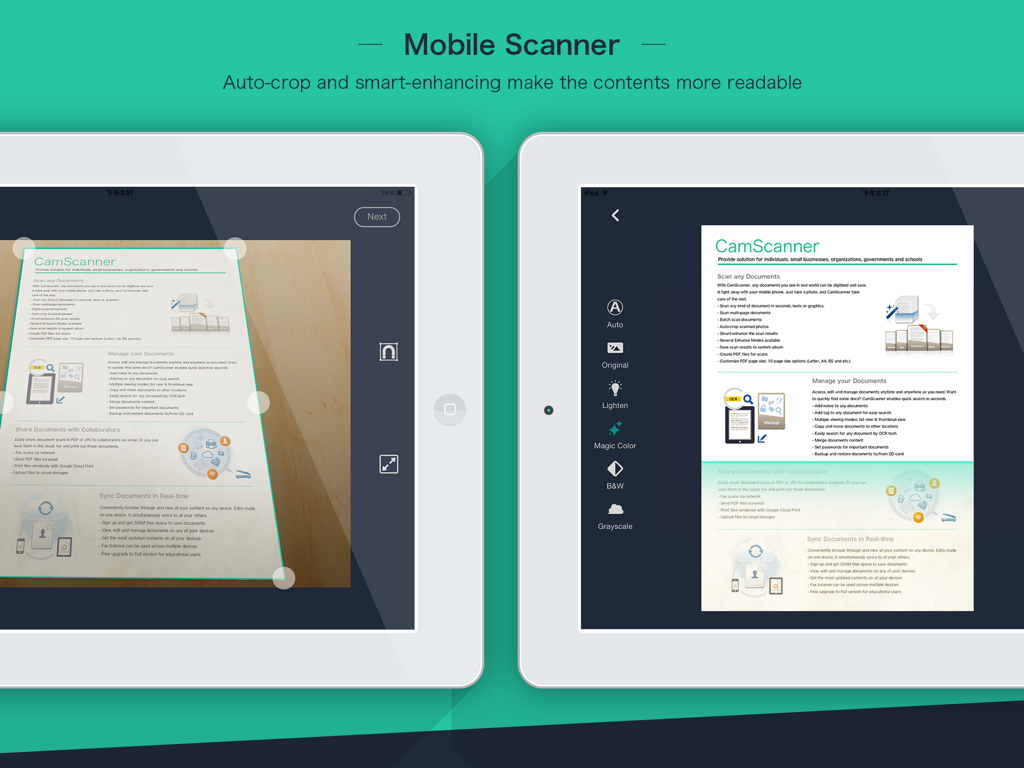
CamScanner HD app on iPad showing auto-crop and document enhancement features for mobile scanning
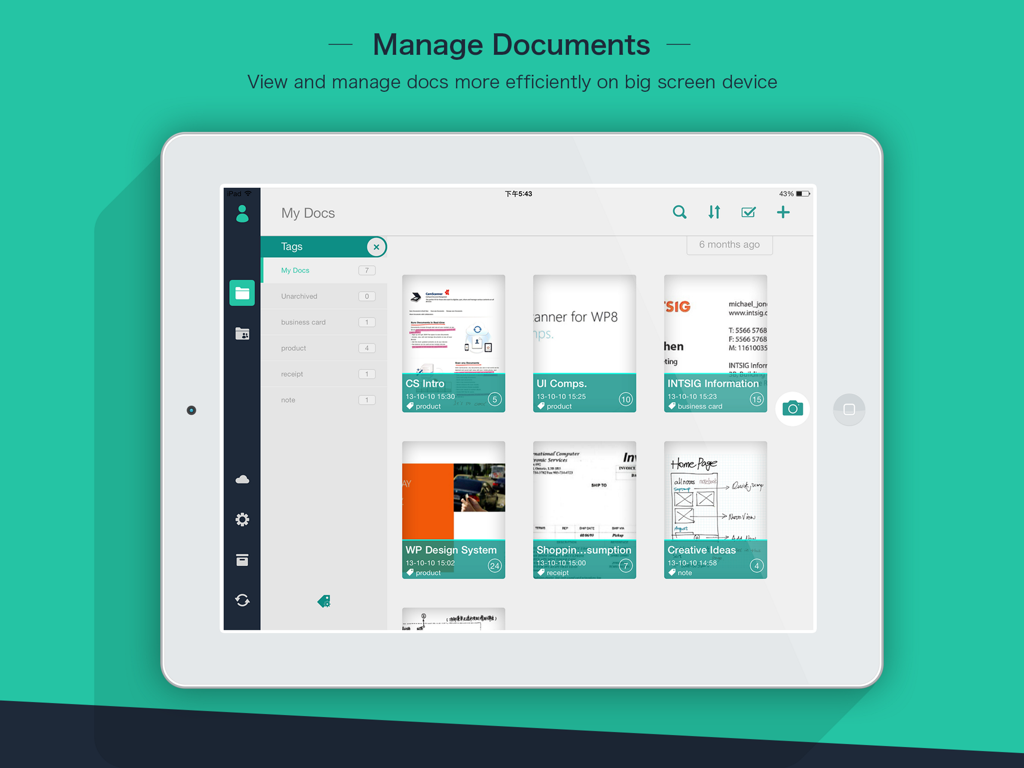
CamScanner HD app interface on an iPad displaying scanned documents and organization tags
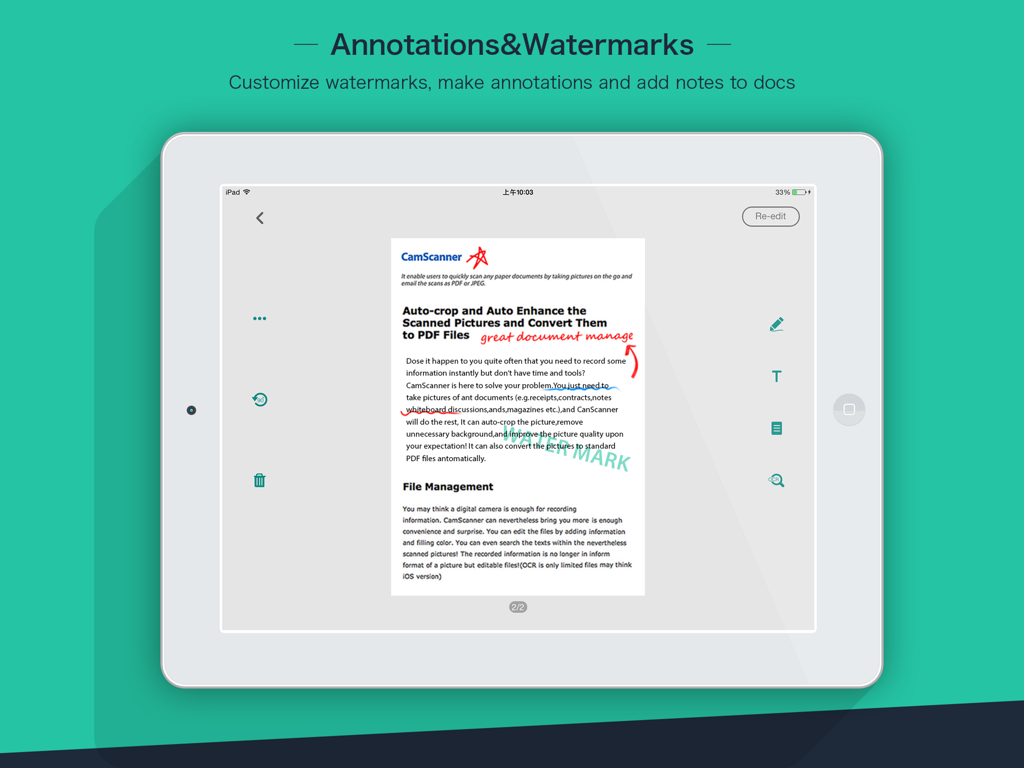
CamScanner HD app on iPad showing document annotations and custom watermarks
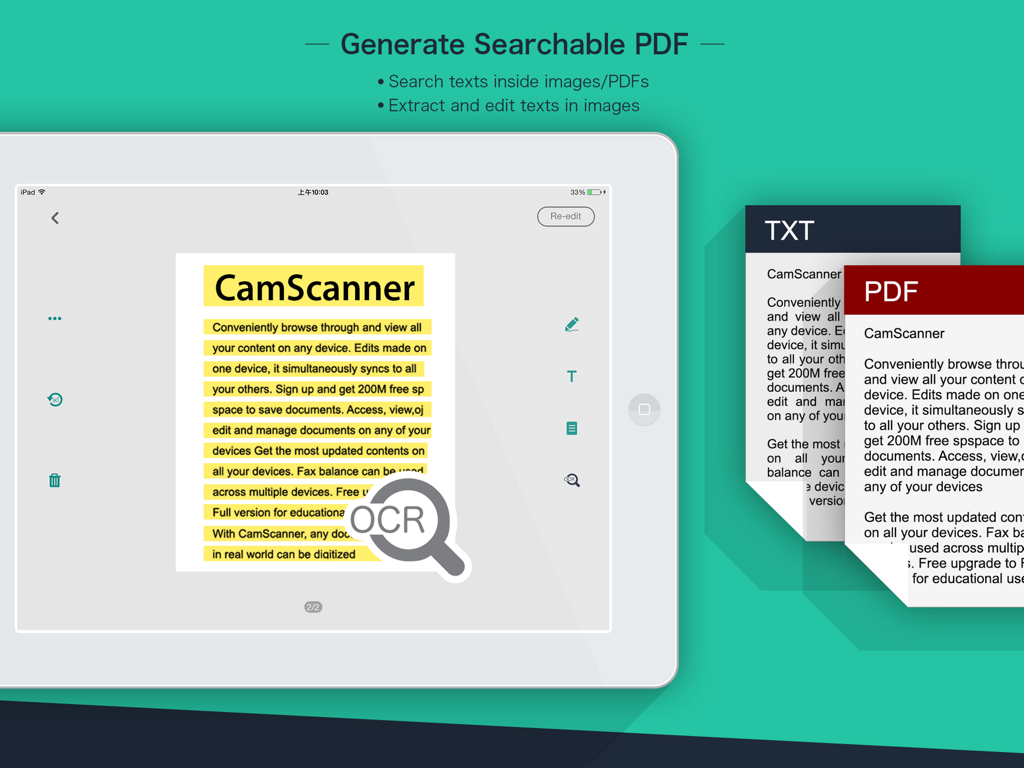
CamScanner HD OCR feature on iPad for generating searchable PDFs and extracting text
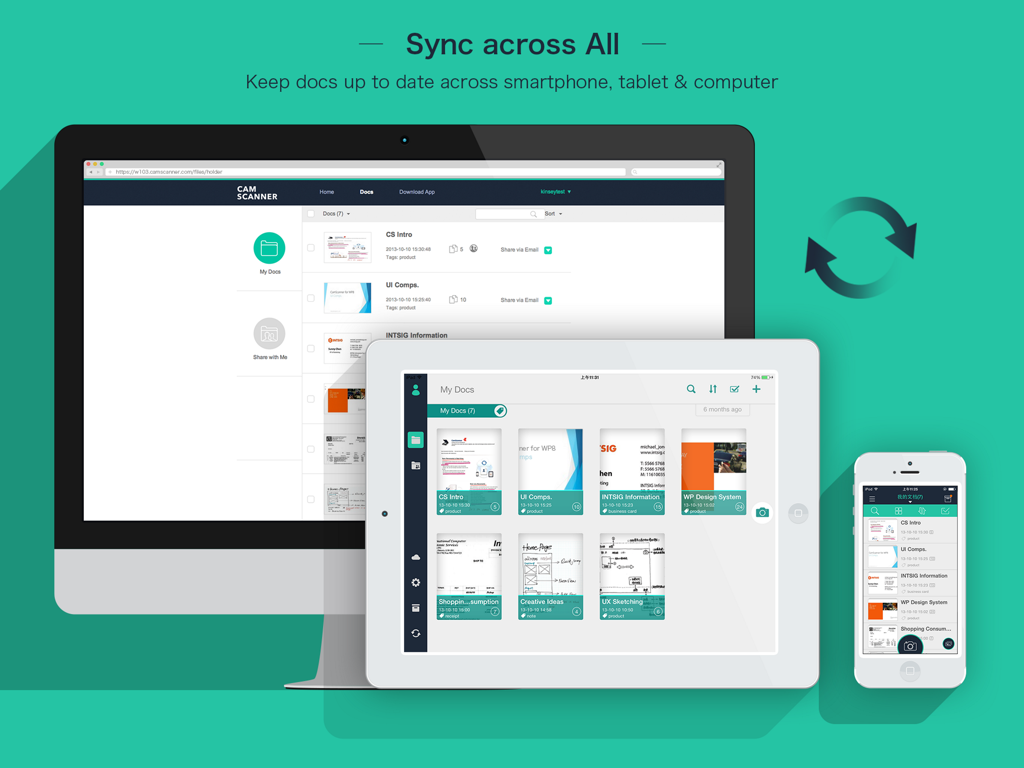
CamScanner HD document synchronization between desktop, iPad, and iPhone
Description
Download
More Like This
Apps with similar features and user experience

PDF PRO Scan Image & Documents
Balzo srl

The PDF Scanner, PDF editor HQ
NEXT K.U.M. LTD

CamScanner - PDF Scanner App
INTSIG Information Co., Ltd

Adobe Scan: PDF & OCR Scanner
Adobe Inc.

WPS Office: PDF, Docs, Sheets
KINGSOFT OFFICE SOFTWARE CORPORATION LIMITED

iLovePDF - PDF Editor & Scan
ILOVEPDF S.L.

Scanner App: Genius Scan
The Grizzly Labs

Microsoft Lens: PDF Scanner
Microsoft Corporation

Clear Scan: Doc Scanner App
INDY MOBILE APP COMPANY LIMITED
This page is not an official page of the app or its developer, but an independent editorial publication created for informational and commentary purposes. Unless expressly stated otherwise, neither the app nor its developer is affiliated with, endorsed by, sponsored by, authorized by, or otherwise officially connected with MWM, Apple, Google Play, the app publisher, or the app's developer, and nothing on this page implies that the app was developed using MWM's services. Any trademarks, logos, screenshots, and other content remain the property of their respective owners.