
This page is not an official page of the app or its developer, but an independent editorial publication created for informational and commentary purposes. Unless expressly stated otherwise, neither the app nor its developer is affiliated with, endorsed by, sponsored by, authorized by, or otherwise officially connected with MWM, Apple, Google Play, the app publisher, or the app's developer, and nothing on this page implies that the app was developed using MWM's services. Any trademarks, logos, screenshots, and other content remain the property of their respective owners.


CamScanner + | OCR Scanner
Transform your smartphone into a powerful pocket scanner. Digitize documents with high-precision OCR, sync across all your devices, and manage your paperless office with ease.
Downloads
1M+User Rating
Total Ratings
219K+Publisher
Category
ProductivityLocales
16Latest Version
5.27.1Size
228.0 MBFirst Released
Aug 27, 2010Your Entire Office in the Palm of Your Hand
Stop carrying paper and start driving efficiency. CamScanner + delivers professional-grade scanning, instant text extraction, and secure cloud synchronization for the modern high-achiever.
Studio-Quality Professional Scans
Eliminate shadows and noise with smart cropping and auto-enhancement. Transform quick mobile photos into sharp, high-definition PDFs that look like they came from a high-end flatbed scanner.
Smart OCR & Text Extraction
Turn images into editable content instantly. Extract text from textbook pages, contracts, or receipts for quick editing, sharing, or creating digital study guides and searchable archives.
Frequently Asked Questions
Everything you need to know about CamScanner + | OCR Scanner
What is CamScanner+?
CamScanner+ is a mobile scanner app that converts documents into clear image or PDF files. Users can email, fax, print, or save scanned documents to cloud services.
Does CamScanner+ optimize scanned documents?
Yes, CamScanner+ optimizes scan quality using smart cropping and auto enhancing. This feature makes texts and graphics in scanned documents clear and sharp.
What file formats does CamScanner+ support for saving documents?
CamScanner+ supports saving and sharing documents in PDF and JPEG formats. Premium features allow editing OCR results as .txt files and converting to Word, Excel, and TXT.
Does CamScanner+ include OCR functionality?
Yes, CamScanner+ offers Optical Character Recognition (OCR) to extract texts from a single scanned page. This feature is available in the paid app version.
Can CamScanner+ scan ID cards and passports?
CamScanner+ allows users to scan and digitize ID cards and passports. It can create a 2-sided e-copy of an ID card with optional watermark protection.
How do I protect documents in CamScanner+?
Yes, users can secure important documents in CamScanner+ by setting a passcode for viewing. Additionally, doc links can be protected with a password.
Does CamScanner+ support cloud storage integration?
CamScanner+ integrates with various third-party cloud services. Users can auto-upload documents to Box, Google Drive, Dropbox, Evernote, and OneDrive.
What is the price for CamScanner+ Premium subscription?
CamScanner+ offers a monthly subscription at $4.99. The yearly subscription costs $35.99 for the first year, then $49.99 per year afterward.
How do I cancel my CamScanner+ Premium subscription?
Users can manage their CamScanner+ subscriptions through their iTunes Account settings after purchase. Auto-renewal can be turned off there.
Can I collaborate on documents using CamScanner+?
Yes, CamScanner+ includes a collaboration feature. Users can invite friends or colleagues to view and comment on scans within a group after registration.
The following screenshots and description are sourced directly from the app's official store listing and are the property of the app developer.
App Store
Screenshots
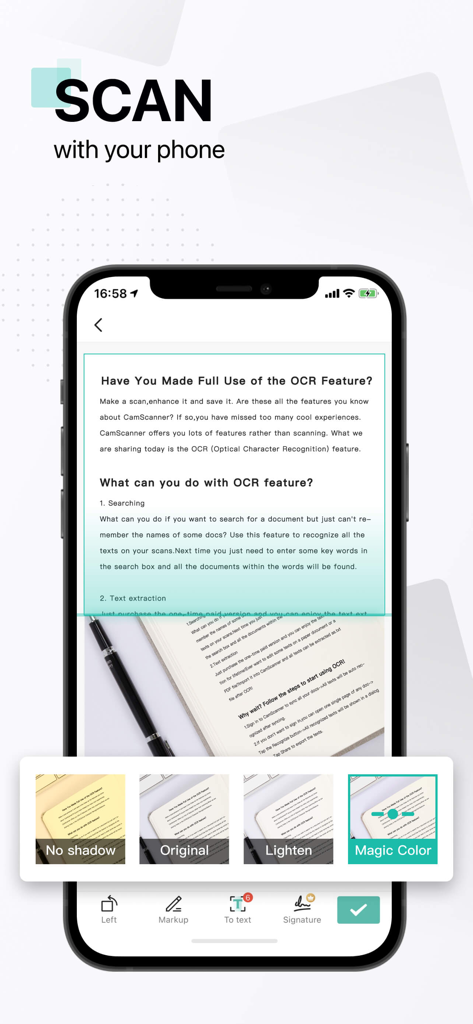
CamScanner app interface showing document scanning with OCR features and image enhancement filters
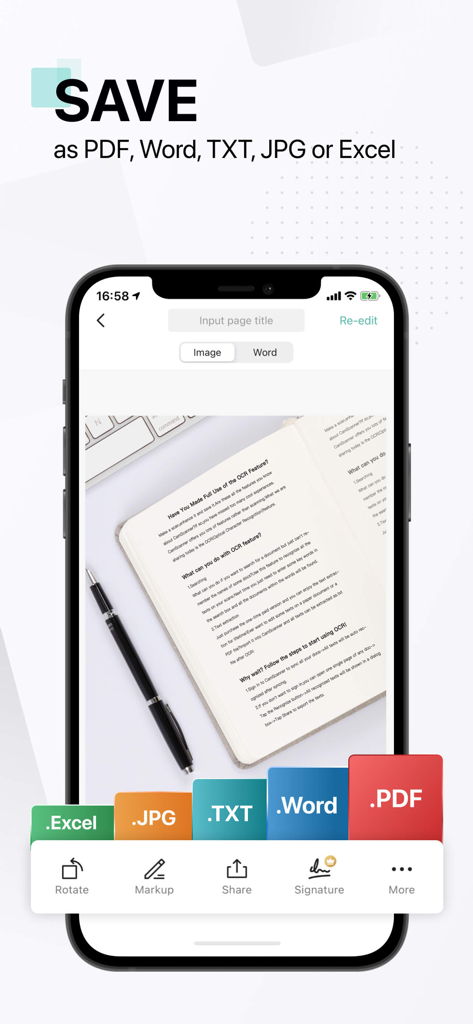
Smartphone screen of CamScanner app showing options to save a scanned document as PDF Word TXT JPG or Excel files.
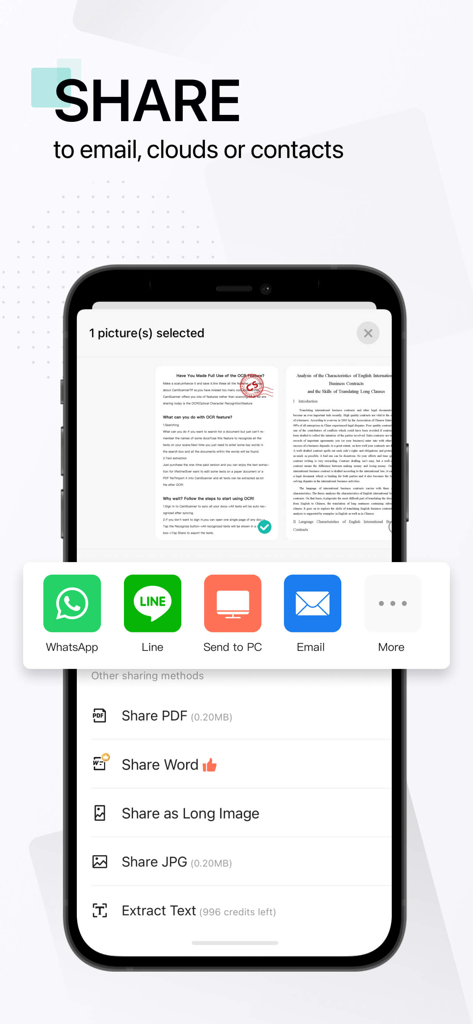
CamScanner app screenshot showing document sharing options for PDF Word and images with social media and email integration
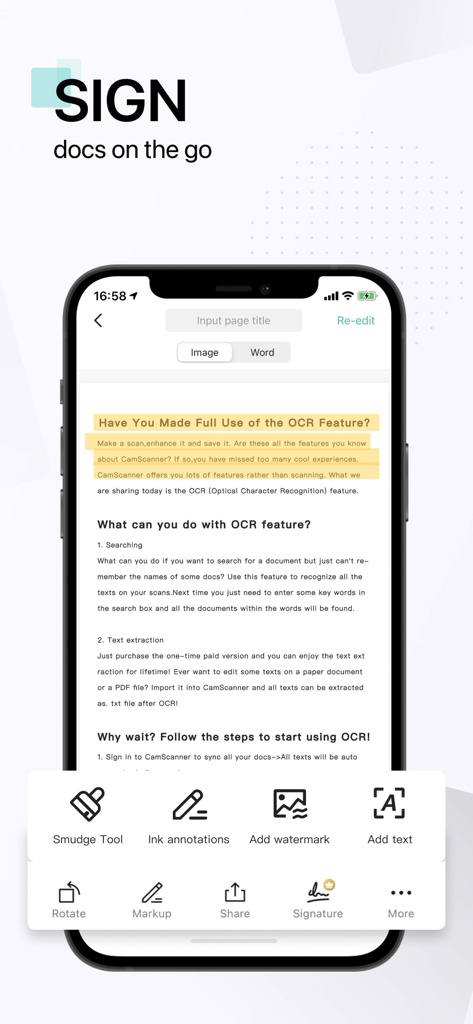
CamScanner app interface on a smartphone showing document signing and advanced editing tools
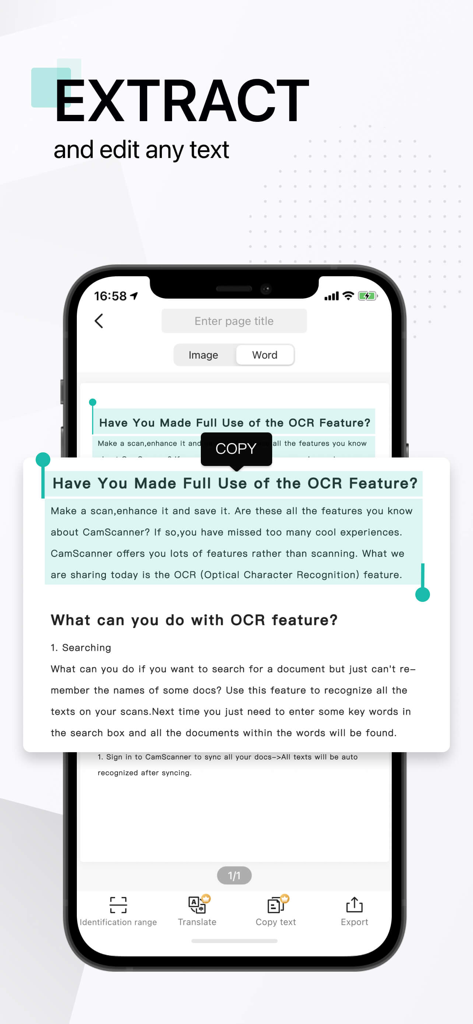
A smartphone screen showing the CamScanner app OCR feature extracting and copying text from a scanned document.
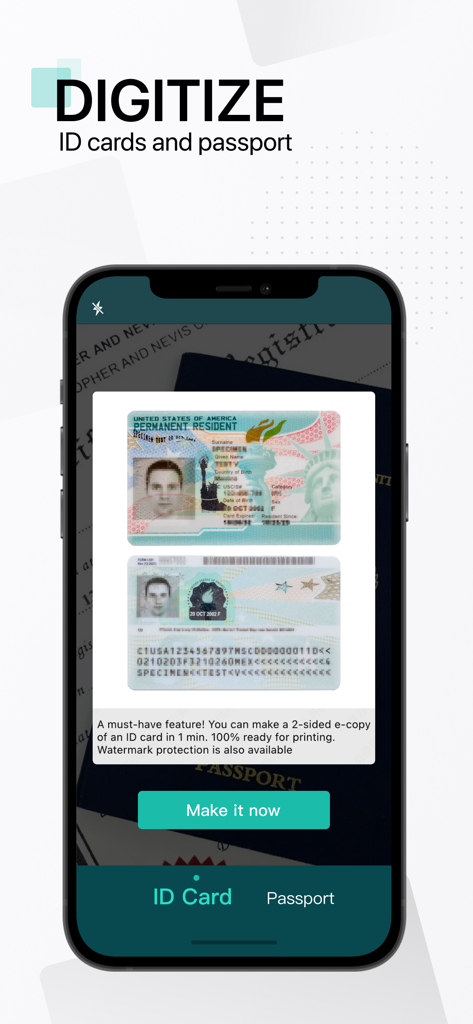
CamScanner mobile app interface displaying the feature to digitize ID cards and passports
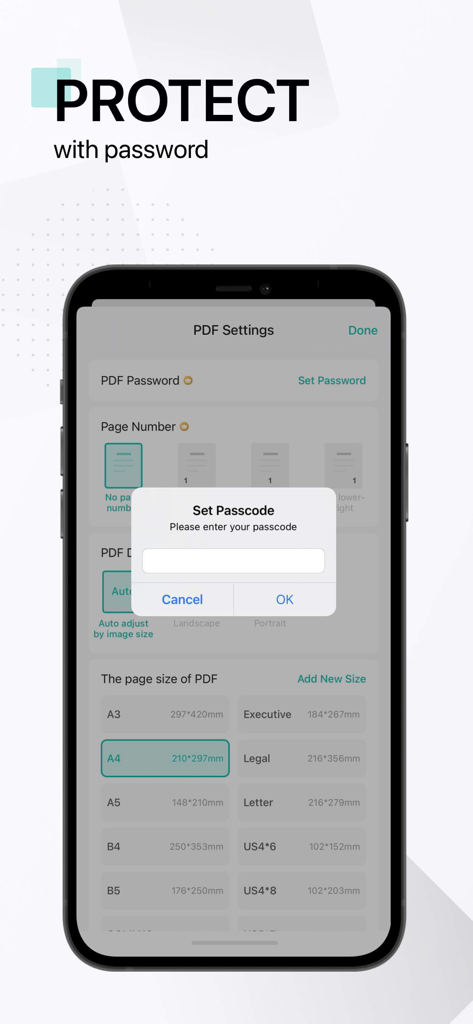
A smartphone showing the CamScanner app interface with a pop-up to set a passcode for PDF protection.
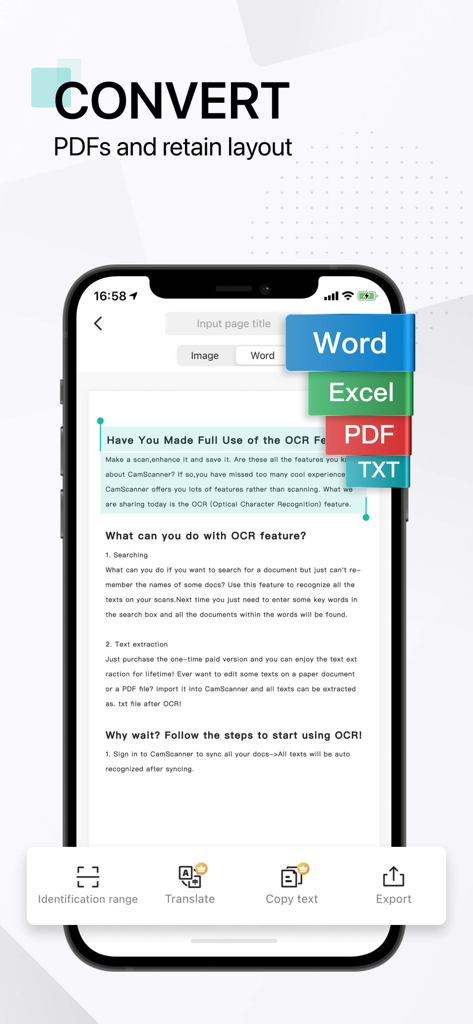
Interface of CamScanner app showing document conversion options to Word Excel PDF and TXT using OCR
Description
Download
More Like This
Apps with similar features and user experience

PDF PRO Scan Image & Documents
Balzo srl

The PDF Scanner, PDF editor HQ
NEXT K.U.M. LTD

CamScanner - PDF Scanner App
INTSIG Information Co., Ltd

Adobe Scan: PDF & OCR Scanner
Adobe Inc.

WPS Office: PDF, Docs, Sheets
KINGSOFT OFFICE SOFTWARE CORPORATION LIMITED

iLovePDF - PDF Editor & Scan
ILOVEPDF S.L.

Scanner App: Genius Scan
The Grizzly Labs

Microsoft Lens: PDF Scanner
Microsoft Corporation

Clear Scan: Doc Scanner App
INDY MOBILE APP COMPANY LIMITED
This page is not an official page of the app or its developer, but an independent editorial publication created for informational and commentary purposes. Unless expressly stated otherwise, neither the app nor its developer is affiliated with, endorsed by, sponsored by, authorized by, or otherwise officially connected with MWM, Apple, Google Play, the app publisher, or the app's developer, and nothing on this page implies that the app was developed using MWM's services. Any trademarks, logos, screenshots, and other content remain the property of their respective owners.