
This page is not an official page of the app or its developer, but an independent editorial publication created for informational and commentary purposes. Unless expressly stated otherwise, neither the app nor its developer is affiliated with, endorsed by, sponsored by, authorized by, or otherwise officially connected with MWM, Apple, Google Play, the app publisher, or the app's developer, and nothing on this page implies that the app was developed using MWM's services. Any trademarks, logos, screenshots, and other content remain the property of their respective owners.


Capital on Tap
Empower your team with instant spend limits, track expenses in real-time, and turn every business purchase into rewards with the ultimate financial dashboard for modern entrepreneurs.
Downloads
277K+User Rating
Total Ratings
25K+Publisher
Category
BusinessLocales
1Latest Version
3.9.10Size
151.4 MBFirst Released
Jul 23, 2018Spend Smarter, Scale Faster
The ultimate financial dashboard designed for modern entrepreneurs. Manage your team’s spending and maximize your rewards in real-time from anywhere.
Instant Spend Insights
Get a live view of your cash flow. Track every dollar in real-time so you can make faster, smarter business decisions without the spreadsheet headache.
Empower Your Team
Issue cards and set custom spending limits for employees. Maintain total control with the ability to freeze or cancel cards instantly from your phone.
Frequently Asked Questions
Everything you need to know about Capital on Tap
How does the Capital on Tap app help track spending?
The Capital on Tap app provides real-time spend tracking. It displays all transactions, current balance, and available credit, allowing business owners to monitor financial activity effortlessly.
Can I set employee spending limits with the Capital on Tap app?
Yes, the Capital on Tap app enables business owners to set individual spend limits for employees. This feature helps control company expenses and promotes responsible spending.
How do I access statements in the Capital on Tap app?
The Capital on Tap app allows users to easily view their transaction history. A dedicated "Statements" button within the Transactions section provides access to company financial statements.
What payment options are available in the Capital on Tap app?
The Capital on Tap app allows users to manage payment preferences and make one-off payments. It displays the current balance, repayment type, and the next payment date.
How do I manage my business credit cards using the Capital on Tap app?
The Capital on Tap app offers full card management. Users can order new physical or virtual cards, and also freeze or cancel existing company cards directly from the application.
Can I redeem rewards points through the Capital on Tap app?
Yes, the Capital on Tap app allows users to redeem earned rewards points. Points can be converted to balance on the account or exchanged for e-gifts, enhancing business benefits.
Does the Capital on Tap app support digital wallets?
Yes, the Capital on Tap app supports digital wallets. Users can add their Capital on Tap Business Credit Card to their preferred digital wallet for convenient and secure transactions.
Where can I see my credit limit in the Capital on Tap app?
The Capital on Tap app displays the credit limit clearly on the home screen. This section also shows the current balance and the amount available to spend at a glance.
Does the Capital on Tap app offer virtual cards?
Yes, the Capital on Tap app offers the ability to create free virtual cards. These cards help separate business spending and can be used for online or in-store purchases.
The following screenshots and description are sourced directly from the app's official store listing and are the property of the app developer.
App Store
Screenshots
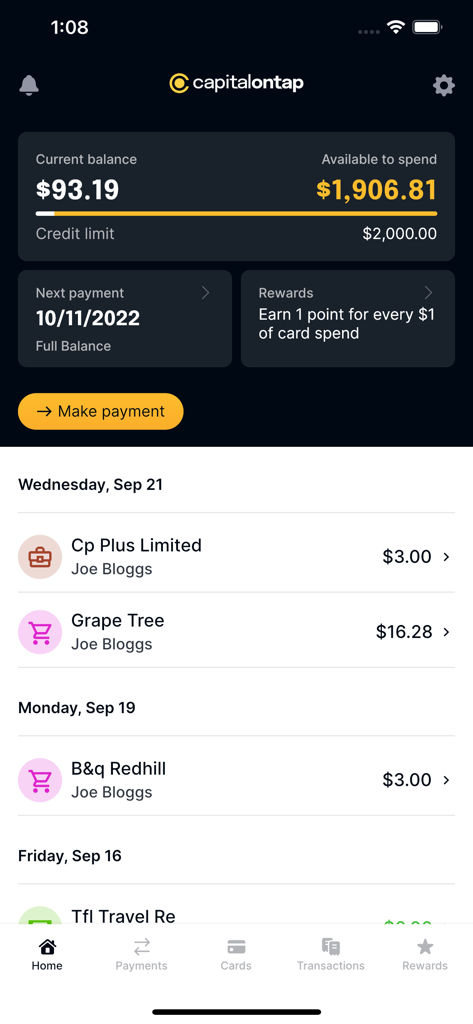
Capital on Tap app dashboard showing current balance available spend and business transaction history
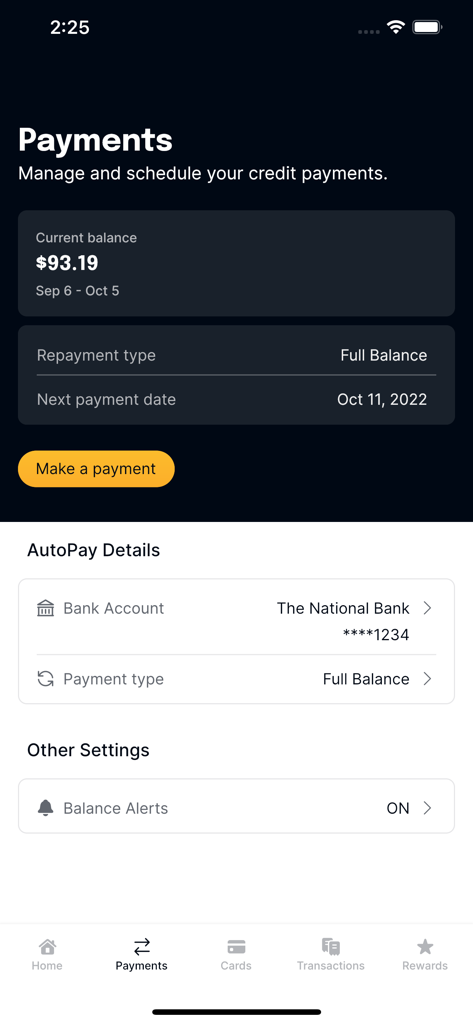
Payments management screen in the Capital on Tap app showing current balance and autopay settings
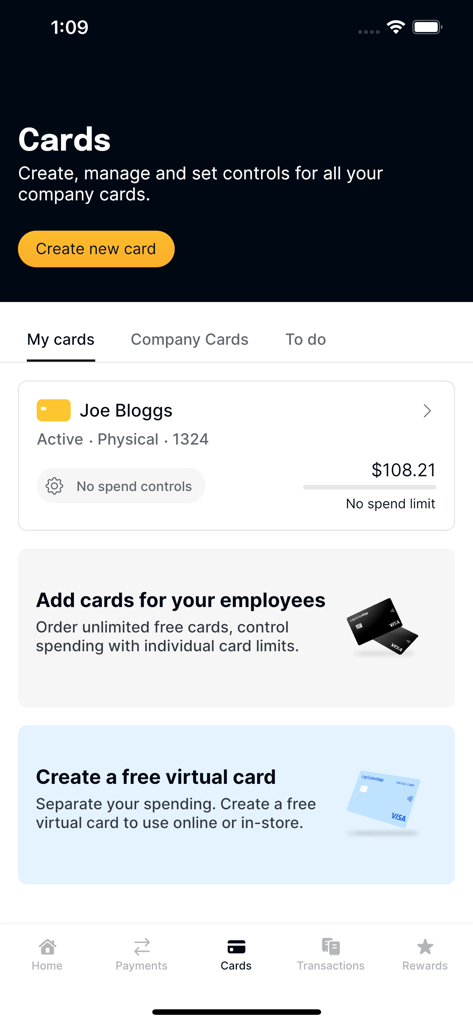
Capital on Tap dashboard for managing business credit cards and employee spending
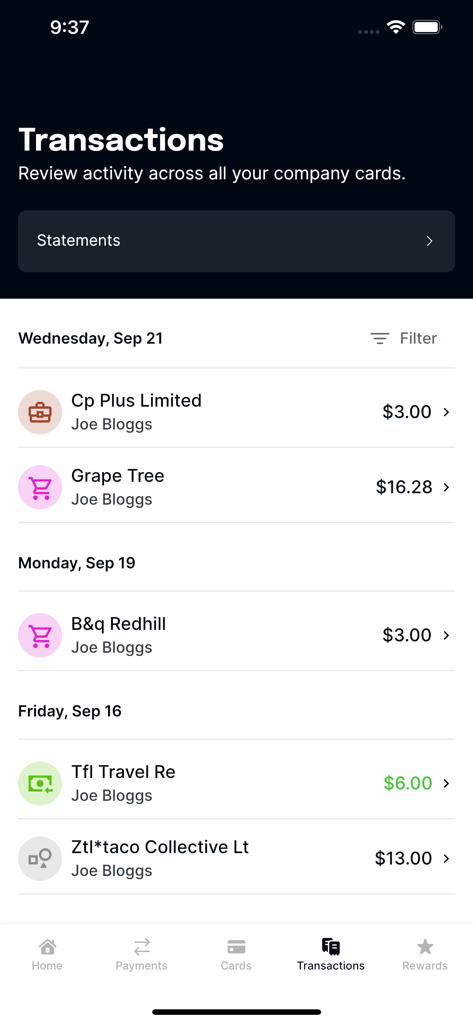
Real-time list of business transactions and employee spending in the Capital on Tap mobile app
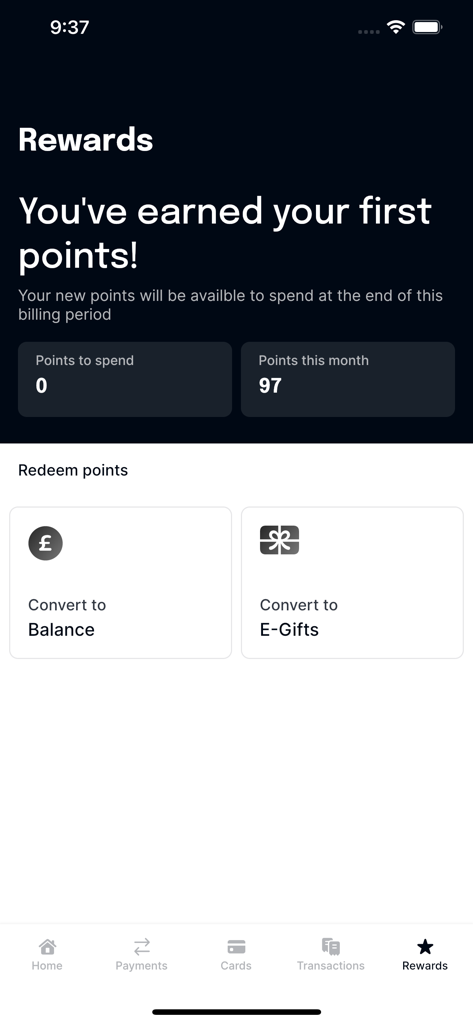
Capital on Tap app Rewards dashboard showing points earned and redemption options
Description
Download
More Like This
Apps with similar features and user experience

Ramp
Ramp Business Corporation

BILL Spend & Expense (Divvy)
Bill.com

Bradesco Cartões PJ
Banco Bradesco SA

SparkReceipt: Expense Scanner
SparkReceipt Oy

Xero Me
Xero Ltd

Expensify - Travel & Expense
Expensify, Inc.

Pleo
Pleo Technologies ApS

N2F - expense report & mileage
N2JSOFT

Cash Book - Balance & Expense
Ekeekaran Inc
This page is not an official page of the app or its developer, but an independent editorial publication created for informational and commentary purposes. Unless expressly stated otherwise, neither the app nor its developer is affiliated with, endorsed by, sponsored by, authorized by, or otherwise officially connected with MWM, Apple, Google Play, the app publisher, or the app's developer, and nothing on this page implies that the app was developed using MWM's services. Any trademarks, logos, screenshots, and other content remain the property of their respective owners.