
This page is not an official page of the app or its developer, but an independent editorial publication created for informational and commentary purposes. Unless expressly stated otherwise, neither the app nor its developer is affiliated with, endorsed by, sponsored by, authorized by, or otherwise officially connected with MWM, Apple, Google Play, the app publisher, or the app's developer, and nothing on this page implies that the app was developed using MWM's services. Any trademarks, logos, screenshots, and other content remain the property of their respective owners.


Ramp
Streamline corporate cards, expense management, and accounting automation in one powerful app. Stop chasing receipts and start focusing on high-impact work.
Downloads
865K+User Rating
Total Ratings
34K+Publisher
Category
FinanceLocales
1Latest Version
0.146.1Size
168.2 MBFirst Released
Sep 6, 2022Finance on Autopilot
Ditch the manual paperwork. Ramp automates your expenses, receipts, and accounting so you can focus on high-impact work.
Instant Receipt Matching
Snap a photo and let Ramp do the rest. We automatically match receipts to transactions and sync with your accounting software.
Digital Cards in Seconds
Issue virtual cards instantly and add them to your Apple Wallet for secure, contactless payments anywhere you go.
Frequently Asked Questions
Everything you need to know about Ramp
What core features does the Ramp platform offer?
Yes, Ramp provides corporate cards, expense management, bill payments, accounting automation, and reporting all in one platform. Users can access these features through the Ramp mobile app.
Can I add my Ramp corporate card to Apple Wallet?
Yes, the Ramp mobile app allows users to add their corporate cards directly to Apple Wallet for convenient mobile payments. This feature simplifies transactions on the go.
Does the Ramp app allow me to lock my corporate cards?
Yes, you can easily lock and view your corporate cards directly from the Ramp mobile app. This functionality provides enhanced security and control over your expenses.
How does the Ramp app help in capturing receipts?
The Ramp app allows you to capture receipts by simply taking a picture. The app then automatically matches the receipt to the corresponding transaction for streamlined expense reporting.
Can I book travel, including flights and hotels, using the Ramp app?
Yes, Ramp Travel allows users to book flights and hotels directly within the app. This feature streamlines the process of planning and managing business travel expenses.
Can I add memos or accounting fields when submitting expenses in Ramp?
Yes, the Ramp mobile app allows users to submit additional requirements for expenses, such as memos and accounting fields, alongside receipts. This ensures complete expense reporting.
What types of funds can I request using the Ramp app?
Yes, the Ramp app supports requesting funds for various purposes, including virtual cards, general expenses, education, SaaS, and specific travel needs like sales, clients, and team offsites.
Can I share funds with my co-workers through the Ramp app?
Yes, the Ramp app enables users to share funds with co-workers. This feature simplifies expense management for team activities and shared projects.
Can I approve requests for funds using the Ramp app?
Yes, the Ramp app provides a dedicated section to review and approve requests for funds. This ensures quick processing and oversight of team spending.
The following screenshots and description are sourced directly from the app's official store listing and are the property of the app developer.
App Store
Screenshots
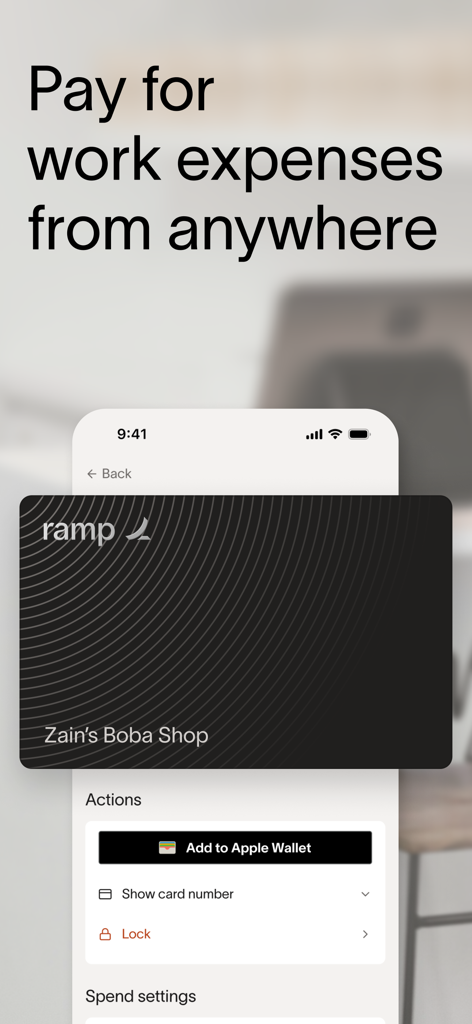
Ramp app interface displaying a corporate card with the option to add it to Apple Wallet
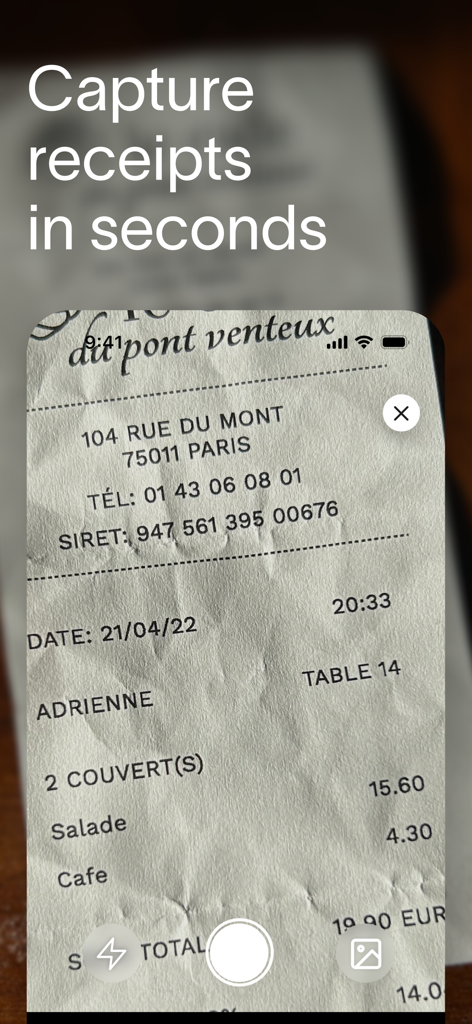
Ramp app mobile interface showing a smartphone camera capturing a paper receipt for expense management
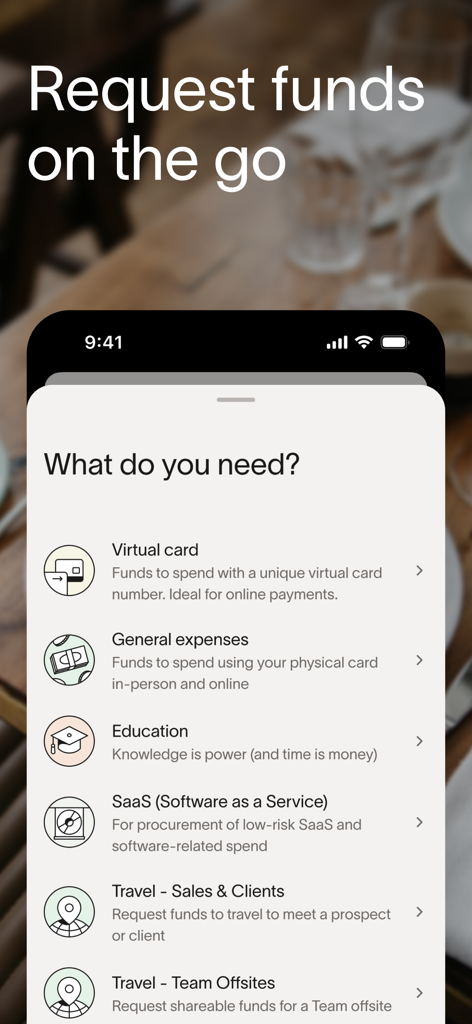
Ramp app menu for requesting funds for virtual cards business travel and software expenses
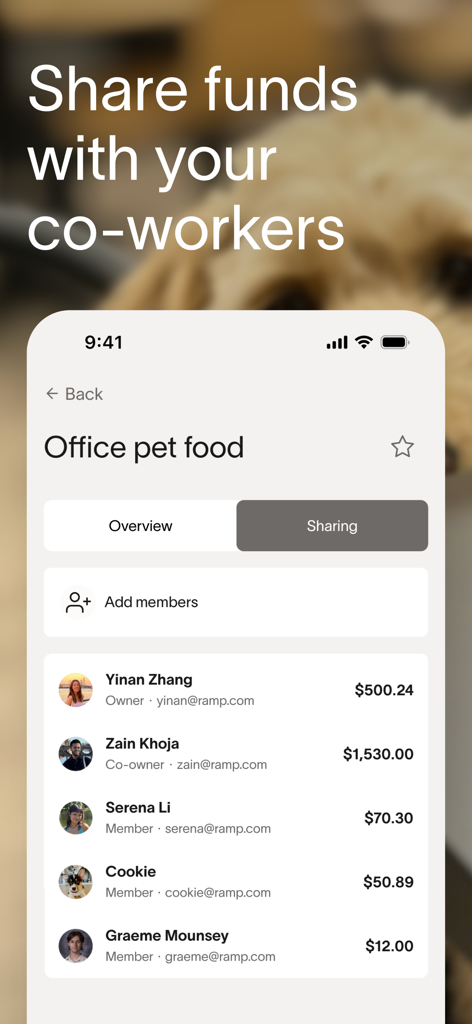
Ramp app interface showing coworkers sharing funds for office expenses.
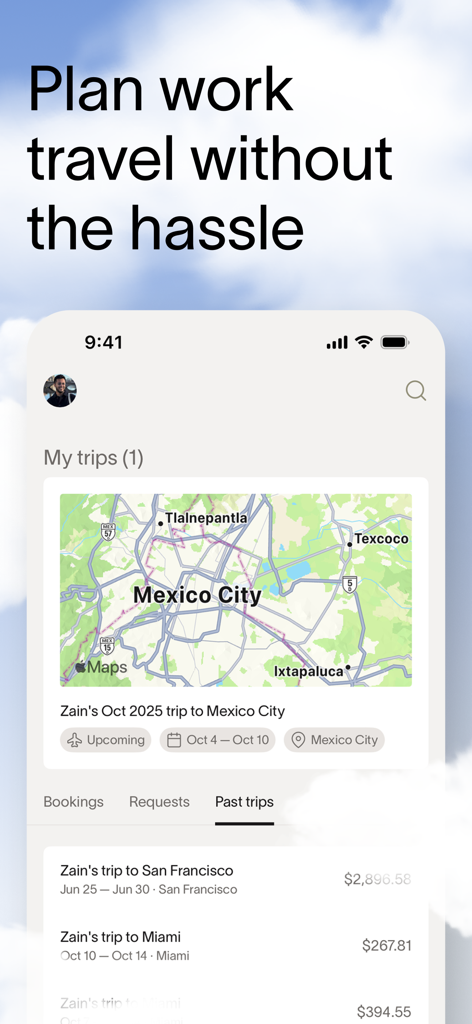
Ramp mobile app interface showing business travel planning with a map of Mexico City and past trip history
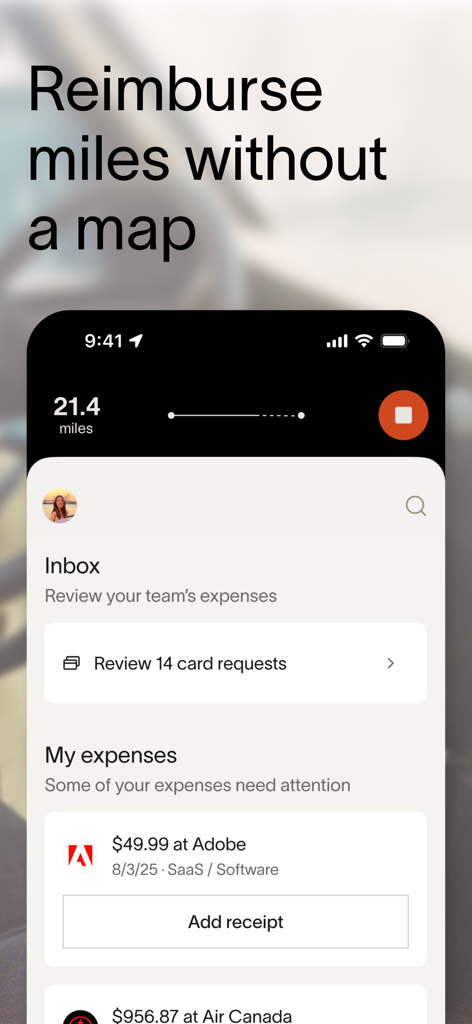
Ramp mobile app interface showing mileage tracking and expense management features for business professionals.
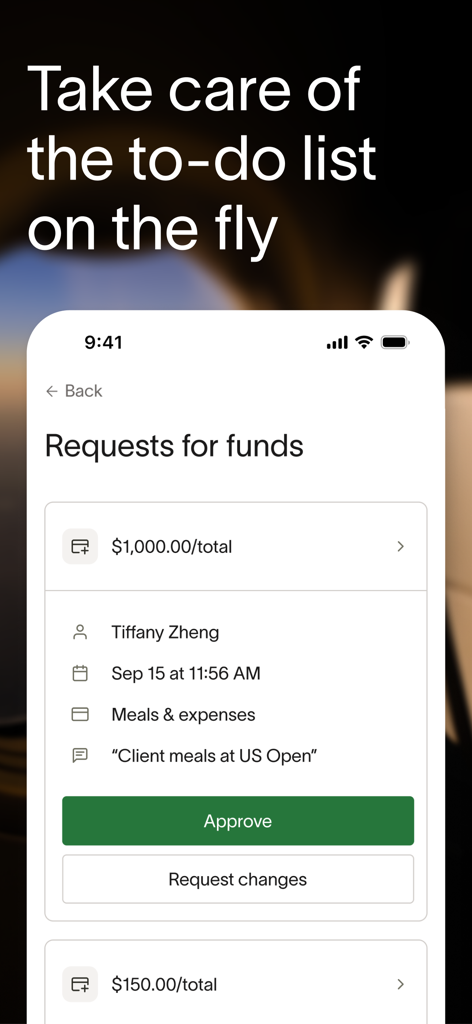
Ramp mobile app screen displaying a business expense request and approval option
Description
Download
More Like This
Apps with similar features and user experience

Capital on Tap
New Wave Capital Ltd

BILL Spend & Expense (Divvy)
Bill.com

Bradesco Cartões PJ
Banco Bradesco SA

SparkReceipt: Expense Scanner
SparkReceipt Oy

Xero Me
Xero Ltd

Expensify - Travel & Expense
Expensify, Inc.

Pleo
Pleo Technologies ApS

N2F - expense report & mileage
N2JSOFT

Cash Book - Balance & Expense
Ekeekaran Inc
This page is not an official page of the app or its developer, but an independent editorial publication created for informational and commentary purposes. Unless expressly stated otherwise, neither the app nor its developer is affiliated with, endorsed by, sponsored by, authorized by, or otherwise officially connected with MWM, Apple, Google Play, the app publisher, or the app's developer, and nothing on this page implies that the app was developed using MWM's services. Any trademarks, logos, screenshots, and other content remain the property of their respective owners.