
This page is not an official page of the app or its developer, but an independent editorial publication created for informational and commentary purposes. Unless expressly stated otherwise, neither the app nor its developer is affiliated with, endorsed by, sponsored by, authorized by, or otherwise officially connected with MWM, Apple, Google Play, the app publisher, or the app's developer, and nothing on this page implies that the app was developed using MWM's services. Any trademarks, logos, screenshots, and other content remain the property of their respective owners.


Compress Videos & Resize Video
Stop deleting precious memories. Join over 2 million users who shrink video files by up to 90% while keeping every detail crystal clear. Simple, private, and no watermarks.
Downloads
2M+User Rating
Total Ratings
43K+Publisher
Category
Photo & VideoLocales
1Latest Version
2.13Size
15.3 MBFirst Released
Aug 14, 2019Everything You Need to Reclaim Your Storage
Stop deleting your favorite memories. Our powerful tools help you shrink video files by up to 90% while maintaining the stunning high-definition quality you love.
Banish 'Storage Full' Alerts
Regain gigabytes of space in seconds. Compress your entire library to store up to 10 times more videos on your current device.
Pro Quality, Smaller Size
Our intelligent compression engine ensures your videos stay crystal clear. Shrink files without any visible loss in sharpness or detail.
Frequently Asked Questions
Everything you need to know about Compress Videos & Resize Video
What is Compress Videos & Resize Video?
Compress Videos & Resize Video is an app that compresses videos to reduce their file size and save storage space on iPhone or iPad devices without reducing their quality.
Does Compress Videos & Resize Video reduce video quality?
No, Compress Videos & Resize Video does not reduce video quality. Its intelligent compression engine reduces file size without a notable difference, even by 90% or more.
How does Compress Videos & Resize Video save space on my iPhone?
Compress Videos & Resize Video shrinks video file sizes, allowing users to regain storage space. It can help store up to 10 times more videos on an iPhone or iPad.
Does Compress Videos & Resize Video respect user privacy?
Yes, Compress Videos & Resize Video respects user privacy. It processes videos directly on the device, never uploads them to a remote server, and includes no watermarks.
What video file types does Compress Videos & Resize Video support?
Compress Videos & Resize Video supports all video file types supported by iPhone, including H.264, MPEG-4, HEVC, .m4v, .mp4, and .mov formats.
Where does Compress Videos & Resize Video save compressed videos?
Compressed videos are saved to both the main photo library and a dedicated album on the device called “Compressed Videos.” This album is automatically created by the app.
How to get Compress Videos & Resize Video without ads?
Users can upgrade to the Pro version of Compress Videos & Resize Video to remove ads. The Pro version also enables compressing multiple videos at once and unlimited daily compressions.
How does the Pro version of Compress Videos & Resize Video handle payment and renewal?
Payment for the Pro version is charged to the iTunes account upon purchase confirmation. It auto-renews annually at the same price unless canceled 24 hours before the period ends.
Can I compress multiple videos at once with Compress Videos & Resize Video?
Yes, the Pro version of Compress Videos & Resize Video allows users to compress more than one video at a time and compress unlimited videos daily.
What are the recommended settings for video compression in Compress Videos & Resize Video?
For best results, Compress Videos & Resize Video recommends setting the frame rate at 24 and video dimensions at 80%. This significantly reduces file size without noticeable quality difference.
The following screenshots and description are sourced directly from the app's official store listing and are the property of the app developer.
App Store
Screenshots

Infographic showing video compression from 8.31GB to 1.79GB to save space on iPhone
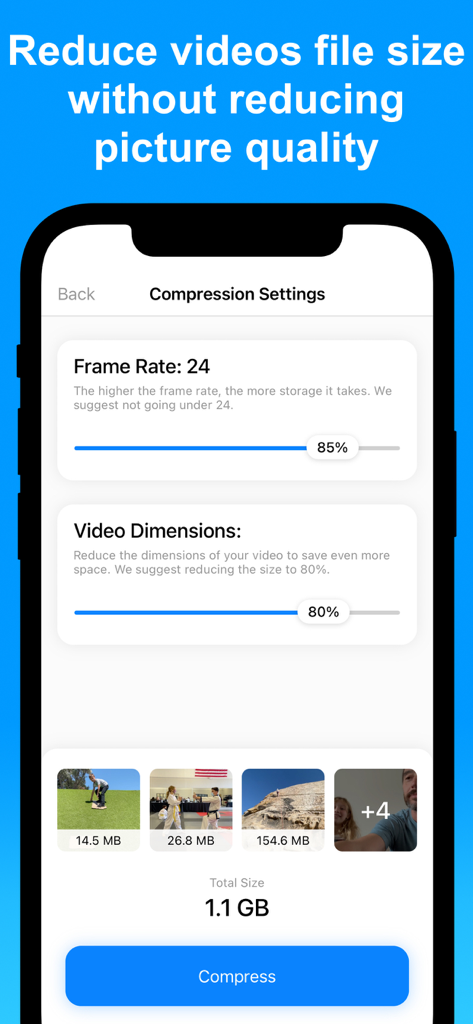
Adjustable video compression settings including frame rate and dimensions on an iPhone screen.
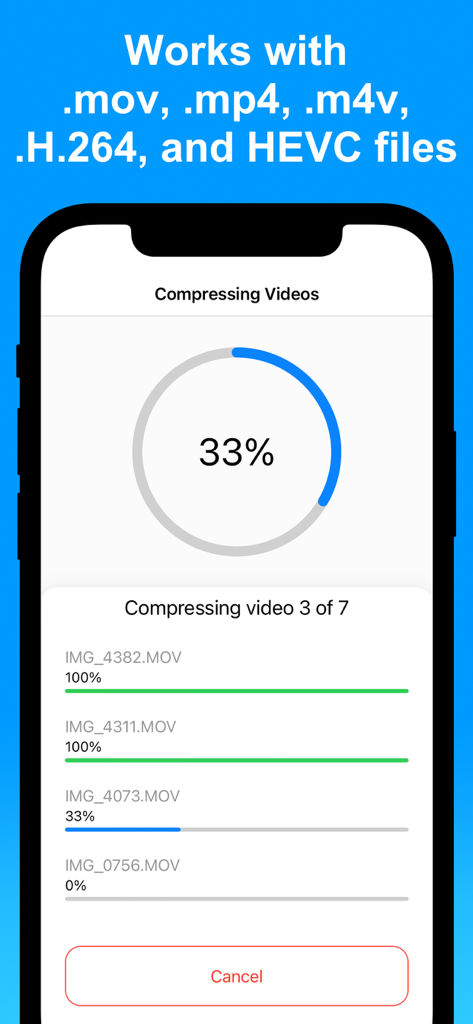
An iPhone screen displaying the progress of multiple videos being compressed simultaneously in the app.
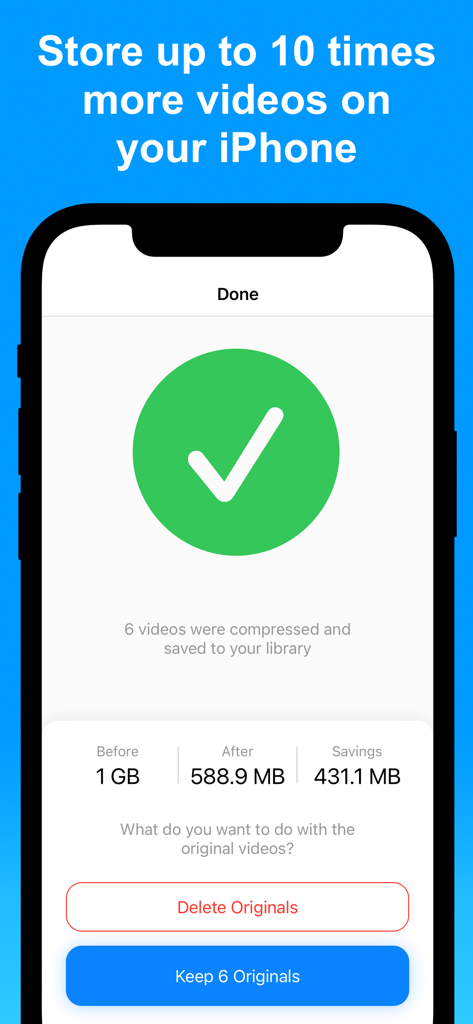
iPhone app interface showing successful video compression results and storage savings.

Privacy information screen for the Compress Videos app showing local on device processing
Description
Download
More Like This
Apps with similar features and user experience

Video compressor - save space
俊杰 阮

SlimSpace - Compressor
琛 王

转换猫-视频音频图片格式转换
ZHN Co., Ltd.

Video Compressor - HQ Compress
LightByte Co., Ltd.

The Video Compressor
Dalian Hengwei Electronics Co., Ltd

Media Converter - video to mp3
俊杰 阮

Easy Video Compressor - Resize
Osawa Shunsuke

Video Compress - Shrink Vids
Brachmann Online Marketing GmbH & Co. KG

Panda - Video Compressor
Farluner Apps Grzegorz Balcerzak
This page is not an official page of the app or its developer, but an independent editorial publication created for informational and commentary purposes. Unless expressly stated otherwise, neither the app nor its developer is affiliated with, endorsed by, sponsored by, authorized by, or otherwise officially connected with MWM, Apple, Google Play, the app publisher, or the app's developer, and nothing on this page implies that the app was developed using MWM's services. Any trademarks, logos, screenshots, and other content remain the property of their respective owners.