
This page is not an official page of the app or its developer, but an independent editorial publication created for informational and commentary purposes. Unless expressly stated otherwise, neither the app nor its developer is affiliated with, endorsed by, sponsored by, authorized by, or otherwise officially connected with MWM, Apple, Google Play, the app publisher, or the app's developer, and nothing on this page implies that the app was developed using MWM's services. Any trademarks, logos, screenshots, and other content remain the property of their respective owners.


Easy Video Compressor - Resize
Shrink massive 4K videos in seconds without losing quality. Compare side-by-side, keep your metadata, and stop paying for expensive cloud storage upgrades.
Downloads
1M+User Rating
Total Ratings
15K+Publisher
Category
Photo & VideoLocales
17Latest Version
9.11.1Size
27.1 MBFirst Released
Oct 21, 2020Maximize Your Storage, Preserve Your Memories
The smartest way to shrink large 4K and HD videos without sacrificing quality. Say goodbye to 'Storage Full' notifications and hello to more space for what matters.
Side-by-Side Quality Check
View compressed and original videos on one screen. Confirm the quality is perfect before you delete the originals and free up space.
Preserve Every Detail
Keep your video's original date, time, and location metadata intact so your memories stay perfectly organized in your Apple Photos library.
Frequently Asked Questions
Everything you need to know about Easy Video Compressor - Resize
What is Easy Video Compressor - Resize?
Easy Video Compressor - Resize is an app that efficiently compresses videos to increase free storage space on your device. It offers features like dimension and bitrate adjustment, format conversion, and before/after compression comparison.
Can Easy Video Compressor - Resize adjust video dimensions?
Yes, Easy Video Compressor - Resize allows users to set the dimension for compression. Available options include 360p, SD, HD, FHD, and 4K, providing flexibility in video output size and quality.
Does Easy Video Compressor - Resize allow bitrate adjustment?
Yes, Easy Video Compressor - Resize provides a slider to adjust the bitrate for video compression. This feature gives users control over the video's quality and final file size.
Can I remove audio from videos using Easy Video Compressor - Resize?
Yes, Easy Video Compressor - Resize includes an option to turn off audio during video compression. This can help further reduce the file size of your compressed videos.
What video formats can Easy Video Compressor - Resize convert?
Easy Video Compressor - Resize supports converting video file formats to MOV and MP4. This allows users to choose the most suitable format for their needs after compression.
Which video codecs does Easy Video Compressor - Resize support for conversion?
Easy Video Compressor - Resize supports converting video codecs to H.264 and HEVC (H.265). These modern codecs ensure efficient compression and broad compatibility for your videos.
How does Easy Video Compressor - Resize allow users to compare videos?
Easy Video Compressor - Resize allows users to compare pre- and post-compression videos on a single screen. The Pro version enhances this with simultaneous playback for direct visual comparison.
Does Easy Video Compressor - Resize retain video metadata after compression?
Yes, Easy Video Compressor - Resize can retain crucial video metadata in the compressed file, including location, date and time, and camera information from the original video.
What additional features does the Pro version of Easy Video Compressor - Resize offer?
The Pro version of Easy Video Compressor - Resize includes features such as sorting videos by duration, width, and height, and simultaneous playback for comparing original and compressed videos.
Can Easy Video Compressor - Resize compress multiple videos at once?
Yes, Easy Video Compressor - Resize enables batch compression. Users can select multiple videos within the app's interface to process them simultaneously, saving time and effort.
How much storage space can Easy Video Compressor - Resize save?
Easy Video Compressor - Resize significantly reduces video file sizes, directly saving storage space. For instance, the app can decrease a video's size from 70.5 GB to 8.3 GB.
The following screenshots and description are sourced directly from the app's official store listing and are the property of the app developer.
App Store
Screenshots
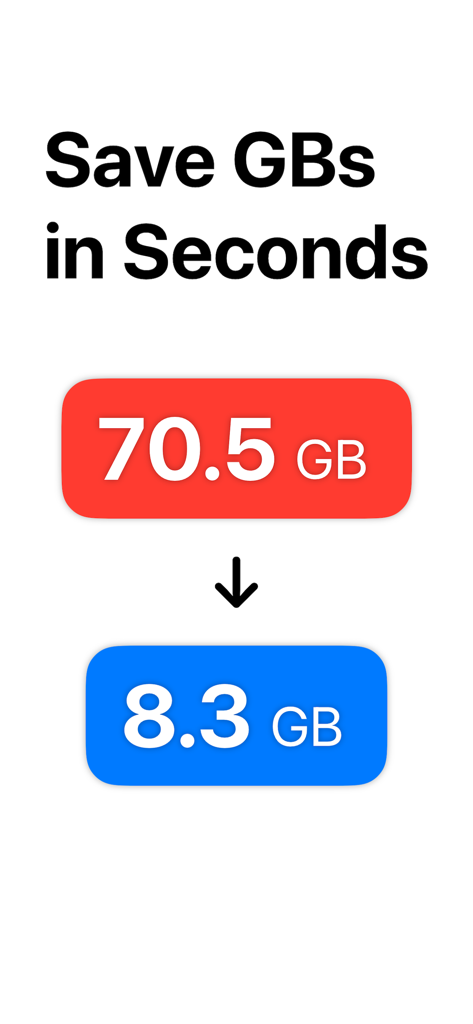
Graphic showing a significant video file size reduction from 70.5 GB down to 8.3 GB to save storage space
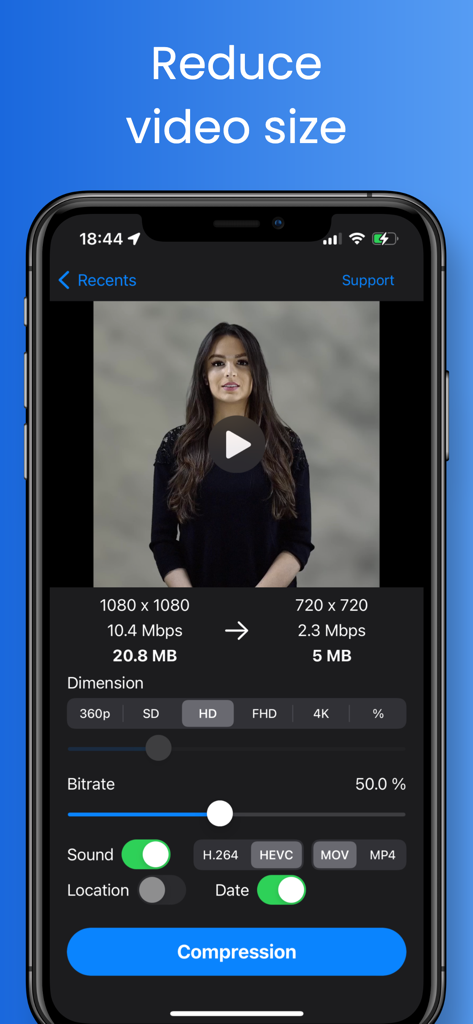
Mobile app interface showing video compression settings to reduce file size from 20MB to 5MB
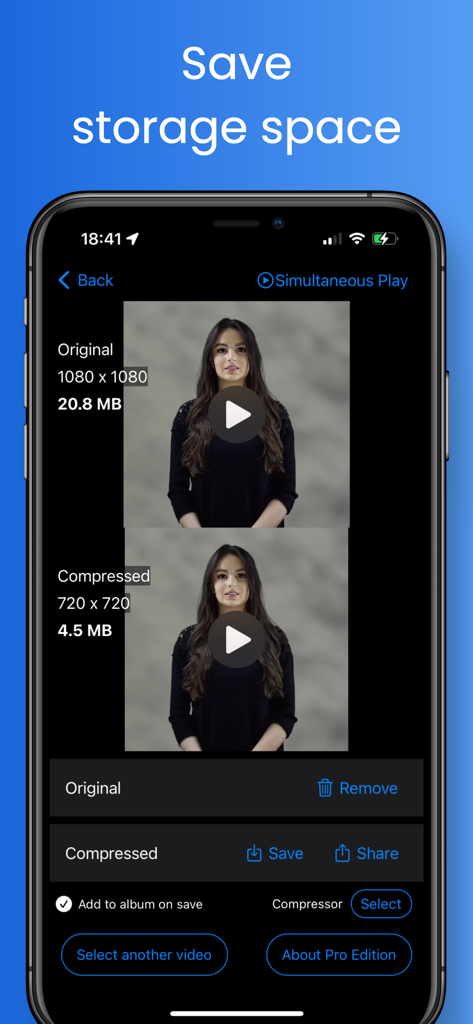
Side-by-side comparison of original and compressed video file sizes and resolutions to save storage space
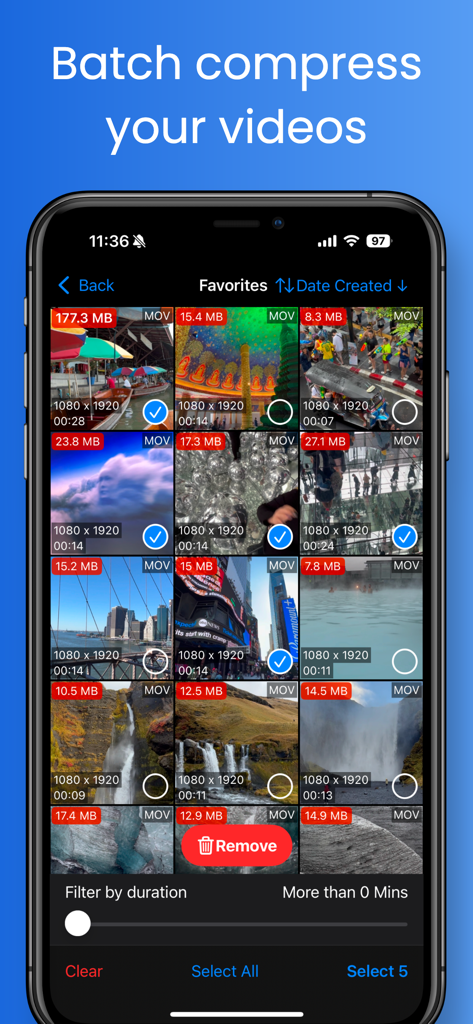
iPhone screen showing multiple videos selected for batch compression with file sizes and resolution details
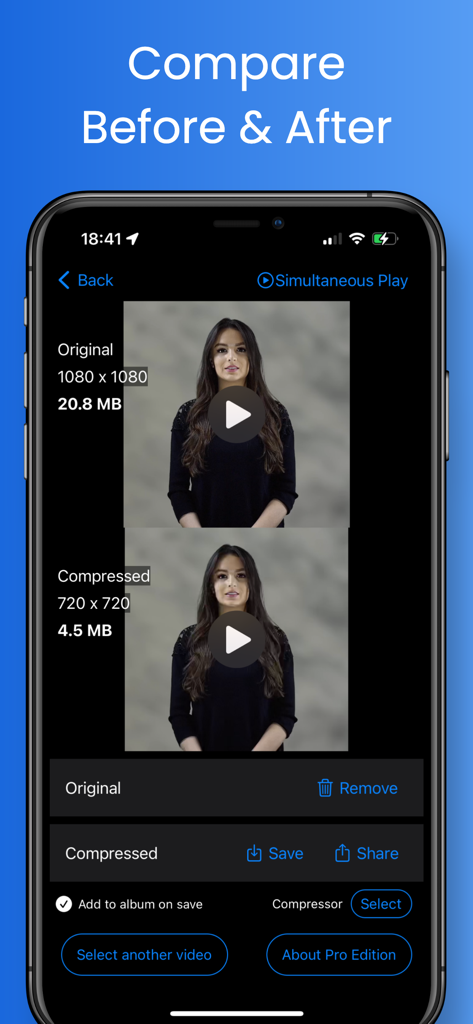
Side by side comparison of a video before and after compression on an iPhone
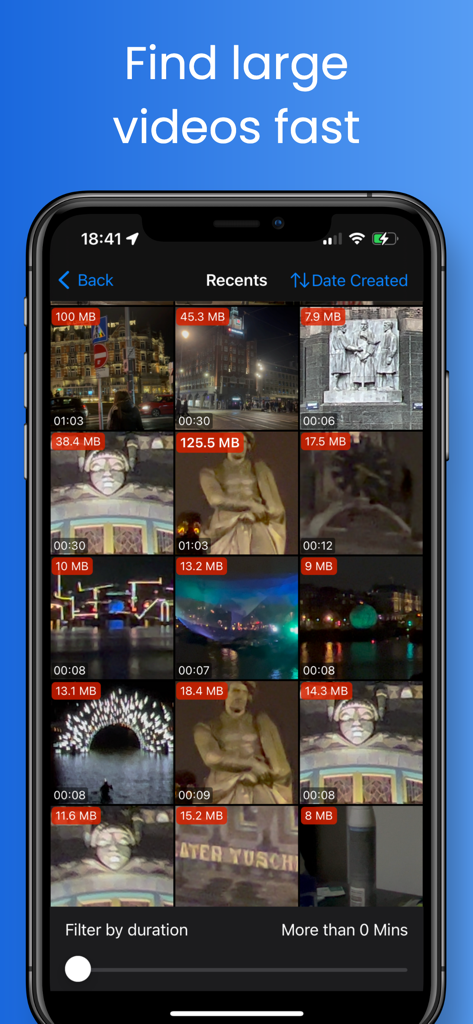
A mobile app interface displaying a video gallery with file size labels on each thumbnail to identify large videos quickly
Description
Download
More Like This
Apps with similar features and user experience

Video compressor - save space
俊杰 阮

SlimSpace - Compressor
琛 王

转换猫-视频音频图片格式转换
ZHN Co., Ltd.

Video Compressor - HQ Compress
LightByte Co., Ltd.

The Video Compressor
Dalian Hengwei Electronics Co., Ltd

Media Converter - video to mp3
俊杰 阮

Compress Videos & Resize Video
New Marketing Lab, Inc

Video Compress - Shrink Vids
Brachmann Online Marketing GmbH & Co. KG

Panda - Video Compressor
Farluner Apps Grzegorz Balcerzak
This page is not an official page of the app or its developer, but an independent editorial publication created for informational and commentary purposes. Unless expressly stated otherwise, neither the app nor its developer is affiliated with, endorsed by, sponsored by, authorized by, or otherwise officially connected with MWM, Apple, Google Play, the app publisher, or the app's developer, and nothing on this page implies that the app was developed using MWM's services. Any trademarks, logos, screenshots, and other content remain the property of their respective owners.