
This page is not an official page of the app or its developer, but an independent editorial publication created for informational and commentary purposes. Unless expressly stated otherwise, neither the app nor its developer is affiliated with, endorsed by, sponsored by, authorized by, or otherwise officially connected with MWM, Apple, Google Play, the app publisher, or the app's developer, and nothing on this page implies that the app was developed using MWM's services. Any trademarks, logos, screenshots, and other content remain the property of their respective owners.

Media Converter - video to mp3
Join over 6 million users who effortlessly convert, compress, and edit media on the go. Extract high-quality MP3s, create custom ringtones, and reclaim your storage with the most versatile Swiss Army Knife for your mobile device.
Downloads
6M+User Rating
Total Ratings
118K+Publisher
Category
UtilitiesLocales
49Latest Version
4.12Size
124.3 MBFirst Released
Oct 10, 2017Master Your Media Without Limits
Stop struggling with 'file not supported' errors and storage warnings. Convert, compress, and create with the all-in-one toolkit trusted by over 6 million users.
Convert Any Format Instantly
Bridge the gap between your devices. Seamlessly switch between MP4, MOV, MKV, and MP3 to ensure your files work everywhere, every time.
Reclaim Your Storage Space
Shrink massive 4K videos and heavy media files without losing a pixel of quality. Perfect for keeping your iPhone fast and your iCloud empty.
Frequently Asked Questions
Everything you need to know about Media Converter - video to mp3
What is Media Converter - video to mp3?
Media Converter - video to mp3 is an all-in-one app that converts videos, audios, images, GIFs, and PDFs. It also features a media editor, ringtone maker, and video player.
Can Media Converter convert video formats?
Yes, Media Converter converts videos between popular formats like MP4, MOV, 3GP, MKV, and AVI. It supports encoders such as H.264, H.265, MPEG-4, and AV1.
Does Media Converter allow audio extraction from videos?
Yes, Media Converter extracts audio from recorded videos. Output formats include MP3, M4A, OGG, WAV, and FLAC. It supports various audio encoders.
Can I create custom ringtones with Media Converter?
Yes, Media Converter allows users to create personalized ringtones. It extracts audio from videos and provides trimming tools to customize the ringtone length.
What image formats does Media Converter support?
Media Converter supports converting images to and from JPG, PNG, HEIC, and WEBP formats. It also converts images into PDFs or extracts pages from PDFs to images.
Does Media Converter include a video compressor?
Yes, Media Converter includes a video compressor. It compresses video files without losing quality and allows adjustment of resolution, frame rate, and bitrate to save storage.
What subscription options are available for Media Converter?
Media Converter offers a Lifetime Pro one-time purchase for permanent access. An annual auto-renewable subscription is also available, charging the iTunes account upon confirmation.
Can I manage my files within the Media Converter app?
Yes, Media Converter features file management tools. It supports batch import, Wi-Fi transfer, file sharing, and iCloud Drive backup for safe storage.
Does Media Converter have a built-in video player?
Yes, Media Converter includes a built-in video player. It plays any video or music file smoothly and supports playlists and offline playback.
How can I remove unwanted objects from videos using Media Converter?
Media Converter provides a "Video Eraser" tool for this purpose. Users can utilize this feature to remove unwanted objects directly from their videos.
The following screenshots and description are sourced directly from the app's official store listing and are the property of the app developer.
App Store
Screenshots
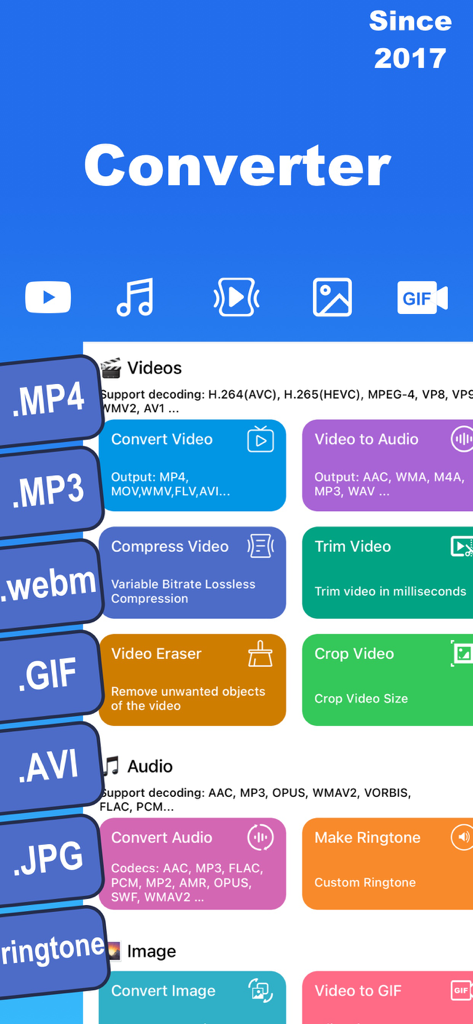
Interface of Media Converter app showing video and audio conversion compression and ringtone maker tools
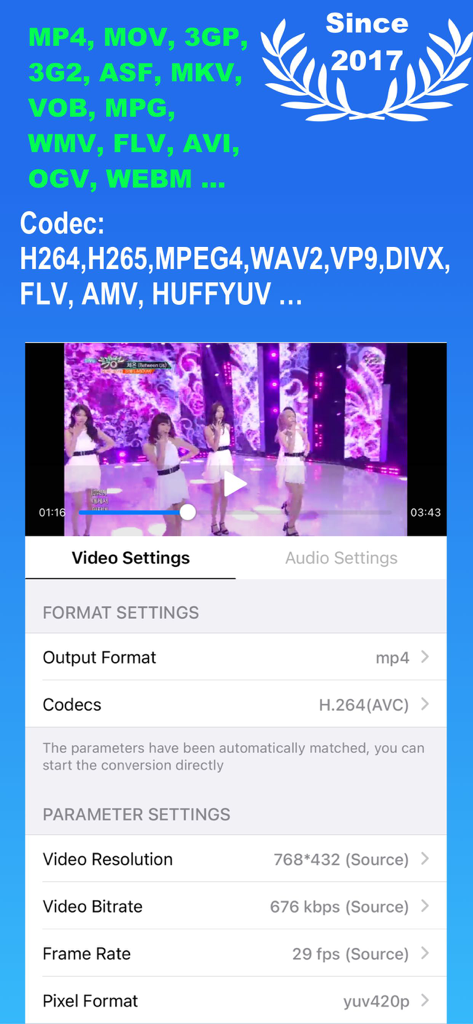
Mobile app interface of Media Converter showing video format settings and codec adjustment options.
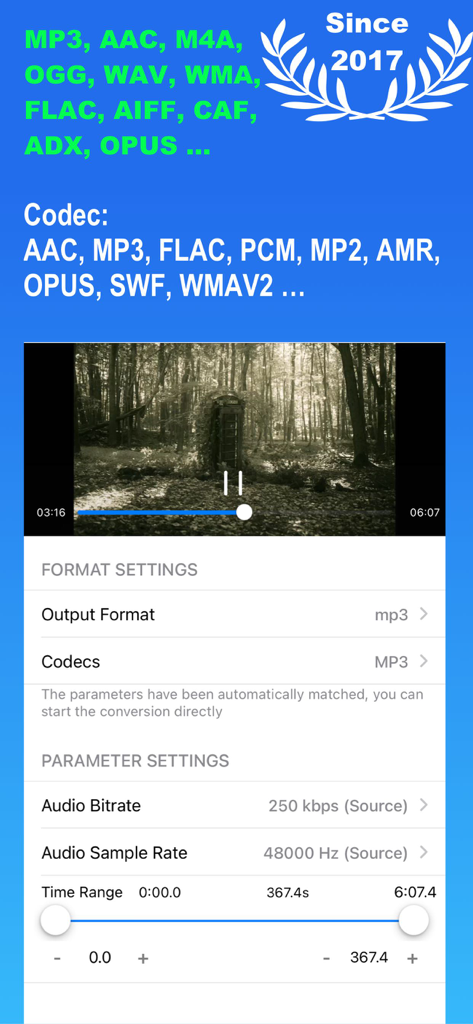
Audio conversion and parameter settings interface in Media Converter app showing bitrate and trimming options.
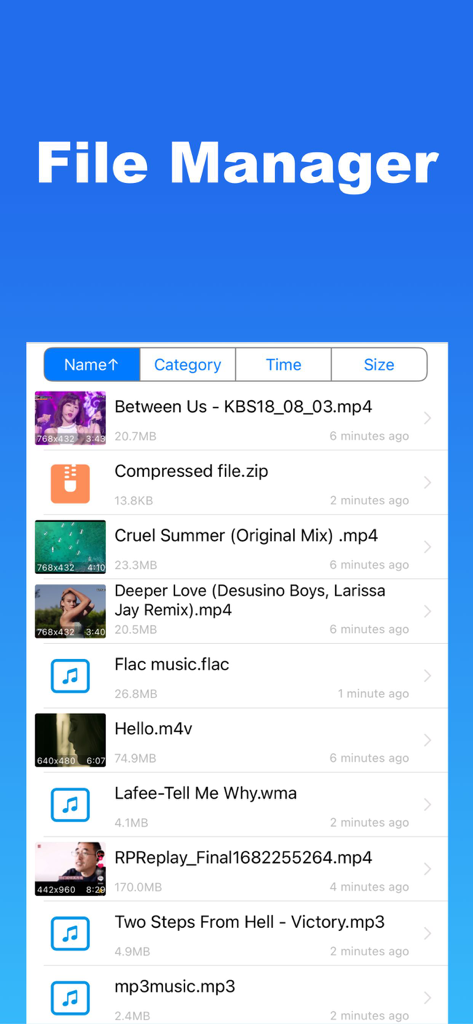
Media Converter app file manager screen displaying a list of video audio and compressed files
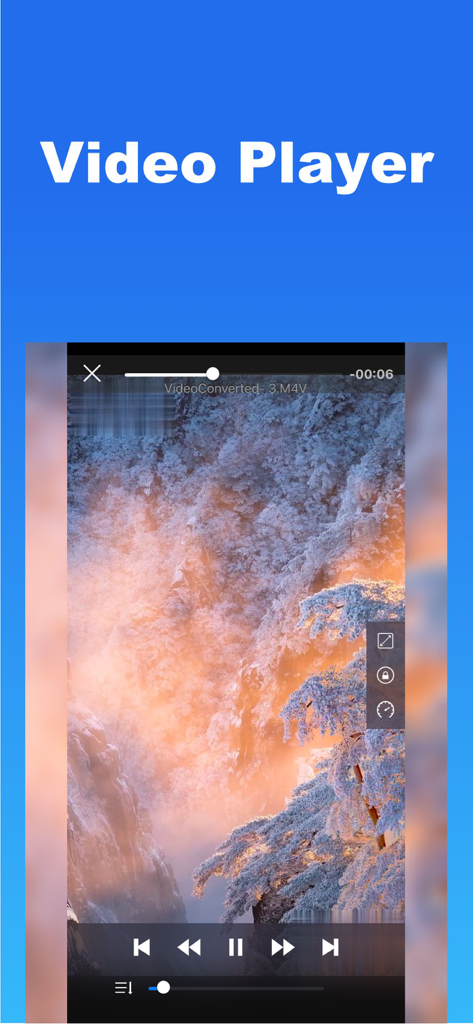
Built in video player interface with playback controls showing a scenic mountain landscape
Description
Download
More Like This
Apps with similar features and user experience

Video compressor - save space
俊杰 阮

SlimSpace - Compressor
琛 王
转换猫-视频音频图片格式转换
ZHN Co., Ltd.

Video Compressor - HQ Compress
LightByte Co., Ltd.

The Video Compressor
Dalian Hengwei Electronics Co., Ltd

Compress Videos & Resize Video
New Marketing Lab, Inc

Easy Video Compressor - Resize
Osawa Shunsuke

Video Compress - Shrink Vids
Brachmann Online Marketing GmbH & Co. KG

Panda - Video Compressor
Farluner Apps Grzegorz Balcerzak
This page is not an official page of the app or its developer, but an independent editorial publication created for informational and commentary purposes. Unless expressly stated otherwise, neither the app nor its developer is affiliated with, endorsed by, sponsored by, authorized by, or otherwise officially connected with MWM, Apple, Google Play, the app publisher, or the app's developer, and nothing on this page implies that the app was developed using MWM's services. Any trademarks, logos, screenshots, and other content remain the property of their respective owners.