
This page is not an official page of the app or its developer, but an independent editorial publication created for informational and commentary purposes. Unless expressly stated otherwise, neither the app nor its developer is affiliated with, endorsed by, sponsored by, authorized by, or otherwise officially connected with MWM, Apple, Google Play, the app publisher, or the app's developer, and nothing on this page implies that the app was developed using MWM's services. Any trademarks, logos, screenshots, and other content remain the property of their respective owners.


Video compressor - save space
The ultimate tool to shrink 4K videos with zero quality loss. Instantly free up gigabytes of storage, batch process your entire library, and bypass file size limits for Discord, WhatsApp, and Email.
Downloads
2M+User Rating
Total Ratings
33K+Publisher
Category
Photo & VideoLocales
33Latest Version
3.4Size
38.9 MBFirst Released
Aug 13, 2018Reclaim Your iPhone Storage
Professional-grade compression to shrink your 4K videos without losing quality—perfect for bypassing storage limits and sharing on any platform.
Shrink Size, Keep Quality
Reduce video files by up to 90% while maintaining stunning visual clarity. Free up space without deleting your precious memories.
Fast Batch Compression
Save hours by compressing multiple videos at once. One tap frees up gigabytes of space in minutes, perfect for a quick phone cleanup.
Frequently Asked Questions
Everything you need to know about Video compressor - save space
What is the main function of the Video compressor - save space app?
The Video compressor - save space app's primary function is to compress videos to save disk space and free up storage. It effectively reduces video file size while maintaining minimal quality loss for efficient storage management.
Can I customize video compression settings in the Video compressor - save space app?
Yes, the Video compressor - save space app offers an Advanced Mode allowing users to customize video resolution, bitrate, and frame rate. Users can also set a specific compression ratio for their videos.
Does Video compressor - save space allow batch video compression?
Yes, the Video compressor - save space app supports compressing multiple videos in one step. This feature, known as batch compression, allows users to process several videos efficiently and simultaneously.
How does the Video compressor - save space app help free up storage space?
The Video compressor - save space app frees up storage by reducing video file sizes. It also provides tools to clean up album videos and allows users to delete original videos after successful compression.
Can the Video compressor - save space app also process photos?
Yes, the Video compressor - save space app includes functionality to compress photos. Additionally, it offers video editing tools such as trimming and cropping videos directly within the application.
What options are available after compressing a video with Video compressor - save space?
After compressing a video with Video compressor - save space, users can share or save the compressed file. The app also provides an option to delete the original video to reclaim storage space.
The following screenshots and description are sourced directly from the app's official store listing and are the property of the app developer.
App Store
Screenshots
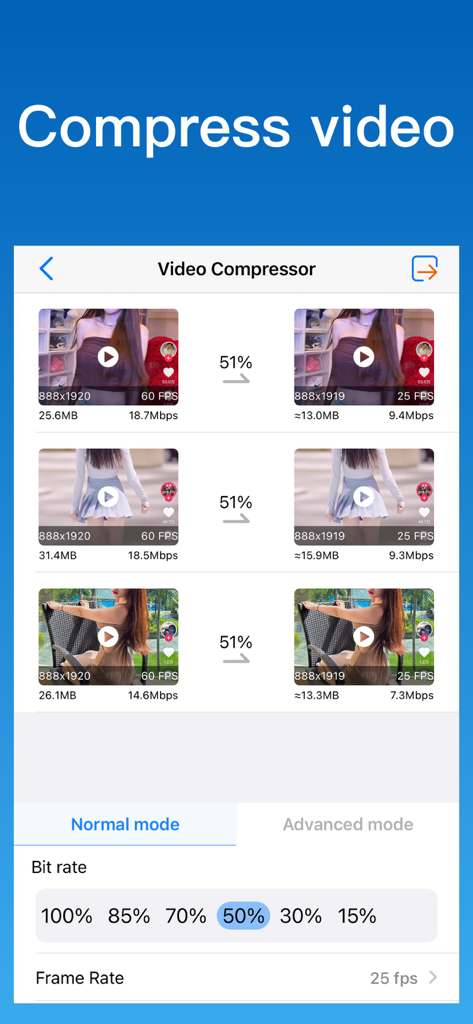
Interface of the Video Compressor app showing batch video compression and bit rate settings
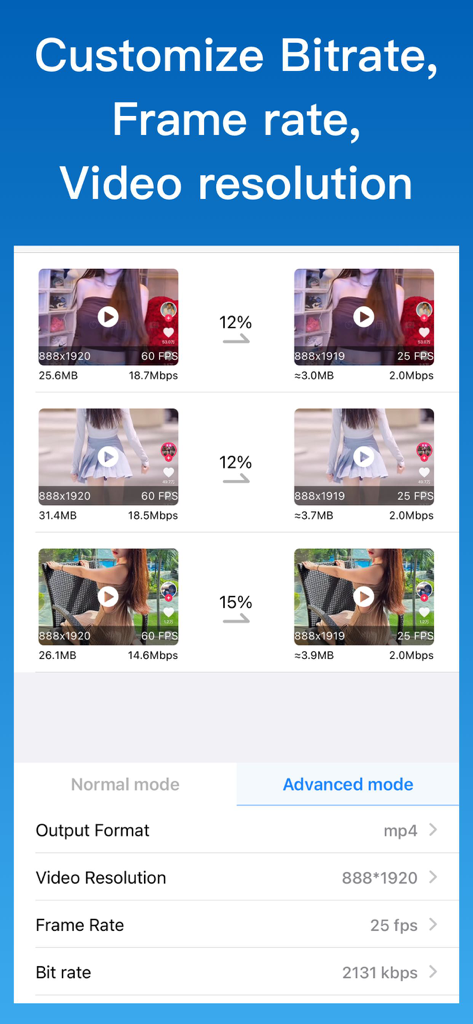
Interface of the video compressor app showing advanced settings for customizing resolution, frame rate, and bitrate to reduce file size.
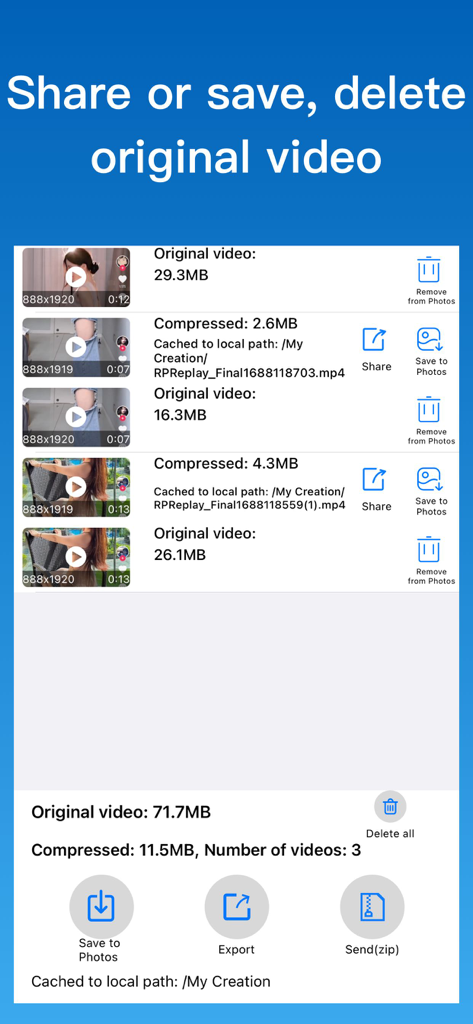
Interface showing original versus compressed video sizes with options to share save or delete files
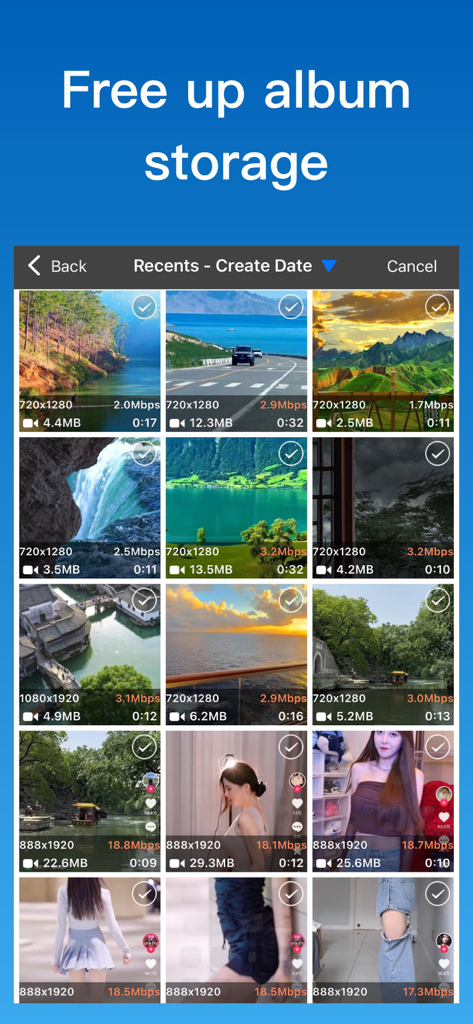
Interface of a video compressor app displaying a grid of videos with their file sizes for batch selection
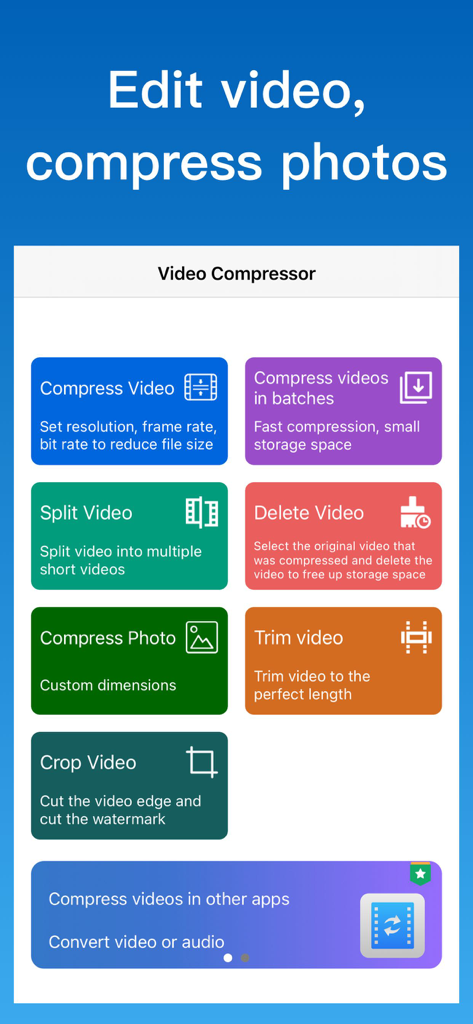
The main dashboard of the Video Compressor app displaying various video and photo editing tools
Description
Download
More Like This
Apps with similar features and user experience

SlimSpace - Compressor
琛 王

转换猫-视频音频图片格式转换
ZHN Co., Ltd.

Video Compressor - HQ Compress
LightByte Co., Ltd.

The Video Compressor
Dalian Hengwei Electronics Co., Ltd

Media Converter - video to mp3
俊杰 阮

Compress Videos & Resize Video
New Marketing Lab, Inc

Easy Video Compressor - Resize
Osawa Shunsuke

Video Compress - Shrink Vids
Brachmann Online Marketing GmbH & Co. KG

Panda - Video Compressor
Farluner Apps Grzegorz Balcerzak
This page is not an official page of the app or its developer, but an independent editorial publication created for informational and commentary purposes. Unless expressly stated otherwise, neither the app nor its developer is affiliated with, endorsed by, sponsored by, authorized by, or otherwise officially connected with MWM, Apple, Google Play, the app publisher, or the app's developer, and nothing on this page implies that the app was developed using MWM's services. Any trademarks, logos, screenshots, and other content remain the property of their respective owners.