
This page is not an official page of the app or its developer, but an independent editorial publication created for informational and commentary purposes. Unless expressly stated otherwise, neither the app nor its developer is affiliated with, endorsed by, sponsored by, authorized by, or otherwise officially connected with MWM, Apple, Google Play, the app publisher, or the app's developer, and nothing on this page implies that the app was developed using MWM's services. Any trademarks, logos, screenshots, and other content remain the property of their respective owners.


Cudy
Take total control of your family's internet with effortless Mesh setup, powerful parental controls, and real-time security management—all from the palm of your hand.
Downloads
45K+User Rating
Total Ratings
0Publisher
Category
UtilitiesLocales
40Latest Version
1.5.0Size
27.8 MBFirst Released
Feb 18, 2024Master Your Home Network with Ease
The Cudy app puts professional-grade network management in the palm of your hand, specifically designed for the modern, connected suburban family.
Setup in Minutes
Skip the technical dread. Our intuitive, step-by-step mobile guide gets your router and Mesh system running perfectly without needing an IT expert.
Smart Parental Controls
Keep your family safe and focused. Easily set healthy internet schedules, filter content, and pause access for any device with a single tap from your couch.
Frequently Asked Questions
Everything you need to know about Cudy
How does the Cudy app help manage Wi-Fi devices?
The Cudy app offers an intuitive interface to manage Cudy Wi-Fi Routers, Mesh Wi-Fi Routers, and Range Extenders. It enables users to check device status, configure personal network settings, and manage connected devices.
Can I set up my Cudy router using the Cudy app?
Yes, the Cudy app provides an easy and intuitive interface for quick router setup in minutes. It streamlines the installation process for Cudy Wi-Fi devices.
What device management features does the Cudy app offer?
The Cudy app provides powerful device management. Users can pause internet or VPN access for specific devices and set rate limits. It also shows a list of connected clients.
Does the Cudy app include Parental Controls?
Yes, the Cudy app includes Parental Controls. This feature allows users to establish healthy internet schedules and manage content access for their family members effectively.
Can I manage Wi-Fi settings through the Cudy app?
Yes, the Cudy app allows comprehensive Wi-Fi settings management. Users can configure options like SSID, encryption, password, operating mode, and channel for their network.
What types of Cudy devices can the Cudy app manage?
The Cudy app manages Cudy Wi-Fi Routers, Mesh Wi-Fi Routers, and Range Extenders. It offers a unified platform for accessing and controlling these various networking devices.
Can I see connected clients in the Cudy app?
Yes, the Cudy app features a Clients Management section. Users can view a list of all online or blocked connected devices, including their IP address, MAC address, and Wi-Fi frequency.
Does the Cudy app support adding Mesh Wi-Fi satellites?
Yes, the Cudy app supports adding satellite Mesh Wi-Fi devices. The app can scan for available mesh units, such as the M1200, to expand the user's network coverage.
The following screenshots and description are sourced directly from the app's official store listing and are the property of the app developer.
App Store
Screenshots
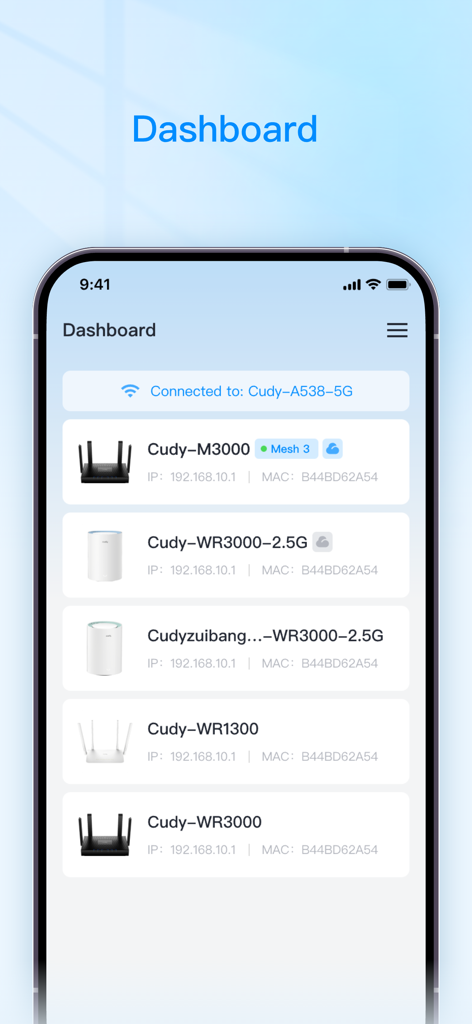
Cudy app dashboard showing connected networking devices like routers and mesh systems
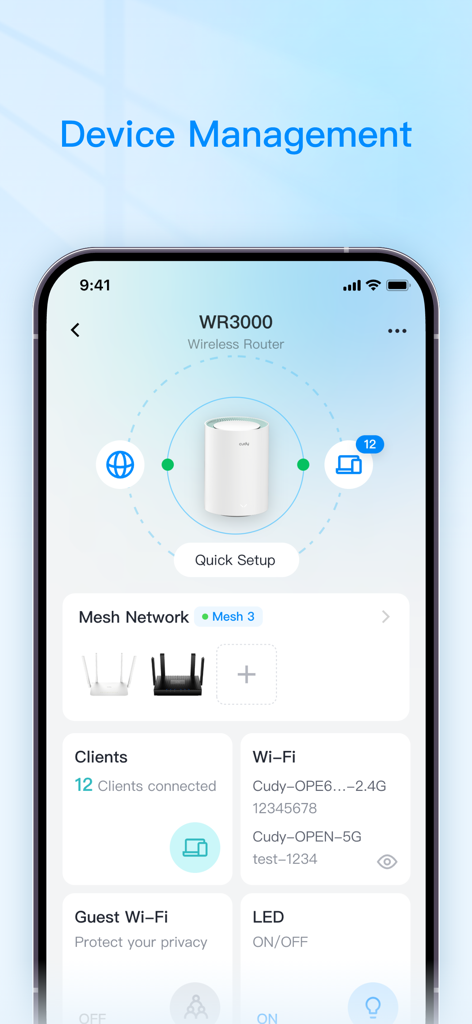
Cudy app dashboard showing wireless router status mesh network settings and connected clients
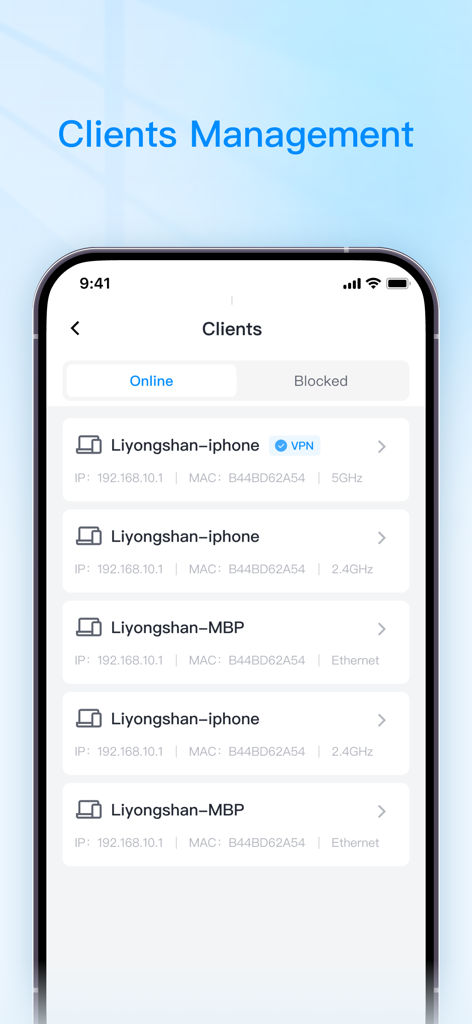
Cudy app screenshot showing the client management screen with a list of connected devices on a home Wi-Fi network.
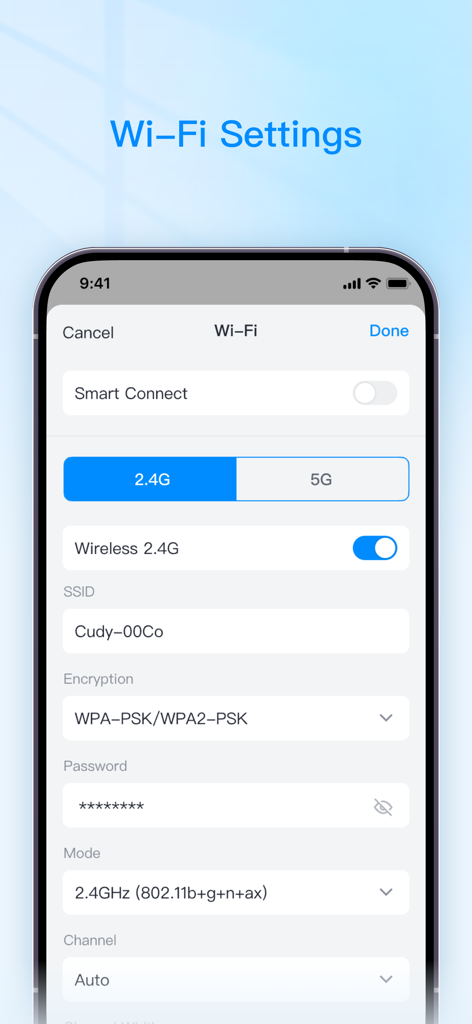
Interface for configuring Cudy router Wi-Fi settings including SSID and encryption
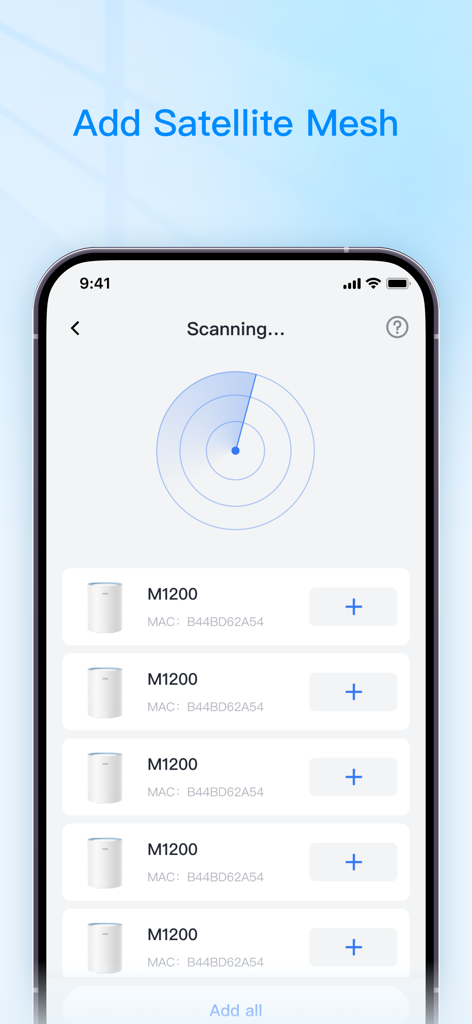
Cudy app interface scanning for satellite mesh devices to extend home Wi-Fi
Description
Download
More Like This
Apps with similar features and user experience

TP-Link Tether
TP-Link Systems Inc.

Smart Home Manager
AT&T Services, Inc.

TP-Link Deco
TP-Link Systems Inc.

eero wifi system
eero LLC

MERCUSYS
MERCUSYS Technologies Co., Ltd.

TP-Link Aginet
TP-Link Systems Inc.

T-Mobile Fiber: eero
eero LLC

NETGEAR Nighthawk - WiFi App
NETGEAR, Inc.

UniFi
Ubiquiti Inc.
This page is not an official page of the app or its developer, but an independent editorial publication created for informational and commentary purposes. Unless expressly stated otherwise, neither the app nor its developer is affiliated with, endorsed by, sponsored by, authorized by, or otherwise officially connected with MWM, Apple, Google Play, the app publisher, or the app's developer, and nothing on this page implies that the app was developed using MWM's services. Any trademarks, logos, screenshots, and other content remain the property of their respective owners.