
This page is not an official page of the app or its developer, but an independent editorial publication created for informational and commentary purposes. Unless expressly stated otherwise, neither the app nor its developer is affiliated with, endorsed by, sponsored by, authorized by, or otherwise officially connected with MWM, Apple, Google Play, the app publisher, or the app's developer, and nothing on this page implies that the app was developed using MWM's services. Any trademarks, logos, screenshots, and other content remain the property of their respective owners.


DU Recorder - Screen Recorder
Mobile content often stays trapped on devices. This app equips users to broadcast, record, and edit their digital world with unapologetic ease.
Downloads
25M+User Rating
Total Ratings
243.8KPublisher
Category
Photo & VideoLocales
25Latest Version
1.8.0Size
119.7 MBFirst Released
Dec 1, 2017DU Recorder - Screen Recorder: Core Functionality Analysis
An evaluation of key features empowering mobile content creation for aspiring digital influencers.
Direct Livestreaming to YouTube, Facebook & Twitch
The app provides seamless livestreaming capabilities directly to YouTube, Facebook, and Twitch, allowing users to broadcast gameplay, live shows, and other content with various customization options like resolution, privacy settings, custom watermarks, and support for Replaykit.
Stable & Fluid HD Screen Recording
It allows users to capture stable and fluid high-definition screen recordings, perfect for documenting gameplay, creating tutorials, or saving video calls with ease directly on their mobile device.
Comprehensive Video Editing Suite
This tool features an extensive set of built-in video editing functionalities, including trimming, merging, adding music, text, filters, adjusting speed, cropping, and even converting videos to GIFs, providing an all-in-one solution for post-production.
Simultaneous Mic & Internal Audio Recording
The app supports concurrent recording of both microphone audio and internal device audio, enabling content creators to add commentary or capture in-game sounds effectively during screen recordings and livestreams.
Facecam Recording Capability
It allows users to integrate a facecam into their recordings, facilitating the creation of reaction videos or personalizing content with their presence, enhancing engagement with their audience.
Custom Branding & Watermark Options
This tool provides options for custom watermarks and other branding elements during livestreams and recordings, helping content creators maintain their brand identity across platforms.
Frequently Asked Questions
Everything you need to know about DU Recorder - Screen Recorder
What is DU Recorder - Screen Recorder?
DU Recorder is an application designed for creating and recording livestreams and screen videos. It enables users to stream to platforms like YouTube, Facebook, and Twitch.
Which platforms does DU Recorder support for livestreaming?
Yes, DU Recorder supports livestreaming to multiple platforms, including YouTube, Facebook, and Twitch. It also offers RTMP livestreaming capabilities.
Does DU Recorder - Screen Recorder allow screen recording?
Yes, DU Recorder provides stable and fluid screen recording. Users can record games, video calls, live shows, and save these videos to their device.
Can DU Recorder record internal and microphone audio at the same time?
Yes, DU Recorder supports simultaneous recording of both microphone and internal audio during livestreams and screen recordings.
What video editing features are available in DU Recorder?
DU Recorder offers various video editing features such as trimming, adding music, text, frames, stickers, changing speed, voice recording, filters, cropping, merging videos, and converting video to GIF.
Does DU Recorder support RTMP streaming?
Yes, DU Recorder supports RTMP address input for livestreaming, providing flexibility for streaming to custom destinations.
How do I remove the watermark from recordings in DU Recorder?
To remove the watermark in DU Recorder, users must purchase a DU Recorder Premium subscription.
Is DU Recorder Premium a subscription service?
Yes, DU Recorder Premium is a subscription service billed either monthly or annually. It provides access to all paid features.
Can DU Recorder convert videos to GIF format?
Yes, DU Recorder includes a feature to convert video formats to GIF files, available within its video editing tools.
Does DU Recorder include a facecam feature?
Yes, DU Recorder features a facecam option, allowing users to record reaction videos by overlaying their camera feed onto screen recordings.
The following screenshots and description are sourced directly from the app's official store listing and are the property of the app developer.
App Store
Screenshots

Livestream Hub
The app provides a central hub for livestreaming to platforms like YouTube and Facebook, alongside an option to record content directly to a local device.
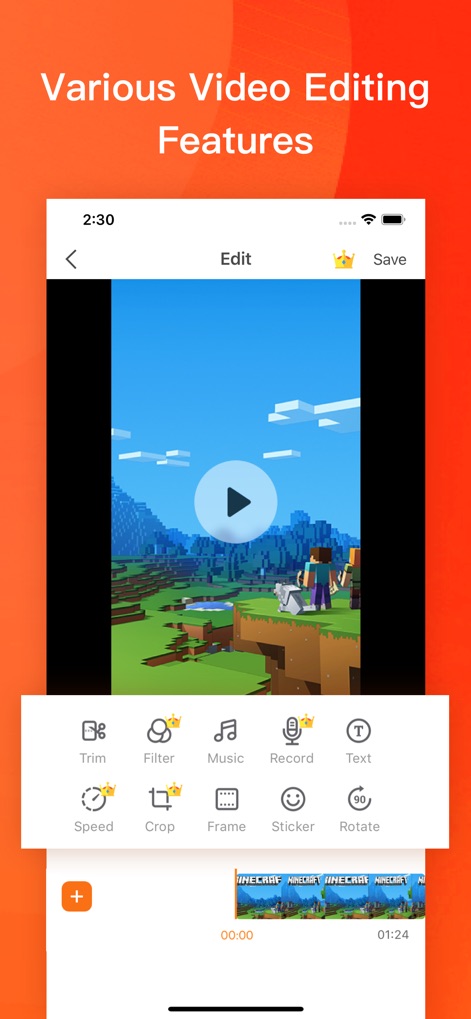
Editing Suite
Users can enhance their recordings with a comprehensive suite of editing tools, including options to trim videos and apply various filters.
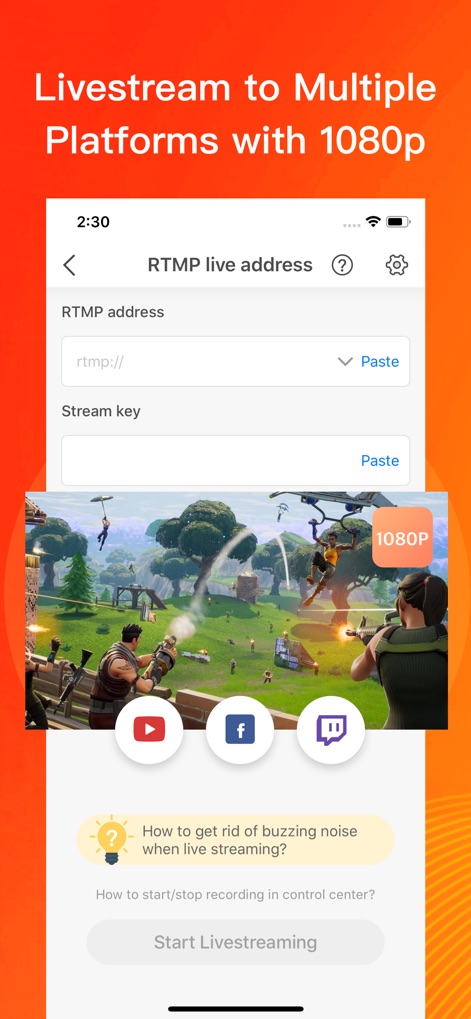
Pro Livestreaming
This tool supports professional RTMP livestreaming capabilities, enabling users to broadcast their content in crisp 1080P quality.
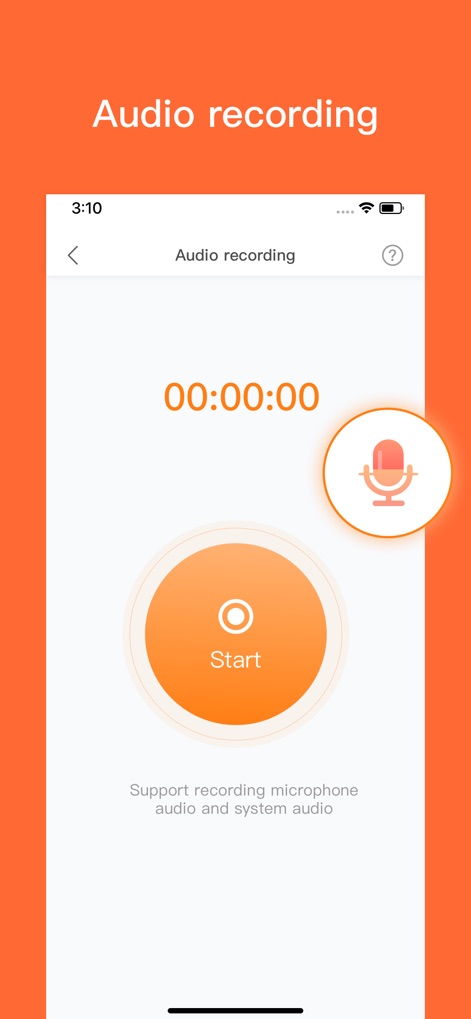
Audio Capture
The app facilitates clear audio recording, clearly indicated by the prominent microphone icon and a large 'Start' button for convenience.
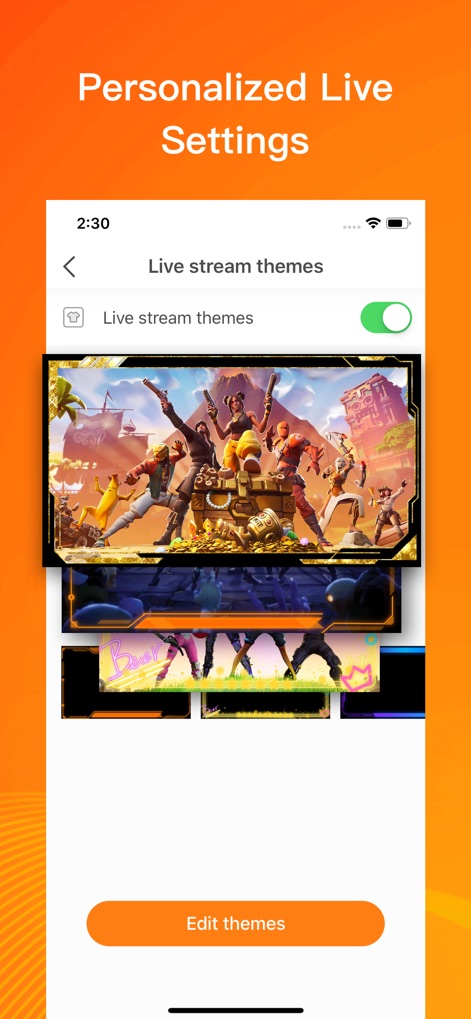
Custom Themes
Content creators can personalize their live streams by selecting from various interactive themes and utilizing the dedicated 'Edit themes' feature.
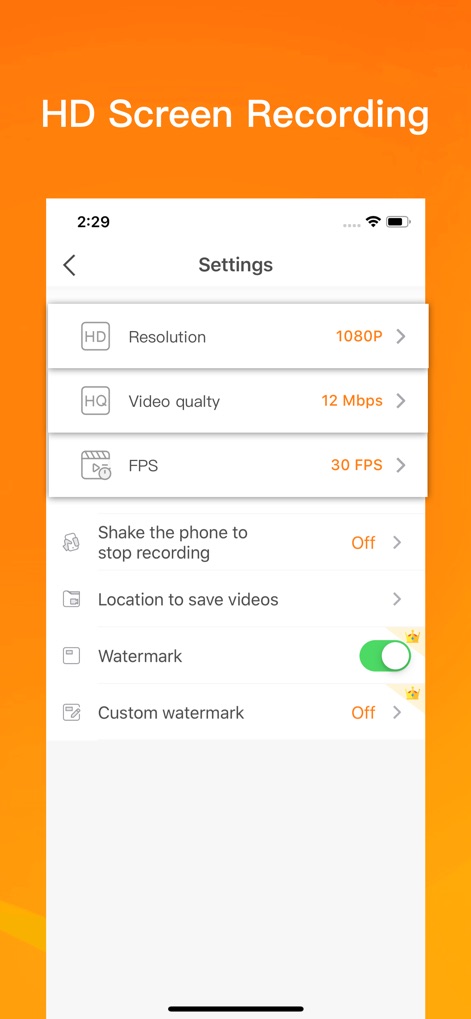
High-Definition Settings
Users have granular control over recording quality, with adjustable resolution up to 1080P and video quality settings reaching 12 Mbps.
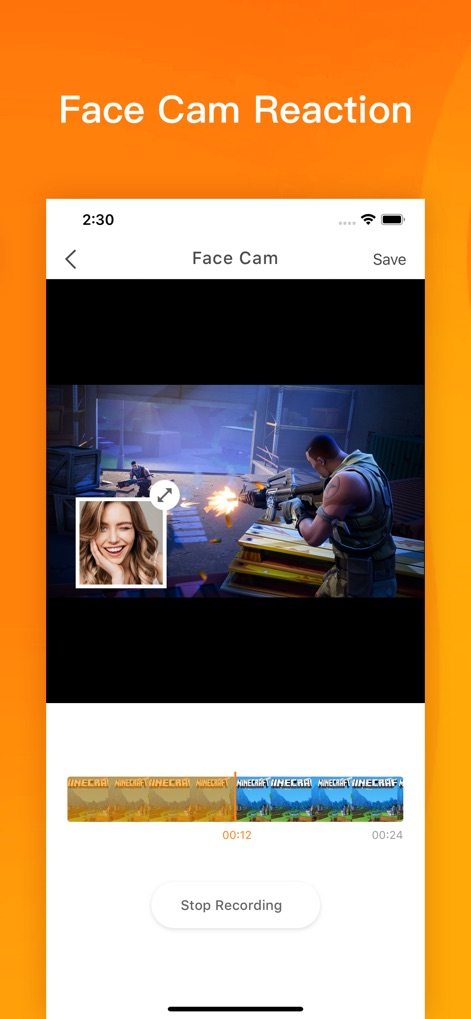
Facecam Reactions
Record engaging reaction videos by seamlessly overlaying a facecam onto gameplay footage, all managed with a clear video timeline for easy editing.
Description
Download
More Like This
Apps with similar features and user experience

Medal - Game Clipping
Medal B.V.

Screen Recorder,Video Recorder
VIDEOSHOW PTE. LTD.

Screen Recorder
App of the Year LLC

Record it! :: Screen Recorder
DIGISET LLC

Screen Recorder Voice & Video
Arthur Eduardo Skaetta Alvarez Desenvolvimento de Software LTDA.

Screen Recorder ®
Poster App LLP

Super Screen Recorder: Full HD
Dream United, Ltd.

Screen Recorder: Go Record
Torqued Studios LLC

Screen Recorder-Video & Voice
Danila Ianushev
This page is not an official page of the app or its developer, but an independent editorial publication created for informational and commentary purposes. Unless expressly stated otherwise, neither the app nor its developer is affiliated with, endorsed by, sponsored by, authorized by, or otherwise officially connected with MWM, Apple, Google Play, the app publisher, or the app's developer, and nothing on this page implies that the app was developed using MWM's services. Any trademarks, logos, screenshots, and other content remain the property of their respective owners.