
This page is not an official page of the app or its developer, but an independent editorial publication created for informational and commentary purposes. Unless expressly stated otherwise, neither the app nor its developer is affiliated with, endorsed by, sponsored by, authorized by, or otherwise officially connected with MWM, Apple, Google Play, the app publisher, or the app's developer, and nothing on this page implies that the app was developed using MWM's services. Any trademarks, logos, screenshots, and other content remain the property of their respective owners.


Screen Recorder,Video Recorder
Stop missing key moments. This app captures digital interactions, ensuring users retain every critical detail.
Downloads
10M+User Rating
Total Ratings
287.7KPublisher
Category
Photo & VideoLocales
18Latest Version
3.2.1.0Size
297.2 MBFirst Released
Dec 24, 2019An in-depth evaluation of essential functionalities tailored for digital content creation, education, and professional use.
V Recorder - VideoShow Screen Recorder: Key Feature Analysis
Professional Video Editing Tools
It allows users to easily cut, trim, split, rotate, reverse, adjust speed, and enhance videos with filters, stickers, text, music, and transitions, enabling polished content creation.
4K HD Screen Recording
The app provides support for 4K high-quality screen recording and offers customizable settings for recorded videos, ensuring crisp visual output.
Online Meeting Audio Recording
This tool features the ability to capture complete meeting audio clearly, combined with AI noise reduction, voice-to-text transcription, and AI summaries for easy review and follow-ups.
AI Noise Reduction
The app provides advanced AI technology to remove background noise while keeping the user's voice clear, making it an ideal voice recorder for any environment.
Face Cam & Audio Commentary
It allows users to record their face cam simultaneously with screen content and add real-time microphone commentary to create engaging gameplay, tutorials, or reaction videos.
AI-Powered Smart Subtitles
This tool features AI-powered speech recognition that automatically adds subtitles to recordings, enhancing accessibility and content understanding.
Seamless Social Sharing & Export
The app supports multiple aspect ratios and 4K HD export, allowing users to share gameplay, videos, and moments instantly to social platforms with ease.
Floating Teleprompter
It allows users to display transcripts on any application with adjustable font size and speed, which is perfect for presentations, meetings, and vlogs.
Unlimited Screen Recording
The app provides unlimited screen recording, ideal for capturing online videos, tutorials, livestreams, online meetings, or using it as a game recorder with sound.
AI Voice Transformer
This tool features an AI voice changer that lets users modify their voice for fun and creative effects, adding a unique touch to video recordings.
Frequently Asked Questions
Everything you need to know about Screen Recorder,Video Recorder
What is V Recorder - VideoShow Screen Recorder?
V Recorder - VideoShow Screen Recorder is a free, all-in-one app for high-quality screen, video, and voice recording. It features a game recorder, voice-to-text transcriber, and professional video editor with 4K HD output capabilities.
Does V Recorder support online meeting audio recording?
Yes, V Recorder - VideoShow Screen Recorder supports online meeting audio recording. It captures complete meeting audio, integrating AI noise reduction, voice-to-text transcription, and AI summaries for clear records.
Can Screen Recorder, Video Recorder record in 4K resolution?
Yes, Screen Recorder, Video Recorder supports 4K high-quality screen recording. Users customize resolution, bit rate, and frame rate settings for their recorded videos to ensure optimal quality.
Does V Recorder - VideoShow Screen Recorder include a video editor?
Yes, V Recorder - VideoShow Screen Recorder features a professional video editor. Users can cut, trim, split, rotate, add filters, stickers, text, music, and smooth transitions to enhance their recordings.
Can I record my face and voice with V Recorder during screen capture?
Yes, V Recorder - VideoShow Screen Recorder offers Face Cam and Audio Commentary. This allows users to record their reactions and add real-time microphone commentary while capturing screen content for tutorials or gameplay.
Does Screen Recorder, Video Recorder use AI for noise reduction?
Yes, Screen Recorder, Video Recorder provides advanced AI noise reduction. This feature effectively removes background noise, ensuring recorded voices remain crystal clear in any environment.
Can V Recorder - VideoShow Screen Recorder transcribe voice to text?
Yes, V Recorder - VideoShow Screen Recorder transcribes voice to text. It uses AI-powered speech recognition to automatically add subtitles to recordings and generates AI summaries for quick review.
What voice modification features does V Recorder offer?
V Recorder - VideoShow Screen Recorder features an AI Voice Transformer. This allows users to modify their voice with various fun and creative effects, enhancing their video recordings and commentaries.
Is the V Recorder - VideoShow Screen Recorder app free?
Yes, V Recorder - VideoShow Screen Recorder is a powerful and free screen recorder. It offers high-quality screen, video, and voice recording functionalities without any cost.
How can I share recordings from Screen Recorder, Video Recorder?
Screen Recorder, Video Recorder enables seamless social sharing. Users can export their gameplay, videos, and moments in multiple aspect ratios and 4K HD, then instantly share them to various social platforms.
Does V Recorder - VideoShow Screen Recorder offer a teleprompter function?
Yes, V Recorder - VideoShow Screen Recorder includes a Floating Teleprompter. This feature displays transcripts on any application, with adjustable font size and speed, ideal for presentations or vlogs.
Where can I find the privacy policy for V Recorder - VideoShow Screen Recorder?
The privacy policy for V Recorder - VideoShow Screen Recorder is available at https://d10nkoc3mu17gd.cloudfront.net/privacy/VRecorder_iOS_Privacy_Policy.html. Users should review it for information on data handling.
The following screenshots and description are sourced directly from the app's official store listing and are the property of the app developer.
App Store
Screenshots
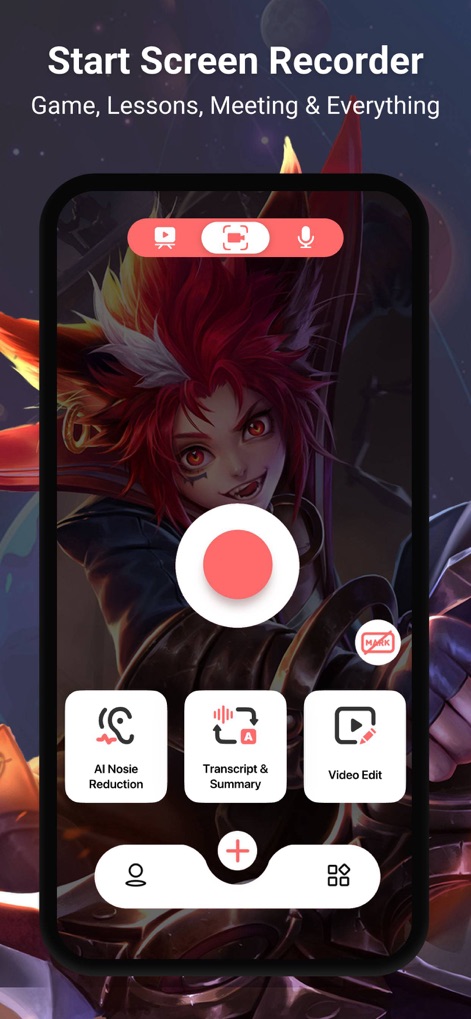
The app showcases its intuitive recording interface with prominent record button and quick access to AI Noise Reduction and Video Edit features.
Effortless Recording Launch

Users can capture engaging reactions with the integrated face cam feature, overlaid on gameplay to enhance content creation.
Dynamic Face Cam

This tool demonstrates its support for 4K resolution and customizable frame rates, ensuring high-quality screen recording for any content.
Premium HD Capture
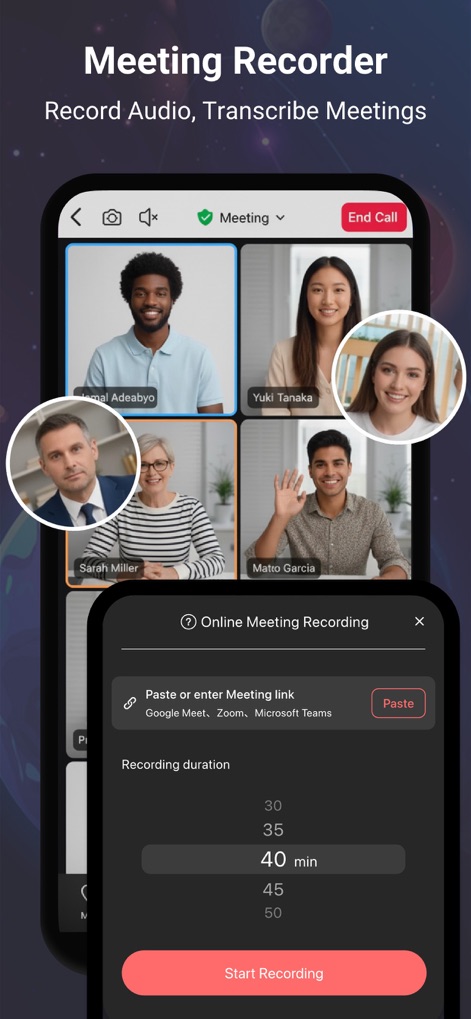
The app enables recording and transcribing of online meetings, displaying participant video feeds and a recording duration selection.
Smart Meeting Capture

Users can refine their recordings with professional editing tools, including options for filters and text, displayed on a clear timeline.
Comprehensive Video Editor

The app provides robust voice recording with AI Summary and real-time transcript display, helping users efficiently process audio content.
Advanced Voice Solutions
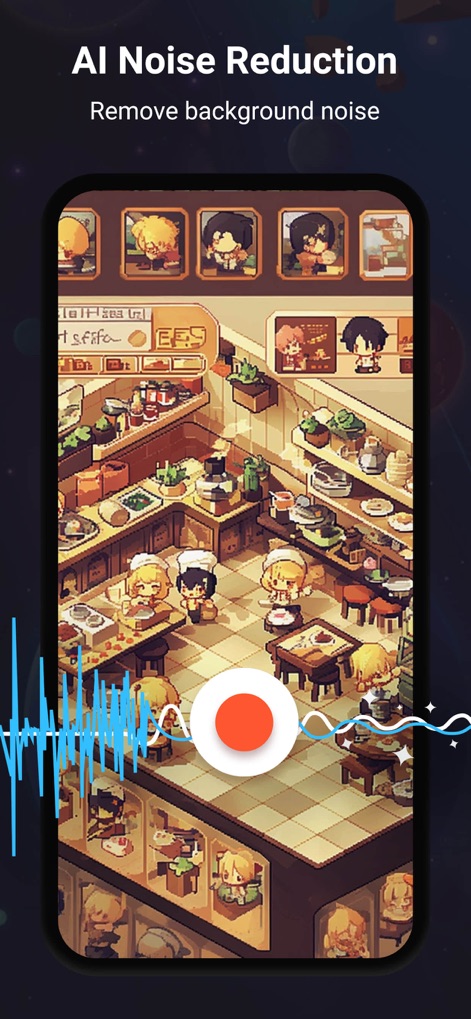
This feature visually represents AI noise reduction technology, effectively removing background disturbances for pristine sound quality.
Crystal Clear Audio

The app offers an AI voice changer with various fun effects, allowing users to modify their audio and personalize recordings.
Creative Voice Effects

This tool automatically generates subtitles from speech, showing language selection options and a progress indicator for AI processing.
Automated Subtitle Generation

Users can easily add clear audio dubs to their recordings, with a microphone icon and a visual waveform indicating active sound input.
Enhance with Dubbing
Description
Download
More Like This
Apps with similar features and user experience

Medal - Game Clipping
Medal B.V.

Screen Recorder
App of the Year LLC

Record it! :: Screen Recorder
DIGISET LLC

Screen Recorder Voice & Video
Arthur Eduardo Skaetta Alvarez Desenvolvimento de Software LTDA.

Screen Recorder ®
Poster App LLP

Super Screen Recorder: Full HD
Dream United, Ltd.

Screen Recorder: Go Record
Torqued Studios LLC

Screen Recorder-Video & Voice
Danila Ianushev

Screen recorder - video
Mark Thomas
This page is not an official page of the app or its developer, but an independent editorial publication created for informational and commentary purposes. Unless expressly stated otherwise, neither the app nor its developer is affiliated with, endorsed by, sponsored by, authorized by, or otherwise officially connected with MWM, Apple, Google Play, the app publisher, or the app's developer, and nothing on this page implies that the app was developed using MWM's services. Any trademarks, logos, screenshots, and other content remain the property of their respective owners.