
This page is not an official page of the app or its developer, but an independent editorial publication created for informational and commentary purposes. Unless expressly stated otherwise, neither the app nor its developer is affiliated with, endorsed by, sponsored by, authorized by, or otherwise officially connected with MWM, Apple, Google Play, the app publisher, or the app's developer, and nothing on this page implies that the app was developed using MWM's services. Any trademarks, logos, screenshots, and other content remain the property of their respective owners.


Screen Recorder Voice & Video
Finally, an app that gives you the power to narrate your digital world. It offers crisp captures and instant sharing across iOS.
Downloads
2.5M+User Rating
Total Ratings
57.3KPublisher
Category
Photo & VideoLocales
4Latest Version
1.0.156Size
21.9 MBFirst Released
Aug 18, 2023An evaluation of essential functionalities for iOS content creation and sharing.
Key Features Analysis: Screen Recorder Voice & Video
High-Quality Screen Recording
The app provides crystal-clear video and audio quality for capturing every detail, suitable for tutorials, gameplay, and app demos.
Face Camera Overlay
It enables users to enhance recordings by including a live face camera overlay, allowing them to share reactions and insights in real-time.
Microphone Overlay
This tool allows users to record their voice alongside the screen recording, adding a professional touch for narrations and commentary.
On-Device Privacy
This tool ensures user privacy as it works offline and processes all recording data on the device, without storing or sharing with third parties.
Instant Sharing
The app facilitates easy, one-touch sharing of creations.
Universal iOS Compatibility
It works seamlessly across all iOS devices, allowing users to capture content whenever and wherever inspiration strikes.
Frequently Asked Questions
Everything you need to know about Screen Recorder Voice & Video
What is Screen Recorder Voice & Video?
Screen Recorder Voice & Video is an iPhone application for seamless screen recording. It captures high-quality video and audio, and allows personalization with microphone and face camera overlays for various content creation needs.
Can I record my voice with Screen Recorder Voice & Video?
Yes, Screen Recorder Voice & Video supports recording your voice. It features a Microphone Overlay, enabling users to add narrations, explanations, or commentary alongside their screen recordings.
Does Screen Recorder Voice & Video have a face camera overlay feature?
Yes, Screen Recorder Voice & Video provides a Face Camera Overlay. This feature allows users to enhance recordings by including a live face camera to share their reactions, expressions, and insights in real-time.
Is my data private when using Screen Recorder Voice & Video?
Screen Recorder Voice & Video prioritizes user privacy. It operates offline, processes all recording data directly on the device, and never stores or shares any data with external services or third parties.
What devices are compatible with Screen Recorder Voice & Video?
Screen Recorder Voice & Video offers universal compatibility across all iOS devices. This ensures users can capture screen content whenever and wherever inspiration strikes on their Apple devices.
Can Screen Recorder Voice & Video capture both screen and audio?
Yes, Screen Recorder Voice & Video allows simultaneous capture of both screen and audio. It records with crystal-clear video and audio quality, suitable for tutorials, gameplay, and app demonstrations.
How can I share recordings from Screen Recorder Voice & Video?
Screen Recorder Voice & Video enables instant sharing. Users can easily share their recorded creations with one touch, directly from the app, to various platforms.
The following screenshots and description are sourced directly from the app's official store listing and are the property of the app developer.
App Store
Screenshots
The app immediately conveys its primary function, allowing users to record screens with integrated audio and video overlays, as highlighted by the clear explanatory text and central record icon.
Capture Capabilities
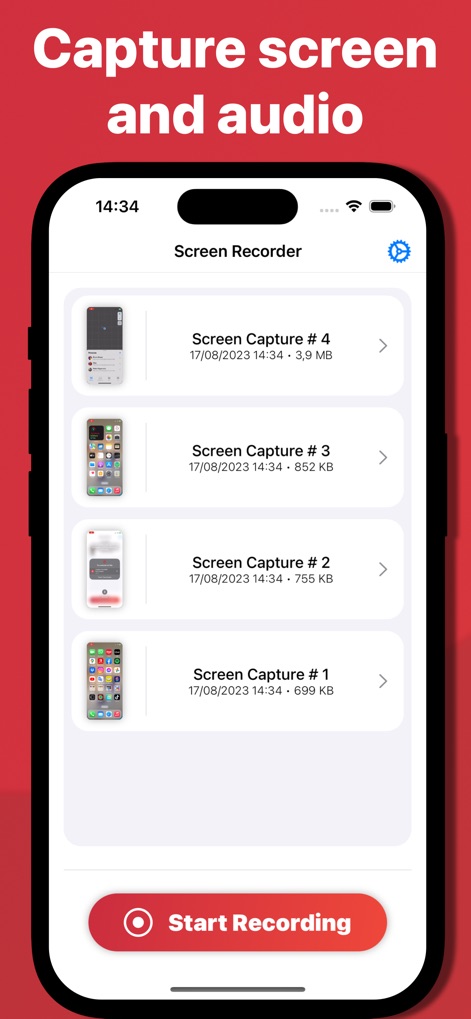
This tool provides an intuitive interface for managing existing screen captures, displayed as a chronological list of past recordings, with a clear 'Start Recording' button for new sessions.
Session Management
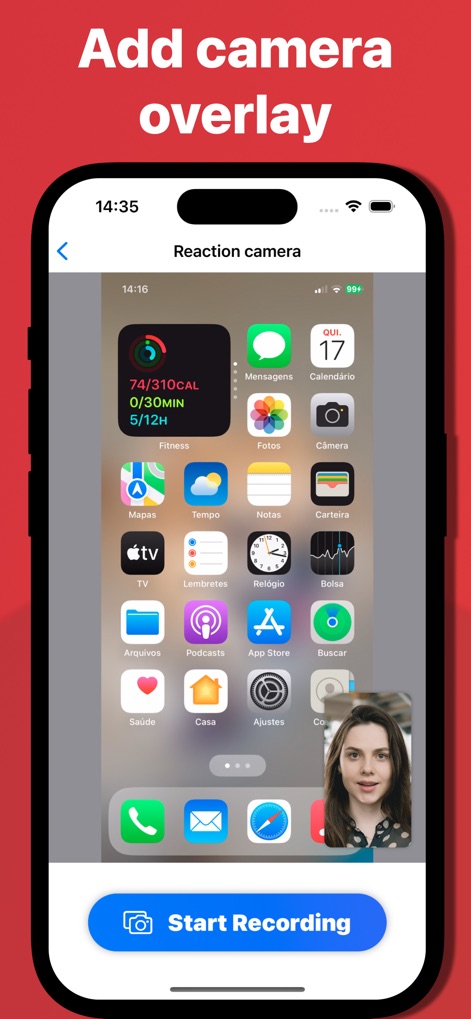
Users can personalize their content with a dynamic face camera overlay, showcasing reactions and insights directly on the screen, ready for activation via the prominent 'Start Recording' button.
Dynamic Overlays
Description
Download
More Like This
Apps with similar features and user experience

Medal - Game Clipping
Medal B.V.

Screen Recorder,Video Recorder
VIDEOSHOW PTE. LTD.

Screen Recorder
App of the Year LLC

Record it! :: Screen Recorder
DIGISET LLC

Screen Recorder ®
Poster App LLP

Super Screen Recorder: Full HD
Dream United, Ltd.

Screen Recorder: Go Record
Torqued Studios LLC

Screen Recorder-Video & Voice
Danila Ianushev

Screen recorder - video
Mark Thomas
This page is not an official page of the app or its developer, but an independent editorial publication created for informational and commentary purposes. Unless expressly stated otherwise, neither the app nor its developer is affiliated with, endorsed by, sponsored by, authorized by, or otherwise officially connected with MWM, Apple, Google Play, the app publisher, or the app's developer, and nothing on this page implies that the app was developed using MWM's services. Any trademarks, logos, screenshots, and other content remain the property of their respective owners.