
This page is not an official page of the app or its developer, but an independent editorial publication created for informational and commentary purposes. Unless expressly stated otherwise, neither the app nor its developer is affiliated with, endorsed by, sponsored by, authorized by, or otherwise officially connected with MWM, Apple, Google Play, the app publisher, or the app's developer, and nothing on this page implies that the app was developed using MWM's services. Any trademarks, logos, screenshots, and other content remain the property of their respective owners.


Screen Recorder ®
It grants users the power to dominate digital content creation directly from their device, making every screen moment a shareable, polished asset.
Downloads
1M+User Rating
Total Ratings
55.3KPublisher
Category
UtilitiesLocales
9Latest Version
1.118Size
143.4 MBFirst Released
Oct 12, 2021An Analytical Overview for Mobile Content Creators
Core Capabilities of Screen Recorder ®
HD Screen Recording
The app provides high-definition screen recording capabilities, allowing users to capture gameplay, live shows, video calls, and tutorials with exceptional clarity.
Direct Live Streaming
It enables users to livestream their screen directly to popular social media platforms such as YouTube, Facebook, and Twitch, facilitating real-time content sharing.
Facecam Reaction Videos
This tool features a Facecam function, empowering users to integrate their video reactions into recordings, ideal for creating engaging commentary and response content.
Voice Commentary & External Audio
The app allows for the recording of external audio and voice commentary, enabling users to add professional narration, game commentary, or tutorial instructions to their videos.
Integrated Video Editing Suite
It offers a comprehensive suite of in-app editing tools, including trimming, merging, adding music, text, filters, and cropping, to refine recorded videos directly on the smartphone.
Branding & Visual Enhancements
The app supports adding intros, outros, custom watermarks, frames, and stickers, allowing users to personalize their content and establish a distinct visual identity.
Frequently Asked Questions
Everything you need to know about Screen Recorder ®
What is the Screen Recorder ® app used for?
The Screen Recorder ® app is an HD screen recorder and screenshot capture tool for recording video games, live shows, online videos, and video chats. It also supports live streaming.
Can Screen Recorder ® livestream content to social media?
Yes, Screen Recorder ® can livestream your screen to various social media platforms like YouTube, Facebook, and Twitch, enhancing content sharing capabilities.
Does Screen Recorder ® include video editing features?
Yes, Screen Recorder ® offers comprehensive video editing tools. Users can trim, combine, add music, text, frames, stickers, filters, and change video speed.
How does Screen Recorder ® initiate and stop screen recordings?
Screen Recorder ® initiates and stops recordings smoothly with just one tap. This can be done conveniently via the notification bar or a floating window interface.
Can I add voice commentary to my videos using Screen Recorder ®?
Yes, Screen Recorder ® allows adding voice commentary. Users can record external audio and create commentary videos in real-time, ideal for tutorials or gameplay.
Does Screen Recorder ® support Facecam for reaction videos?
Yes, Screen Recorder ® supports Facecam. This feature enables users to create engaging reaction videos and respond immediately on platforms like Instagram and Facebook.
What video quality settings are available in Screen Recorder ®?
Screen Recorder ® provides adjustable video quality settings. Users can select resolution up to 4K, modify bit rate (Mbps), and set frame rate (fps) up to 60.
Are there subscription plans for Screen Recorder ®?
Yes, Screen Recorder ® offers auto-renewing subscription options. These plans, billed monthly or yearly, provide unlimited access to all features and content.
How can I cancel my Screen Recorder ® subscription?
Users can manage their Screen Recorder ® subscriptions and turn off auto-renewal by going to their Account Settings after purchase. Cancellation of the current subscription is not allowed during the active period.
Does Screen Recorder ® have a Privacy Policy?
Yes, Screen Recorder ® has a Privacy Policy. It is available for review at the URL: https://screenrecord.posterapplab.com/screenrecoder/privacy-policy.
The following screenshots and description are sourced directly from the app's official store listing and are the property of the app developer.
App Store
Screenshots

See how the app ensures pristine 4K video recording and captures every moment of gameplay with high-definition clarity.
Capture Every Detail
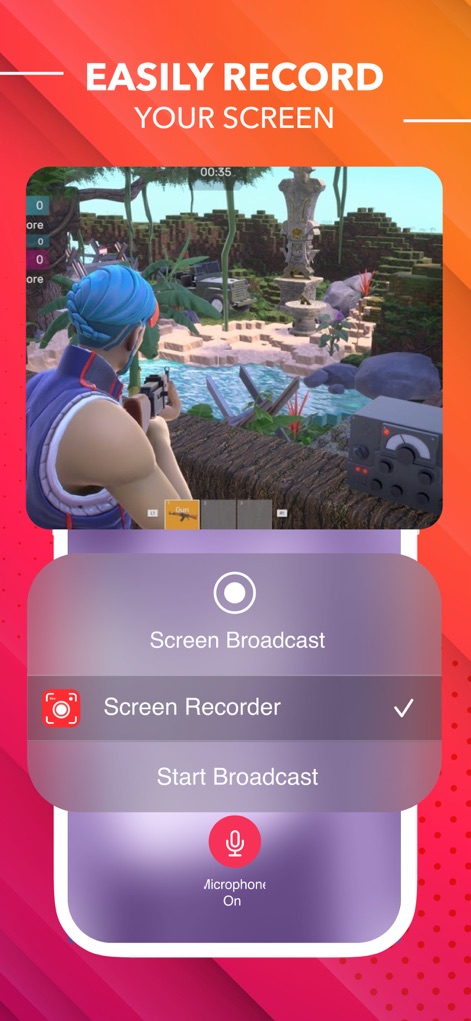
Discover the intuitive floating window control and easy access to microphone settings for seamless screen recording.
Effortless Recording

Witness the integrated Facecam overlay for real-time reactions and customizable timeline editing options.
Dynamic Reactions

Explore the comprehensive editing timeline and the array of tools, including music integration and filter application.
Precision Editing Suite

Users can fine-tune video output with adjustable resolution options and precise frame rate controls for optimal quality.
Custom Output Settings

The app offers intuitive video speed adjustment sliders and a detailed timeline for precise segment manipulation.
Creative Speed Control

This tool allows for easy music integration with a visible audio waveform and access to a diverse music library.
Enhance with Music

Explore a wide selection of video filters through the thumbnail carousel and instantly apply stylistic effects to clips.
Transform Visuals
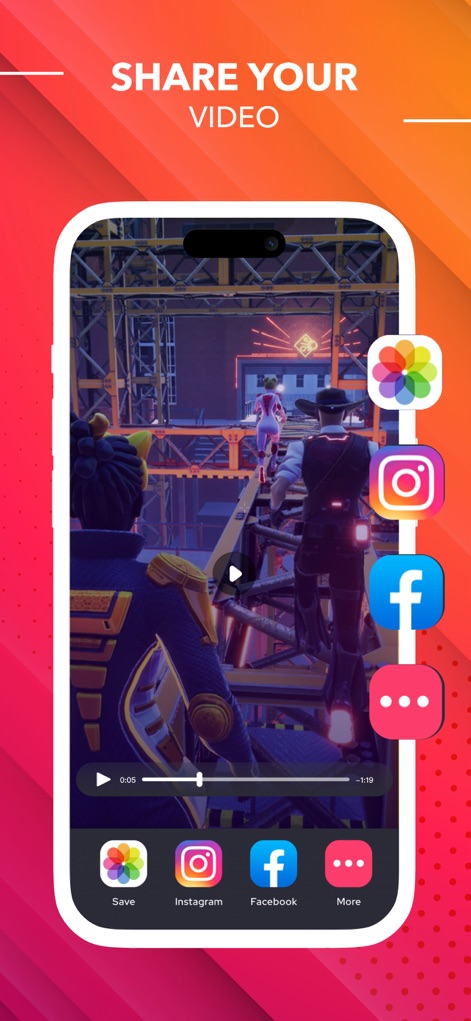
Users can effortlessly share their creations to popular social media platforms and save videos directly to their device.
Seamless Sharing
Description
Download
More Like This
Apps with similar features and user experience

Medal - Game Clipping
Medal B.V.

Screen Recorder,Video Recorder
VIDEOSHOW PTE. LTD.

Screen Recorder
App of the Year LLC

Record it! :: Screen Recorder
DIGISET LLC

Screen Recorder Voice & Video
Arthur Eduardo Skaetta Alvarez Desenvolvimento de Software LTDA.

Super Screen Recorder: Full HD
Dream United, Ltd.

Screen Recorder: Go Record
Torqued Studios LLC

Screen Recorder-Video & Voice
Danila Ianushev

Screen recorder - video
Mark Thomas
This page is not an official page of the app or its developer, but an independent editorial publication created for informational and commentary purposes. Unless expressly stated otherwise, neither the app nor its developer is affiliated with, endorsed by, sponsored by, authorized by, or otherwise officially connected with MWM, Apple, Google Play, the app publisher, or the app's developer, and nothing on this page implies that the app was developed using MWM's services. Any trademarks, logos, screenshots, and other content remain the property of their respective owners.