
This page is not an official page of the app or its developer, but an independent editorial publication created for informational and commentary purposes. Unless expressly stated otherwise, neither the app nor its developer is affiliated with, endorsed by, sponsored by, authorized by, or otherwise officially connected with MWM, Apple, Google Play, the app publisher, or the app's developer, and nothing on this page implies that the app was developed using MWM's services. Any trademarks, logos, screenshots, and other content remain the property of their respective owners.


Screen Recorder: Go Record
Stop losing brilliant screen moments. Go Record arms creators with the speed and precision to capture, personalize, and broadcast their digital stories directly from their device.
Downloads
12.5M+User Rating
Total Ratings
205.9KPublisher
Category
UtilitiesLocales
1Latest Version
2.4.2Size
13.6 MBFirst Released
Mar 16, 2018Key Features Analysis: Screen Recorder: Go Record
An evaluation for mobile-first content creators including gamers, educators, and social media influencers.
Face Cam & Voice Commentary
It allows users to add personal Face Cam reactions and voice commentary, enhancing engagement for tutorials, gameplay, and vlogs.
High-Quality Screen Recording
The app provides the ability to record screen activity in high quality, essential for producing professional-looking content.
Rapid Social Sharing
The app provides quick export functionality to popular applications, streamlining the process of sharing content with an audience.
Integrated Video Editing Tools
This tool features built-in editing capabilities, including trimming, rotating, and audio adjustments, enabling creators to refine their recordings directly on the device.
Frequently Asked Questions
Everything you need to know about Screen Recorder: Go Record
How does Screen Recorder: Go Record facilitate screen recording?
Screen Recorder: Go Record enables easy, high-quality screen recording. Users simply initiate recording through the app, capturing everything displayed on their screen.
Does Go Record allow users to add Face Cam reactions to recordings?
Yes, Screen Recorder: Go Record allows users to add Face Cam reactions. This feature overlays the user's face onto the screen recording, enhancing personal interaction.
Can I edit my screen recordings within the Go Record app?
Yes, Screen Recorder: Go Record includes a built-in video editor. Users can trim, rotate, and adjust audio directly within the app without needing external tools.
What editing features are available in Screen Recorder: Go Record?
Screen Recorder: Go Record provides built-in editing tools including trim video segments, rotate the recording, adjust audio volume, and modify playback speed.
Is it possible to record gameplay with Go Record?
Yes, Screen Recorder: Go Record supports capturing gameplay. The app is specifically designed for creators to record various screen content, including gaming sessions.
How can I add voice commentary to my recordings using Screen Recorder: Go Record?
Screen Recorder: Go Record allows users to add voice commentary to their recordings. This feature enables creators to narrate their screen recordings directly within the app.
Does Go Record facilitate fast sharing of recorded videos?
Yes, Screen Recorder: Go Record supports fast sharing. Users can export their edited screen recordings directly to their preferred applications quickly and efficiently.
The following screenshots and description are sourced directly from the app's official store listing and are the property of the app developer.
App Store
Screenshots

Instant Screen Capture
See how the app streamlines screen recording with the clear "Go Record" option and the intuitive "Start Recording" button for quick initiation.
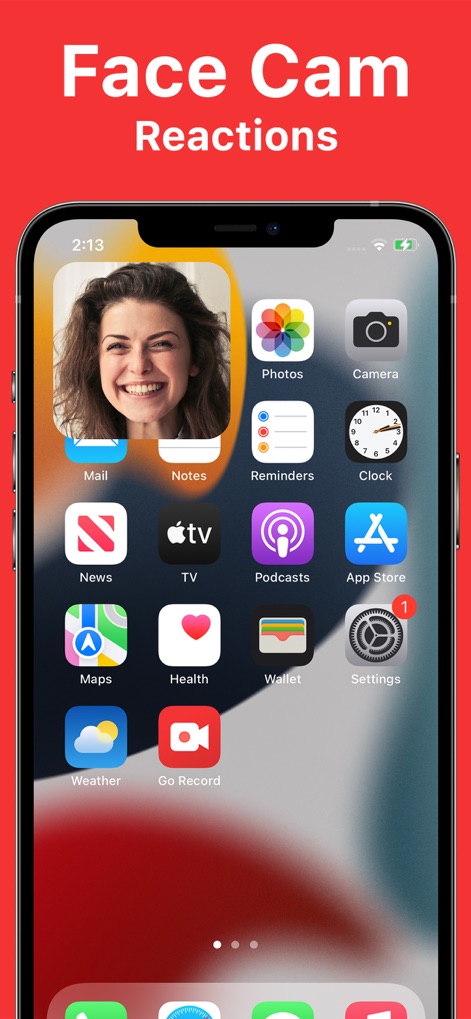
Dynamic Face Cam
Users can effortlessly integrate their personal presence with the prominent "Face Cam" overlay and flexible placement on the mobile screen.

Built-in Editor
This tool empowers creators with essential editing functions like "Trim" and "Rotate" directly alongside a detailed video timeline for precise adjustments.

Voice Commentary
Elevate content with personalized narration, utilizing the dedicated "Audio Commentary" interface for adding voiceovers and enhancing engagement.
Description
Download
More Like This
Apps with similar features and user experience

Medal - Game Clipping
Medal B.V.

Screen Recorder,Video Recorder
VIDEOSHOW PTE. LTD.

Screen Recorder
App of the Year LLC

Record it! :: Screen Recorder
DIGISET LLC

Screen Recorder Voice & Video
Arthur Eduardo Skaetta Alvarez Desenvolvimento de Software LTDA.

Screen Recorder ®
Poster App LLP

Super Screen Recorder: Full HD
Dream United, Ltd.

Screen Recorder-Video & Voice
Danila Ianushev

Screen recorder - video
Mark Thomas
This page is not an official page of the app or its developer, but an independent editorial publication created for informational and commentary purposes. Unless expressly stated otherwise, neither the app nor its developer is affiliated with, endorsed by, sponsored by, authorized by, or otherwise officially connected with MWM, Apple, Google Play, the app publisher, or the app's developer, and nothing on this page implies that the app was developed using MWM's services. Any trademarks, logos, screenshots, and other content remain the property of their respective owners.