
This page is not an official page of the app or its developer, but an independent editorial publication created for informational and commentary purposes. Unless expressly stated otherwise, neither the app nor its developer is affiliated with, endorsed by, sponsored by, authorized by, or otherwise officially connected with MWM, Apple, Google Play, the app publisher, or the app's developer, and nothing on this page implies that the app was developed using MWM's services. Any trademarks, logos, screenshots, and other content remain the property of their respective owners.


Easy Pose -Best Posing App
The ultimate 3D reference tool for digital artists. Pose multiple stylized models, master dynamic angles, and export clear PNGs for your Webtoons and animations.
Downloads
1M+User Rating
Total Ratings
3K+Publisher
Category
UtilitiesLocales
1Latest Version
1.6.10Size
643.0 MBFirst Released
Jan 24, 2018Master the Art of Character Design
Skip the struggle of anatomy and focus on your creativity with tools built specifically for digital illustrators and comic artists.
Stylized Comic Proportions
Forget stiff wooden dolls. Use models designed for Webtoons and Anime with the perfect head-to-body ratios for your specific art style.
Dynamic Multi-Model Scenes
Pose up to six characters at once to create complex interactions, from epic battle sequences to romantic character moments.
Frequently Asked Questions
Everything you need to know about Easy Pose -Best Posing App
What is Easy Pose -Best Posing App?
Easy Pose is a human body pose app designed for artists who draw or learn to draw. It provides personalized 3D models to inspect various poses from different angles for animation, illustration, and sketching.
Can I control individual joints in Easy Pose?
Yes, Easy Pose allows sensitive control over the main joints. It highlights movable parts, initializes joints, and offers a mirroring function for symmetrical poses, providing convenient controls.
Does Easy Pose offer models suitable for comic styles?
Yes, Easy Pose provides comic style models with various body types, making them suitable for animation, webtoon, or game illustrations, unlike previous apps with realistic eight-head ratio models.
How many models can I control simultaneously in Easy Pose?
Easy Pose allows multi-model control, enabling users to create a scene with a maximum of 6 people at once. This supports creating complex interactions like a soccer tackle or a couple dancing.
Are there pre-made poses available in Easy Pose?
Yes, Easy Pose includes tens of pre-made poses that are used often. About 60 poses are currently prepared and will be regularly updated for user convenience.
What rendering features does Easy Pose offer?
Easy Pose offers sensitive light expression using direct and backlight settings, realistic shadows, and adjustable angle of view with exaggerated vanishing points like panorama. It also has a wire mode.
Can I save images with a transparent background in Easy Pose?
Yes, Easy Pose allows users to download models without the background in a PNG clear background format. This feature supports integration with other drawing programs.
Does Easy Pose include an auto-save feature?
Yes, Easy Pose features automatic saving, which ensures data is safe even if a device error occurs. This prevents loss of work progress.
What features are available in the free version of Easy Pose?
The free version of Easy Pose allows free control of model poses, light angle for moods, and saving images in PNG format. Users can also freely control the camera distance.
What benefits does the paid version of Easy Pose offer?
The paid version of Easy Pose allows saving/recalling completed poses, includes additional female and male models, supports multiple models on screen, removes ads, and enables use of all "Completed Poses."
Are there different model types available in Easy Pose?
Yes, Easy Pose provides 13 humanoid models and costumes optimized for animation, game, and comic work. The paid version adds woman (normal), woman (small), and man (small) models.
How many preset poses does Easy Pose offer?
Easy Pose offers over 1,500 preset poses. These poses are tailored to specific themes and models, providing a wide range of options for users.
Does Easy Pose include non-human models or props?
Yes, Easy Pose includes 25 additional models such as cars, motorcycles, bicycles, dragons, dinosaurs, pterosaurs, horses, medieval knights, and skeletons. It also offers over 200 props.
Can users edit model attributes like color in Easy Pose?
Yes, Easy Pose supports editing features including changing model colors. Other editing functions include Copy, Swap, Group, and Reset, as shown in the control model interface.
How are hand poses controlled in Easy Pose?
Easy Pose offers 36 hand poses and a dedicated editor for setting hand poses. Users can adjust individual finger joints with sliders for precise control.
Does Easy Pose offer modes to aid in drawing lines?
Yes, Easy Pose provides line and box modes on the model. These modes facilitate easy drawing of people by offering a simplified structural representation.
Does Easy Pose support multi-character scene creation?
Yes, Easy Pose supports creating multi-character scenes with over 250 group poses. These are tailored for drawing two or more models, such as couples or sports scenes.
Does Easy Pose include animations?
Yes, Easy Pose includes over 70 animations, offering continuous poses. Categories include General, Break dance, and Boxing, providing dynamic movement references.
What happens to saved data if Easy Pose is deleted?
If the Easy Pose app is deleted, all saved data is also deleted because the data is not saved to a server. Users must back up their data manually if needed.
How do I restore the paid version of Easy Pose after reinstallation?
To restore the paid version of Easy Pose after reinstallation, click "purchase Pro version" again within the app. This completes the installation without requiring a new purchase.
The following screenshots and description are sourced directly from the app's official store listing and are the property of the app developer.
App Store
Screenshots
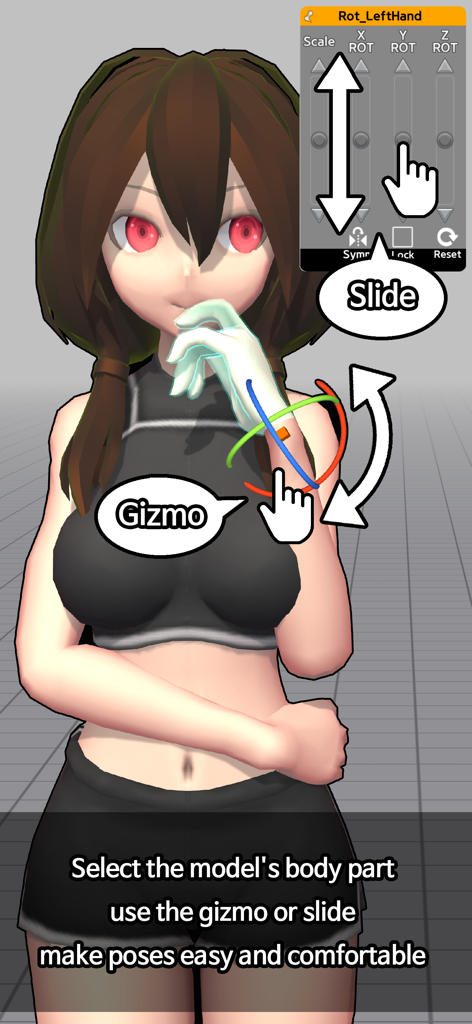
Interface showing an anime-style 3D model with UI controls for posing body parts using a gizmo and sliders in Easy Pose.
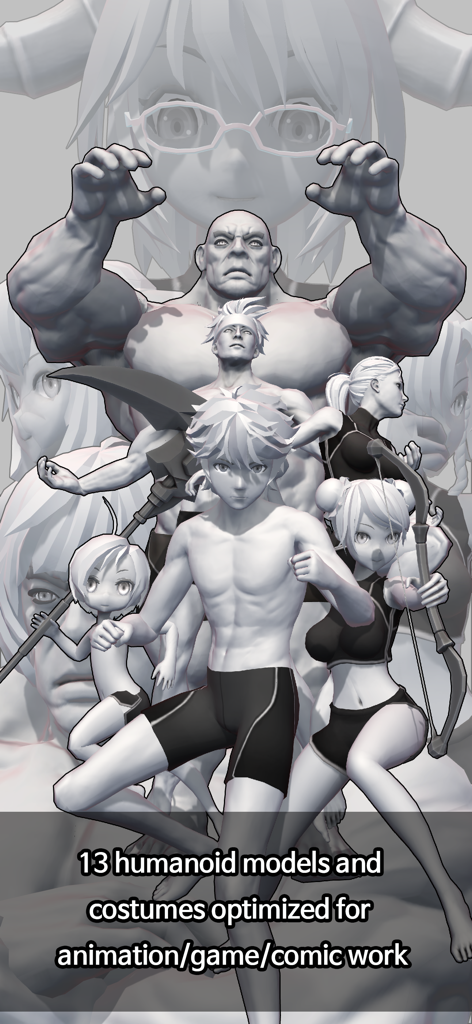
A display of diverse 3D humanoid models with various body types for comic and animation reference in the Easy Pose app.
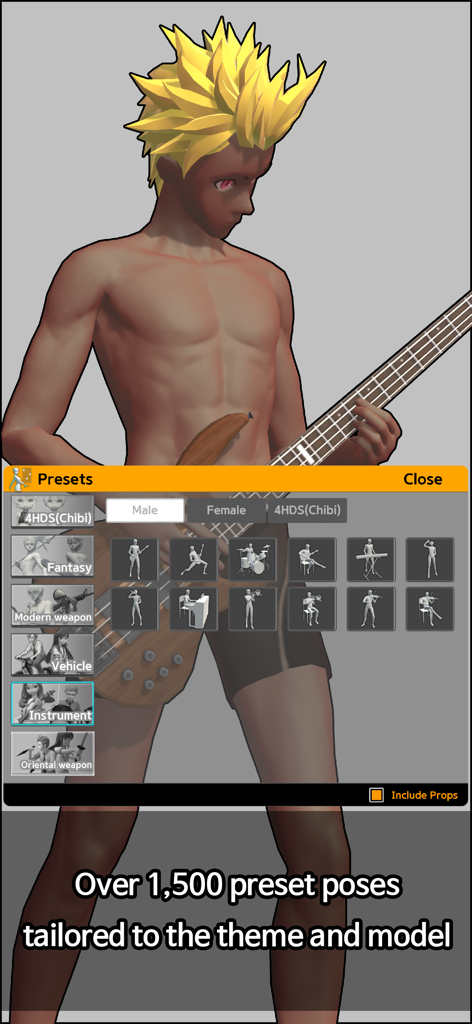
Easy Pose app interface showing a 3D anime model with a guitar and the instrument preset poses menu
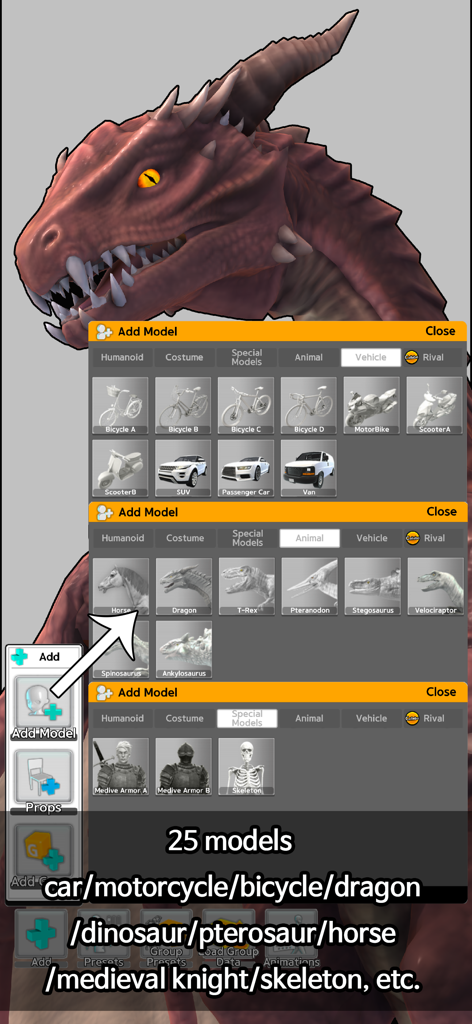
Easy Pose app interface displaying various 3D model categories including animals, vehicles, and special characters like dragons and skeletons.
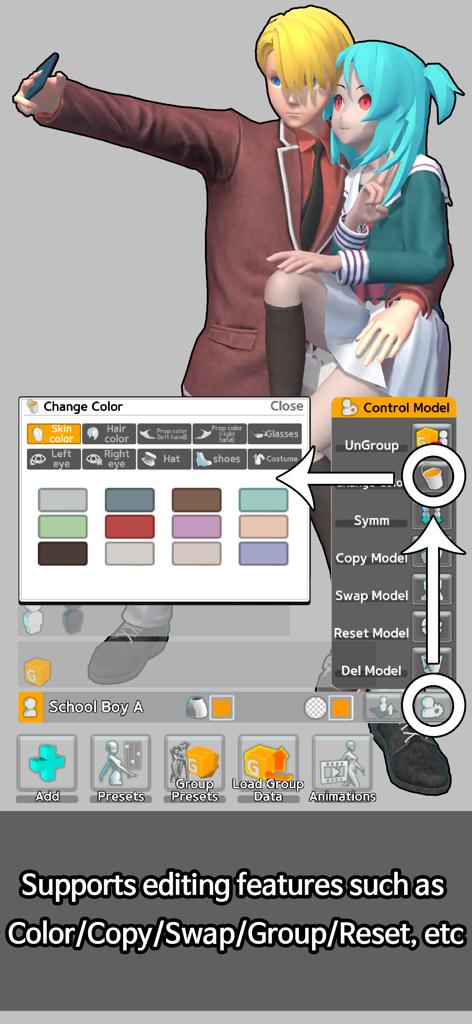
Easy Pose app interface showing color customization and editing tools for 3D anime style characters
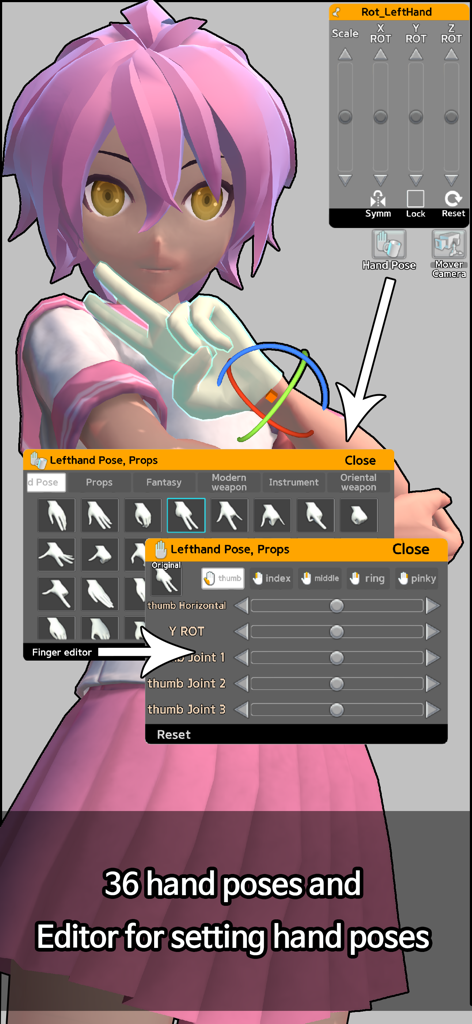
Interface of the Easy Pose app showing the hand pose library and finger editor for an anime character model
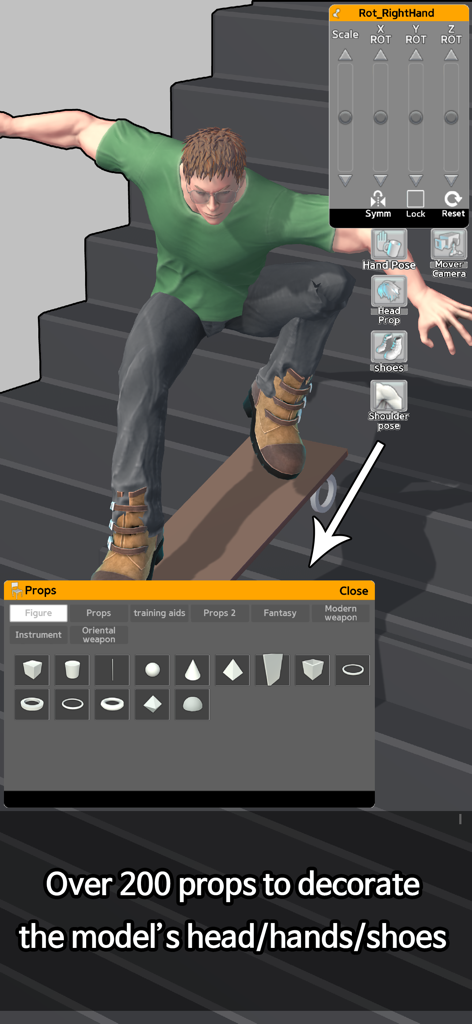
A 3D character model on a skateboard using the Easy Pose props selection menu
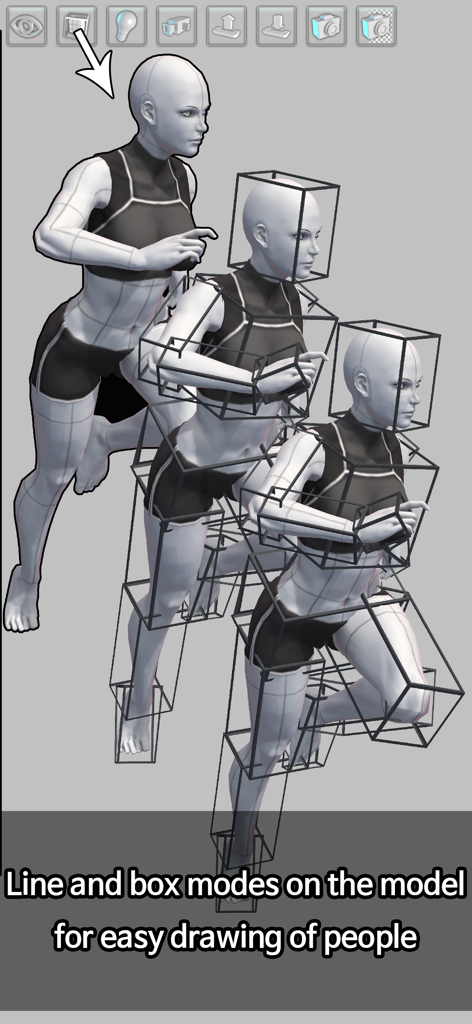
A 3D female character model shown in various line and box wireframe modes to assist with anatomical drawing
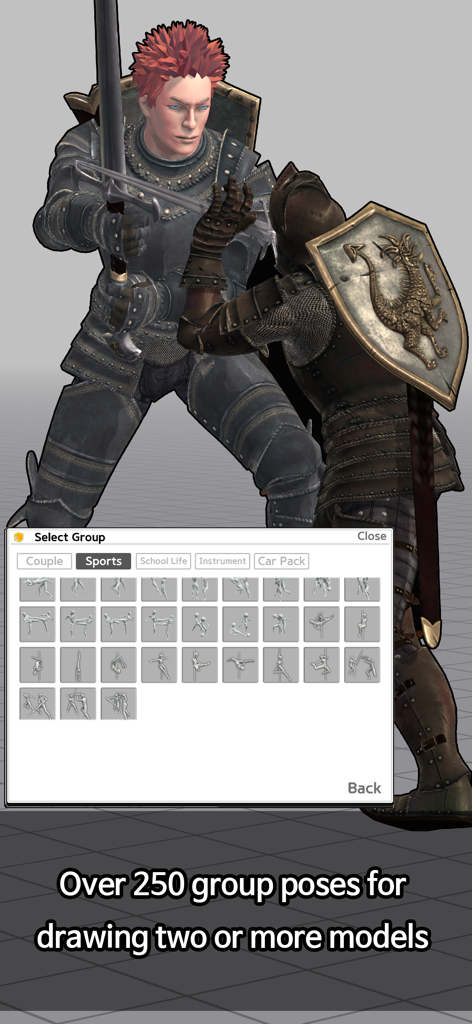
Easy Pose app interface showing two 3D knights in a battle stance with a menu for selecting group poses
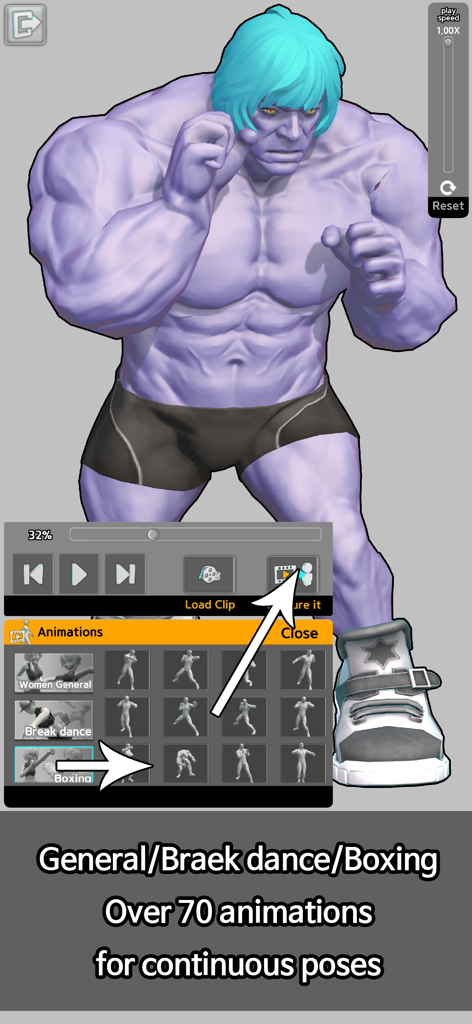
A purple muscular 3D character model in a boxing pose with the animation selection menu open in the Easy Pose app
Description
Download
More Like This
Apps with similar features and user experience
Handy Art Reference Tool
Scott McKie
Previs Pro - Storyboard Fast
Ghostwheel LLC
Moblo - 3D furniture modeling
MYTIforge
Head Model Studio - Art Study
Wes Castain

Manikin
UNSH VOF

Magic Poser - Art Pose Tool
Wombat Studio, Inc.

ArtPose
shawn ogle
ArtPose Female Edition
shawn ogle

Pose Croquis
Kazuaki Matsuda
This page is not an official page of the app or its developer, but an independent editorial publication created for informational and commentary purposes. Unless expressly stated otherwise, neither the app nor its developer is affiliated with, endorsed by, sponsored by, authorized by, or otherwise officially connected with MWM, Apple, Google Play, the app publisher, or the app's developer, and nothing on this page implies that the app was developed using MWM's services. Any trademarks, logos, screenshots, and other content remain the property of their respective owners.