
This page is not an official page of the app or its developer, but an independent editorial publication created for informational and commentary purposes. Unless expressly stated otherwise, neither the app nor its developer is affiliated with, endorsed by, sponsored by, authorized by, or otherwise officially connected with MWM, Apple, Google Play, the app publisher, or the app's developer, and nothing on this page implies that the app was developed using MWM's services. Any trademarks, logos, screenshots, and other content remain the property of their respective owners.

Moblo - 3D furniture modeling
The intuitive 3D design tool built for makers and homeowners. Create bespoke furniture, generate parts lists, and use AR to see your creations in your space before you build.
Downloads
662K+User Rating
Total Ratings
1K+Publisher
Category
Graphics & DesignLocales
1Latest Version
25.12.1Size
258.5 MBFirst Released
Feb 17, 2021Design Your Dream Furniture in 3D
The most intuitive tool for DIYers to model, visualize, and build custom furniture projects—from digital concept to physical reality.
Intuitive 3D Assembly
Drag, drop, and resize shapes to model desks, shelving, or kitchens without the learning curve of complex professional CAD software.
Real-World AR Visualization
Eliminate buyer's remorse by using Augmented Reality to see exactly how your design fits in your room before you start building.
Frequently Asked Questions
Everything you need to know about Moblo - 3D furniture modeling
What is Moblo - 3D furniture modeling used for?
Moblo is a 3D modeling tool designed for creating bespoke furniture and imagining interior designs. It features augmented reality for visualizing creations in your own home.
Does Moblo offer augmented reality features?
Yes, Moblo supports augmented reality visualization. You can use your phone's camera to preview your 3D furniture designs in your actual home environment.
Can I export 3D designs from Moblo?
Yes, Moblo allows exporting 3D projects. You can export designs as .stl or .obj mesh files for use with other 3D tools like Sketchup or Blender.
What types of materials can I use and customize in Moblo?
Moblo offers a materials library including paint, wood, metal, and glass. You can also create custom materials using a simple editor to adjust color, texture, and other properties.
Is Moblo - 3D furniture modeling easy for beginners to use?
Yes, Moblo is suitable for beginners. Its intuitive interface is designed for both touchscreen and mouse use, making 3D modeling accessible to everyone.
Can Moblo export a list of parts from a project?
Yes, Moblo offers a premium feature that allows exporting the parts list of a project in .csv format. This file is compatible with programs like Excel or Google Sheets.
What premium features does Moblo - 3D furniture modeling offer?
Moblo's premium features include working on multiple projects, unlimited parts, access to all part shapes and materials, saving selections, importing projects, and exporting 3D models and parts lists.
Is Moblo suitable for professionals in design and carpentry?
Yes, Moblo is used by professionals such as carpenters, kitchen designers, and interior designers. The community shares ideas and creations, demonstrating its professional utility.
How does Moblo assist in visualizing furniture before production?
Moblo helps visualize furniture by allowing users to place 3D creations into their own home using augmented reality. This provides a real-life context before any physical production begins.
Does Moblo allow users to create custom materials for their designs?
Yes, Moblo allows users to create their own custom materials. It includes a dedicated editor for adjusting color, texture, shininess, reflection, and opacity.
The following screenshots and description are sourced directly from the app's official store listing and are the property of the app developer.
App Store
Screenshots
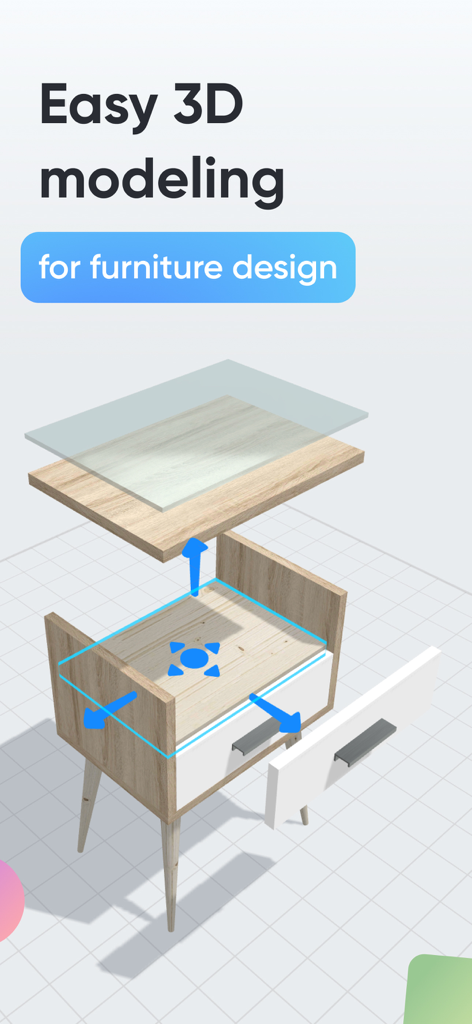
An exploded 3D model view of a wooden nightstand being designed in the Moblo app
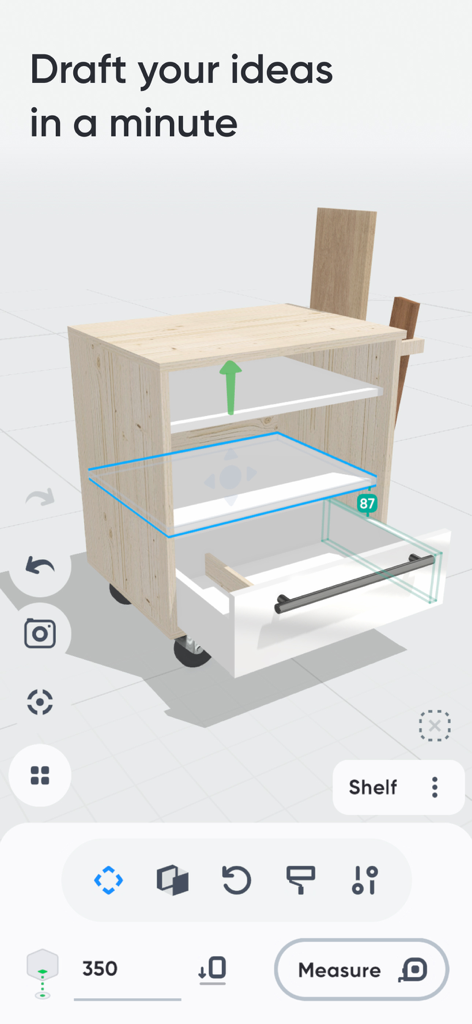
Interface of Moblo app showing a 3D furniture model of a cabinet with drawers being designed
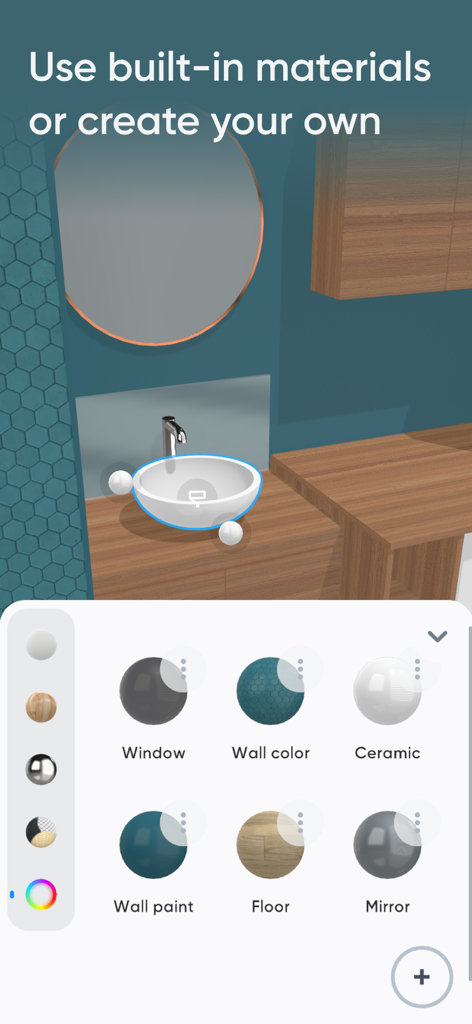
Moblo app interface showing 3D furniture material selection options for home design.
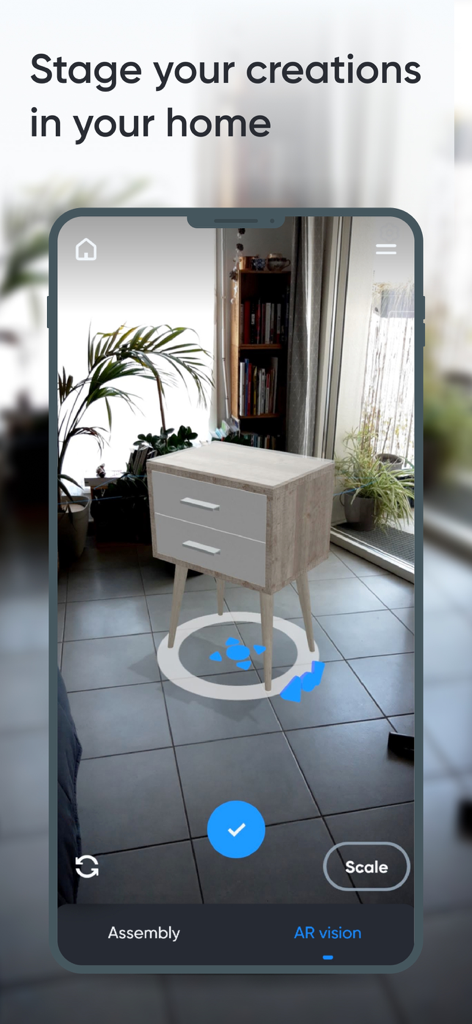
A 3D furniture model staged in a real home environment using augmented reality
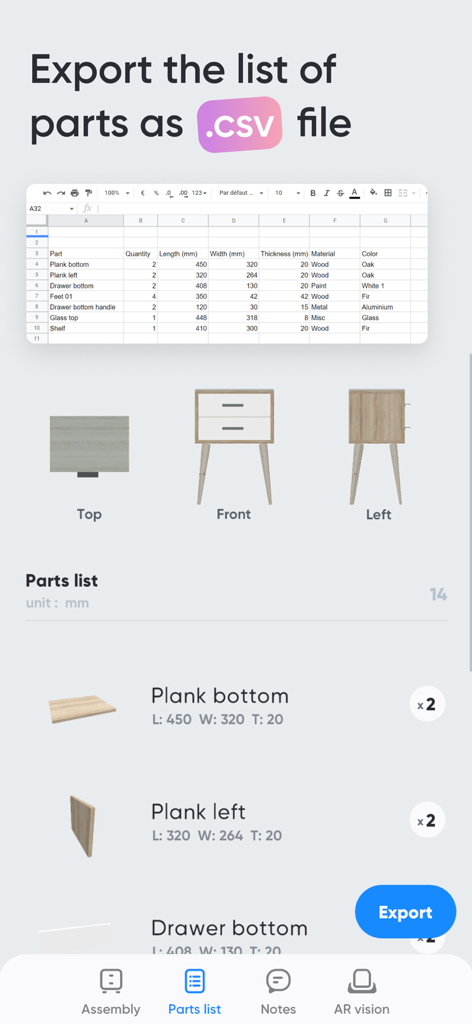
Interface of the Moblo app showing a furniture parts list with dimensions and the option to export as a CSV file
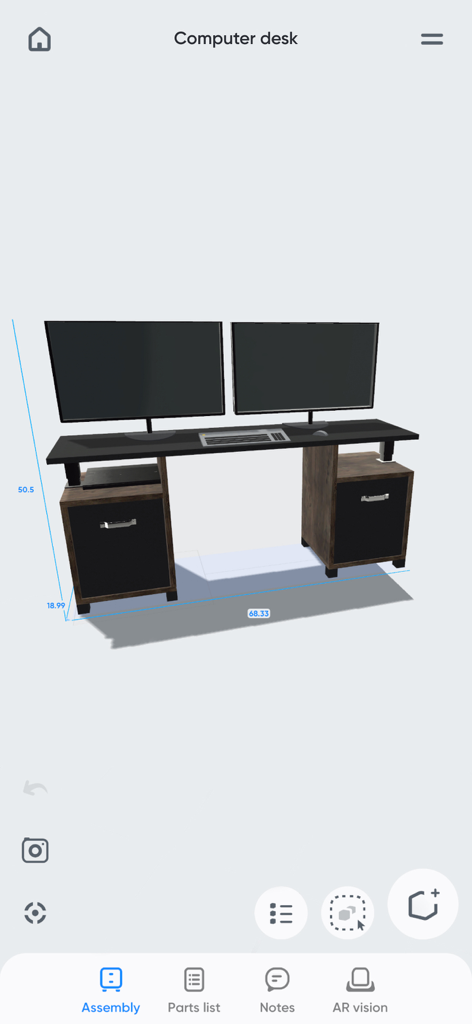
3D model of a custom computer desk with dimensions in the Moblo furniture design app
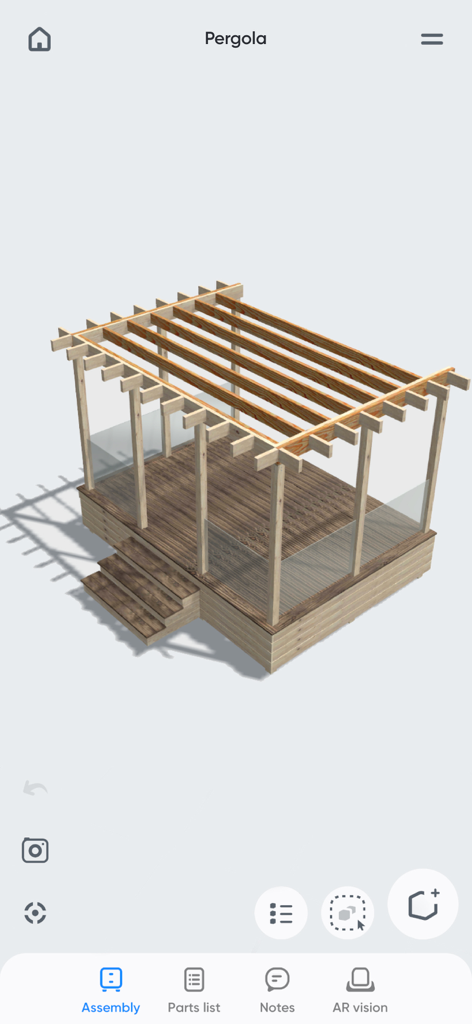
3D wooden pergola design in the Moblo furniture modeling app
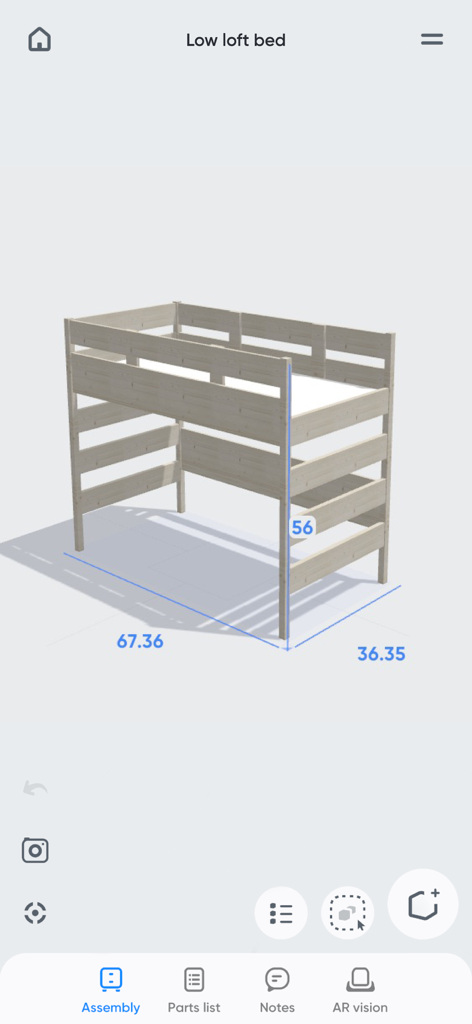
A wooden low loft bed 3D model with dimensions displayed in the Moblo furniture design app.
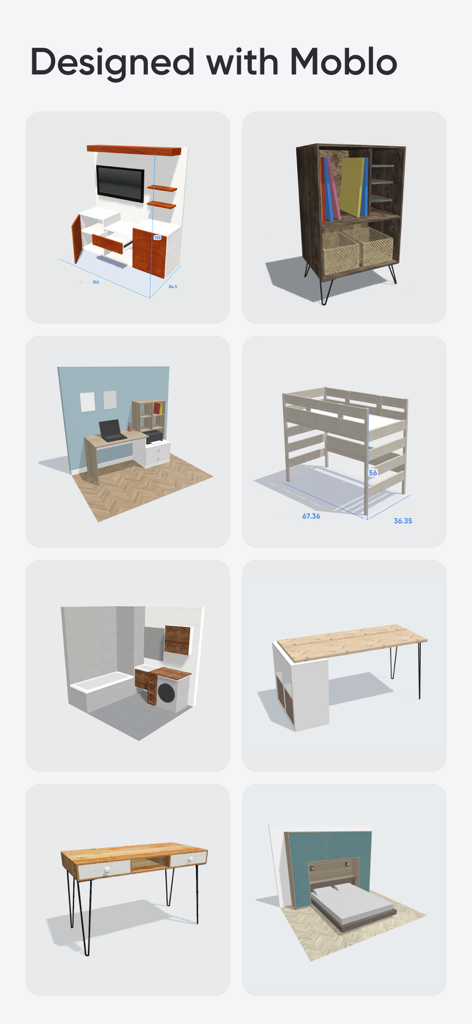
A grid of various 3D furniture models and room layouts created with Moblo
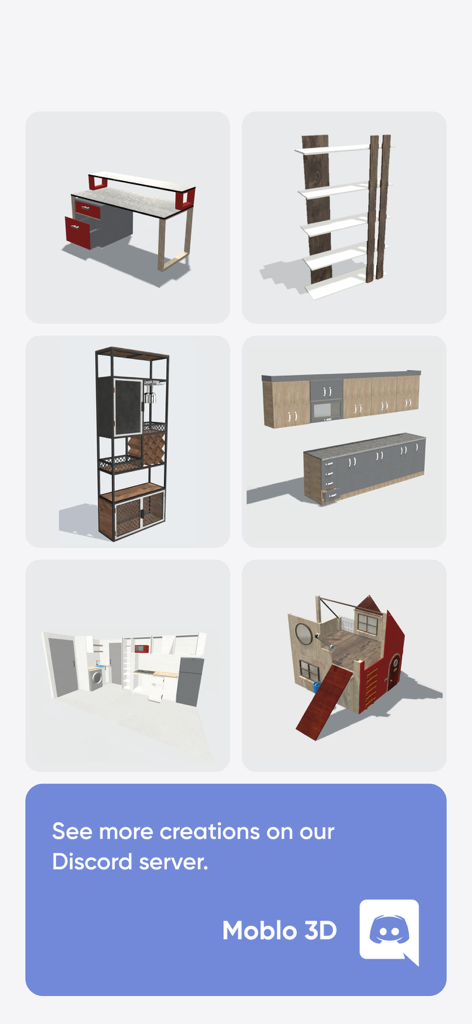
A variety of 3D furniture designs including a desk bookshelf and kitchen layout created with Moblo
Description
Download
More Like This
Apps with similar features and user experience

Handy Art Reference Tool
Scott McKie

Previs Pro - Storyboard Fast
Ghostwheel LLC

Head Model Studio - Art Study
Wes Castain

Manikin
UNSH VOF

Magic Poser - Art Pose Tool
Wombat Studio, Inc.

ArtPose
shawn ogle

ArtPose Female Edition
shawn ogle

Pose Croquis
Kazuaki Matsuda

Easy Pose -Best Posing App
Park Kiyoung
This page is not an official page of the app or its developer, but an independent editorial publication created for informational and commentary purposes. Unless expressly stated otherwise, neither the app nor its developer is affiliated with, endorsed by, sponsored by, authorized by, or otherwise officially connected with MWM, Apple, Google Play, the app publisher, or the app's developer, and nothing on this page implies that the app was developed using MWM's services. Any trademarks, logos, screenshots, and other content remain the property of their respective owners.