
This page is not an official page of the app or its developer, but an independent editorial publication created for informational and commentary purposes. Unless expressly stated otherwise, neither the app nor its developer is affiliated with, endorsed by, sponsored by, authorized by, or otherwise officially connected with MWM, Apple, Google Play, the app publisher, or the app's developer, and nothing on this page implies that the app was developed using MWM's services. Any trademarks, logos, screenshots, and other content remain the property of their respective owners.


Head Model Studio - Art Study
The ultimate reference tool for digital artists. Study anatomy, control studio lighting, and master the planes of the face with professional 3D models designed for your iPad.
Downloads
743K+User Rating
Total Ratings
4K+Publisher
Category
Graphics & DesignLocales
10Latest Version
2.16.1Size
2.1 GBFirst Released
Aug 11, 2020Master Portraiture with 3D Precision
The definitive tool for digital artists to study facial planes, lighting, and anatomy through professional-grade 3D models.
Planar Head Models
Deconstruct the human face into simplified planes to master structure and volume using techniques inspired by the Asaro and Loomis methods.
Custom Studio Lighting
Manipulate multiple spotlights and HDR environments to understand how light interacts with skin tones and creates dramatic shadows.
Frequently Asked Questions
Everything you need to know about Head Model Studio - Art Study
What is Head Model Studio - Art Study?
Head Model Studio is an iOS/iPadOS application designed for artists to learn and study faces in detail. It provides 3D models and tools to enhance portrait drawing skills by understanding facial planes.
What types of 3D models are available in Head Model Studio?
Head Model Studio offers 25 different 3D models, including 2 free ones. These models range from simple to detailed, and include 5 classical models, inspired by master methodologies for artistic study.
Can I control the lighting in Head Model Studio?
Yes, Head Model Studio provides complete lighting control. Users can choose realistic environmental lighting (sunrise, midday, sunset) or switch to Studio Lighting with multiple spotlights, adjustable colors, angles, and intensity.
How does Head Model Studio help users practice drawing?
Head Model Studio assists practice through pre-made scenes, customizable rendering like edge outlines, and the ability to modify facial features and expressions. It also includes proportion guides to help understand face dimensions.
What are the pricing options for Head Model Studio?
Head Model Studio provides a couple of free models for initial use. Premium access to the remaining models is available through either a Lifetime purchase option or a Yearly non-recurring subscription.
Can I manipulate the 3D models in Head Model Studio?
Yes, Head Model Studio provides complete control over 3D models. Users can zoom, tilt, and rotate models to study each part independently. It also features full support for head tilt and neck rotation.
Can users modify facial features or expressions in Head Model Studio?
Yes, Head Model Studio allows users to modify facial features such as cheeks, chin, and ears. Users can also create expressions by selecting from six base expressions and fine-tuning them with sliders.
The following screenshots and description are sourced directly from the app's official store listing and are the property of the app developer.
App Store
Screenshots

Logo and text for Head Model Studio app saying Draw Better Portraits with a 3D head model visualization
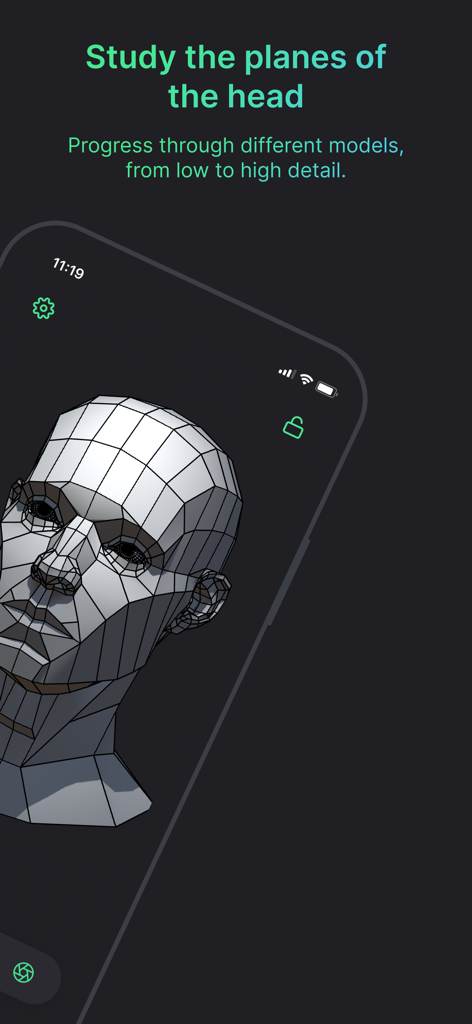
A 3D polygonal head model on a smartphone screen showing the planes of the face for artistic study.
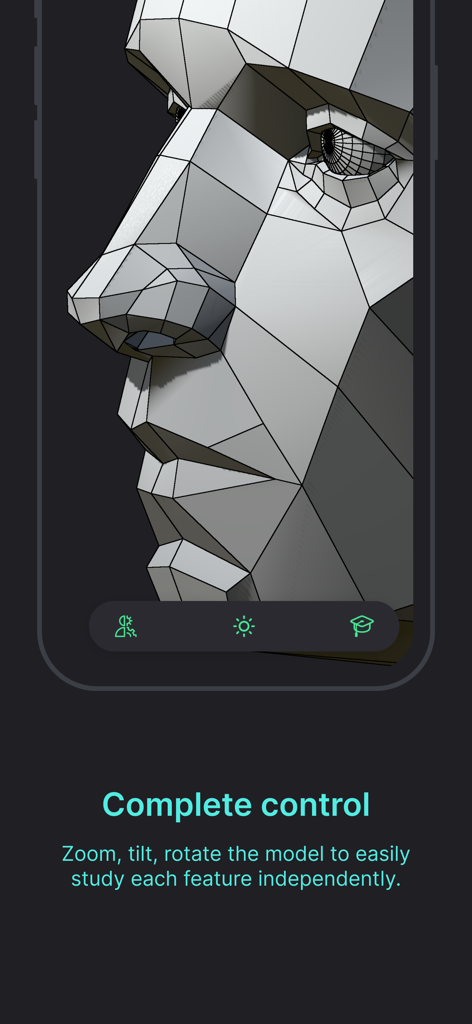
A close up of a 3D head model showing geometric planes for anatomy study
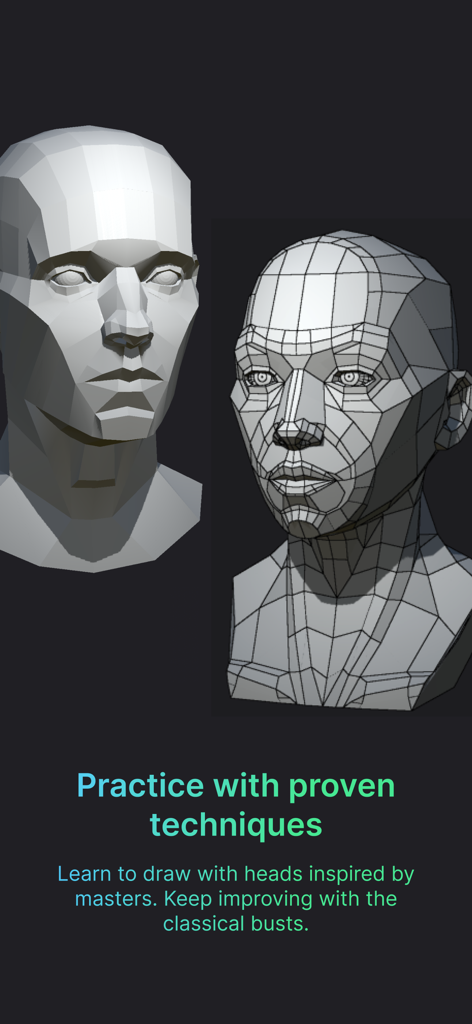
Two 3D head models demonstrating simplified facial planes and wireframe geometry for drawing practice
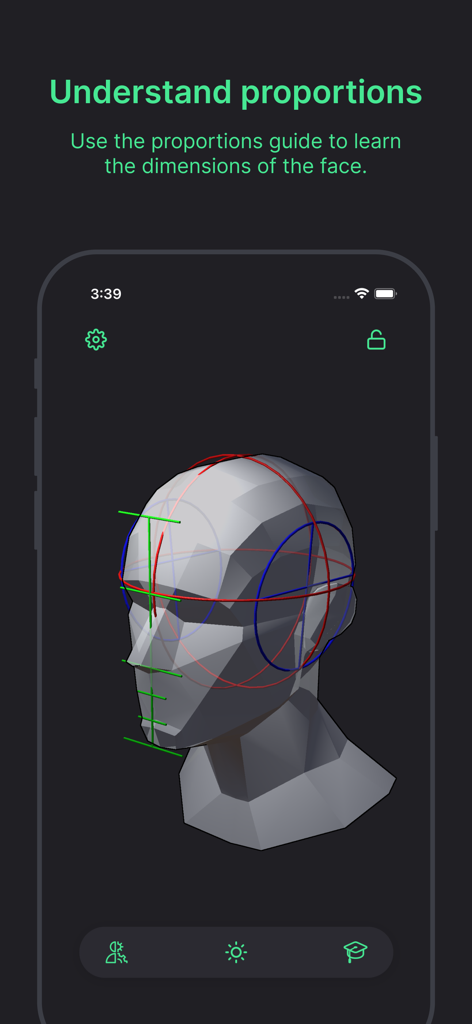
A 3D head model in an app showing anatomical proportion guides with colored lines for facial study
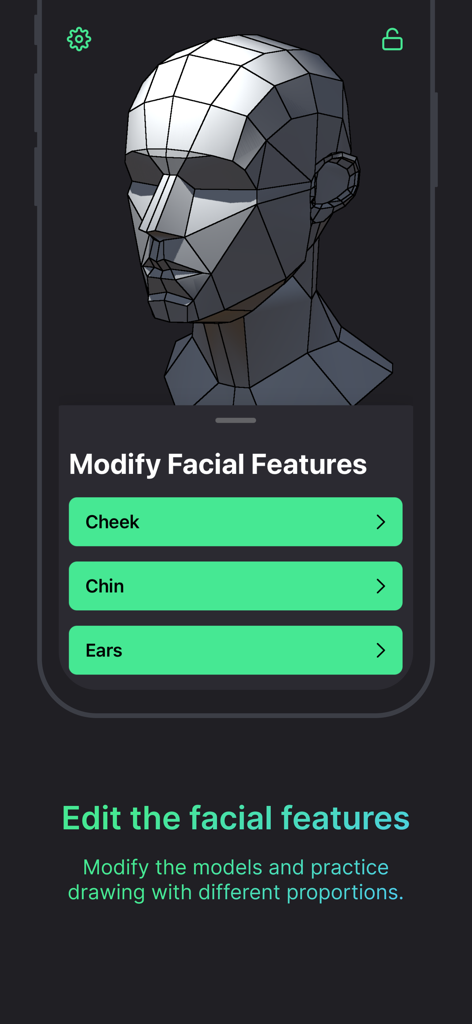
A 3D polygonal head model in an app showing options to modify facial features like cheeks chin and ears for art reference
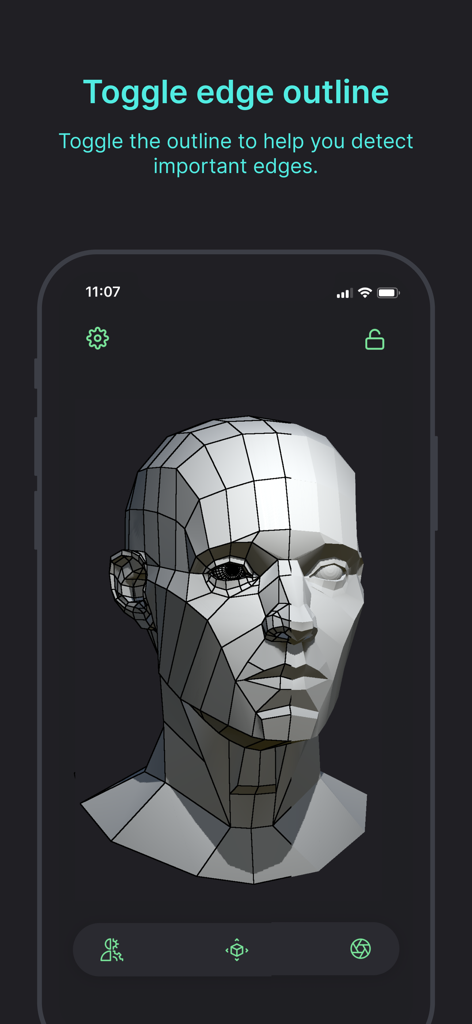
3D head model with edge outlines for anatomical study
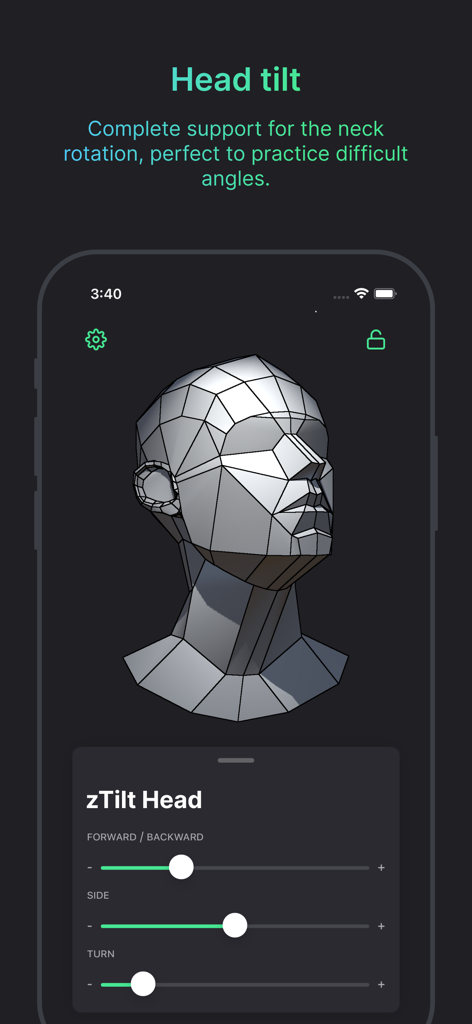
Interface showing 3D head model with adjustable neck rotation and tilt sliders for art study
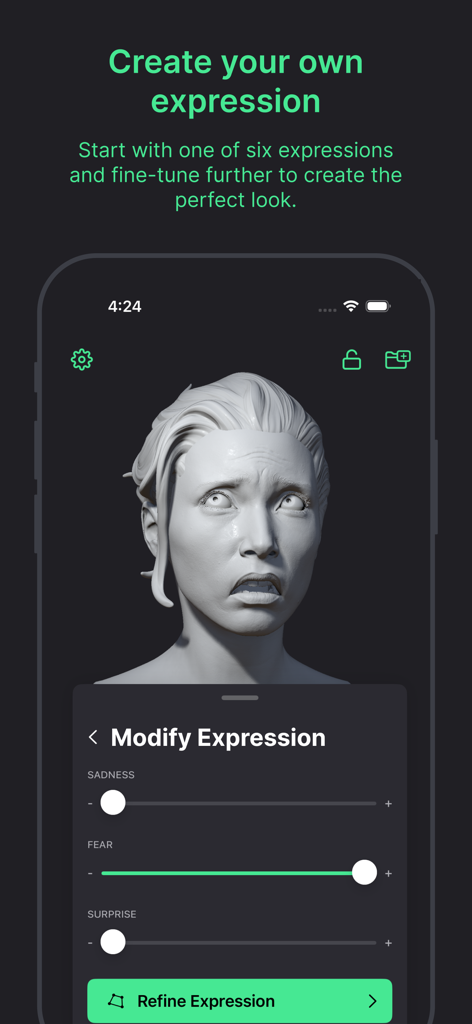
A 3D female head model with a fearful expression in the Head Model Studio app interface featuring sliders for sadness fear and surprise
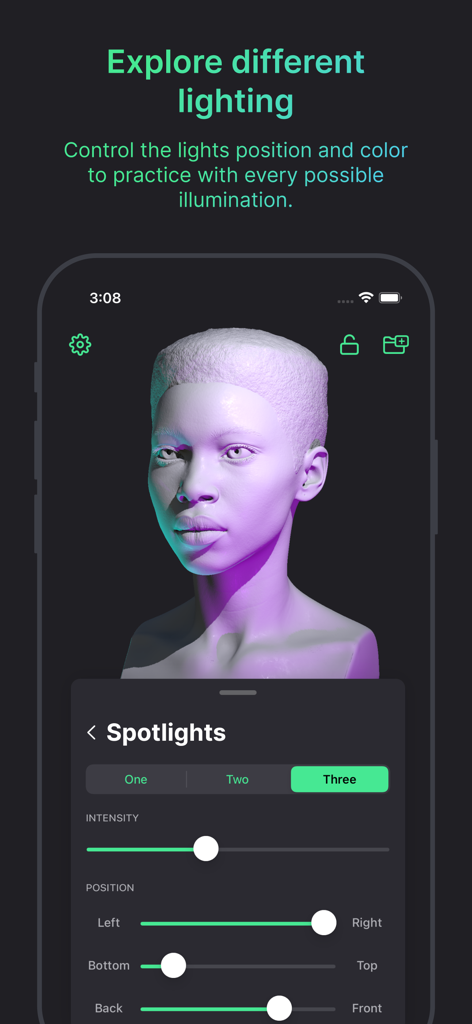
3D head model with adjustable studio lighting and spotlight controls in Head Model Studio app
Description
Download
More Like This
Apps with similar features and user experience
Handy Art Reference Tool
Scott McKie

Previs Pro - Storyboard Fast
Ghostwheel LLC

Moblo - 3D furniture modeling
MYTIforge

Manikin
UNSH VOF

Magic Poser - Art Pose Tool
Wombat Studio, Inc.

ArtPose
shawn ogle

ArtPose Female Edition
shawn ogle

Pose Croquis
Kazuaki Matsuda

Easy Pose -Best Posing App
Park Kiyoung
This page is not an official page of the app or its developer, but an independent editorial publication created for informational and commentary purposes. Unless expressly stated otherwise, neither the app nor its developer is affiliated with, endorsed by, sponsored by, authorized by, or otherwise officially connected with MWM, Apple, Google Play, the app publisher, or the app's developer, and nothing on this page implies that the app was developed using MWM's services. Any trademarks, logos, screenshots, and other content remain the property of their respective owners.