
This page is not an official page of the app or its developer, but an independent editorial publication created for informational and commentary purposes. Unless expressly stated otherwise, neither the app nor its developer is affiliated with, endorsed by, sponsored by, authorized by, or otherwise officially connected with MWM, Apple, Google Play, the app publisher, or the app's developer, and nothing on this page implies that the app was developed using MWM's services. Any trademarks, logos, screenshots, and other content remain the property of their respective owners.


Magic Poser - Art Pose Tool
The ultimate 3D reference for digital artists. Pose realistic models, customize unique characters, and set cinematic lighting to bring your illustrations to life on iPad and mobile.
Downloads
5M+User Rating
Total Ratings
38K+Publisher
Category
Graphics & DesignLocales
1Latest Version
1.51.8Size
238.9 MBFirst Released
Sep 5, 2016Elevate Your Digital Art Workflow
Spend less time searching for references and more time creating. Magic Poser is the ultimate 3D studio designed for modern illustrators and character designers.
Effortless Anatomical Posing
Nail complex foreshortening and hand gestures in minutes using our intuitive physics-based drag-and-pose engine.
Cinematic Lighting Control
Create the perfect atmosphere with up to 8 adjustable light sources, helping you visualize shadows and depth like a pro.
Frequently Asked Questions
Everything you need to know about Magic Poser - Art Pose Tool
What is Magic Poser?
Magic Poser is an art pose tool that allows users to pose 3D characters, create 3D scenes, and set up lighting effects on mobile devices. It is used by artists for figure drawing, illustration, comics, and more.
Can Magic Poser create custom body types for 3D models?
Yes, Magic Poser allows users to morph male and female characters into muscular, fat, or skinny body types. Users can adjust the amount of change and combine morphs using sliders to create unique characters.
What types of lighting effects does Magic Poser support?
Magic Poser supports directional, spotlight, and point lights. Users can add up to eight lights per scene and adjust parameters like brightness, color, and radius. It also allows changing the time of day to create various moods.
Does Magic Poser offer a wide range of preset poses?
Yes, Magic Poser provides an extensive library with over 3000 preset poses for full-body, hands, and feet. This feature helps artists quickly set up poses or gain inspiration for their artwork efficiently.
How can I export my scenes from Magic Poser?
Magic Poser allows users to export scenes in 2D and 3D formats. Options include high-resolution PNG for 2D images and OBJ format for 3D objects, which are compatible with other 3D programs for further use.
Can I create complex scenes with multiple characters and props in Magic Poser?
Yes, Magic Poser allows users to add unlimited characters and props to a scene. The layers menu helps manage complicated scenes, enabling the creation of expansive and detailed compositions efficiently within the app.
Does Magic Poser provide tutorials for new users?
Yes, Magic Poser offers comprehensive tutorials, including step-by-step video guides to help users get started quickly. A detailed user manual is also available to help users master all the app's powerful features.
What kind of props are available in Magic Poser?
Magic Poser offers over 500 props, including geometric shapes, weapons, furniture, vehicles, and everyday items. This extensive library allows users to enrich their scenes with a diverse range of objects.
How easy is it to pose characters in Magic Poser?
Magic Poser features a super easy drag-and-pose system, making it intuitive for anyone to use within minutes. An advanced physics engine automatically adjusts the 3D model for dynamic and realistic poses.
Can I save and backup my Magic Poser scenes?
Yes, Magic Poser allows users to import/export scenes in the .mp file format for local backup. Users can also upload their scenes to a private Cloud for security and access across multiple devices.
The following screenshots and description are sourced directly from the app's official store listing and are the property of the app developer.
App Store
Screenshots
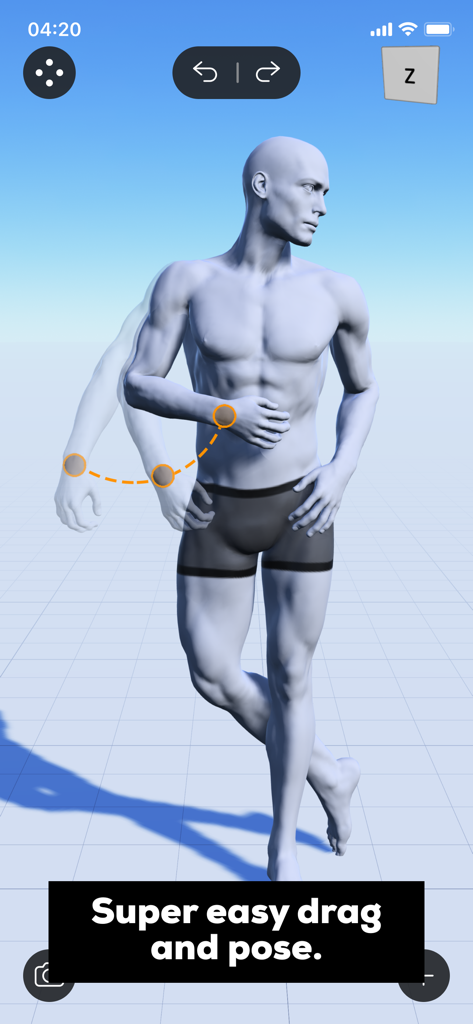
A realistic 3D male model being posed using the intuitive drag and pose feature in the Magic Poser app
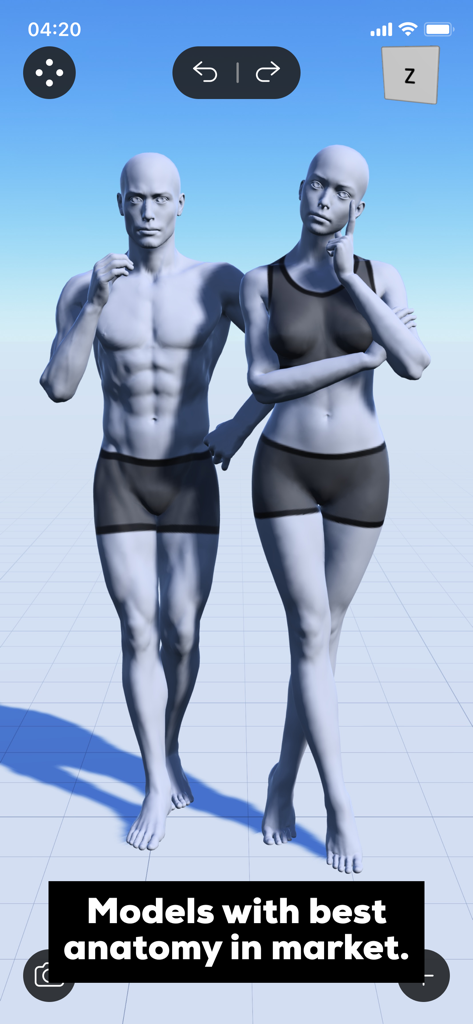
Realistic male and female 3D human models for art pose reference
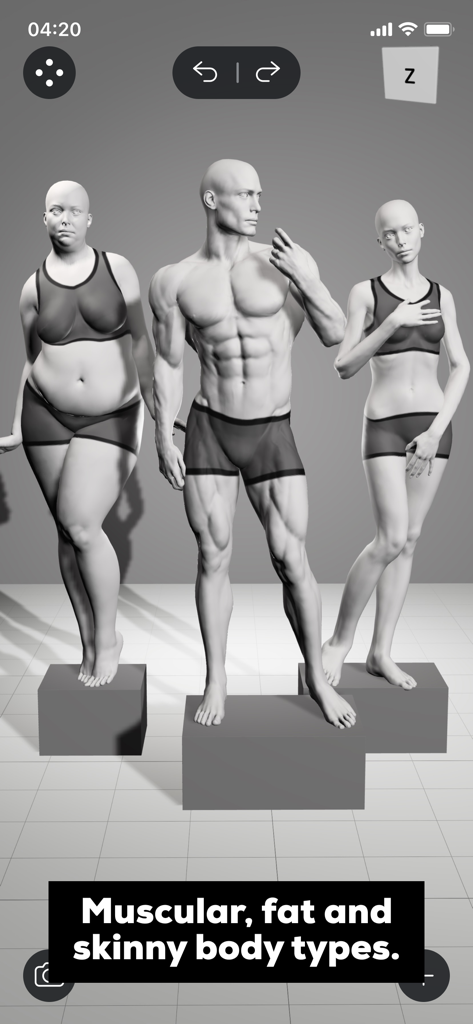
Three 3D models showing muscular fat and skinny body types in the Magic Poser app interface
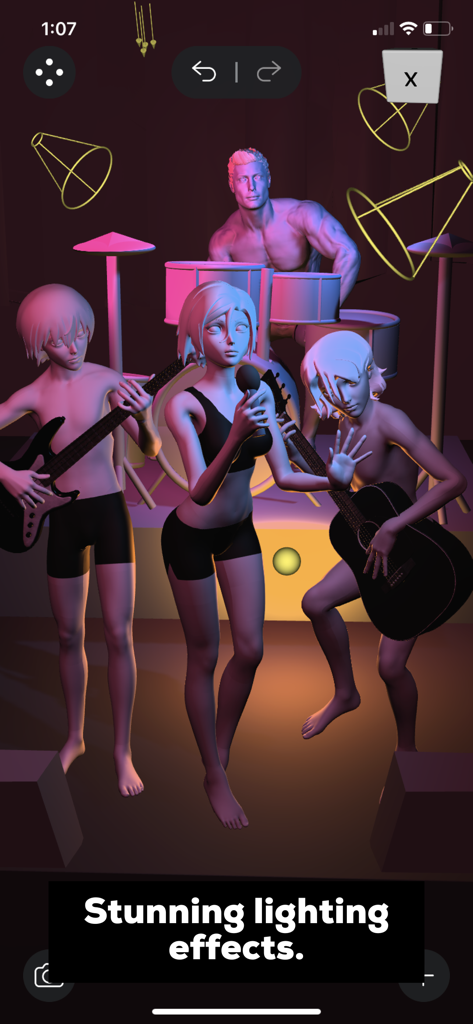
A 3D character band with cinematic lighting in Magic Poser
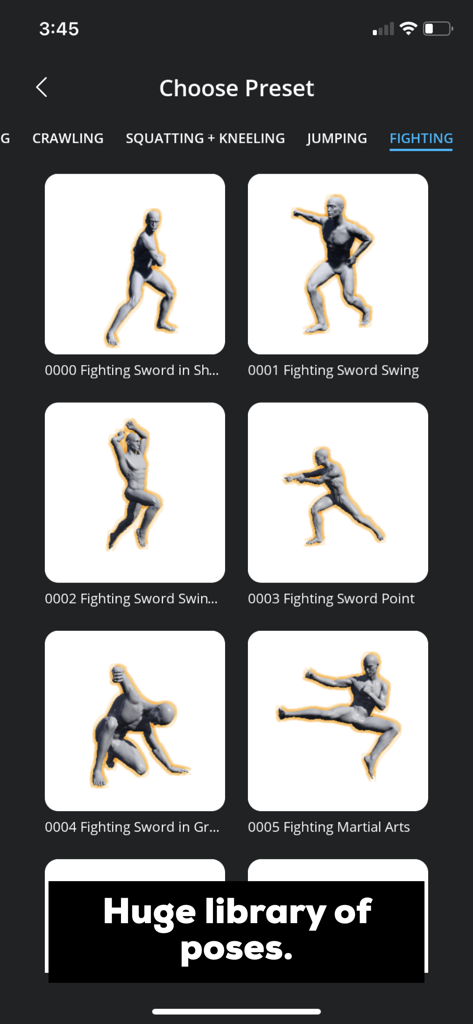
A library of 3D character fighting pose presets in the Magic Poser app
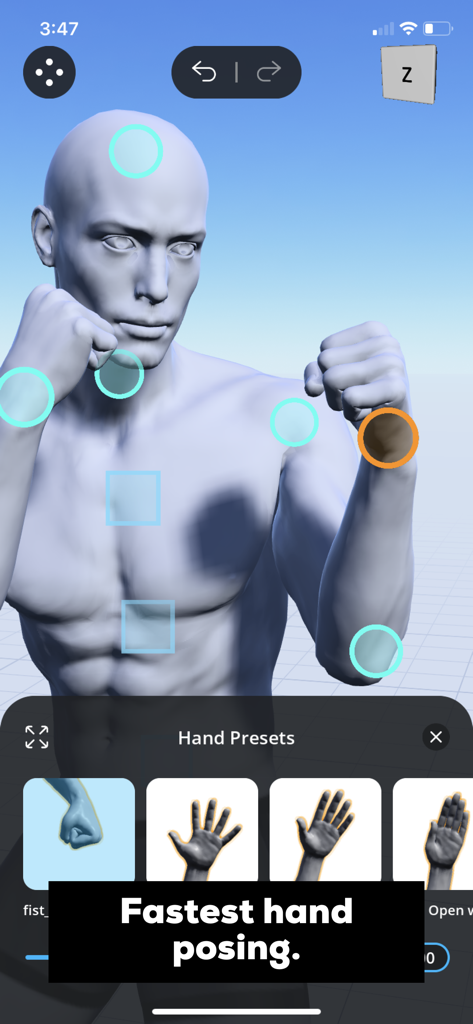
Hand posing presets for a 3D character model in the Magic Poser app interface
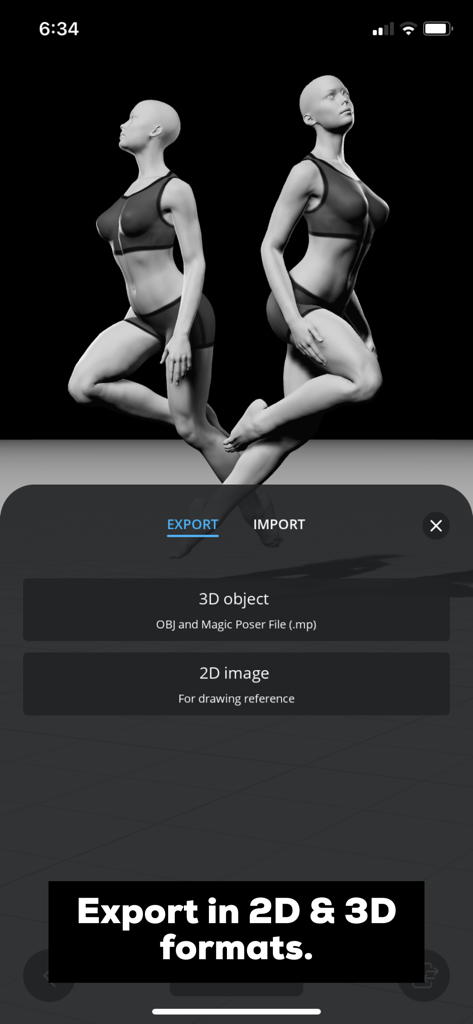
Magic Poser app export menu with options for 3D objects and 2D images
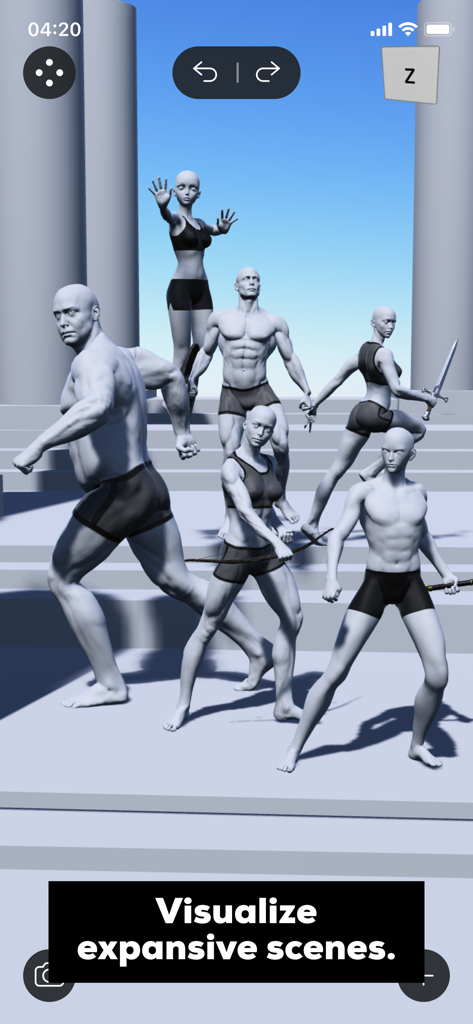
A 3D scene in Magic Poser featuring multiple male and female character models in various dynamic action poses
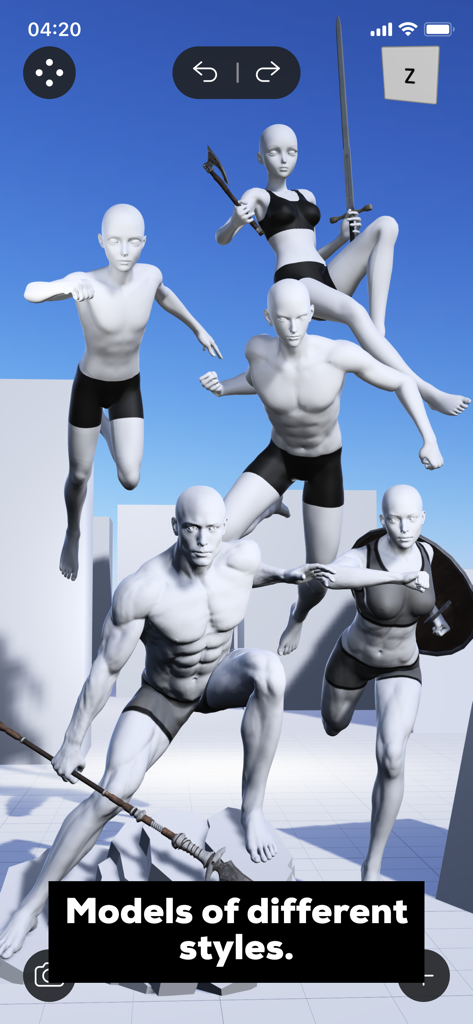
A group of 3D human models in various dynamic poses and styles within the Magic Poser app
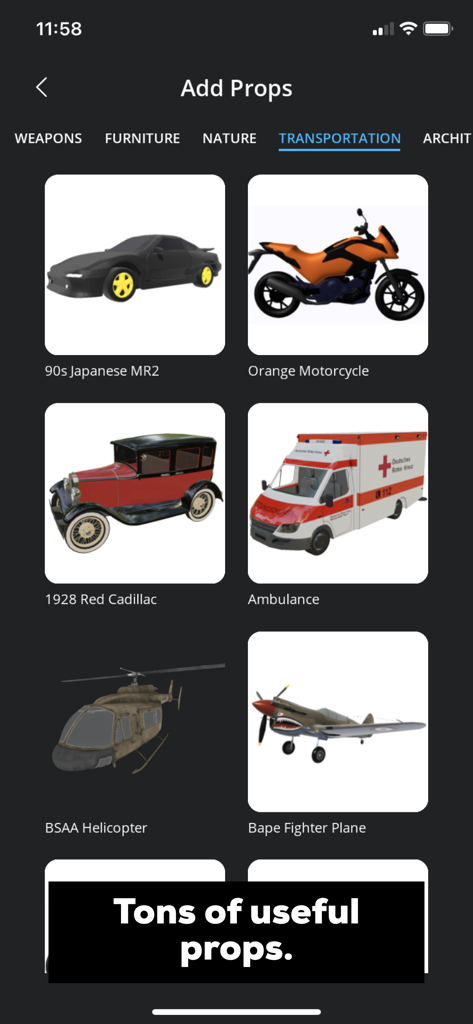
Magic Poser interface showing various 3D vehicle models like cars motorcycles and helicopters for artists
Description
Download
More Like This
Apps with similar features and user experience
Handy Art Reference Tool
Scott McKie

Previs Pro - Storyboard Fast
Ghostwheel LLC

Moblo - 3D furniture modeling
MYTIforge

Head Model Studio - Art Study
Wes Castain

Manikin
UNSH VOF

ArtPose
shawn ogle

ArtPose Female Edition
shawn ogle

Pose Croquis
Kazuaki Matsuda

Easy Pose -Best Posing App
Park Kiyoung
This page is not an official page of the app or its developer, but an independent editorial publication created for informational and commentary purposes. Unless expressly stated otherwise, neither the app nor its developer is affiliated with, endorsed by, sponsored by, authorized by, or otherwise officially connected with MWM, Apple, Google Play, the app publisher, or the app's developer, and nothing on this page implies that the app was developed using MWM's services. Any trademarks, logos, screenshots, and other content remain the property of their respective owners.