Easy Scanner Camera to PDF
Download on App Store

This page is not an official page of the app or its developer, but an independent editorial publication created for informational and commentary purposes. Unless expressly stated otherwise, neither the app nor its developer is affiliated with, endorsed by, sponsored by, authorized by, or otherwise officially connected with MWM, Apple, Google Play, the app publisher, or the app's developer, and nothing on this page implies that the app was developed using MWM's services. Any trademarks, logos, screenshots, and other content remain the property of their respective owners.

Logo of Easy Scanner Camera to PDF
Download on App Store

Easy Scanner Camera to PDF

Scan, e-sign, and sync documents in seconds. Eliminate administrative bottlenecks with high-quality PDF exports, intelligent OCR, and seamless cloud integration tailored for the modern US workflow.

Key Figures

Downloads

0

User Rating

4.6/5

Total Ratings

0

Publisher

Wellrity Joint Stock Company

Category

Business

Locales

1

Latest Version

4.2.13

Size

373.6 MB

First Released

Mar 24, 2019
Features

Streamline Your Professional Workflow

Replace your bulky office hardware with a powerful, pocket-sized suite designed to scan, sign, and organize your business documents on the go.

Intelligent HD Scanning

Convert receipts, contracts, and notes into professional-grade PDFs with auto-border detection and AI-powered text enhancement for maximum clarity.

Instant E-Signatures

Close deals faster by adding secure, custom signatures to your documents directly from your iPhone, eliminating the need for a printer or scanner.

The following screenshots and description are sourced directly from the app's official store listing and are the property of the app developer.

App Store

Screenshots
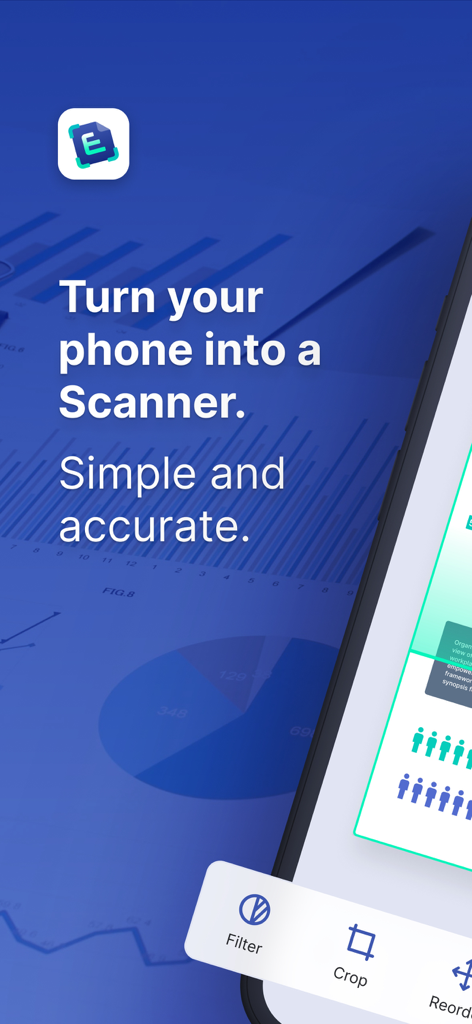
Easy Scanner Camera to PDF - Turn your phone into a professional scanner with the Easy Scanner app
Turn your phone into a professional scanner with the Easy Scanner app

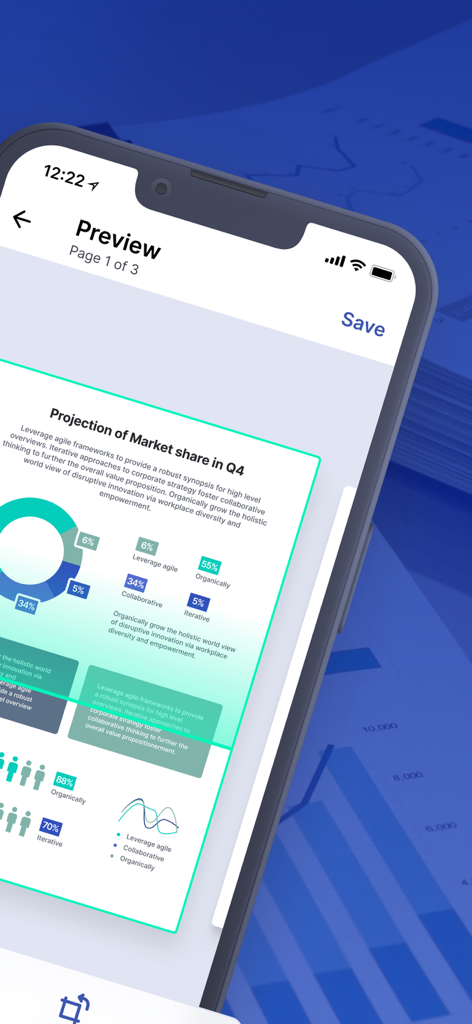
Easy Scanner Camera to PDF - A mobile screen showing a preview of a scanned business market share report within the Easy Scanner app.
A mobile screen showing a preview of a scanned business market share report within the Easy Scanner app.

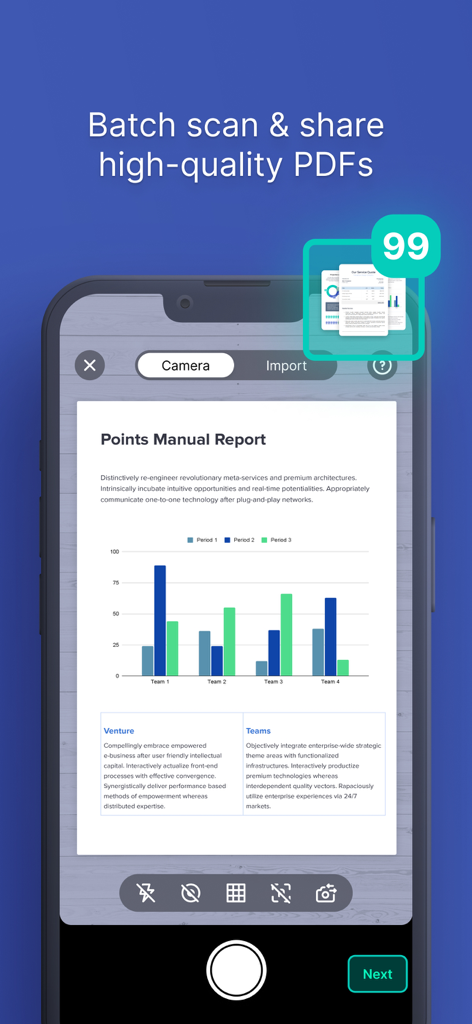
Easy Scanner Camera to PDF - Mobile app interface of Easy Scanner showing the batch scan feature for capturing multiple documents into high-quality PDFs.
Mobile app interface of Easy Scanner showing the batch scan feature for capturing multiple documents into high-quality PDFs.

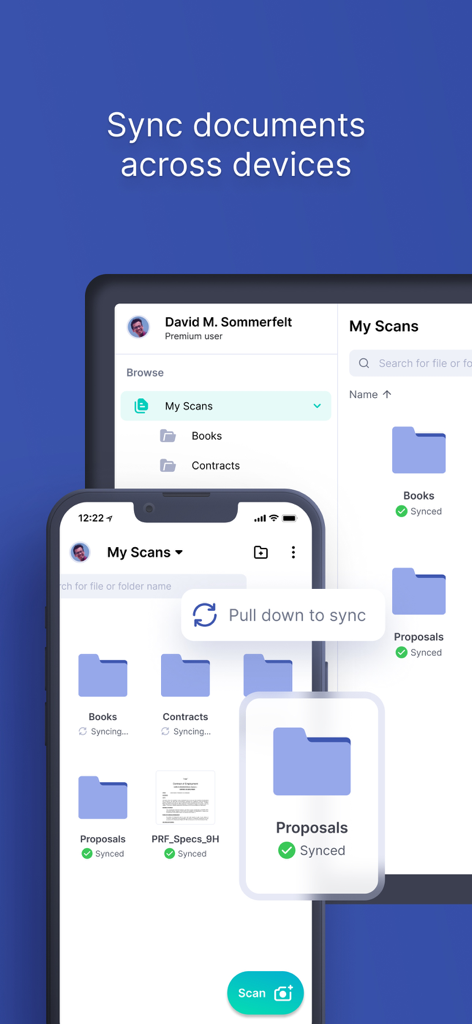
Easy Scanner Camera to PDF - A smartphone and tablet displaying the Easy Scanner app interface with document folders synced across both devices
A smartphone and tablet displaying the Easy Scanner app interface with document folders synced across both devices

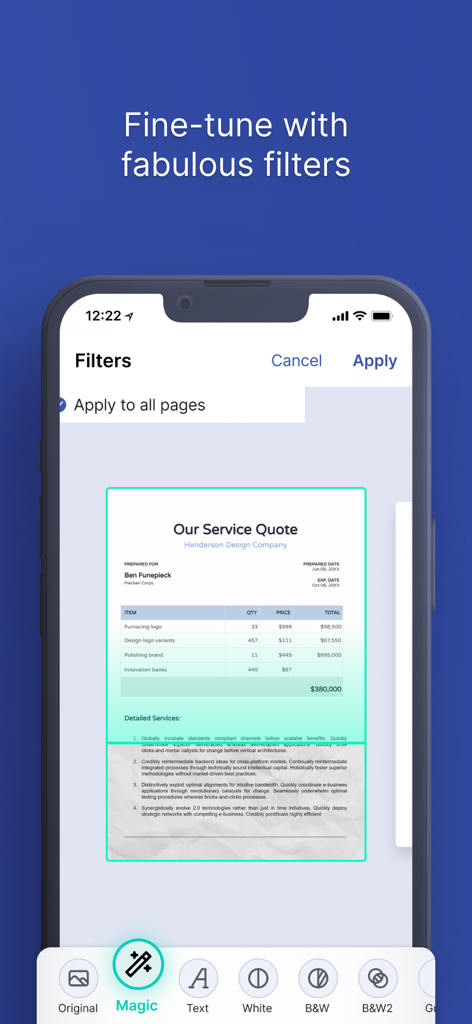
Easy Scanner Camera to PDF - Smartphone interface of the Easy Scanner app showing various document enhancement filters like Magic and B&W to improve scan clarity.
Smartphone interface of the Easy Scanner app showing various document enhancement filters like Magic and B&W to improve scan clarity.

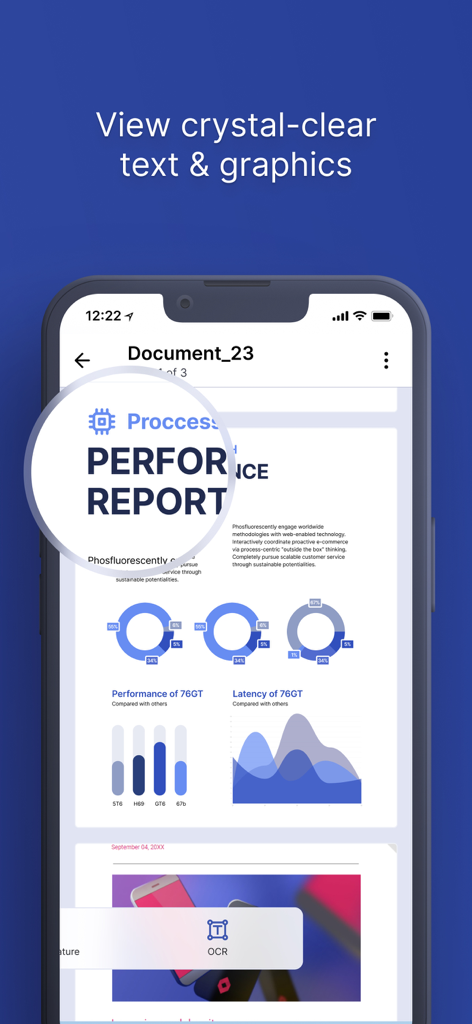
Easy Scanner Camera to PDF - Smartphone screen showing a high quality document scan with sharp text and clear business charts using Easy Scanner app
Smartphone screen showing a high quality document scan with sharp text and clear business charts using Easy Scanner app

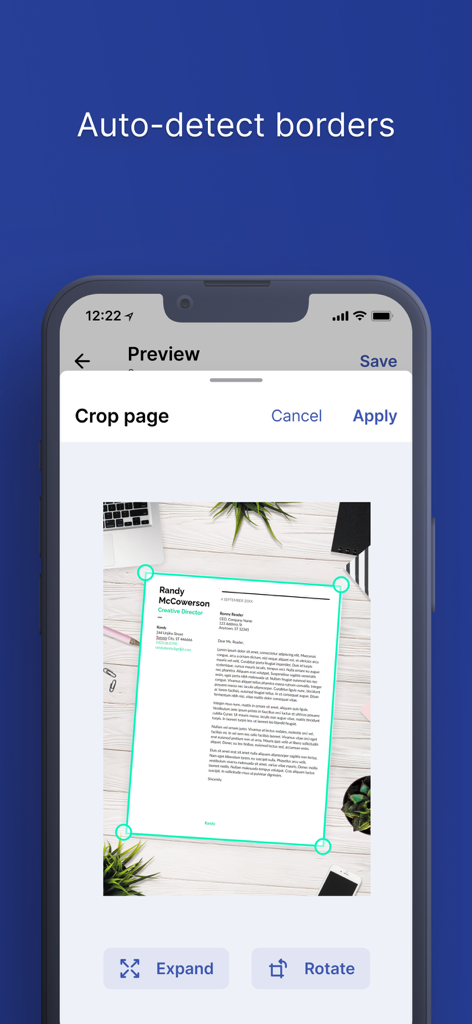
Easy Scanner Camera to PDF - Easy Scanner app interface demonstrating the auto detect borders and crop page feature on a document
Easy Scanner app interface demonstrating the auto detect borders and crop page feature on a document

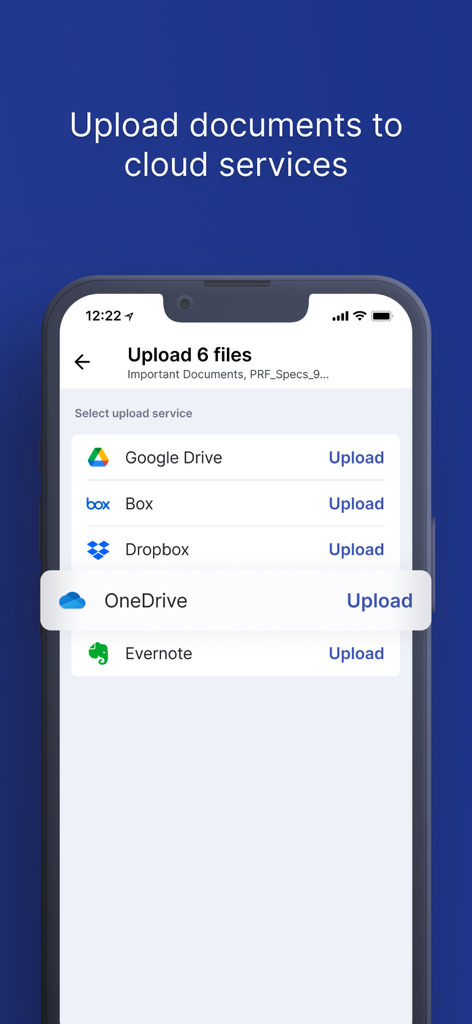
Easy Scanner Camera to PDF - Easy Scanner app interface showing options to upload documents to cloud services like Google Drive Dropbox and OneDrive
Easy Scanner app interface showing options to upload documents to cloud services like Google Drive Dropbox and OneDrive

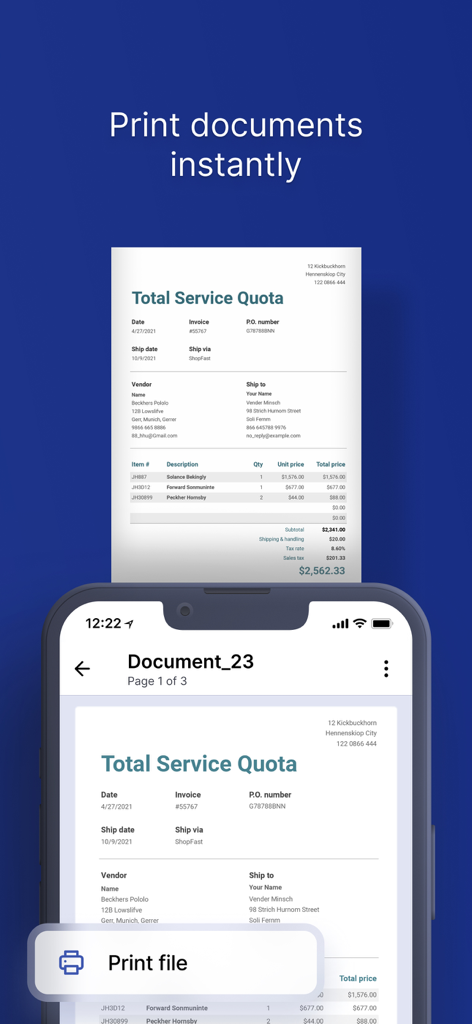
Easy Scanner Camera to PDF - Easy Scanner app interface showing a service quota document with a print file button on a smartphone screen.

Easy Scanner app interface showing a service quota document with a print file button on a smartphone screen.

Description

A leading digital transformation solution to scan documents, receipts, tickets, reports, certificates, etc. Features: SCANNING * Digitalize all kinds of paper documents: receipts, invoices, notes, certificates, whiteboard discussions, etc. * Intelligent document cropping: auto detect document border and crop document from captured image * Auto enhancing text & graphic with fabulous filters ensures the texts and graphics in scanned documents are clear and sharp * Export documents in high quality PDF or image files, easily sharing with colleagues via email, social media, etc. SIGNING * E-signing your contracts on the go with Easy Scanner * Create your customized signatures(for premium users) * Style your signatures with vibrant colors(for premium users) SHARING * Print (searching nearby printers automatically) * Never loose your documents anymore, let's sync to Google Drive, DropBox, OneDrive, Box or Evernote * Easily sharing papers via email, bluetooth, wifi, etc SYNC ACROSS DEVICES * Sign up to sync documents on the go so you can view your scans on different devices OPTICAL CHARACTER RECOGNITION * Extract Texts from Image: OCR extracts texts inside a page for further editing and sharing DARK MODE, NIGHT MODE A dramatic new look that's easy on your eyes and helps you focus on your work Easy Scanner users scan and manage * Credential, Certificate, Identity Documents... * Business Card, Bill, Invoice, Contract, Tax Roll... * Whiteboard, Memo, Script, Letter... * Book, Article, Blackboard, Note, PPT... IS IT EASY ENOUGH TO SCAN? Lets make a better document scanner for everyone If you have any question or something to improve this apps, please help us by sending mail to support@easyscanner.io Like us on Facebook: @easyscanner.io Follow us on Tiktok: @easyscanner Get a full version to access all Premium features: 1. Scan in batch mode: where you can capture multiple pictures, our app will allow you to export as one PDF 2. Remove ads: you will not see ads while using the app 3. Unlimited creation of folders: easily manage documents on the go with powerful folders 4. Remove watermark: output PDF files will not include “Scanned by Easy Scanner” footer 5. Unlimited signatures: you can create any number of signatures and customize signatures with any colors 6. No more worries about cloud space: +10GB cloud space * Choose from 3 subscription options: - Easy Scanner One Month Subscription; - Easy Scanner Six Months Subscription; - Easy Scanner One Year Subscription; All with a 3-day free trial period. * Your free trial subscription will automatically renew to a paid subscription unless auto-renew is turned off at least 24-hours before the end of the free trial period. You can cancel your subscription in the iTunes settings at least 24-hours before the end of the free trial period. Subscription payments will be charged to your iTunes account at confirmation of your purchase and upon commencement of each renewal term. * Please note: any unused portion of a free trial period (if offered) will be forfeited when you purchase a premium subscription during the free trial period. * You can cancel a free trial or subscription anytime by turning off auto-renewal through your iTunes account settings. This must be done 24 hours before the end of a free trial or subscription period to avoid being charged. The cancellation will take effect the day after the last day of the current subscription period, and you will be downgraded to the free service. Privacy Policy: https://www.easyscanner.io/privacy-policy EULA: https://www.easyscanner.io/term-of-services For complete access to all Easy Scanner features, you will need to allow access to the following: *Photos – so you can import your snapshots and create PDF documents with them. *Camera – so you can capture, scan, and manage documents in the app.

Download

Download on App Store

This page is not an official page of the app or its developer, but an independent editorial publication created for informational and commentary purposes. Unless expressly stated otherwise, neither the app nor its developer is affiliated with, endorsed by, sponsored by, authorized by, or otherwise officially connected with MWM, Apple, Google Play, the app publisher, or the app's developer, and nothing on this page implies that the app was developed using MWM's services. Any trademarks, logos, screenshots, and other content remain the property of their respective owners.