
This page is not an official page of the app or its developer, but an independent editorial publication created for informational and commentary purposes. Unless expressly stated otherwise, neither the app nor its developer is affiliated with, endorsed by, sponsored by, authorized by, or otherwise officially connected with MWM, Apple, Google Play, the app publisher, or the app's developer, and nothing on this page implies that the app was developed using MWM's services. Any trademarks, logos, screenshots, and other content remain the property of their respective owners.


e Signature Scanner, Sign PDF
Stop compromising. This app gives you back your authentic signature, digitally.
Downloads
2.5M+User Rating
Total Ratings
57.0KPublisher
Category
BusinessLocales
8Latest Version
2.0.3Size
181.2 MBFirst Released
Mar 28, 2020An Analytical Review of Key Features for Professionals
Software Evaluation: e Signature Scanner, Sign PDF
Robust Privacy & On-Device Security
The app maintains strict privacy by storing signatures securely on the user's device, ensuring nothing is uploaded or shared, and eliminating data tracking or cloud storage.
Authentic Signature Digitization
It allows users to capture their real handwritten signature by scanning it with a phone camera, automatically cleaning the background to create a transparent, professional digital signature.
Streamlined Document Signing Workflow
This tool enables swift signing of various professional documents, such as contracts, NDAs, and invoices, and facilitates instant sharing, significantly streamlining business operations.
AI-Enhanced Signature Presentation
The app features an advanced AI engine that refines the scanned signature by removing shadows and paper lines, ensuring a clean, credible, and professional appearance that retains the natural handwriting flow.
Versatile Document Compatibility
It allows users to open and sign a wide range of file types, including PDFs, images, and scanned documents, directly from their mobile device, eliminating the need for external tools.
Paperless Workflow & Efficiency
The app provides a fully digital solution for document signing, effectively eliminating the cumbersome and time-consuming processes of printing, signing physically, and then scanning documents.
Frequently Asked Questions
Everything you need to know about e Signature Scanner, Sign PDF
How does e Signature: Signature Scanner capture my handwritten signature?
e Signature: Signature Scanner captures your handwritten signature by scanning it from paper with your phone camera. The app then automatically cleans the background, creating a transparent, professional digital signature.
Can I sign PDF documents directly with e Signature: Signature Scanner?
Yes, e Signature: Signature Scanner allows you to sign PDF documents directly from your phone. You can open any PDF, image, or scanned document within the app to apply your signature.
Does e Signature: Signature Scanner store my data or signatures in the cloud?
No, e Signature: Signature Scanner stores your signatures securely on your device. The app does not upload or share anything, ensuring privacy with no cloud storage or data tracking.
What types of files can e Signature: Signature Scanner process?
e Signature: Signature Scanner processes various file types including PDFs, images, and scanned documents. This allows you to sign contracts, invoices, NDAs, and other business agreements efficiently.
How does e Signature: Signature Scanner ensure a professional signature appearance?
e Signature: Signature Scanner uses an AI engine to refine your signature, removing shadows and paper lines. This process maintains the natural flow of your handwriting, creating a clean, credible digital output.
Can I save and manage multiple signatures within e Signature: Signature Scanner?
Yes, e Signature: Signature Scanner allows you to save and manage multiple distinct signatures. The app provides an interface to organize and easily access all your stored signatures.
What file formats are supported for saving documents in e Signature: Signature Scanner?
e Signature: Signature Scanner supports saving documents in PNG, PDF, or JPG formats. This offers flexibility for sharing and integrating your signed files with various platforms.
Does e Signature: Signature Scanner allow direct sharing of signed documents?
Yes, e Signature: Signature Scanner facilitates easy sharing of your signed documents. You can access various sharing options directly from within the app after signing.
Is the e Signature: Signature Scanner app suitable for organizing documents?
Yes, e Signature: Signature Scanner helps users go paperless by offering document organization features. You can manage and store various documents like invoices, ID cards, and work reports within the app.
Is e Signature: Signature Scanner free to use for signing PDFs?
Yes, e Signature: Signature Scanner allows users to sign PDFs for free. The app provides this core function as an easy way to sign and share files from anywhere without additional costs.
The following screenshots and description are sourced directly from the app's official store listing and are the property of the app developer.
App Store
Screenshots
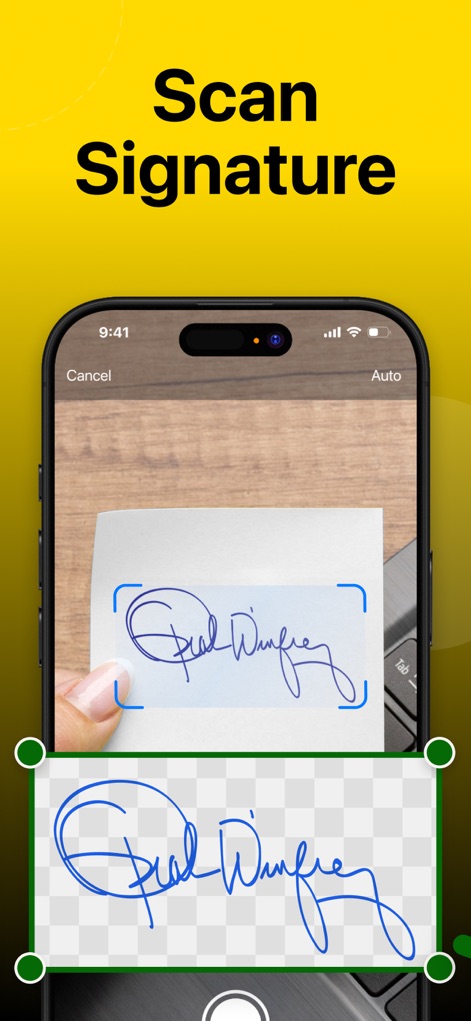
The app allows users to scan their handwritten signature from paper using a phone camera and automatically cleans the background for a transparent digital result.
Capture Authenticity
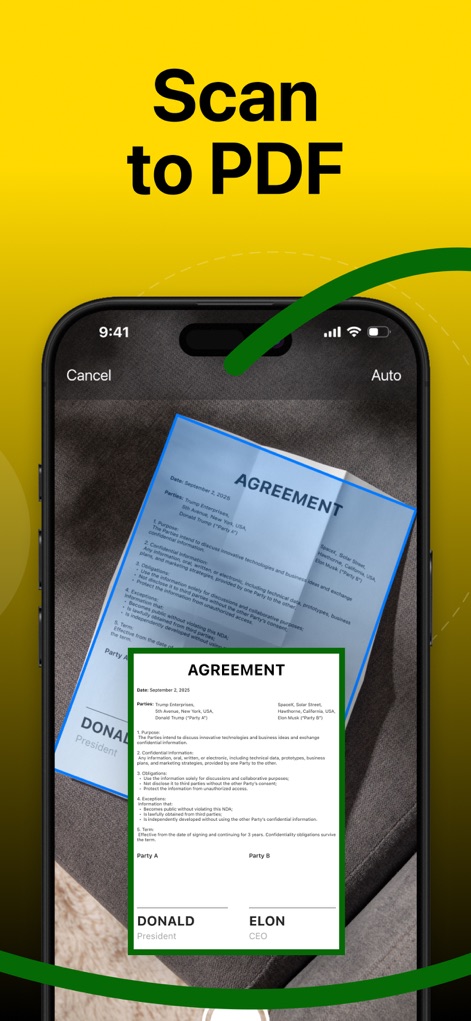
Users can quickly convert physical documents into digital formats by scanning an agreement with their phone camera, transforming it into a clean, digital PDF preview.
Document Digitization
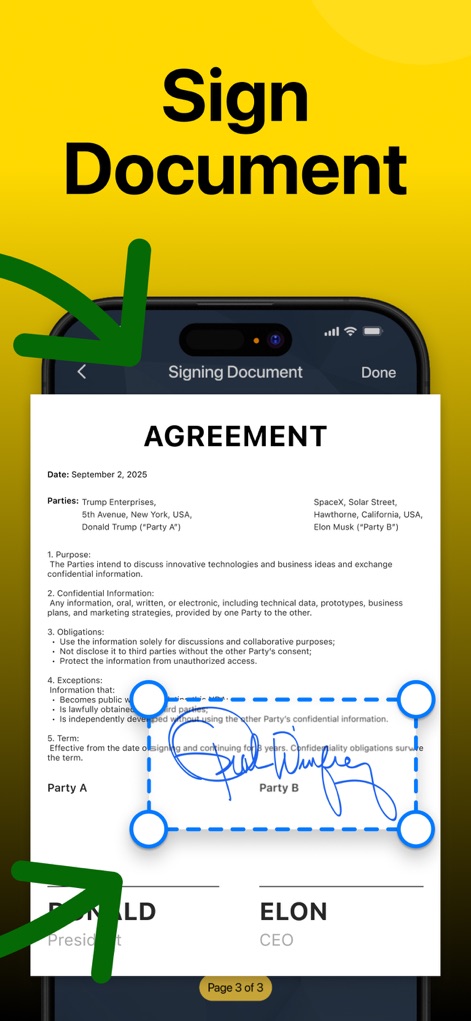
This tool enables users to sign digital documents by placing their signature into a designated field within a professional agreement document on their device.
Effortless Signing

The app's widespread adoption is evident, showcasing its high 4.8-star rating and popularity among over 3 million professionals.
Trusted by Professionals
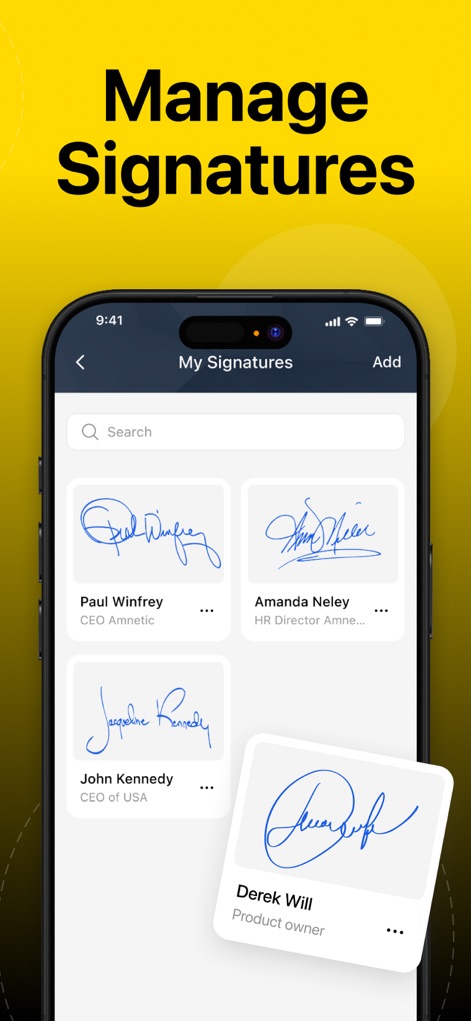
Users can efficiently manage multiple digital signatures from the "My Signatures" screen, displaying each signature as a distinct card with associated names and titles.
Manage Signatures
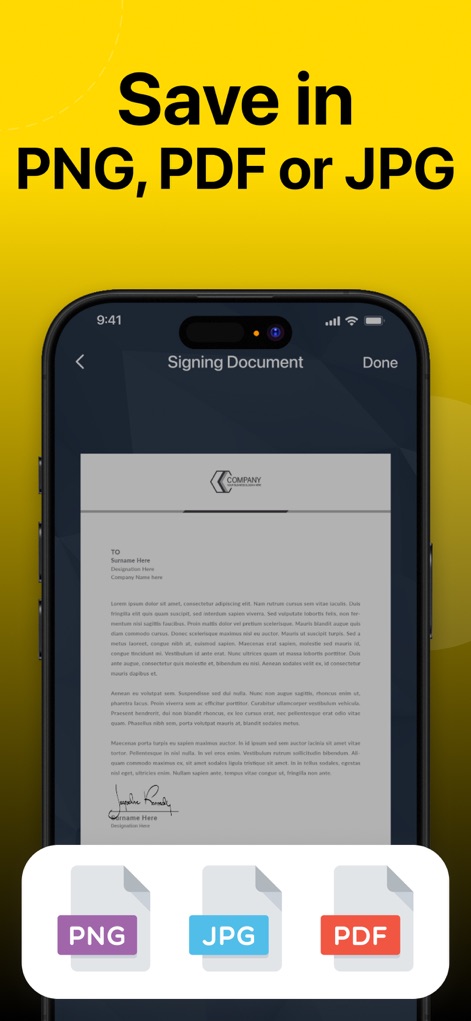
After signing, users have the flexibility to save their documents in various formats, indicated by the prominent PNG, JPG, or PDF icons at the bottom of the screen.
Versatile Export Options
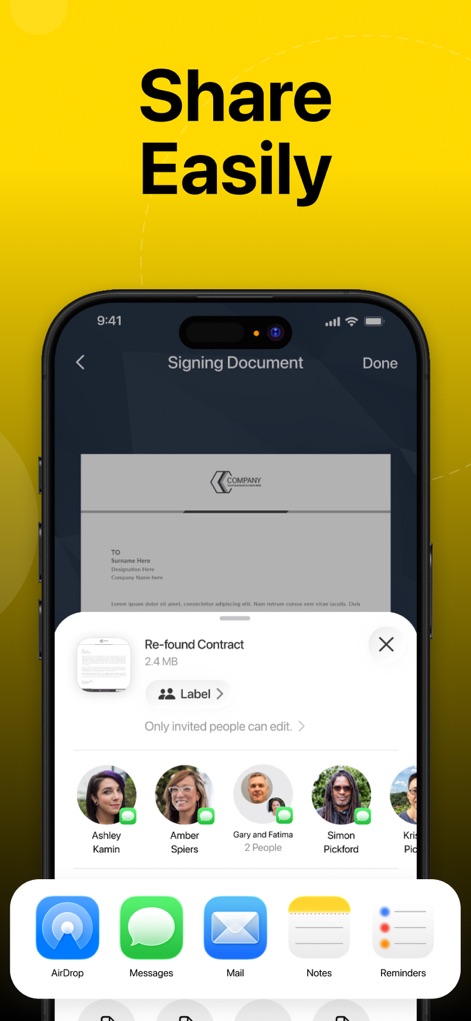
This tool facilitates effortless document distribution, enabling users to share signed documents via AirDrop and popular messaging services to specific contacts.
Seamless Sharing
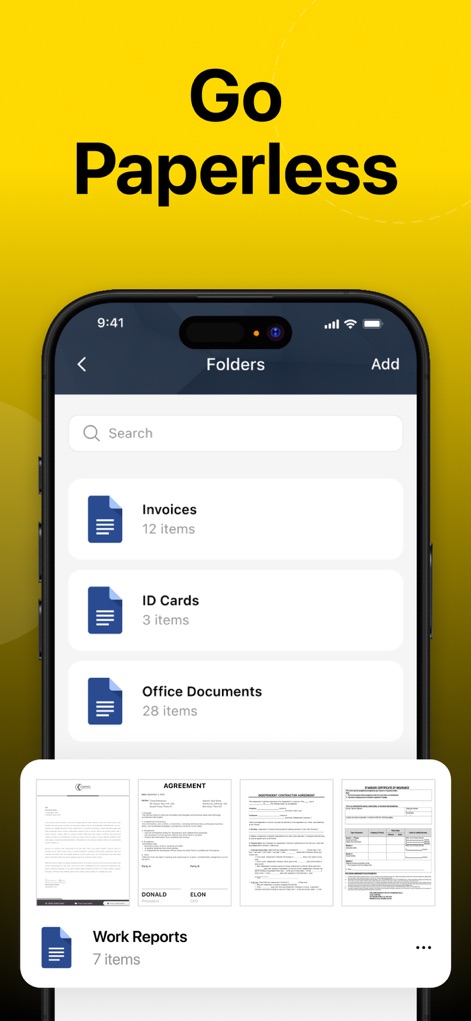
The app supports a streamlined paperless workflow, allowing users to organize documents into categorized folders such as "Invoices" and view document previews at the bottom.
Organized Digital Workflow
Description
Download
More Like This
Apps with similar features and user experience

PDF PRO Scan Image & Documents
Balzo srl

The PDF Scanner, PDF editor HQ
NEXT K.U.M. LTD

CamScanner - PDF Scanner App
INTSIG Information Co., Ltd

Adobe Scan: PDF & OCR Scanner
Adobe Inc.

WPS Office: PDF, Docs, Sheets
KINGSOFT OFFICE SOFTWARE CORPORATION LIMITED

iLovePDF - PDF Editor & Scan
ILOVEPDF S.L.

Scanner App: Genius Scan
The Grizzly Labs

Microsoft Lens: PDF Scanner
Microsoft Corporation

Clear Scan: Doc Scanner App
INDY MOBILE APP COMPANY LIMITED
This page is not an official page of the app or its developer, but an independent editorial publication created for informational and commentary purposes. Unless expressly stated otherwise, neither the app nor its developer is affiliated with, endorsed by, sponsored by, authorized by, or otherwise officially connected with MWM, Apple, Google Play, the app publisher, or the app's developer, and nothing on this page implies that the app was developed using MWM's services. Any trademarks, logos, screenshots, and other content remain the property of their respective owners.