
This page is not an official page of the app or its developer, but an independent editorial publication created for informational and commentary purposes. Unless expressly stated otherwise, neither the app nor its developer is affiliated with, endorsed by, sponsored by, authorized by, or otherwise officially connected with MWM, Apple, Google Play, the app publisher, or the app's developer, and nothing on this page implies that the app was developed using MWM's services. Any trademarks, logos, screenshots, and other content remain the property of their respective owners.

FUJIFILM Camera Remote
Seamlessly transfer your iconic film simulations, control your camera remotely, and share your creative vision with the world instantly.
Downloads
6M+User Rating
Total Ratings
10K+Publisher
Category
Photo & VideoLocales
12Latest Version
4.9.6Size
55.1 MBFirst Released
Jan 23, 2014Pro Quality Meets Mobile Speed
Bridge the gap between your Fujifilm optics and your digital lifestyle. The essential toolkit for the modern creator to shoot, share, and stay synced in seconds.
Instant Social Sharing
Transfer your high-quality film simulations directly to your iPhone or iPad for immediate posting to Instagram, TikTok, or Threads.
Remote Creative Control
Frame the perfect shot and trigger the shutter from your phone. Ideal for solo travel, self-portraits, and achieving the perfect aesthetic.
Frequently Asked Questions
Everything you need to know about FUJIFILM Camera Remote
What is the FUJIFILM Camera Remote app?
The FUJIFILM Camera Remote app allows users to operate wireless-equipped FUJIFILM digital cameras remotely, view and transfer images/movies, and update firmware from smartphones or tablets.
Can I remotely control my FUJIFILM camera with the FUJIFILM Camera Remote app?
Yes, the FUJIFILM Camera Remote app enables shooting images by remote control, including live view shooting and Bluetooth wireless remote shutter release, for compatible cameras.
How do I transfer images from my FUJIFILM camera to my smartphone?
The FUJIFILM Camera Remote app allows transferring images and movies to a smartphone. It supports easy transfer for Bluetooth-capable cameras and automatic import when 'Auto-Transfer' is on.
Does the FUJIFILM Camera Remote app support camera firmware updates?
Yes, the FUJIFILM Camera Remote app supports firmware updates via a smartphone or tablet for cameras with Bluetooth capability, eliminating the need for an SD memory card.
What FUJIFILM cameras are compatible with the FUJIFILM Camera Remote app?
The FUJIFILM Camera Remote app supports a wide range of cameras, including models from the GFX, X-H, X-Pro, X-T, X-S, X-E, X-M, X-A, X100 series, and FinePix series.
Can the FUJIFILM Camera Remote app synchronize time and location data?
Yes, the FUJIFILM Camera Remote app synchronizes "date and time" and/or "location information" from your smartphone or tablet with cameras that offer Bluetooth capability.
What are the iOS system requirements for the FUJIFILM Camera Remote app?
The FUJIFILM Camera Remote app requires iOS 11.0 to 17.1 for iPhone, iPad, and iPod touch. iPad WiFi and iPod touch models cannot use Geotagging functionality.
Does the FUJIFILM Camera Remote app offer a live view for remote shooting?
Yes, the FUJIFILM Camera Remote app provides live view shooting, allowing users to remotely capture images while viewing a real-time feed from the camera on their device.
The following screenshots and description are sourced directly from the app's official store listing and are the property of the app developer.
App Store
Screenshots
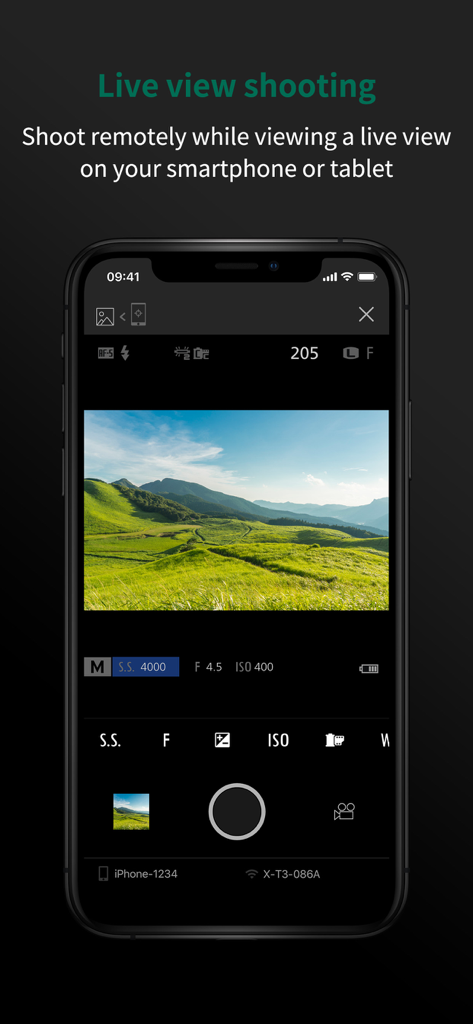
Smartphone screen displaying the live view shooting feature of the Fujifilm Camera Remote app with a green landscape
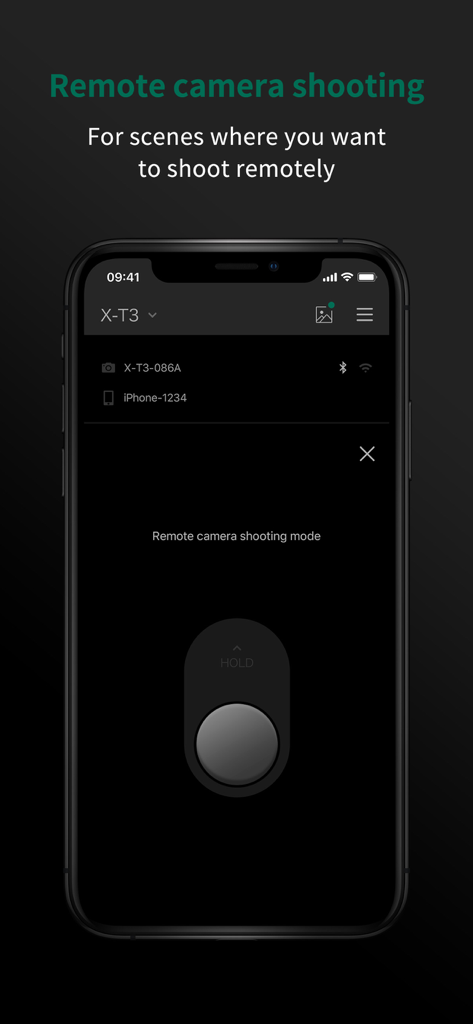
A smartphone displaying the FUJIFILM Camera Remote app remote shooting mode interface with a large shutter button.
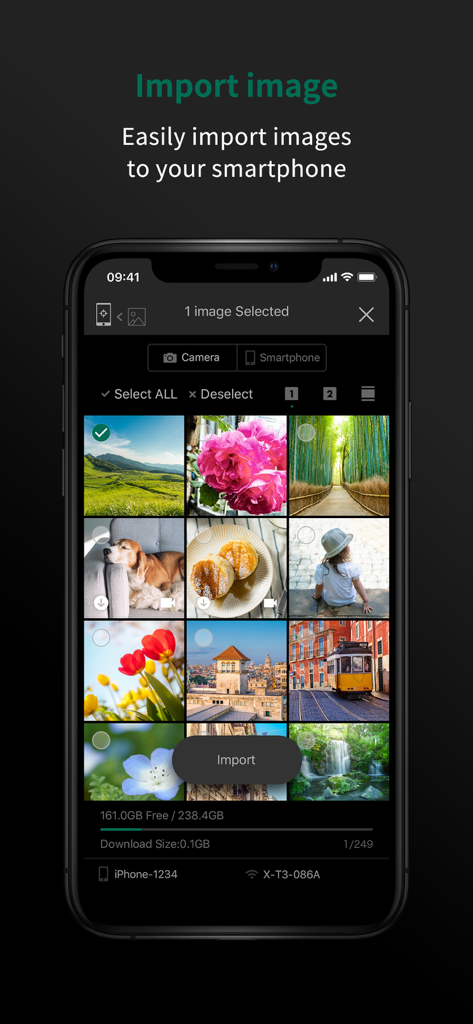
Interface of the FUJIFILM Camera Remote app showing a photo gallery and the option to import images to a smartphone
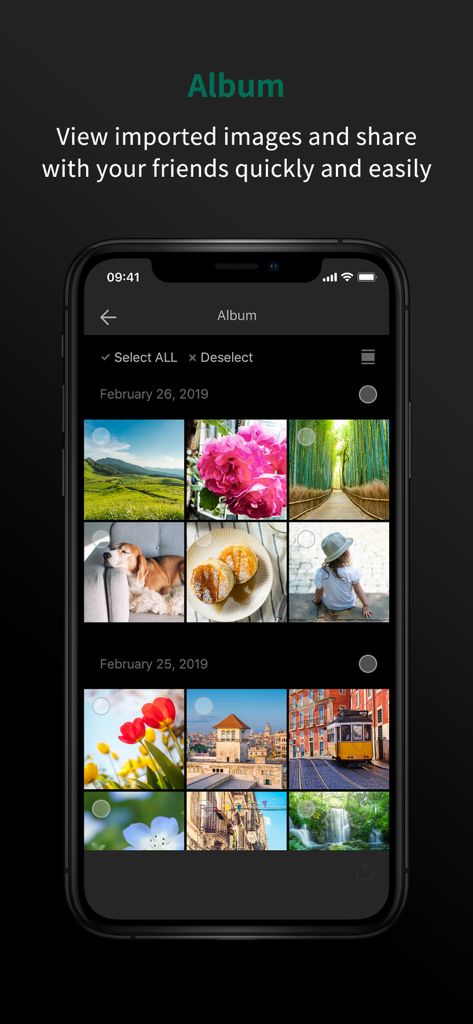
FUJIFILM Camera Remote app album screen displaying a grid of imported photos
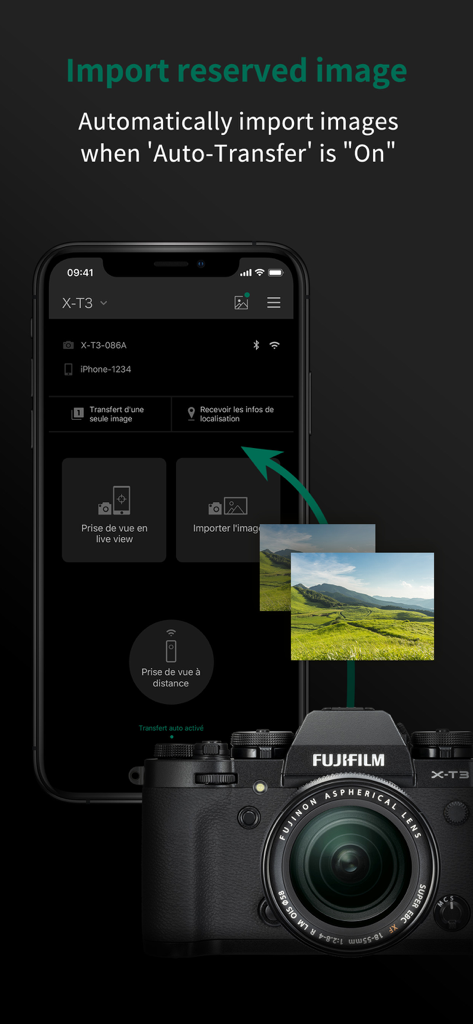
FUJIFILM Camera Remote app interface showing automatic image transfer from a Fujifilm X-T3 camera to a smartphone.
Description
Download
More Like This
Apps with similar features and user experience

DJI Mimo
SZ DJI TECHNOLOGY CO., LTD

DJI Ronin
SZ DJI TECHNOLOGY CO., LTD

Roku TV Remote Control & Cast
Aleh Piashkou

Remote for Hisense TV.
Duscov Stepan

Alpha Linker - Camera Transfer
恒茂 刘

MyCentsys Pro
Centurion Systems (Pty) Ltd

Roku TV Remote Control・
Artur Belov

Luminair
Synthe FX, LLC

FUJIFILM XApp
FUJIFILM Corporation
This page is not an official page of the app or its developer, but an independent editorial publication created for informational and commentary purposes. Unless expressly stated otherwise, neither the app nor its developer is affiliated with, endorsed by, sponsored by, authorized by, or otherwise officially connected with MWM, Apple, Google Play, the app publisher, or the app's developer, and nothing on this page implies that the app was developed using MWM's services. Any trademarks, logos, screenshots, and other content remain the property of their respective owners.