GPS 2 IP
GPS 2 IP
Download on App Store

This page is not an official page of the app or its developer, but an independent editorial publication created for informational and commentary purposes. Unless expressly stated otherwise, neither the app nor its developer is affiliated with, endorsed by, sponsored by, authorized by, or otherwise officially connected with MWM, Apple, Google Play, the app publisher, or the app's developer, and nothing on this page implies that the app was developed using MWM's services. Any trademarks, logos, screenshots, and other content remain the property of their respective owners.

Logo of GPS 2 IP
Download on App Store

GPS 2 IP

Transform your iPhone into a dedicated GPS server. Stream real-time NMEA and TAIP data to OpenCPN, MacEnc, and other professional software via WiFi, Bluetooth, or UDP.

Key Figures

Downloads

165K+

User Rating

3.6/5

Total Ratings

100

Publisher

Angus Oliver

Category

Navigation

Locales

1

Latest Version

5.7

Size

13.0 MB

First Released

Dec 16, 2010
Features

Professional-Grade GPS Data Streaming

Bridge the gap between your iOS hardware and specialized navigation software with reliable, real-time NMEA data transmission.

Seamless Network Integration

Stream high-precision location data via TCP or UDP over Wi-Fi and Bluetooth LE directly to your laptop or workstation.

Engineered for Stability

Built for long-duration use with background operation and automatic resume to keep your navigation feed live throughout your voyage.

The following screenshots and description are sourced directly from the app's official store listing and are the property of the app developer.

App Store

Screenshots
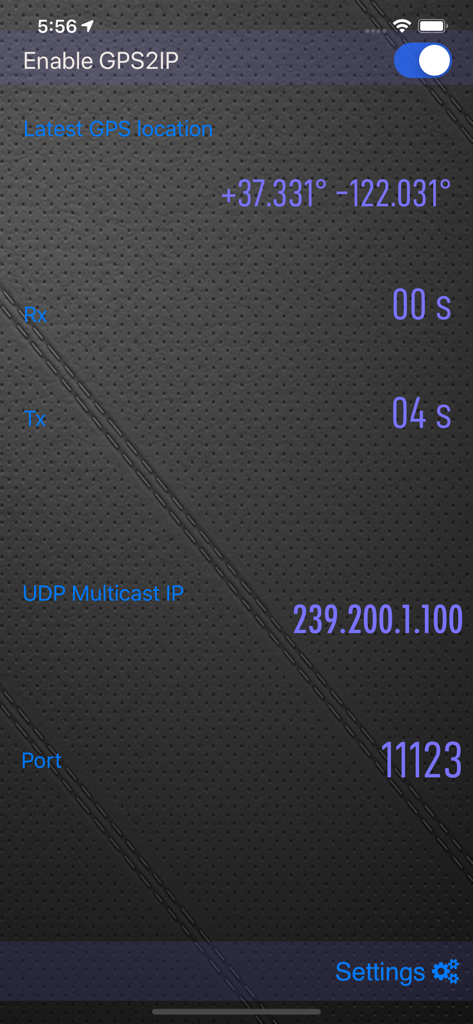
GPS 2 IP - Main interface of GPS 2 IP showing coordinates and network transmission details
Main interface of GPS 2 IP showing coordinates and network transmission details

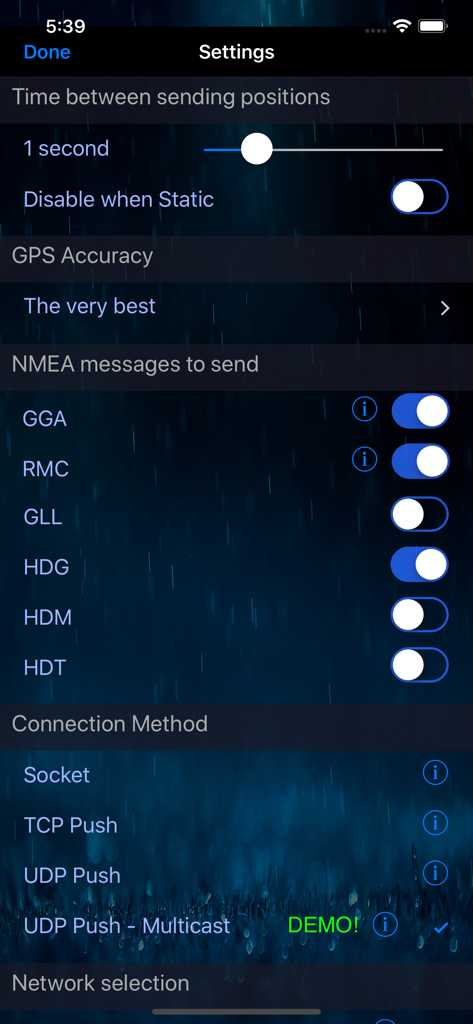
GPS 2 IP - Settings screen of the GPS 2 IP app showing NMEA message selection and connection method configurations
Settings screen of the GPS 2 IP app showing NMEA message selection and connection method configurations

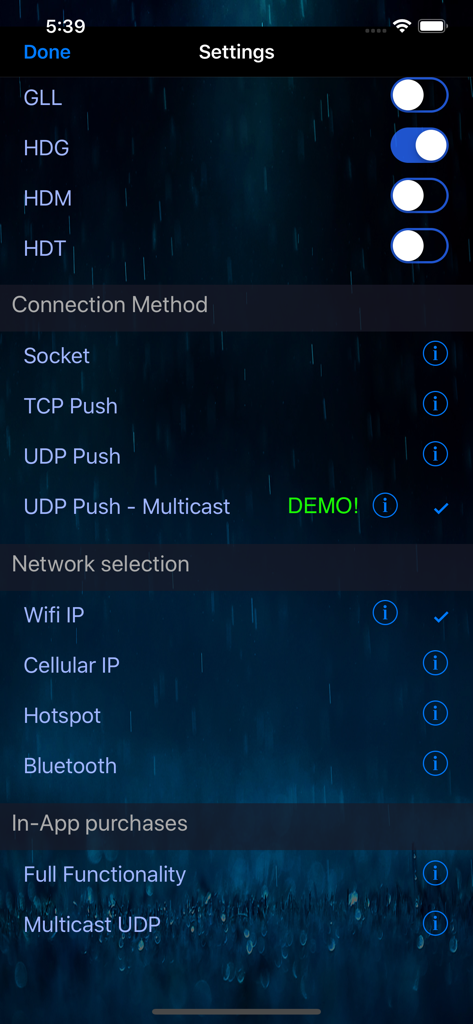
GPS 2 IP - Settings screen of the GPS 2 IP app showing NMEA message toggles, connection methods, and network selection options.
Settings screen of the GPS 2 IP app showing NMEA message toggles, connection methods, and network selection options.

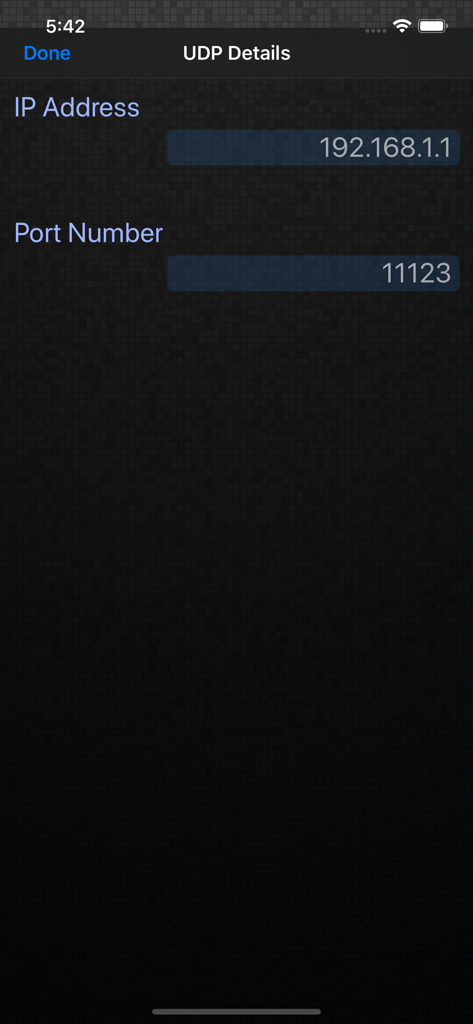
GPS 2 IP - Screenshot of the UDP Details configuration screen in the GPS 2 IP app showing IP Address and Port Number fields
Screenshot of the UDP Details configuration screen in the GPS 2 IP app showing IP Address and Port Number fields

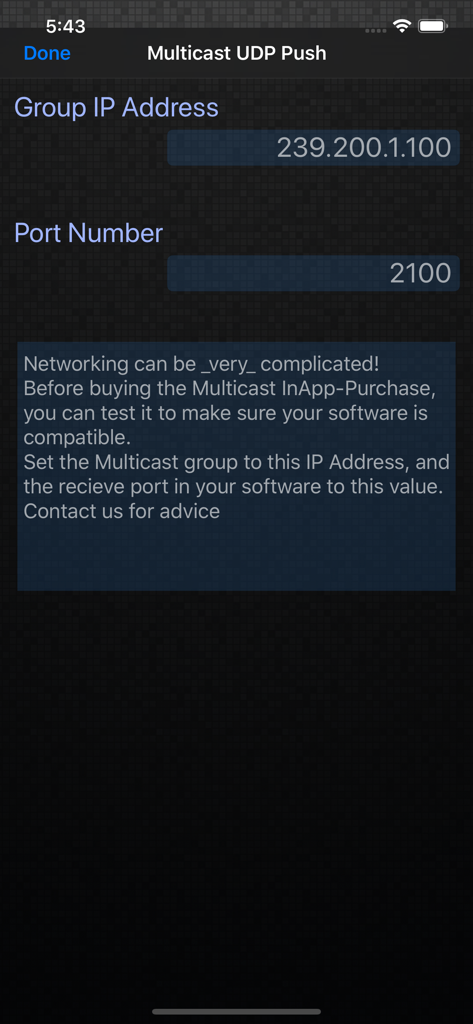
GPS 2 IP - The Multicast UDP Push settings screen in the GPS 2 IP app showing Group IP Address and Port Number fields.

The Multicast UDP Push settings screen in the GPS 2 IP app showing Group IP Address and Port Number fields.

Description

Do you need GPS NMEA location data for your computer or other device - maybe to use some mapping or navigation software? Until now, you couldn't get external access to the GPS inside your iPhone or iPad, but now with GPS2IP you can stream the information in realtime to solve your requirements. BEWARE - GPS2IP is *not* able to be used for the Apple turn-by-turn navigation app, or Google Maps, or most car navigation programs. It is designed for enthusiasts, or more sophisticated navigation software that can use an external wireless GPS unit. If you aren't sure what NMEA is, please check the website before buying. This is a rather special piece of software, and must be used in the right system. PLEASE CHECK THE WEBSITE: www.capsicumdreams.com/iPhone/gps2ip/ We have a free version "GPS2IP Lite" that has most of the same features, so that you can try it out for free. Have a look on our website: http://capsicumdreams.com/gps2ip/differences.php Try it for free, and only buy this full-featured version if it does what you need! The iPhone becomes a GPS server, and to get the information, you just connect to your iPhone using either wifi or Bluetooth LE. Alternatively, you can also push the NMEA data to any online server, using either TCP or UDP and process the information however you want.The TAIP protocol is also supported. Each device running GPS2IP can send a unique identifier, so that if you have multiple devices you can determine which device is sending what messages. GPS2IP now can be configured to restart automatically after your iOS device restarts, so you'll always keep track of your position. Apart from navigation software, other methods for connection include telnet or netcat, or many terminal programs. Some navigation software such as MacEnc can read from an IP address natively. Setting up a connection between MacEnc and GPS2IP is easy. Just have a look at the capsicumDreams website! http://capsicumdreams.com/gps2ip/ Different NMEA messages can be selected for transmission according to your requirements. One non-standard message that GPS2IP transmits that is very useful for sailing is $PASHR. GPS 2 IP can run when the iPhone sleeps to support constant location reporting, but be aware that continued use of the GPS when running in the background can dramatically decrease battery life. If your device dies or you turn it off when it was running, GPS2IP now automatically resumes sending the location. Beware that this will decrease battery life - we recommend keeping it charging if possible. GPS2IP can also be configured to output data at a selectable frequency (for example once every minute). You can lock the settings, so that no unauthorised people can change the settings. Lots more information and instructions on usage can be found on our website. Enjoy!

Download

Download on App Store

This page is not an official page of the app or its developer, but an independent editorial publication created for informational and commentary purposes. Unless expressly stated otherwise, neither the app nor its developer is affiliated with, endorsed by, sponsored by, authorized by, or otherwise officially connected with MWM, Apple, Google Play, the app publisher, or the app's developer, and nothing on this page implies that the app was developed using MWM's services. Any trademarks, logos, screenshots, and other content remain the property of their respective owners.








