
This page is not an official page of the app or its developer, but an independent editorial publication created for informational and commentary purposes. Unless expressly stated otherwise, neither the app nor its developer is affiliated with, endorsed by, sponsored by, authorized by, or otherwise officially connected with MWM, Apple, Google Play, the app publisher, or the app's developer, and nothing on this page implies that the app was developed using MWM's services. Any trademarks, logos, screenshots, and other content remain the property of their respective owners.


HeyCyan
Seamlessly sync POV media, customize controls, and unlock powerful AI agents to supercharge your AR experience and hands-free productivity.
Downloads
106K+User Rating
Total Ratings
200Publisher
Category
UtilitiesLocales
35Latest Version
1.2.6Size
96.1 MBFirst Released
Mar 23, 2025Elevate Your Augmented Reality
Seamlessly connect your smartphone to your smart glasses to unlock powerful AI features, instant media syncing, and precision hardware control.
AI-Powered Intelligence
Access custom AI agents directly through your app to transform your glasses into a hands-free personal assistant for instant answers.
Instant Media Workflow
Create a high-speed WiFi hotspot to effortlessly export, edit, and share your POV photos and recordings to your social feeds.
Frequently Asked Questions
Everything you need to know about HeyCyan
How does HeyCyan connect and control smart glasses?
HeyCyan connects smart glasses via Bluetooth, enabling direct control over functions like volume, gesture settings, and system updates from your smartphone.
Can HeyCyan monitor smart glasses battery and network status?
Yes, HeyCyan monitors the remaining battery life and network usage of your smart glasses. It also manages WiFi connections on the glasses through the app.
How does HeyCyan manage media between smart glasses and a phone?
HeyCyan uses the glasses' WiFi module to create hotspots, facilitating export, synchronization, viewing, editing, sharing, and saving of photos and call recordings to your phone.
What AI capabilities does the HeyCyan app provide?
HeyCyan provides access to various AI agents directly within the app. Users add these agents to their library to enhance AI services on their AR smart glasses.
How to import photos and videos from smart glasses using HeyCyan?
Users import photos and videos by navigating to the "Picture" tab in the HeyCyan app. The app identifies media from the glasses for transfer to the phone.
Does HeyCyan offer user account management?
Yes, HeyCyan provides user account management. The "Me" section allows editing information and accessing "Account and Security" settings, along with other device management options.
The following screenshots and description are sourced directly from the app's official store listing and are the property of the app developer.
App Store
Screenshots
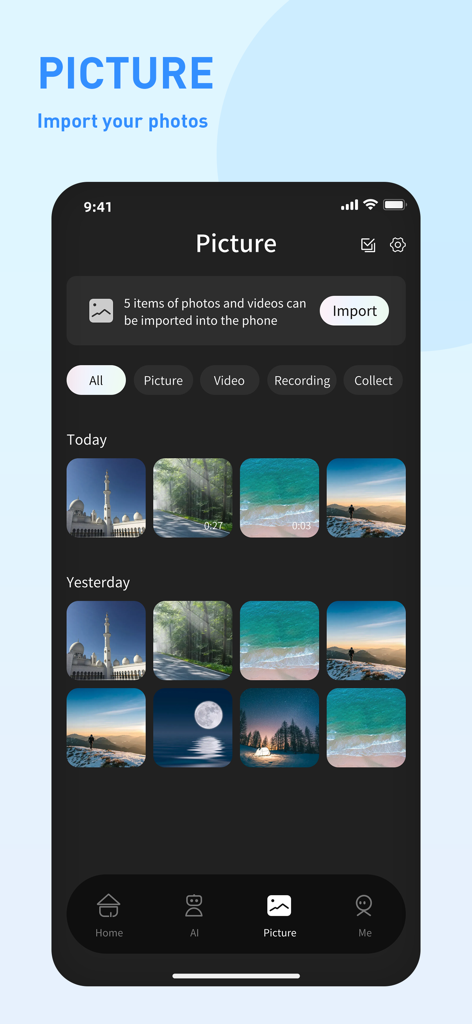
HeyCyan app interface displaying photo and video gallery from smart glasses with an import button
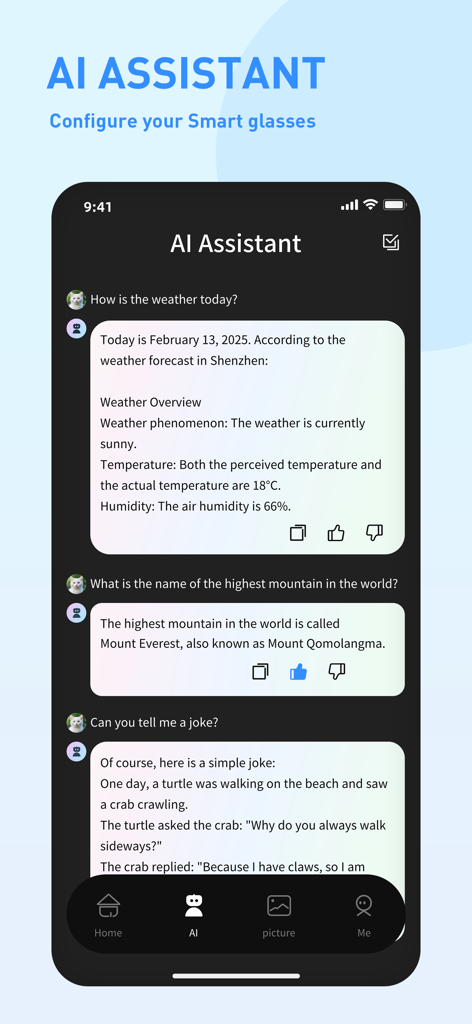
AI Assistant chat interface on the HeyCyan app for smart glasses
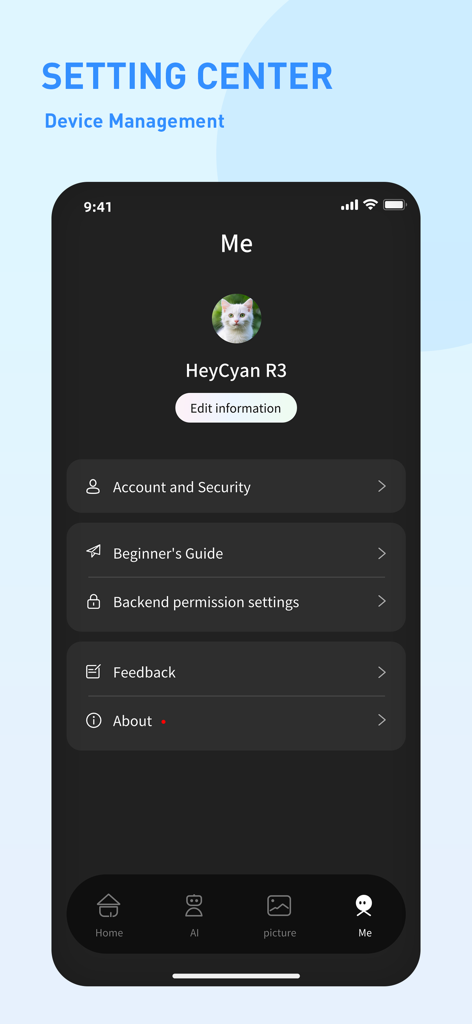
User profile and device management settings screen in the HeyCyan companion app for smart glasses.
Description
Download
More Like This
Apps with similar features and user experience

DJI Mimo
SZ DJI TECHNOLOGY CO., LTD

DJI Ronin
SZ DJI TECHNOLOGY CO., LTD

Roku TV Remote Control & Cast
Aleh Piashkou

Remote for Hisense TV.
Duscov Stepan

Alpha Linker - Camera Transfer
恒茂 刘

MyCentsys Pro
Centurion Systems (Pty) Ltd

Roku TV Remote Control・
Artur Belov

Luminair
Synthe FX, LLC

FUJIFILM XApp
FUJIFILM Corporation
This page is not an official page of the app or its developer, but an independent editorial publication created for informational and commentary purposes. Unless expressly stated otherwise, neither the app nor its developer is affiliated with, endorsed by, sponsored by, authorized by, or otherwise officially connected with MWM, Apple, Google Play, the app publisher, or the app's developer, and nothing on this page implies that the app was developed using MWM's services. Any trademarks, logos, screenshots, and other content remain the property of their respective owners.