
This page is not an official page of the app or its developer, but an independent editorial publication created for informational and commentary purposes. Unless expressly stated otherwise, neither the app nor its developer is affiliated with, endorsed by, sponsored by, authorized by, or otherwise officially connected with MWM, Apple, Google Play, the app publisher, or the app's developer, and nothing on this page implies that the app was developed using MWM's services. Any trademarks, logos, screenshots, and other content remain the property of their respective owners.


Hokusai Audio Editor
Create, mix, and master your audio with a clutter-free interface designed for precision. Join over 1 million creators using pro-level effects and intuitive gestures to produce studio-quality sound on the go.
Downloads
1M+User Rating
Total Ratings
3K+Publisher
Category
MusicLocales
1Latest Version
2.5.14Size
9.3 MBFirst Released
Aug 1, 2011Desktop Power, Mobile Precision
Craft professional-grade podcasts and music with the ultimate multitrack editor built specifically for your iPhone and iPad.
Tactile Multitrack Control
Edit multiple tracks side-by-side using intuitive touch gestures that make audio manipulation feel natural and precise.
Professional Studio Suite
Access advanced tools like noise gating, time-stretching, and live scrubbing to achieve the perfect sound every time.
Frequently Asked Questions
Everything you need to know about Hokusai Audio Editor
What is Hokusai Audio Editor?
Hokusai Audio Editor is a multitrack audio editing application for iPhone, iPad, and iPod touch. It allows users to record, import, cut, copy, paste, delete, mix tracks, and apply a suite of filters and effects.
Can Hokusai Audio Editor record audio?
Yes, Hokusai Audio Editor can record audio directly into a project. It also allows users to import existing audio files from their device.
What file formats does Hokusai Audio Editor support for export?
Hokusai Audio Editor supports exporting finished audio projects in Wave or MP4 formats. Users can then transfer these files to computers, other apps on their device, or upload them to cloud services.
Does Hokusai Audio Editor support multitrack editing?
Yes, Hokusai Audio Editor is a multitrack audio editor. It allows users to edit and mix multiple audio tracks side-by-side within a single project.
What basic audio editing tools are included for free in Hokusai Audio Editor?
Hokusai Audio Editor includes free tools such as fade in/out, normalise volume levels, reverse time, and basic synthesis. These are available without an in-app purchase.
Can Hokusai Audio Editor be upgraded for more features?
Yes, Hokusai Audio Editor offers in-app upgrades to add new tools and effects, known as "Hokusai 2 Pro". These include advanced features like pitch-bending, time-stretching, and various filters.
Does Hokusai Audio Editor have an undo/redo function?
Yes, Hokusai Audio Editor provides full undo/redo support for edits. This functionality persists even after a user closes and reopens their project.
Does Hokusai Audio Editor support Dark Mode?
Yes, Hokusai Audio Editor supports Dark Mode. This feature provides an alternative, darker visual theme for the application interface.
How can I share audio from Hokusai Audio Editor?
Users can share audio from Hokusai Audio Editor by transferring it to a computer, sending it to another app on their device, or uploading it directly to cloud services.
The following screenshots and description are sourced directly from the app's official store listing and are the property of the app developer.
App Store
Screenshots
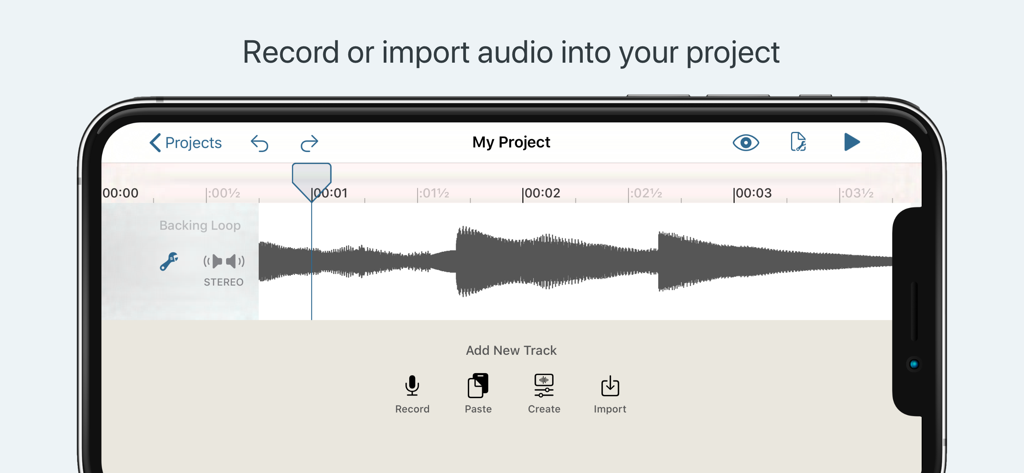
Hokusai Audio Editor interface showing a waveform track and import tools on an iPhone
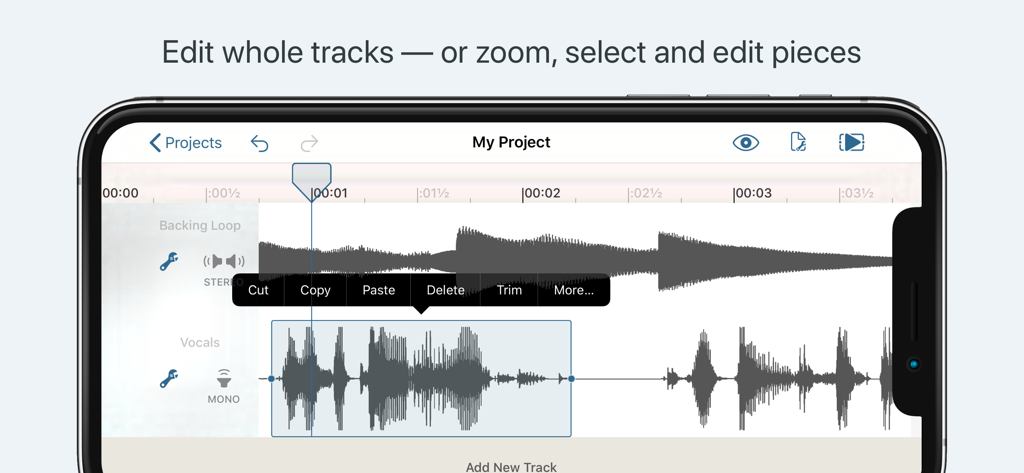
Hokusai app showing multitrack audio editing and waveform selection tools
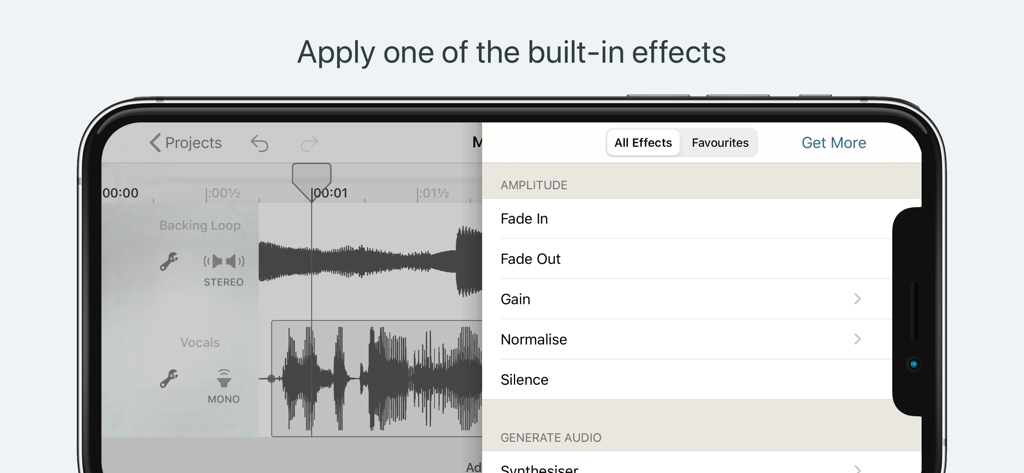
Mobile audio editing interface displaying built-in amplitude effects like Fade In and Normalise
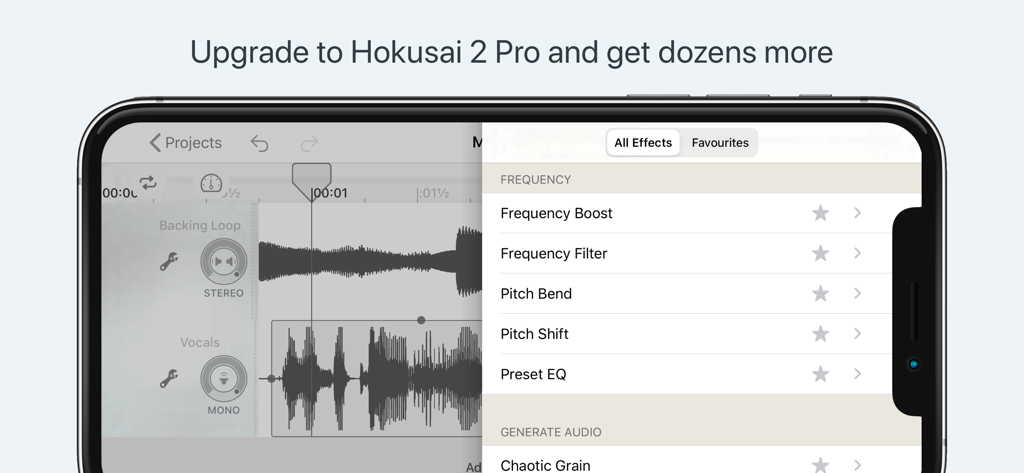
Hokusai Audio Editor Pro effects menu showing frequency boost and pitch bend options
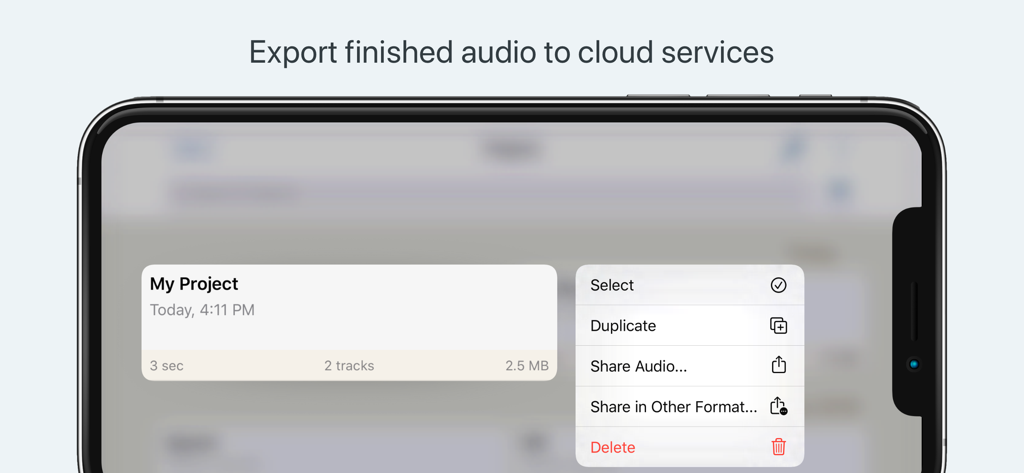
Hokusai Audio Editor interface showing project export and sharing options
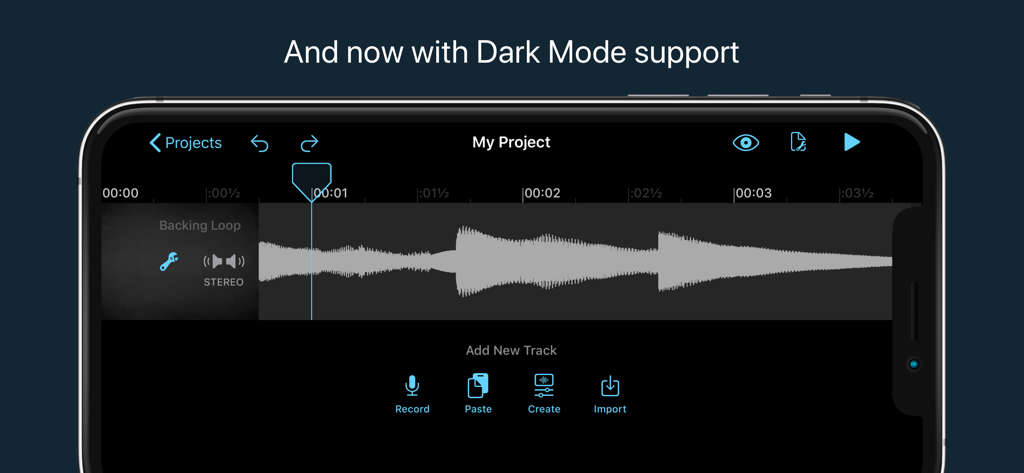
Hokusai Audio Editor multitrack interface in dark mode featuring an audio waveform and track management options on iPhone
Description
Download
More Like This
Apps with similar features and user experience

WavePad音频和音乐编辑器
NCH Software

Audio Editor - Music editor
苏娟 陈

SoundLab - Audio Editor
孛 刘

Microphone Live-Voice Recorder
Arpenik Katikyan

Ferrite Recording Studio
Wooji Juice Ltd

WavePad Music and Audio Editor
NCH Software

Audio Editor - AudioLab, Mixer
Innovation Software Development 360 LLC

au editor - audio cutter
龙刚 李

Audio Editor: Video to Audio
文 夏
This page is not an official page of the app or its developer, but an independent editorial publication created for informational and commentary purposes. Unless expressly stated otherwise, neither the app nor its developer is affiliated with, endorsed by, sponsored by, authorized by, or otherwise officially connected with MWM, Apple, Google Play, the app publisher, or the app's developer, and nothing on this page implies that the app was developed using MWM's services. Any trademarks, logos, screenshots, and other content remain the property of their respective owners.